Hi,
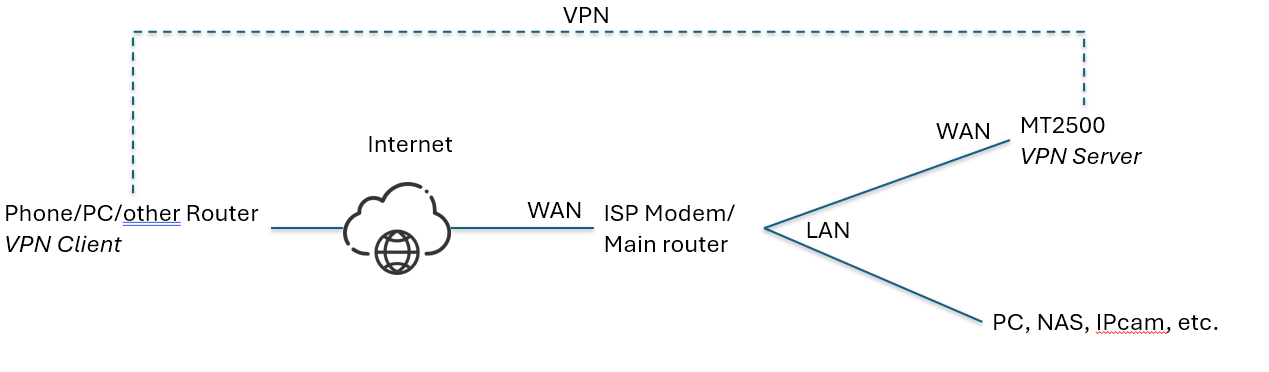
I have in my home a LAN with several devices connected to it.
I bought a MT2500 (Brume 2) with the idea of allow remote access to my devices, so I can change the configuration remotely. I have connected only the WAN port of the MT2500 to my LAN trouguh a switch. Nothing connected in the LAN port of the MT2500.
I configured the Wireguard server in the MT2500, and I can access it remotely, I have internet access and also I can enter the MT2500 setup up. But I'm not able to see the other devices in the LAN. I have already activated “Allow Remote Access LAN”. I don't want to change my current setup and coonet all the devices to the LAN port router.
Is it possible to connect to the other devices of the LAN without connecting them trough the LAN port of the MT2500 router? Can you help me?
Thanks