Hi, I have spent several hours trying to get a Slate 7 working on my network in WDS mode. I did a bunch of searching for answers but did not find anything that helped.
I have a MT3000 working in WDS mode and setup was easy and worked right away.
My main router is a GL-XE3000.
I have tried various firmware versions. Currently on the latest. I have reset the slate 7 multiple times trying various things.
When I setup the mt3000 I can find it in the client list and access it through the IP address to see the admin interface.
The slate 7 never appears in the client list after adding to WDS and I can not connect to it through the ethernet interface either. The display says WDS on the device.
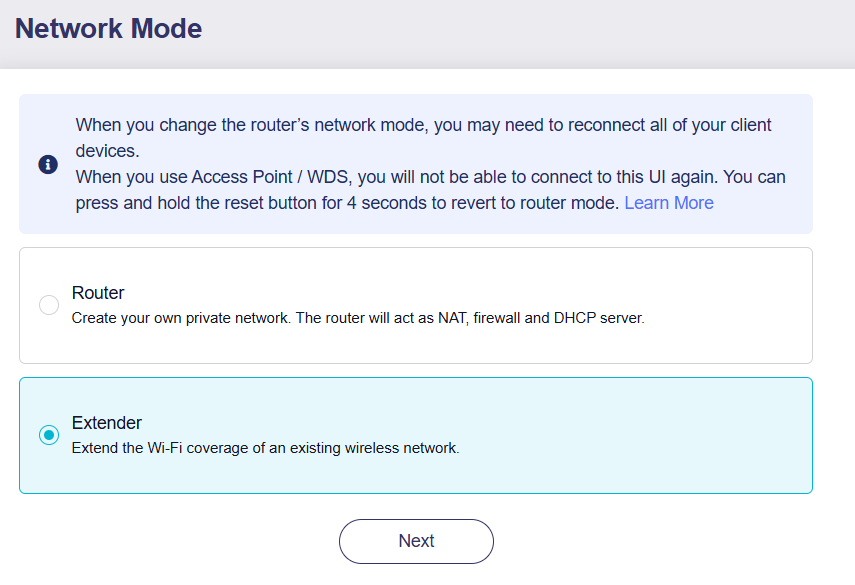
I tried repeater mode on the slate 7 and sort of got that working but could not access devices connected to the slate 7 from outside that device but still on local network.
How do I get WDS working on the slate 7 like it is working on the MT3000?
WDS can sometimes have poor compatibility when used across different chip platforms.
In this situation, Extender mode might be the only workable solution.
Regarding the issue with not being able to access devices on the Slate 7's network when it's in Extender mode, could you please provide us with some more information?
What are the current firmware versions for both your XE3000 and the Slate 7? Are they both on the latest stable firmware, or are you using a beta version?
Have you already tried rebooting the Slate 7 after you set it up in Extender mode?
XE3000 is now on the latest beta firmware. 0802beta1
Slate 7 is on the latest stable firmware. 4.8.1
Clients attaching through the slate do have internet access when in “extender” mode. They get .8 addresses which match the main network not the .9 network I put on the slate 7 to get extender mode working. It would not connect while at the default .8.
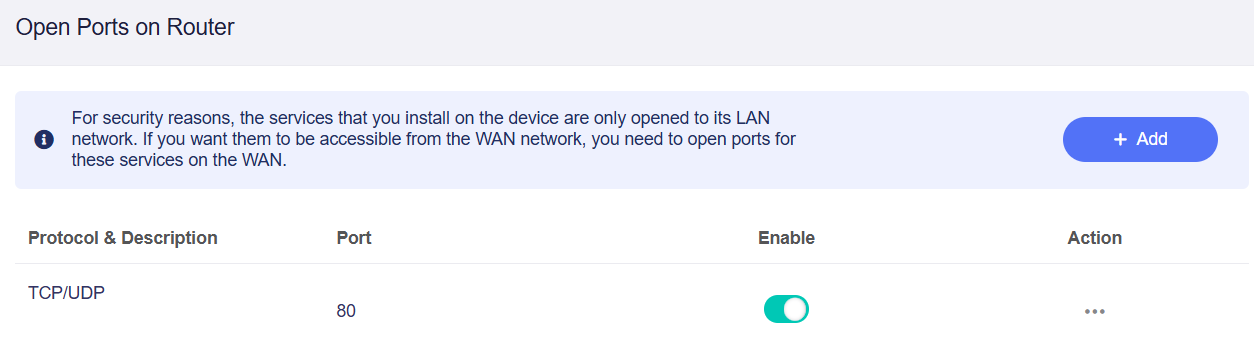
I am finding I have to manually open ports to get back to any devices connected to the slate and to remotely manage the slate from within the main network. The internet connection shows a .8 address that it is using to connect to my main network but until I open the ports or enable remote management I can’t access the slate from my main network.
Since this is on my local network I would just like to allow pass through for all the ports but I am not finding a way to do that. WDS would have given me that.
This also means that setting things link speed limits on certain devices will have to be setup multiple times? The clients appear to have different connections when coming from the slate compared to the main network. WDS seems to tie it all together nicer so clients always show up on the main router. In extender mode I don’t appear to have that?
The behavior you're describing is kind of weird.
When the Slate 7 is in "Extender" mode, it should function transparently, allowing all traffic from the main network to pass through to any devices connected to the Slate 7, and access the router without requiring remote management to be enabled.
To ensure that the settings were fully applied, could you please confirm if you restarted the router after enabling "Extender" mode?
If the problem continues, please export the device logs and send them to us in a private message so we can investigate further.
I have restarted it and I confirmed that either I need to enable HTTPS remote access or open port 80 to even be able to manage the slate 7 from my main network. If I remove that open port I then have to connect to WAP directly and put it back.
It has been restarted several times since configured because I moved it to a new location.
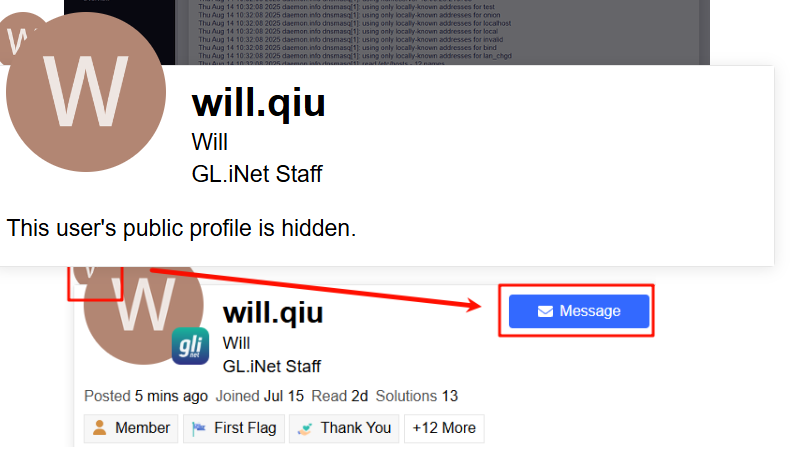
I had downloaded the logs but don’t have a way to DM them. I am blocked from sending. I don’t see any of the options you show in the screen shot. I just get the message that the public profile is hidden.
To help us with our investigation, could you please connect your router to GoodCloud and share the device with us?
This will allow us to remotely check the configuration and diagnose the issue directly. Technical support via GoodCloud - GL.iNet Router Docs 4
Please note that after sharing, let us know the router's MAC address and login password vai privately message so we can access it.
sorry, I am just not comfortable giving that level of access into my network.
I have a work around for the problem. I need to open ports on the Slate 7. Is there way to specify a range of ports to open? One at a time is not the best solution
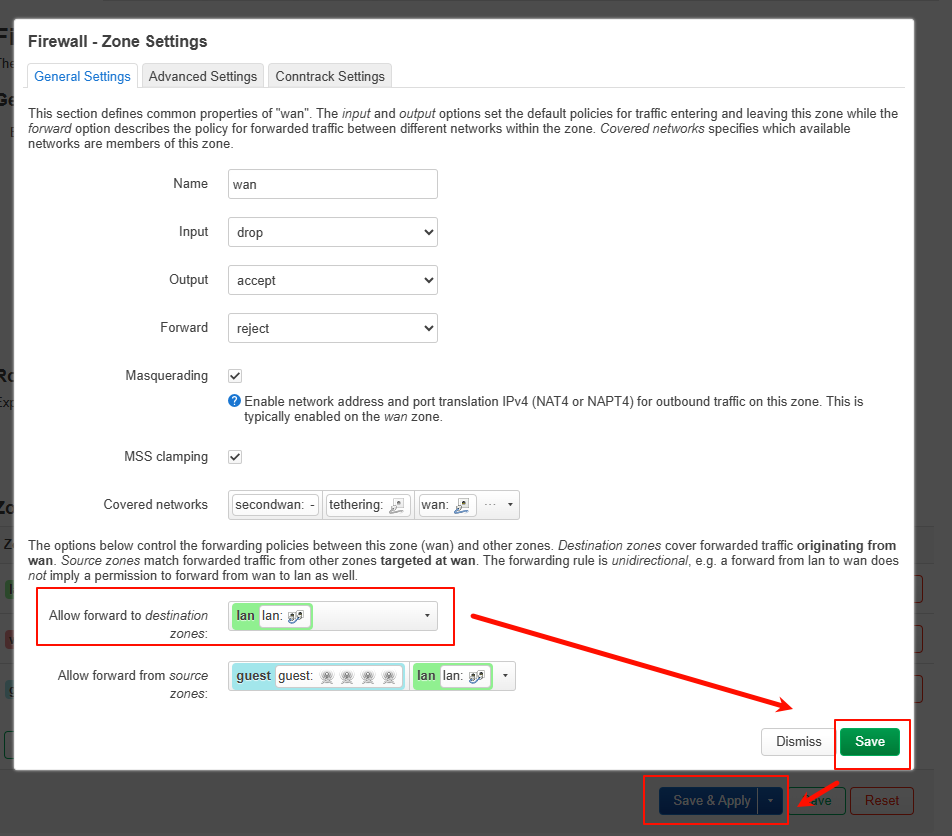
Please go to Luci - Network - Firewall - Click the Edit button next to the WAN zone - Under “Allow forward to destination zones”, select “LAN”.
This should enable all WAN-to-LAN access for you.