When the same configuration file is uploaded to the MT3000, the WireGuard client works perfectly;
Thu Apr 23 18:48:44 2026 daemon.notice procd: /etc/rc.d/S95vpn-client: Found matching instance wgclient1 for rule peer: 2001
My two devices have same settings; IPv6 is not enabled, and I’m using Global Mode.
How should I resolve it?
Thank you all for your help.
RBzee
April 23, 2026, 2:49pm
2
Do you have obfuscation parameters set? The MT3000 supports Amnezia 2.0, while the MT3600BE doesn’t yet.
Thank you for your reply.
I haven’t configured any “obfuscation parameters.”
I’m only using the “WireGuard Client” because the WireGuard Server service is provided by VPN service providers. They do not provide obfuscation parameters.
lucas2
April 24, 2026, 7:59am
5
What firmware version is your MT3600BE?
Could you provide me with a profile so I can verify it on my MT3600BE?
Or could you export the complete VPN connection failure logs and send them to us for review?
If it's inconvenient to do this here, you can send your log or profile to support@gl-inet.com along with a link to this post.
Thank you.
RBzee
April 24, 2026, 8:37pm
6
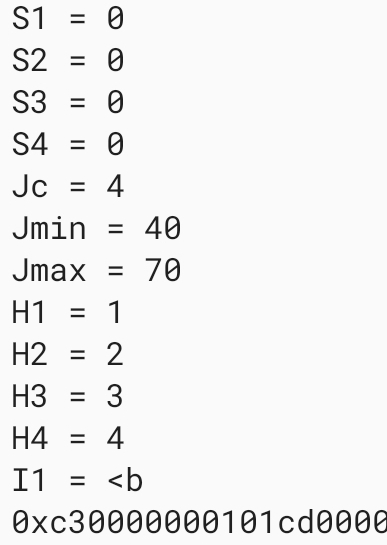
Does your configuration contain any lines like these?
These are AmneziaWG 2.0 obfuscation parameters. The MT3600BE currently supports AWG 1 or 1.5
firmware version is v4.8.5.
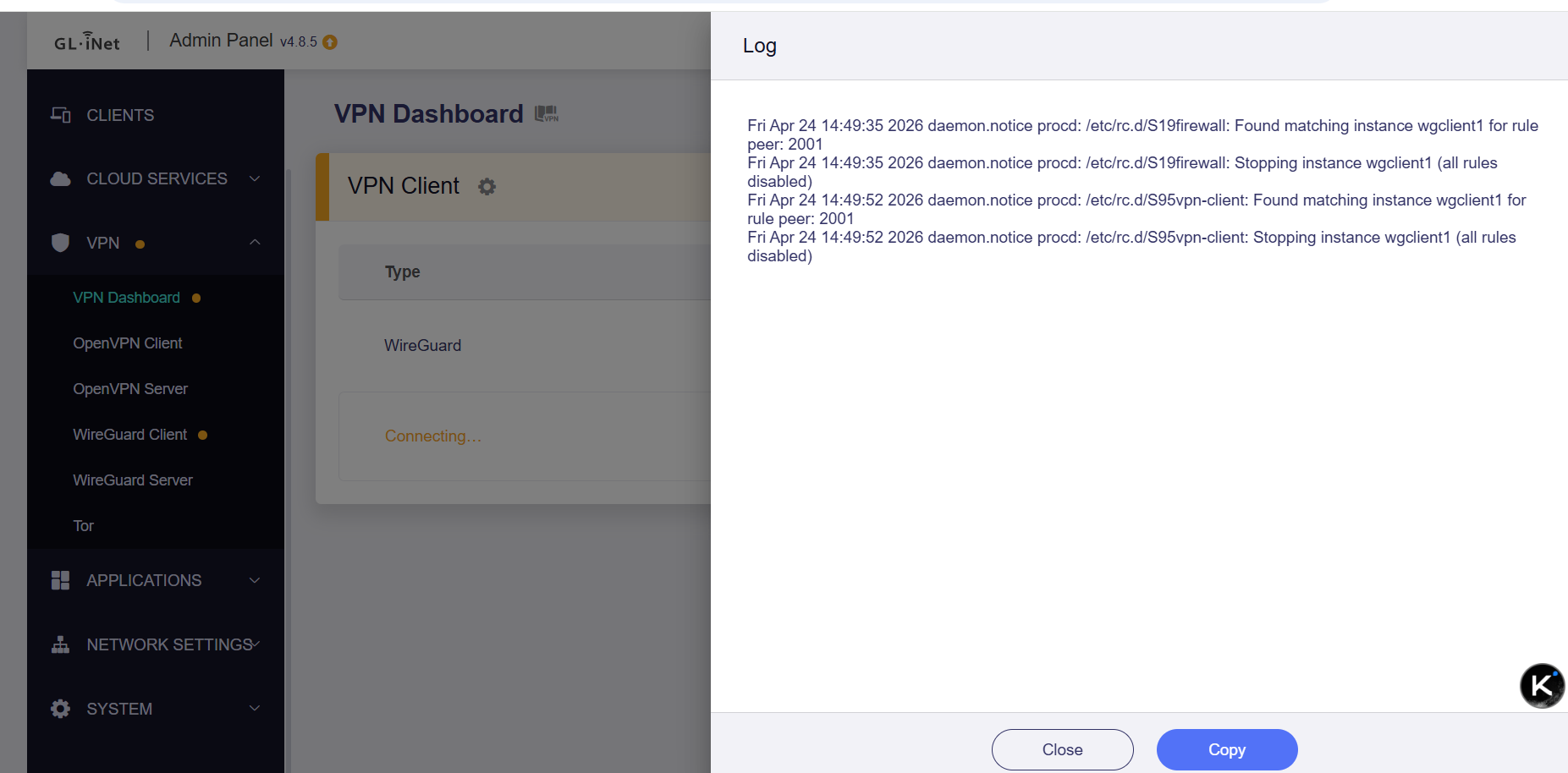
I have attached a screenshot of the VPN connection failure log.
turn off Tailscale in case you have it enabled.
Blanched_Almond:
Tailscale
Tailscale is turn off. It has never been turned on.
lucas2
April 30, 2026, 8:43am
10
Are you using the same profile connection on both the MT3000 and MT3600BE at the same time?
If you temporarily disconnect the VPN connection on the MT3000, can you connect normally using this profile on the MT3600BE?
Yes, I'm using the same configuration file.
lucas2
April 30, 2026, 9:42am
12
This log is incomplete. Can we get more information?
For example, could you bind both routers to GoodCloud and share it with technical support?
Or could you send us this VPN profile for local testing and verification?
After I reset it, the VPN started working and connected successfully.
system
August 5, 2026, 7:49am
14
This topic was automatically closed 90 days after the last reply. New replies are no longer allowed.