Why the Slate AX cannot established the connection of Amnezia WG for obfuscation protocol

Hi

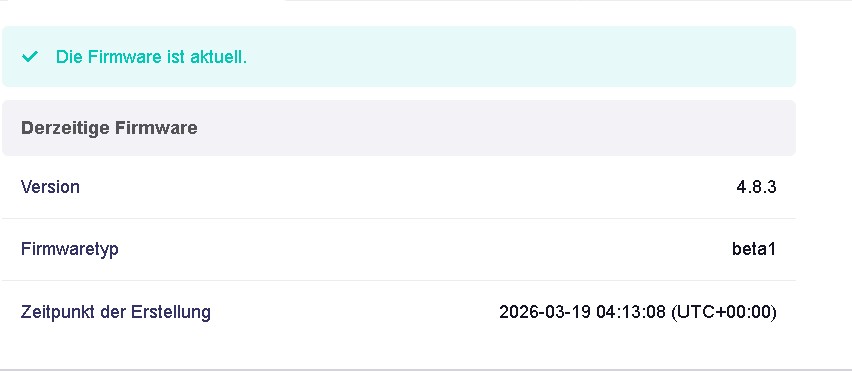
Currently i am notices that got a beta firmware on Slate AX which added support on Amnezia WG obfuscation protocol, but unfortunately during am tested it was unable to established the connection after the firmware updated.

May I know what's the problem? Or

Does it official release in the beta for Amnezia WG obfuscation protocol? Because it was unsuccessfully established the connection and, whereby then switch to normal WG server it was successfully established the connection.

For Flint 2 & Beryl 7 is no issue at all. Since the Flint & Slate AX the component is same as I'm not sure whether the issue is same with the Slate AX or not?

I have 2 Slate AX which both is same result unsuccessfully.

Thanks :blush:

1 Like

Can confirm. I have 2 Iphones and a Berly6 succesflull with AWG1 on the Flint2.
But the SlateAX will not join them with this Beta.

As mentioned on the release note for 4.8.3 of the Slate AX that why am curious :thinking:

New Features

  • Added support for AmneziaWG obfuscation protocol.

Hi

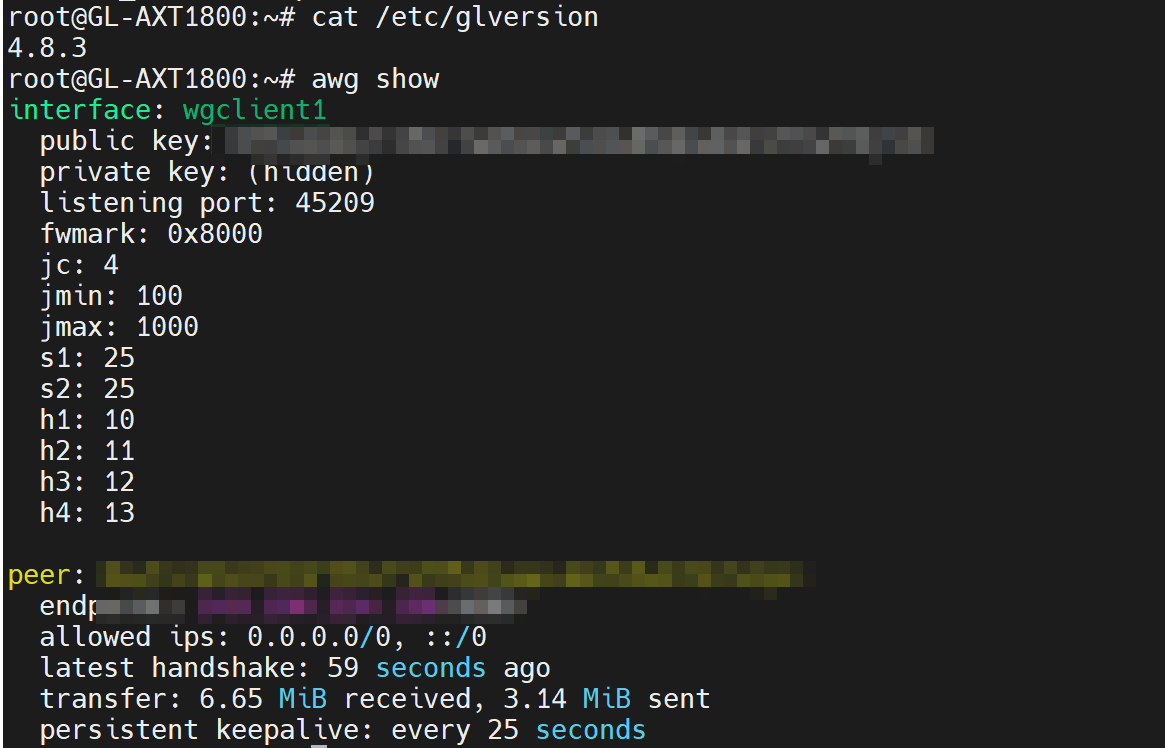
Yes, we’ve already added support for AmneziaWG 2.0 in the AXT1800 v4.8.3 beta version.
We’ve tested it locally, and AmneziaWG is able to connect normally without any issues.

Could you please follow the guide and share your device with us via GoodCloud so we can check it remotely?

Kindly note to send us the MAC address and the router password via private message so we can access it

Please check your PM? Thanks!

Thank you for providing remote access.

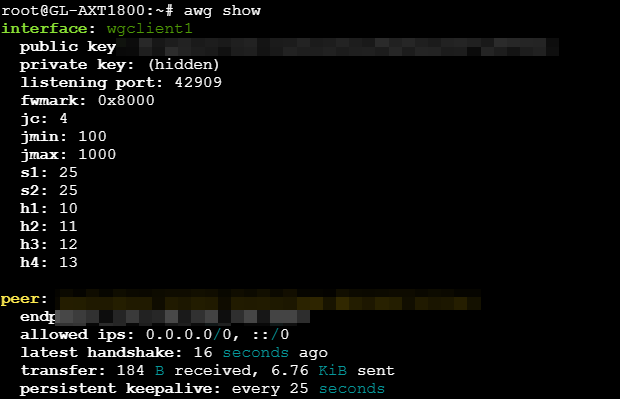
We’ve imported our test AWG configuration file on your device, and it appears to be working properly.


However, we couldn’t find your configuration file, so we’re unable to check whether your setup is functioning correctly.
Could you please import your configuration file on the device so we can take a look?

I am used Wireguard Server for Enable Obfuscation which unable to start-up?

Thank you for the clarification.

It seems that the AmneziaWG server is indeed not functioning properly, and we will ask the development team to investigate further.

Thanks for your clarification. That why am curious whether is official support or not since the release notes was mentioned is included.

I have tested the Flint 2 and Beryl 7 and there is no issue at all whereby, plug & play.

I am not sure whether the Flint is same with the Slate AX or not because am still yet tested. i have 2 flint as well.

Maybe you can to have a look into it and much appreciated for your time and kind assistance.

Thanks!

Yes, the beta v4.8.4 of the AXT1800 should already support AmneziaWG.
However, it seems that while the AmneziaWG client is running normally, there are still some issues with the server side which we will ask R&D team to check.

1 Like

I just got the slate ax in december 2025, and this device is amazing ( old time openwrt user ,with more than 10 devices here ) .

AmneziaWG was my next test on this device, and now i find that not only someone already did the groundwork, but also that everything is ready for usage ( I’m only interested in client usage ) .

Thank you all

1 Like

We released a new beta firmware today (release date: 2026-03-26), which fixes the issue where the Wireguard Server with Enable Obfuscation (AmneziaWG server) could not be enabled.

If you’re interested, feel free to download it and give it a try.

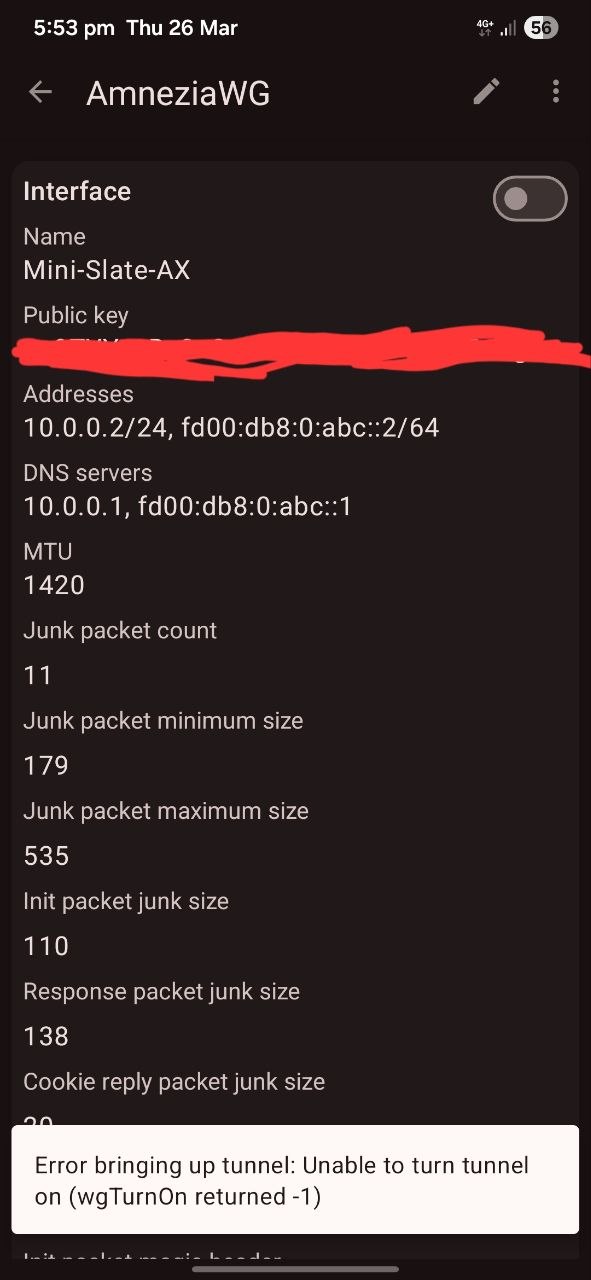
The Slate AX was successful established the network but unfortunately cannot established the connection from my smartphone to the router due to the error? I am using my cellular to connect.

Please try removing the spaces before and after the - in the following parameters.

# From

H1 = 1903085552 - 1903085733
H2 = 444143705 - 444144163
H3 = 1124558551 - 1124558643
H4 = 16282837 - 160772342

# To

H1 = 1903085552-1903085733
H2 = 444143705-444144163
H3 = 1124558551-1124558643
H4 = 16282837-160772342
2 Likes

Yes, got it and its working after adjusted and forget to start-up the server just now. Btw, thanks :blush:

1 Like

I have a GL-AXT1800 on firmware 4.8.3 beta and I'm trying to set up AmneziaWG with my own config from my personal VPS. The config loads without any parsing errors, the wgclient1 interface starts, but then drops after 30-40 seconds. wg show shows nothing — no handshake at all.

What I’ve already tried:

  1. splitting AllowedIPs into several lines
  2. removing the I1 = <r 168> line
  3. using the most simplified config possible
  4. saving the file as UTF-8 (without BOM) + Unix (LF)

Regular (non-Amnezia) WireGuard works perfectly on the same router. I’ve already shared the device with GL.iNet Technical Support in GoodCloud.
Happy to provide more logs or any other info if needed.
Thanks in advance!

Hi,

Could you let us know if you have contacted our technical support regarding your AmneziaWG connection issue via email or forum private message and shared your device password for remote access?
It seems like I couldn’t find related support ticket.

If you have already contacted support and provided the router password, please ignore this message.

However, if you haven’t submitted this information via a ticket or forum private message, please send an email to support@gl-inet.com with a description of the issue (or a link to this post) along with your device’s MAC address and password so our team can provide assistance.

Alternatively, you can directly send me the device password via private message, and we can then check remotely through GoodCloud.


I’ve also edited your post to hide the device ID for privacy reasons.

Hi,

I'm running GL-MT3600BE (Beryl 7) on firmware 4.8.6 and trying to set up AmneziaWG 2.0 client with my own VPS (running amnezia-awg2 Docker container).

The server config contains AWG2 parameters including H1–H4 as ranges (e.g. H1 = 1820558476-2116XXXXX73) and S3/S4 parameters.


Issue 1 — Config import truncates H1–H4 values

When uploading the .conf file via the web interface, the H1–H4 values get silently truncated. For example:

# What's in the uploaded file:
H1 = 1820558476-2116XXXXX73

# What gets saved to /etc/wireguard/profile/XXXX/peer_XXXX:
H1 = 1820558476-2116

The web UI shows "Passed" on upload but the values are cut off. This means the import parser is treating the - as a negative sign or separator and only keeping the first part of the range.


Issue 2 — Web UI does not allow editing config values manually

After noticing the truncation, I tried to fix the values directly in the web interface via VPN → WireGuard Client → Edit. However, any changes made in the web UI are not saved — the values revert back to the truncated ones. The web interface does not provide a way to manually correct the config.


Issue 3 — Parser rejects H1–H4 range format even after manual fix via SSH

As a workaround, I manually corrected the truncated values via SSH directly in /etc/wireguard/profile/XXXX/peer_XXXX:

# Before (truncated):
H1 = 1820558476-2116
H2 = 2125884291-2132
H3 = 2142557457-2146
H4 = 2147186404-2147

# After (manually fixed via SSH):
H1 = 1820558476-2116XXXXX73
H2 = 2125884291-2132XXXXX42
H3 = 2142557457-2146XXXXX40
H4 = 2147186404-2147XXXXX65

I also made sure there are no spaces around the - as suggested in another thread. However the interface still fails to start with the following error:

daemon.notice netifd: wgclient1 (3998): Unable to parse H1: `1820558476-2116XXXXX73'

So it appears the AWG2 parser on the router does not support the range format for H1–H4 (two integers separated by a dash), even though AWG 2.0 support was announced in the 4.8.6 release notes.


Steps to reproduce:

  1. Generate AmneziaWG 2.0 config from Amnezia client (amnezia-awg2 Docker container on VPS)
  2. Upload .conf to GL-MT3600BE via VPN → WireGuard Client → upload config
  3. Web UI shows "Passed" but H1–H4 values are truncated after upload
  4. Try to edit values in web UI → changes are not saved
  5. Fix values manually via SSH in /etc/wireguard/profile/XXXX/peer_XXXX
  6. Try to connect → "Unable to parse H1" error in logs, no handshake

Environment:

  • Router: GL-MT3600BE (Beryl 7)
  • Firmware: 4.8.6 release
  • Server: amnezia-awg2 Docker container (AWG2 format)
  • Config has S3/S4 and H1–H4 as ranges (two integers separated by dash)

Note: Regular WireGuard works perfectly fine on the same router. The issue is specific to AmneziaWG 2.0 range format for H1–H4 parameters.

Thanks!

Sorry.

It has been confirmed that the MT3600BE's 4.8.6 beta firmware only supports AmneziaWG 1.0.

AmneziaWG 2.0 is supported only on firmware 4.9.

It may take a little more time.