Hi,
I have tailscale set up on my router with an overseas exit node. I have set Cloudflare (1.1.1.1) as the DNS and enabled overriding client DNS settings.
I have seen a few threads by people asking for a kill switch for tailscale, similar to the “block non-VPN traffic” setting.
What scenario would such a setting address?
If the exit node goes down, client devices will lose internet connection. The DNS setting does not depend on tailscale. What else is there to do? What sequence of events is being safeguarded against?
Hi!
This is essentially similar to scenarios involving a 'kill switch' or 'blocking non-VPN traffic'.
When Tailscale/VPN goes down for any reason, it stops traffic from client devices (including DNS traffic) from leaving via the WAN which can prevent IP/DNS leaks.
But the Tailscale "Kill Switch" is not support yet.
If you have related requirement, may refer to the threads you saw like this one Tailscale and "Block Non-VPN Traffic" - #8 by hansome
I read through the post you linked. Where do I apply those firewall rules?
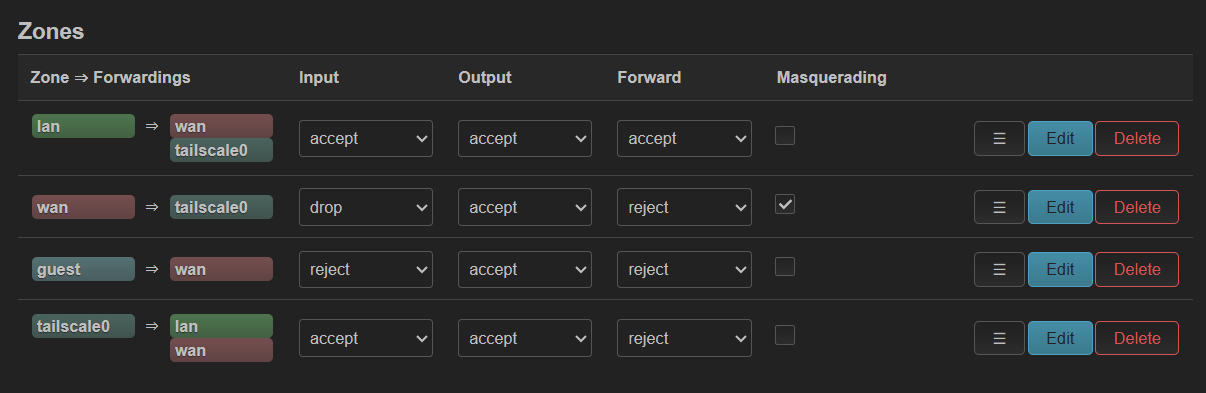
These are my default settings in LuCI - should I modify “lan > wan” and “guest > wan” to drop/drop/drop?
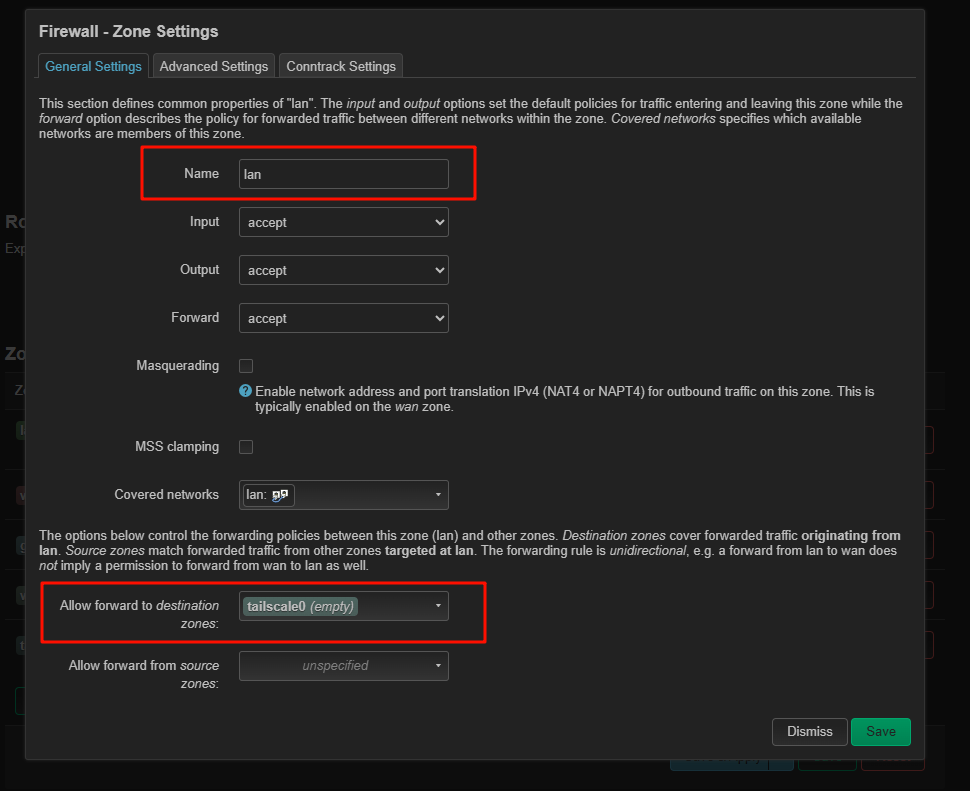
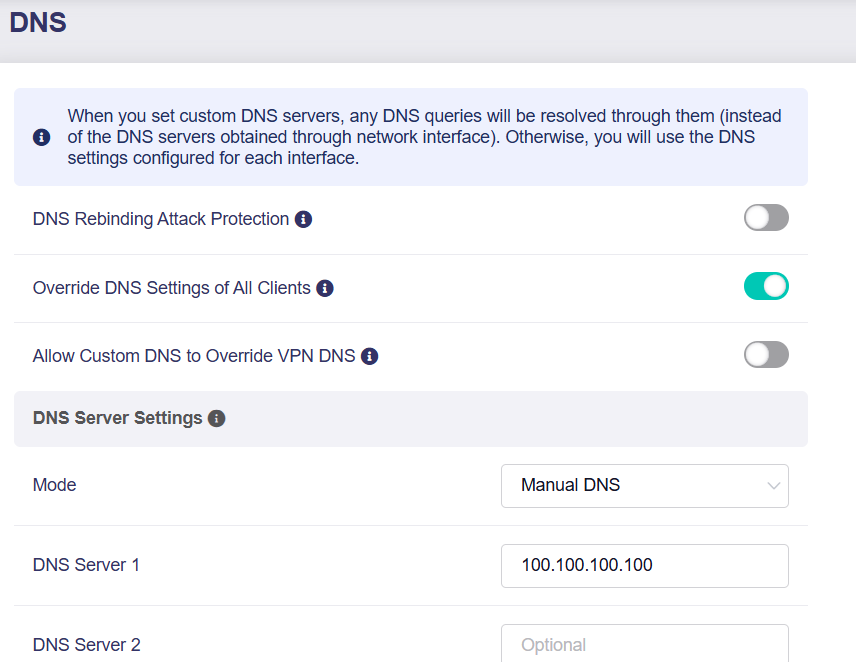
Removing the 'WAN' zone from the 'Allow forward to destination zones' list on the LAN/Guest Zone and setting the DNS to 100.100.100.100 should be enough.
1 Like
Thanks. Made firewall changes with no problem, but setting DNS to 100.100.100.100 breaks my DNS
Forgot to mention that you will need to SSH into the router and execute the following command to allow Tailscale to accept DNS queries other than Magic DNS:
sed -i 's/--accept-dns=false/--accept-dns/' /usr/bin/gl_tailscale
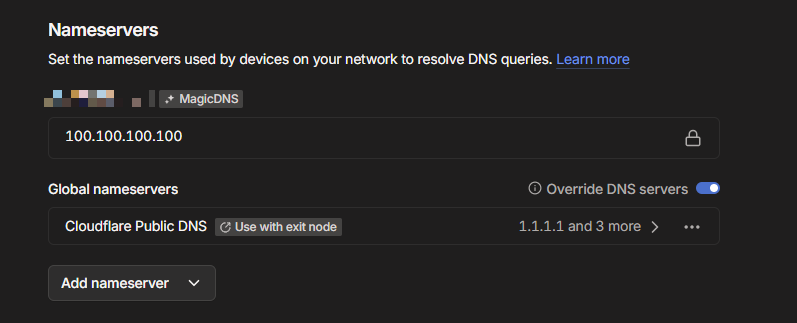
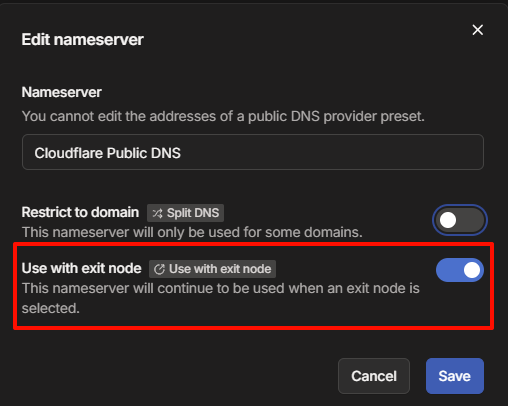
Please also make sure DNS is configured in the Tailscale Admin Console and that it is enabled for the Exit Node.
If the issue persists, please share the output of the following command:
tailscale dns status
tailscale dns query google.com
2 Likes