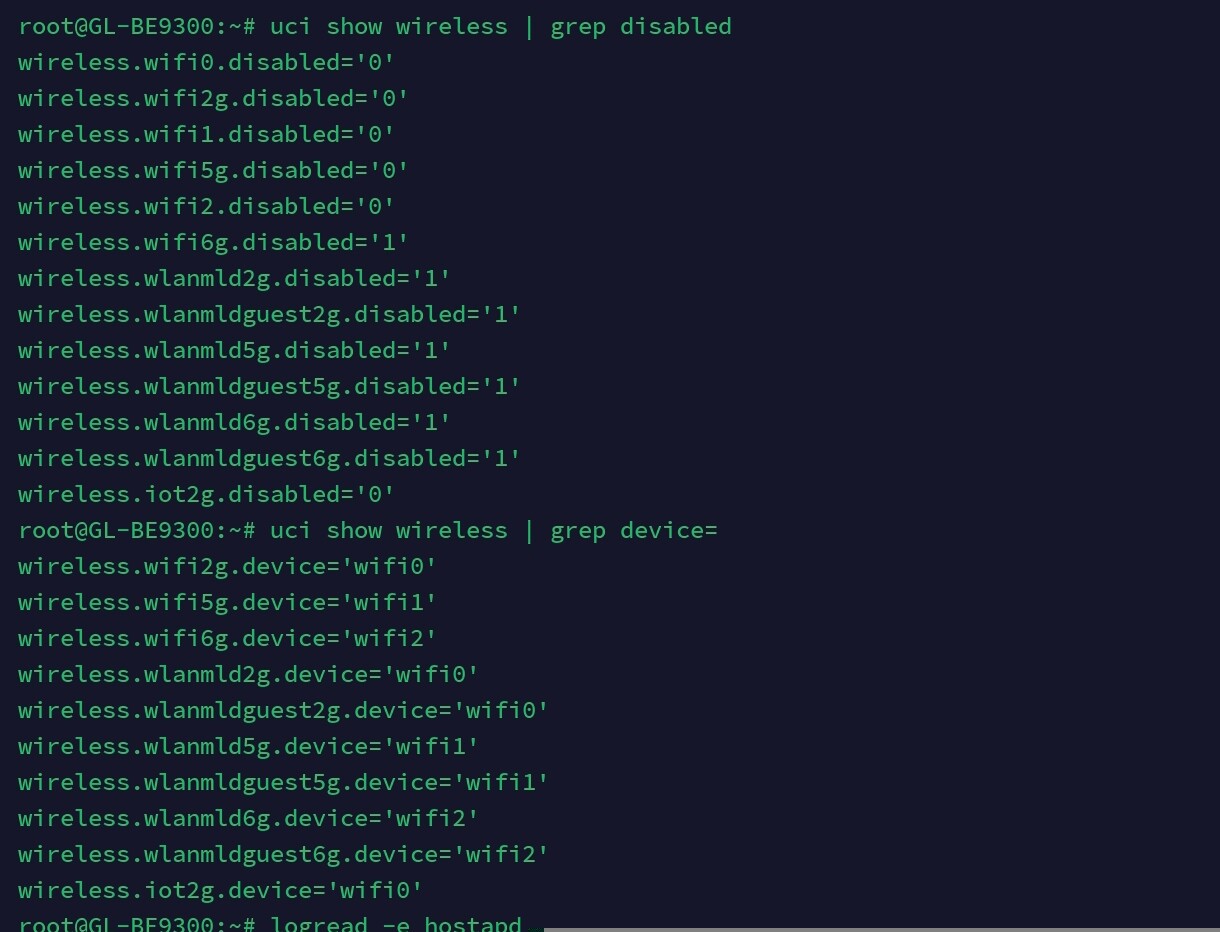
Hi, I have a Flint 3 and I created a new interface for IoT devices and a Wi-Fi interface, but that Wi-Fi interface doesn’t come up when I restart. I need to disable it and enable it again for it to start. Thanks, it's 2.4.
Thank you!
Ger.
Hi, I have a Flint 3 and I created a new interface for IoT devices and a Wi-Fi interface, but that Wi-Fi interface doesn’t come up when I restart. I need to disable it and enable it again for it to start. Thanks, it's 2.4.
Thank you!
Ger.
Hi,
Could you let us know how your IoT network was created?
If it was configured through LuCI, the issue may be related to the compatibility of LuCI with the wireless driver.
We recommend logging in via SSH and creating the network using UCI, as outlined in the tutorial: How to set up the VLAN for IoT Wi-Fi on Flint 3(GL-BE9300).
If the problem persists, please provide the following information so we can investigate further:
You need to assign your iot network to the wireless by selecting network under wireless, check iot firewall zone so that input has accept.
Then reboot.
Hi, thank you very much for the quick responses.
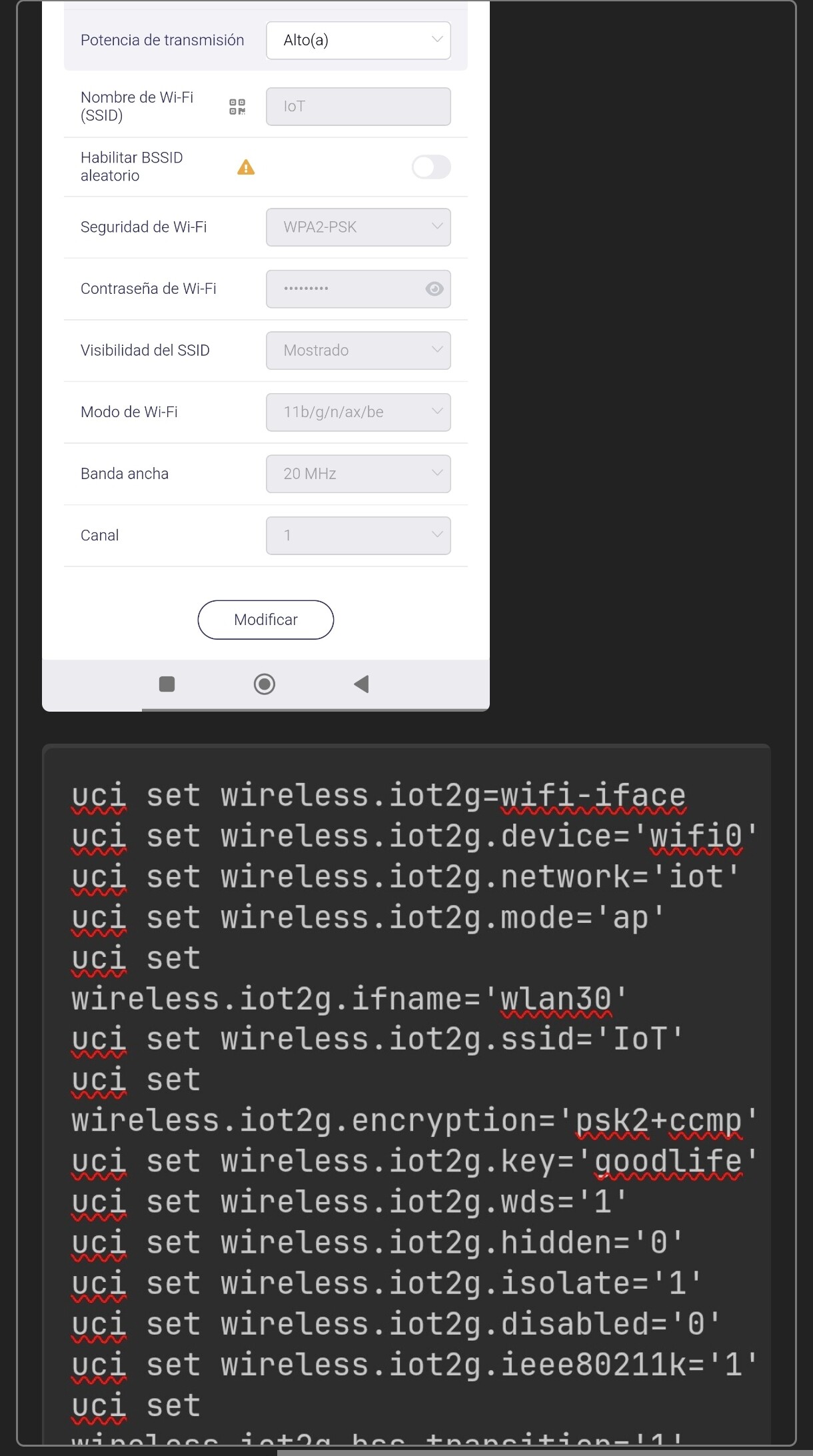
I created the IoT network using SSH with UCI commands. I’m attaching the screenshot with the commands I used, which I copied from one of your forum posts.
I may have modified some parameters afterward, but it did not work properly from the beginning.
Regarding the firmware version, I’m currently on 4.8.99, and I'm attaching that information as well, along with the screenshot of the wireless interface.
I’m also including the exact command used to create the IoT network.
Thank you.
German.
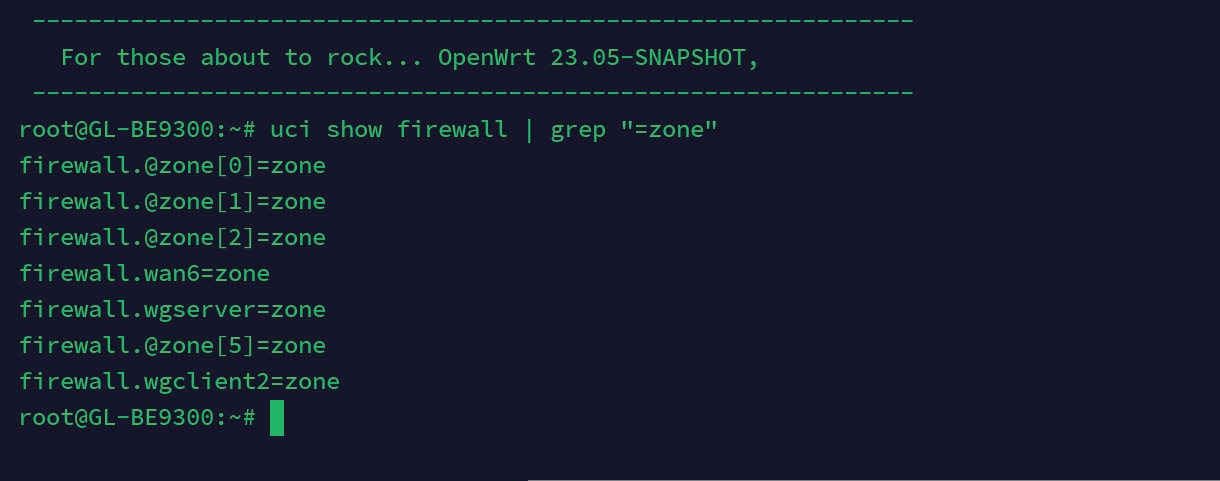
Hi, thank you very much as well for the quick responses. And yes, I already have it assigned to a zone. The Wi-Fi network is assigned under Network inside Wireless, and also correctly mapped to its zone.
Alright, thanks again. I’m attaching the screenshot as requested.
We tested this scenario locally using Flint 3 v4.8.99 beta1 and were unable to reproduce the issue.
After a reboot, the IoT SSID created via SSH and UCI could be joined by client devices and provided normal internet access.
To help us narrow down the problem, could you clarify and verify the following:
When you say the “Wi-Fi interface is not coming up,” do you mean client devices cannot connect, or that it appears as “disabled” in the LuCI interface? The latter is expected due to known compatibility limitations between LuCI and the wireless driver. For an accurate status, please refer to GL UI – Wireless.
Are you able to restore the router to factory settings and re-run the commands to create the IoT SSID? This will help rule out any unintended configuration changes.
If the issue continues, please share the device with us through GoodCloud using the steps in the tutorial.
Technical Support via GoodCloud - GL.iNet Router Docs 4
Please note to send the device’s MAC address and WebUI login password via private message so we can perform remote diagnostics.
This topic was automatically closed 90 days after the last reply. New replies are no longer allowed.