Title: Request: Easy “Client-in-a-Stick” Setup for Remote LAN Access (GL-MT300N-V2 behind NAT)
Description:
I would like to request guidance or a feature that simplifies the following use case:
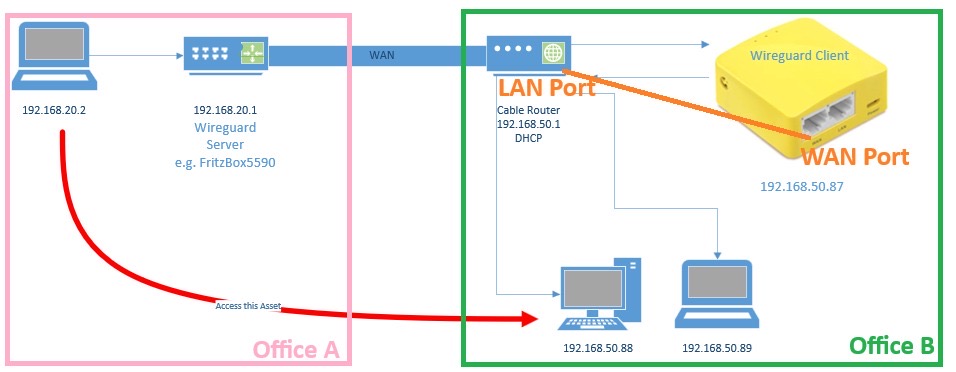
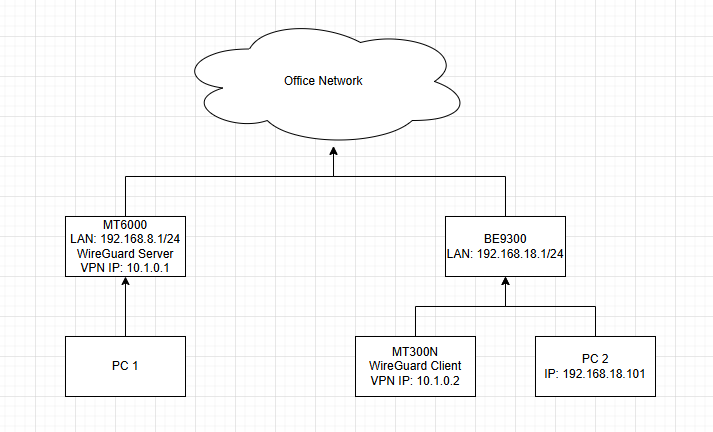
I want to connect from Location A (running a WireGuard server) to Location B, where a GL-MT300N-V2 travel router is connected behind a cable router (NAT).
The goal is:
-
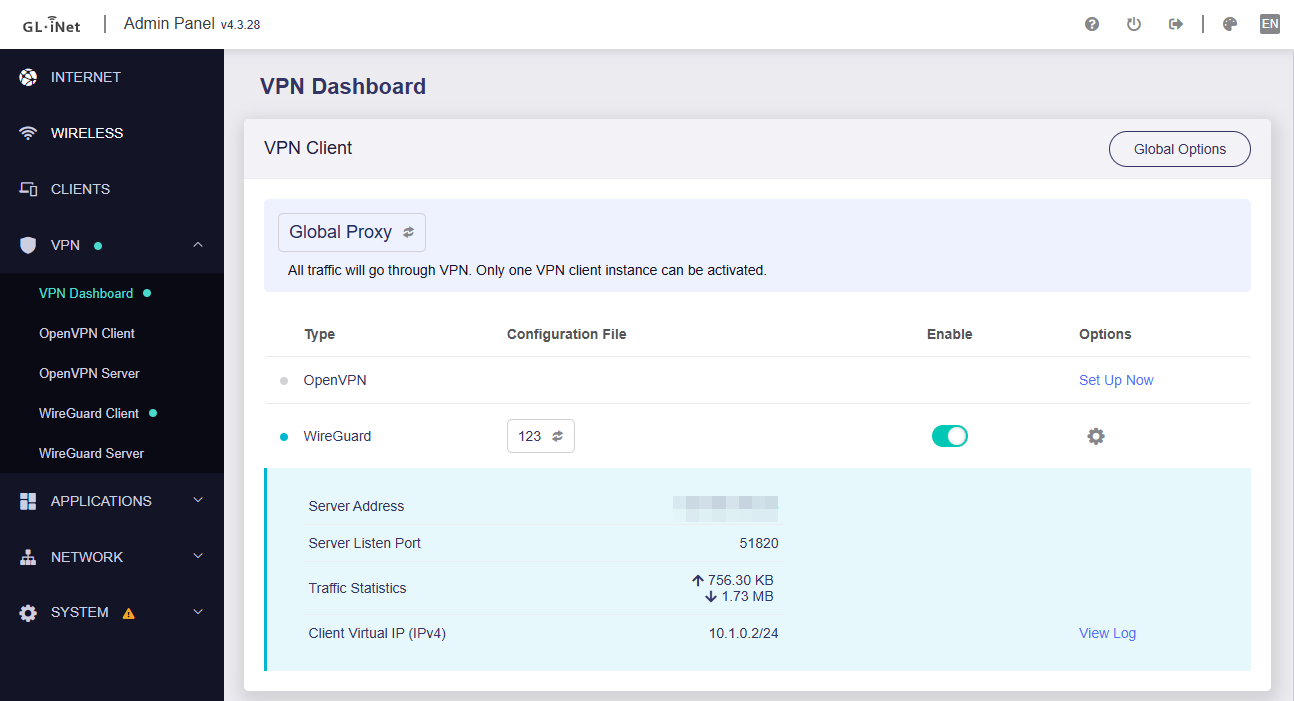
The GL-MT300N-V2 acts as a WireGuard client
-
It establishes a tunnel to the WireGuard server at Location A
-
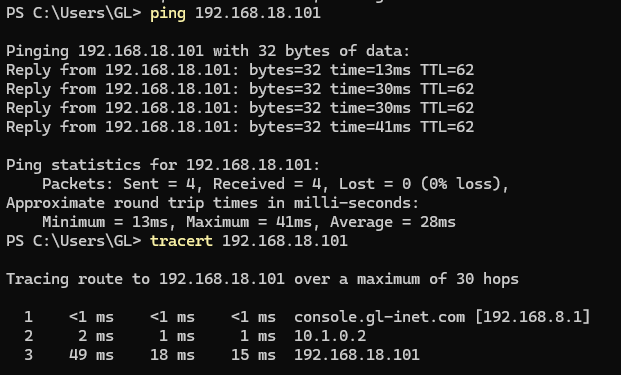
Devices connected to the cable router at Location B should be reachable from Location A through this tunnel
Current challenges:
-
The GL-MT300N-V2 is behind NAT and cannot accept incoming connections
-
Routing traffic from the WireGuard interface to the LAN behind the cable router is not straightforward
-
Configuration (AllowedIPs, forwarding, NAT/masquerading) is somewhat complex for this scenario
Feature / improvement request:
-
A simplified or documented “client-in-a-stick” setup
-
Clear guidance or automation for:
-
Routing between WireGuard and the local LAN behind NAT
-
Proper AllowedIPs configuration for remote LAN access
-
Handling NAT/masquerading on the client device
-
-
Ideally, a plug-and-play mode where a small device like the GL-MT300N-V2 can be dropped into any network and expose that LAN via WireGuard
Use case:
This would make it much easier to remotely access home or office networks where:
-
No router configuration is possible
-
The device must operate entirely as an outbound WireGuard client