I've just got a Beryl AX travel router - nice and small - and I configured Mullvad VPN quite easily.
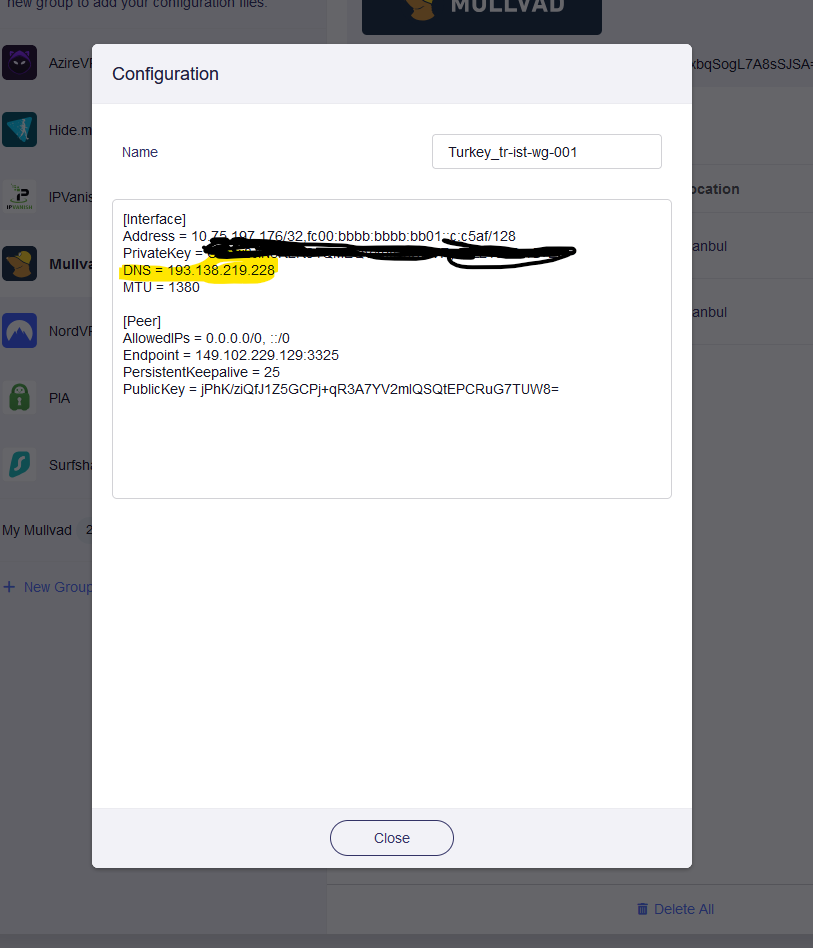
Now, having a look at the Mullvad wireguard config from WireGuard Client menu -> Mullvad -> server -> '3 dots' -> view I see it uses a non blocking Mullvad DNS server, so how do I change it with one of the content blocking Mullvad DNS servers?
According to the test, Mullvad VPN has the ability to redirect 53 DNS requests. As long as it is a normal 53 DNS request, Mullvad server will redirect DNS requests to the Mullvad DNS server.
You can learn about how to change the DNS server with Mullvad.
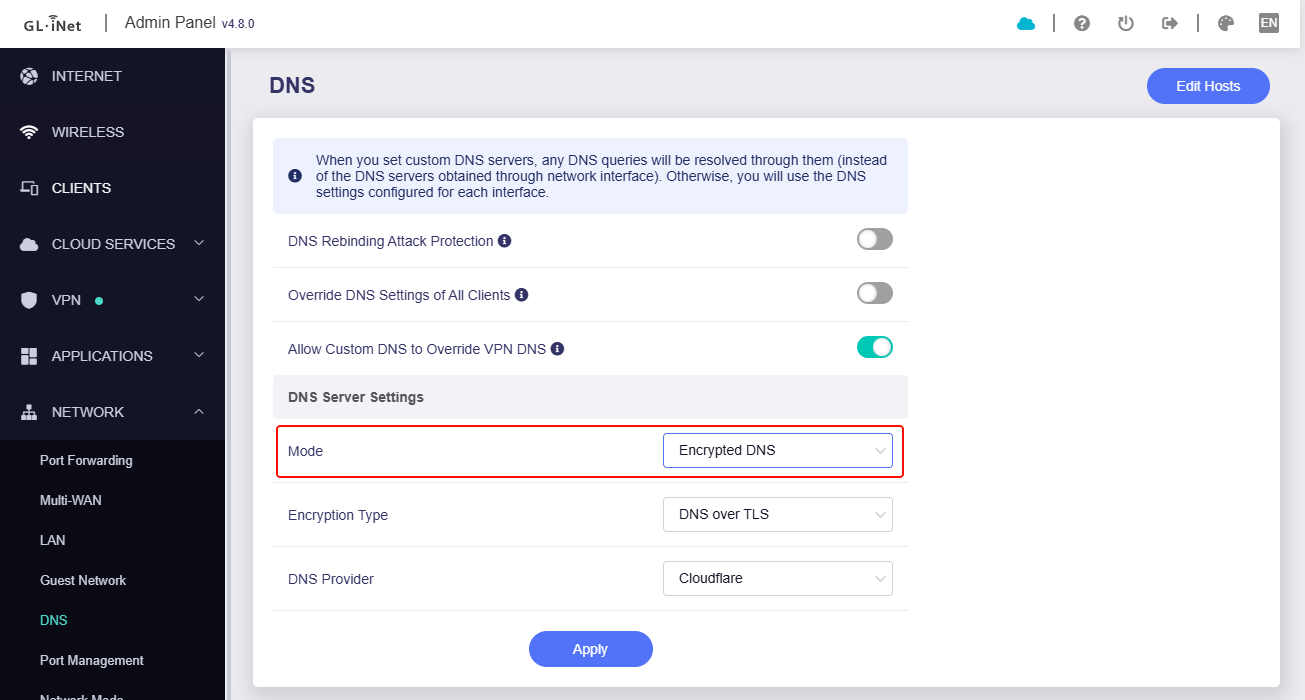
For router, I think you can choose to use encrypted DNS, or ADG. In addition to being able to bypass Mullvad 53 DNS redirection, and it can filter content.
thanks for replying. Maybe I wasn't clear before: the wireguard config that I get once I add Mullvad server(s) is not editable, and the config's got a Mullvad DNS server (highlighted in yellow) which is a non content blocking DNS server.
But I want to be able to change that DNS server with 100.64.0.7 (here a list of content blocking DNS servers)
I don't need to bypass Mullvad DNS servers, I want to use one of those...
This kind of DNS server you mentioned should be transmitted on port 53 (udp), and I'm afraid it cannot bypass the Mullvad DNS server, because as long as you choose Mullvad VPN server and the DNS request uses ordinary port 53 DNS, Mullvad will check and redirect these DNS resolutions to Mullvad DNS server.
You shall consider encrypted DNS in router or in clients.
Long story short, I have to create my own group for Mullvad to customise the servers config, so what's the point of providing a list of pre-installed VPN providers if you don't keep their configurations up-to-date?
This undermines the benefit of offering pre-configured VPN options and adds unnecessary complexity for users who expect these integrations to work out of the box.
I strongly suggest that you regularly update the configurations for all listed VPN providers, or at the very least, provide a warning or clear documentation when certain setups require manual intervention.
This is a feature of Mullvad VPN.
If you use MullvadVPN, the traffic of "ordinary DNS (port 53, UDP)" will always be redirected to Mullvad DNS server.
There is a way to use custom DNS when using Mullvad VPN, ie. to customize uses encrypted DNS on the router, so that it cannot be redirected by Mullvad.
If have any questions about this, you can consult the Mullvad team.
Regardless of whether the DNS server is hardcoded in firmware/VPN client function, it does not work, since the hardcoded DNS server is invalid for using Mullvad VPN.
I understand that everything is working as expected, but I’m still curious… where does the 193.138.219.228 come from? I assume Mullvad simply forgot to change it in their Wireguard config builder, given it doesn’t matter?
Actually I’m confused now… I understand that the Mullvad app (desktop, mobile) by default hijacks all DNS requests, but I believe the DNS server specified in the Wireguard config is still honored? Or how else would we configure custom DNS servers?
TL;DR: I think the DNS hijacking only works if the official Mullvad app is used. The stock wireguard client will respect the configured DNS.
I just checked out the MacOS app, and the hijacking happens at the client / OS level. Mullvad updates the system resolver configuration via scutil to point to (local) 127.165.4.41, so all apps and OS services automatically query a local stub. The stub then forwards everything through the tunnel. Any other direct DNS communication is blocked via pf (packet filter).
(In case it wasn’t clear: I believe that @hush is right and that the GL-iNet GUI should allow the user to customize the DNS server in the wireguard config… @bruce thoughts?)
This is the code left over from our development of the GL GUI Mullvad interface, which can be ignored because it has no effect now.
I have submitted this modification to R&D, updating or removing this DNS hardcodes.
All app clients are the same, it does DNS hijacking on Mullvad VPN server side.
I don’t think this is correct. All DNS hijacking is done by the Mullvad client apps, not on the server side. And it is also possible to use unencrypted custom DNS with Mullvad.
 - and I configured Mullvad VPN quite easily.