I’ve got the tunnel established, but I’m running into an issue with internet access once the VPN is active. Here’s what I’m seeing:
What works:
• From my laptop (connected to the travel router), I can access my home workstation over the tunnel.
• From the laptop, ping google.com resolves the IP address, but replies time out.
• From the laptop, ping 8.8.8.8 fails entirely.
• From an SSH session directly on the GL-BE3600, ping 8.8.8.8 works fine.
Additional context:
• The OPNsense WireGuard setup works correctly – when I connect directly from my Windows laptop or iPad using the same WireGuard instance, internet access works perfectly.
• The GL-BE3600 also works fine with other VPNs (e.g., ProtonVPN), so the travel router itself seems capable of routing traffic properly.
The part I’m unsure about:
I received an AI-generated suggestion to manually add an iptables rule via SSH on the GL-BE3600. However, I’m hesitant to do that since I’m not very familiar with iptables and I’m worried about breaking something.
iptables -t nat -I POSTROUTING 1 -o wgclient1 -j MASQUERADE
Has anyone else encountered this issue, or does anyone have a safer / more reliable solution? I’d really appreciate any guidance or troubleshooting steps you can suggest.
Hi,
Thank you for the detailed explanation.
For now, we do not recommend adding the manual iptables rule yet. This command manually adds a NAT masquerade rule for traffic going out through the wgclient1 interface. This is similar to what the IP Masquerading option in the GL.iNet web interface is designed to do.
Could you please help check the following two settings on the GL-BE3600?
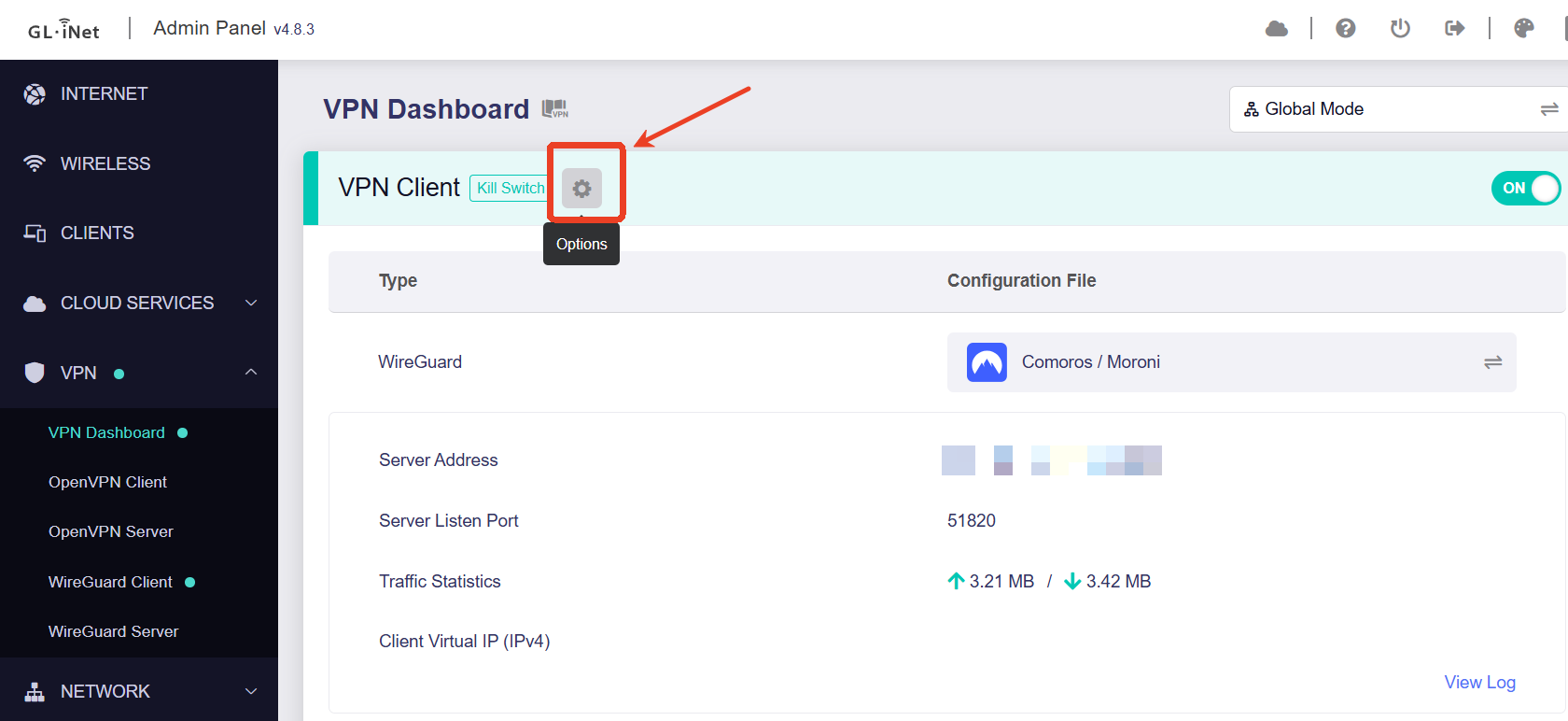
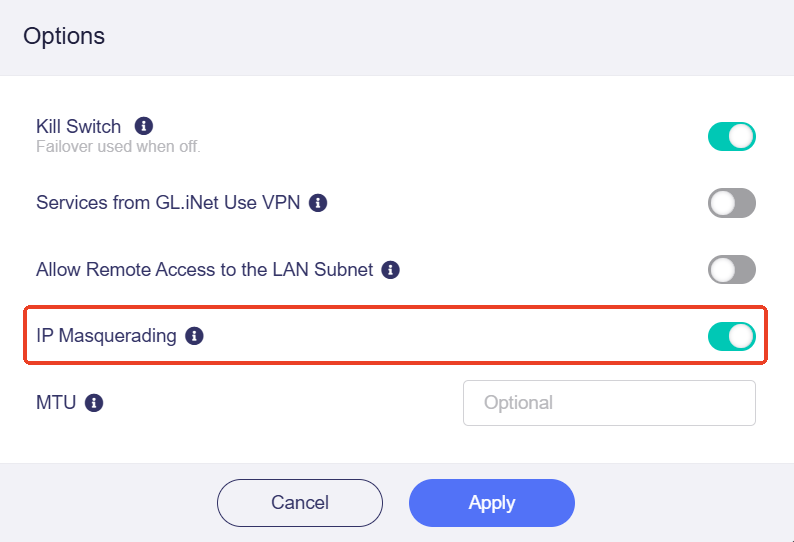
- Please go to the GL.iNet admin panel and open VPN -> VPN Dashboard, then click the gear icon next to the active WireGuard tunnel and check the IP Masquerading option.
If you want to use the GL-BE3600 as a travel router, where devices behind it need to access the home LAN and use the OPNsense internet connection, IP Masquerading should usually be enabled.
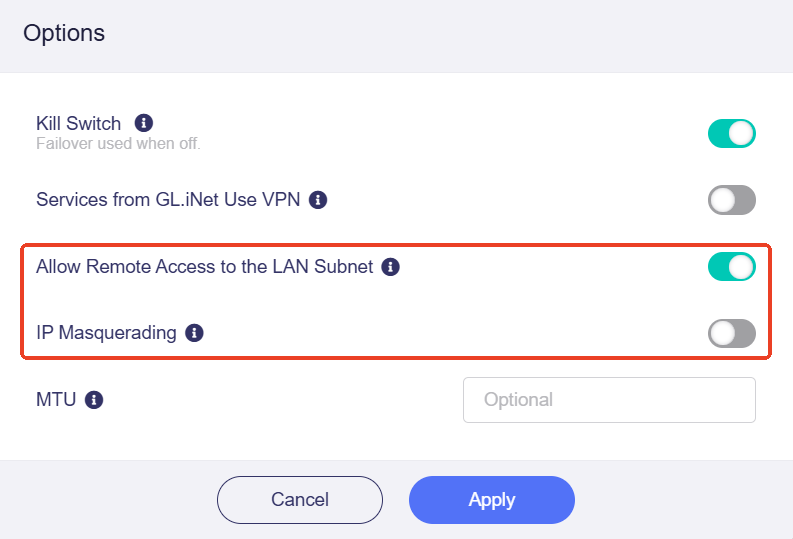
If you want a site-to-site setup, where OPNsense should see the real IP addresses of devices behind the GL-BE3600 and the home LAN should be able to access the GL-BE3600 LAN directly, "IP Masquerading" should usually be disabled and enabled "Allow Remote Access to the LAN Subnet"
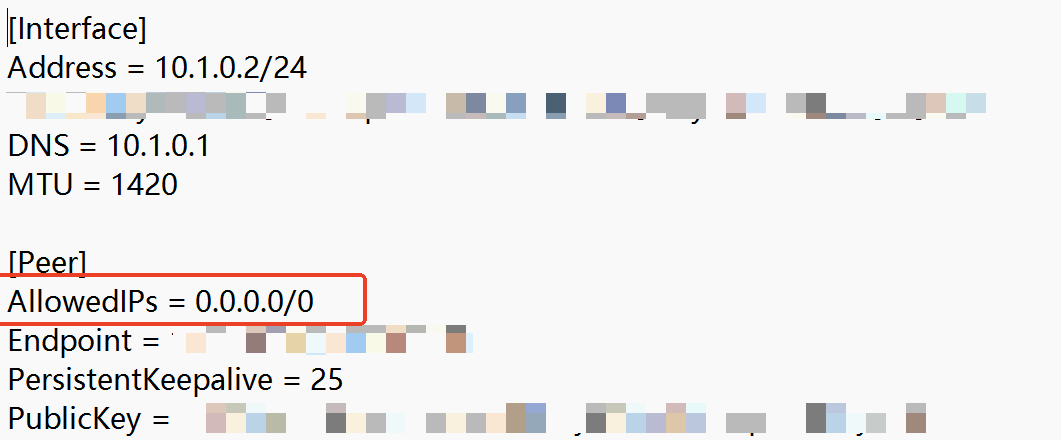
- Could you please check the AllowedIPs value in the WireGuard Client profile on the GL-BE3600.
If AllowedIPs only contains your home LAN subnet, the laptop may be able to access your home workstation, but general internet traffic such as 8.8.8.8 may not be routed through the tunnel.
If you want all internet traffic to go through OPNsense, AllowedIPs normally needs to include 0.0.0.0/0.
After checking this, please test again from the laptop with ping 8.8.8.8.
If the issue still persists after the above checks, would you mind sharing the router with us via GoodCloud so we can help take a closer look remotely?
You can follow this guide to share the router with GL.iNet Technical Support: Technical Support via GoodCloud - GL.iNet Router Docs 4
After sharing the device, please send us the router MAC address and the admin password by private message.
-
IP Masquerading: Enabled by default (issue persists).
-
Remote Access: Enabled "Allow Remote Access to the LAN Subnet" (issue persists).
-
Allowed IPs: Confirmed set to AllowedIPs = 0.0.0.0/0
I am oversea right now, I will look into GoodCloud when I return in 2 week