This is something that’s curious.
without even being forwarded makes me suspicious.
about what?
Normally, the ISP is or should not block any of my ports. I guess it doesn't. If so, then the internet connectivity should be fine at my end and I guess the issue is on the WG itself, as long as OVPN works fine. The only thing which is against that is the fact that when both WG Server and WG Client are connected directly over LAN, they both work. The only remaining issue I can think of is that WG (server) is having some issue/bug, as the client seems to be sending packets but not receiving. Or maybe the client is sending them to a wrong address - but the DDNS is propagated fine.
Anyways, I'll reset and reinstall the firmware on both, and redo their config, and will try again, but I do not have high expectations that it is going to fix the issue. Let's see.. 
I’ve reset them both, manually reinstalled the firmware on both, then reset them both again.
Reconfigured everything, WG server first, then OVPN server.
Same situation: OVPN is working fine, WG not.
DDNS propagates fine. The time/clock on them is ok, as both OVPN and GoodCloud are working.
My conclusion is that WG is broken, either the server or the client.
I guess I’ll have no other choice but wait until some new firmware will be issued, then try again, and so on, until will maybe work. Meanwhile, I’ll have to use OVPN as daily driver.
The only good point is that OVPN can still provide a good enough speed on these two devices. Not as good as WG, but still good enough for what I need.
If any of you have any other idea that I can try on this setup, let me know.
If not, then thank you very much for your time and for your help so far, I do appreciate it a lot!
Did you test before installing the OVPN server?
yes I did. Then installed OVPN.
Could you please post a screenshot from the firewall settings within luci?
They are located here: https://[router-ip]/cgi-bin/luci/admin/network/firewall/rules
From the one with the WG server, ofc.
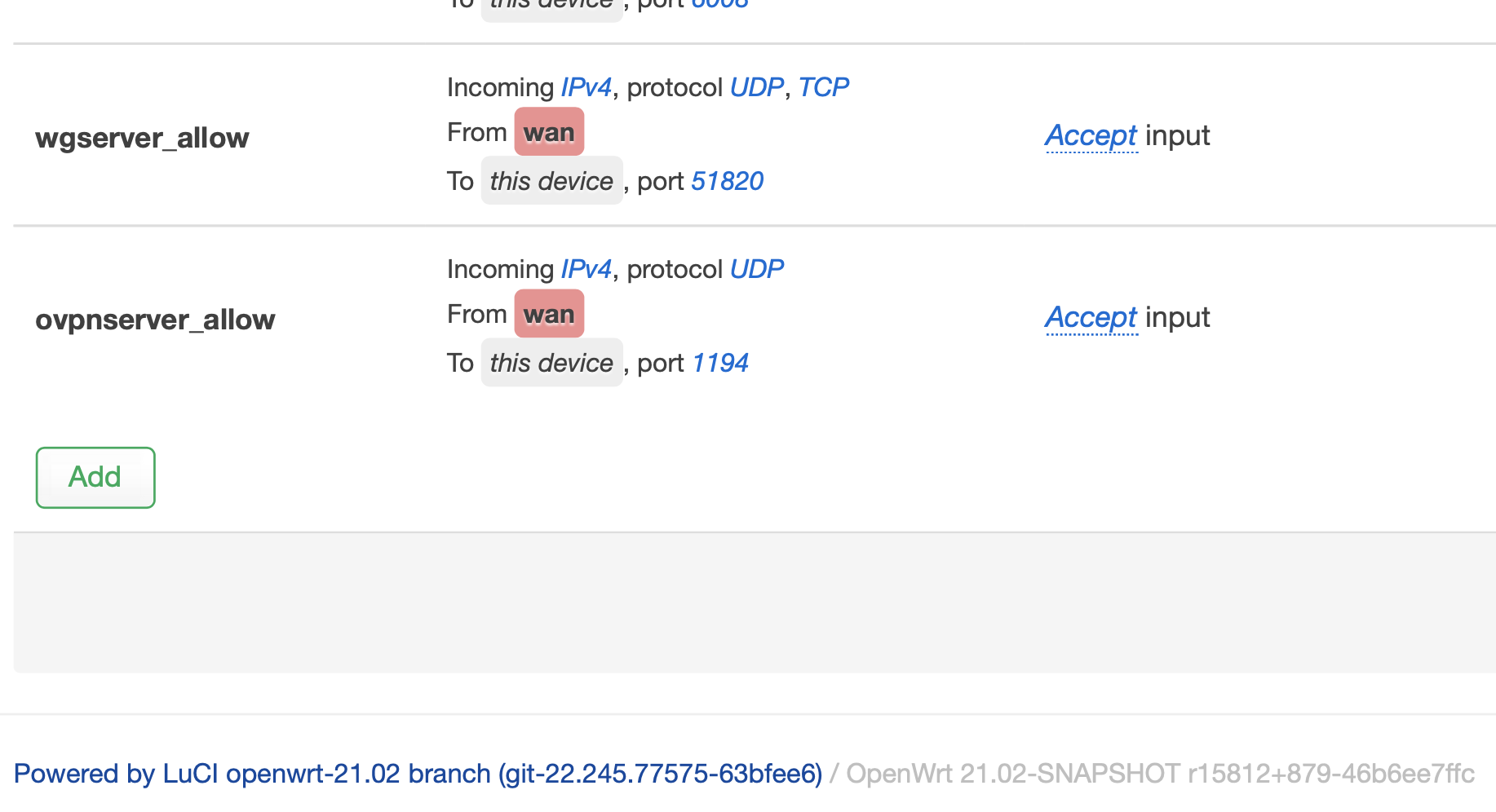
Looks OK, I would say.
So no idea why WG does not work 
I guess it cannot be a h/w issue, considering that everything else is working fine. Just to rule out this possibility.
Maybe the wireguard chip on the mainboard is broken 
Nah, this can’t be an HW issue.
What happens if you decide to run OVPN on port 51820 - does it work?
that's ok then, I will replace it myself with a 3D printed version 
yes, OVPN works fine on port 51820.
If you like, you could share the wg-server device via Goodcloud with me (admonstrator) and send me the root password via PM - I’ll take a look if I find something.
@admon is right; if GL GoodCloud will work, so will WG. GL GC is WG based.
I’d take him up on his offer after reflashing to stock & just getting GL GC up. You can always reflash again when he’s done if there’s any concern.
sure, can do that over GoodCloud.
Invitation sent. Thank you @admon !
we can consider this thread dead, as the issue seems to be on ISP side. Thank you all for your great support!
1 Like