WireGuard Setup not working

I am trying to setup the Slate 7 in Turkey, I am trying to connect to my router back in the USA. I have Wireframe setup in the USA. This is the log I am getting. I have wireframe working on my phone and also my desktop if I directly connect.

Sun Sep 7 07:13:48 2025 daemon.notice netifd: Interface 'wgclient1' is setting up now

Sun Sep 7 07:13:48 2025 user.notice sysctl: net.ipv6.conf.wgclient1.accept_ra = 2

Sun Sep 7 07:13:48 2025 user.notice firewall: Reloading firewall due to ifdown of wgclient1 ()

Sun Sep 7 07:15:36 2025 user.notice wireguard-debug: USER=root ifname=wgclient1 ACTION=REKEY-GIVEUP SHLVL=1 HOME=/ HOTPLUG_TYPE=wireguard LOGNAME=root DEVICENAME= TERM=linux SUBSYSTEM=wireguard PATH=/usr/sbin:/usr/bin:/sbin:/bin PWD=/

Sun Sep 7 07:15:40 2025 daemon.notice netifd: Interface 'wgclient1' is now down

Sun Sep 7 07:15:40 2025 daemon.notice netifd: Interface 'wgclient1' is setting up now

Sun Sep 7 07:15:40 2025 user.notice sysctl: net.ipv6.conf.wgclient1.accept_ra = 2

Sun Sep 7 07:15:40 2025 user.notice firewall: Reloading firewall due to ifdown of wgclient1 ()

Sun Sep 7 07:17:31 2025 user.notice wireguard-debug: USER=root ifname=wgclient1 ACTION=REKEY-GIVEUP SHLVL=1 HOME=/ HOTPLUG_TYPE=wireguard LOGNAME=root DEVICENAME= TERM=linux SUBSYSTEM=wireguard PATH=/usr/sbin:/usr/bin:/sbin:/bin PWD=/

Sun Sep 7 07:17:35 2025 daemon.notice netifd: Interface 'wgclient1' is now down

Sun Sep 7 07:17:35 2025 daemon.notice netifd: Interface 'wgclient1' is setting up now

Sun Sep 7 07:17:35 2025 user.notice sysctl: net.ipv6.conf.wgclient1.accept_ra = 2

Sun Sep 7 07:17:35 2025 user.notice firewall: Reloading firewall due to ifdown of wgclient1 ()

Sun Sep 7 07:19:25 2025 user.notice wireguard-debug: USER=root ifname=wgclient1 ACTION=REKEY-GIVEUP SHLVL=1 HOME=/ HOTPLUG_TYPE=wireguard LOGNAME=root DEVICENAME= TERM=linux SUBSYSTEM=wireguard PATH=/usr/sbin:/usr/bin:/sbin:/bin PWD=/

Sun Sep 7 07:19:29 2025 daemon.notice netifd: Interface 'wgclient1' is now down

Sun Sep 7 07:19:29 2025 daemon.notice netifd: Interface 'wgclient1' is setting up now

Sun Sep 7 07:19:29 2025 user.notice sysctl: net.ipv6.conf.wgclient1.accept_ra = 2

Sun Sep 7 07:19:29 2025 user.notice firewall: Reloading firewall due to ifdown of wgclient1 ()

Sun Sep 7 07:21:19 2025 user.notice wireguard-debug: USER=root ifname=wgclient1 ACTION=REKEY-GIVEUP SHLVL=1 HOME=/ HOTPLUG_TYPE=wireguard LOGNAME=root DEVICENAME= TERM=linux SUBSYSTEM=wireguard PATH=/usr/sbin:/usr/bin:/sbin:/bin PWD=/

Sun Sep 7 07:21:23 2025 daemon.notice netifd: Interface 'wgclient1' is now down
Hi,

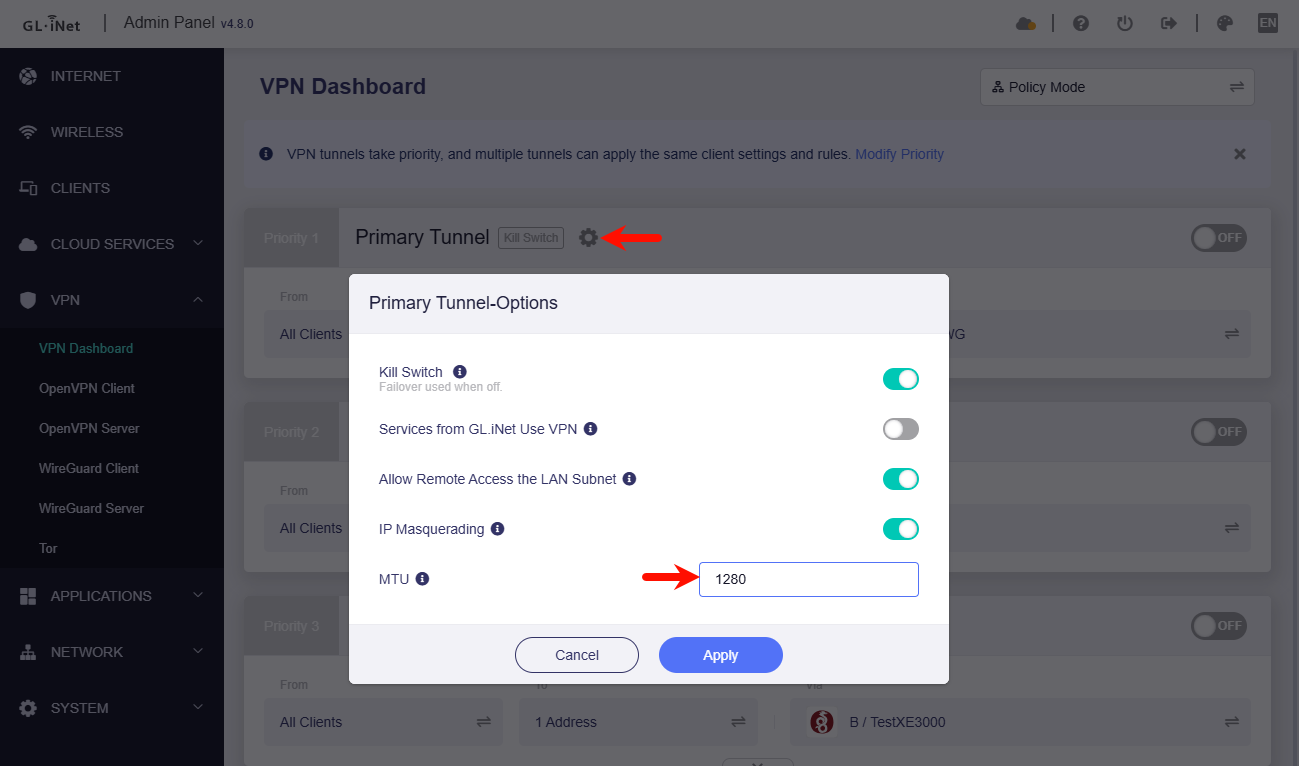
  1. Please try manually setting a slightly lower MTU, such as 1280, etc.

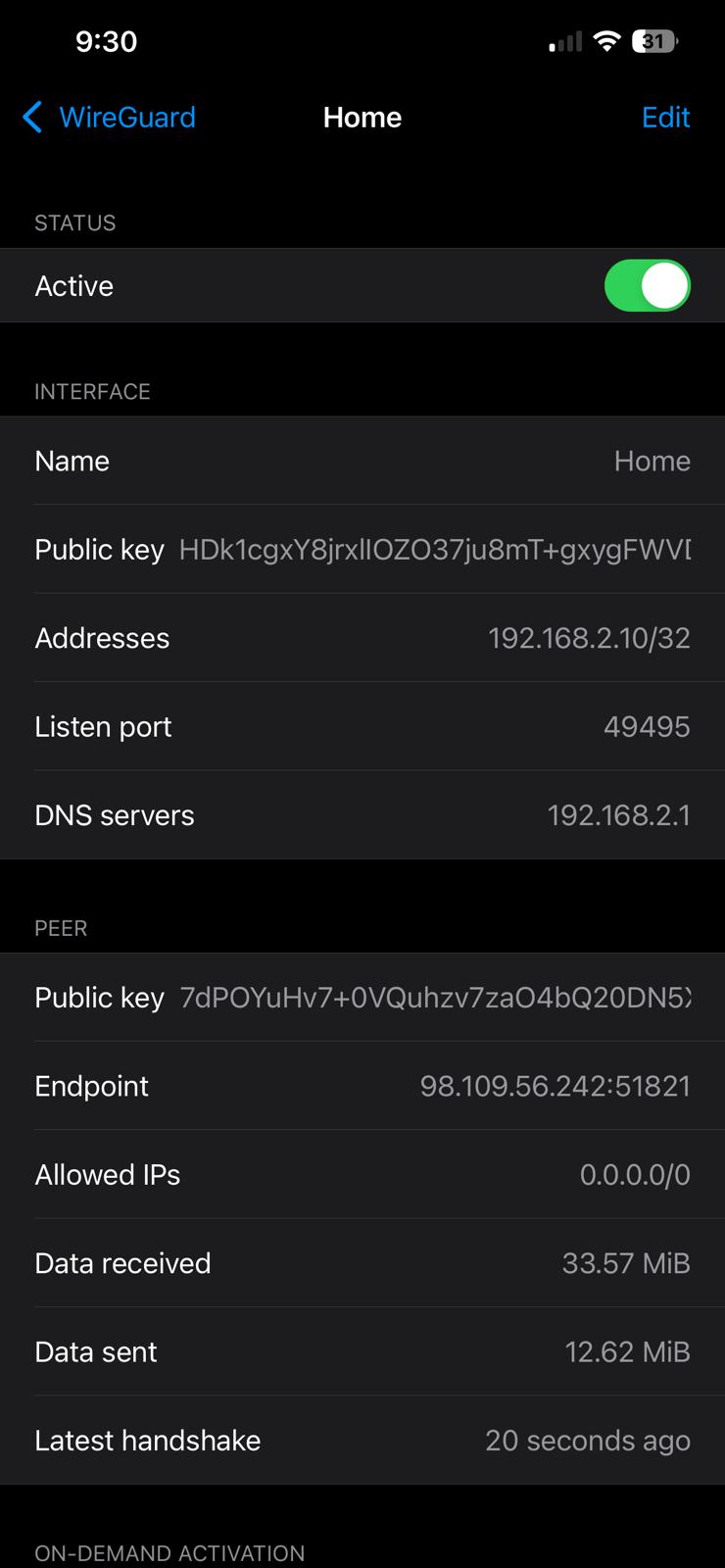
  2. Can your phone and computer connect to VPN via the WireGuard APP using the VPN profile which is same as Slate7?
    Please take some screenshots to check.

  3. Is your phone or computer connected network source as same as the Slate7?

Please refer this guide to check again:

Hi, on my iphone while connected to the router for SuperOnline, the VPN works and connects directly with my VPN.

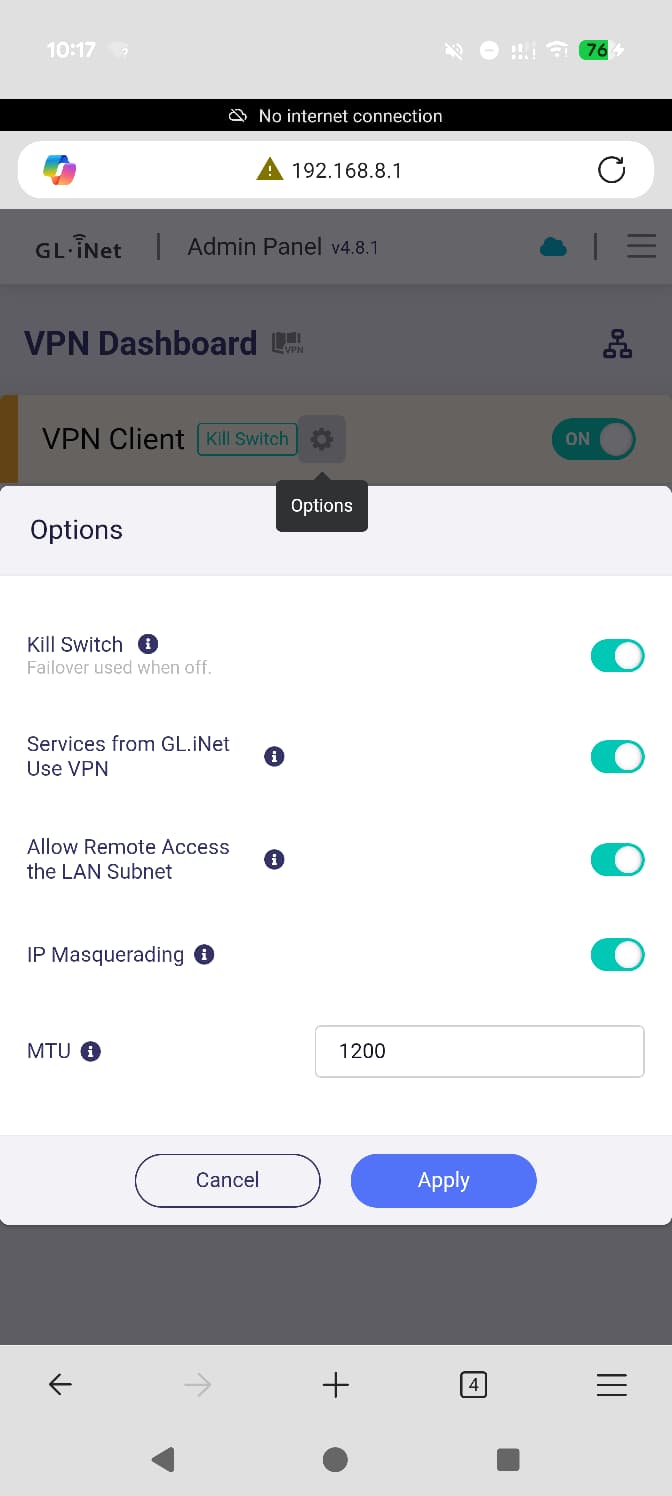
I did a ping test, but with different MTU’s so it turns out anything above 1464 gets fragmented.

I tried 1464 it failed to connect. Now I am trying 1200. Still no connection. Mind you I am connected with WireFrame on my iphone.

Log is below, I would restart after doing this.

Mon Sep 8 09:47:28 2025 daemon.warn dnsmasq[1]: no servers found in /tmp/resolv.conf.d/resolv.conf.wgclient1, will retry

Mon Sep 8 09:47:28 2025 daemon.info dnsmasq[1]: read /tmp/hosts/dhcp.wgclient1 - 2 names

Mon Sep 8 09:47:28 2025 daemon.info dnsmasq[1]: read /tmp/hosts/dhcp.wgclient1 - 2 names

Mon Sep 8 09:47:33 2025 daemon.notice netifd: Interface 'wgclient1' is setting up now

Mon Sep 8 09:47:35 2025 daemon.warn dnsmasq[1]: no servers found in /tmp/resolv.conf.d/resolv.conf.wgclient1, will retry

Mon Sep 8 09:47:35 2025 daemon.info dnsmasq[1]: read /tmp/hosts/dhcp.wgclient1 - 4 names

Mon Sep 8 09:47:35 2025 daemon.info dnsmasq[1]: read /tmp/hosts/dhcp.wgclient1 - 4 names

Mon Sep 8 09:47:48 2025 daemon.notice procd: /etc/rc.d/S95vpn-client: Found matching instance wgclient1 for rule peer: 2001

Mon Sep 8 09:47:48 2025 daemon.notice procd: /etc/rc.d/S95vpn-client: Starting instance wgclient1 (has enabled rules)

Mon Sep 8 09:47:49 2025 daemon.info dnsmasq[1]: read /tmp/hosts/dhcp.wgclient1 - 4 names

Mon Sep 8 09:47:49 2025 daemon.warn dnsmasq[1]: no servers found in /tmp/resolv.conf.d/resolv.conf.wgclient1, will retry

Mon Sep 8 09:47:49 2025 daemon.info dnsmasq[1]: read /tmp/hosts/dhcp.wgclient1 - 4 names

Mon Sep 8 09:47:51 2025 daemon.info dnsmasq[1]: read /tmp/hosts/dhcp.wgclient1 - 4 names

Mon Sep 8 09:47:51 2025 daemon.warn dnsmasq[1]: no servers found in /tmp/resolv.conf.d/resolv.conf.wgclient1, will retry

Mon Sep 8 09:47:51 2025 daemon.info dnsmasq[1]: read /tmp/hosts/dhcp.wgclient1 - 4 names

Mon Sep 8 09:50:01 2025 user.notice wireguard-debug: USER=root ifname=wgclient1 ACTION=REKEY-GIVEUP SHLVL=1 HOME=/ HOTPLUG_TYPE=wireguard LOGNAME=root DEVICENAME= TERM=linux SUBSYSTEM=wireguard PATH=/usr/sbin:/usr/bin:/sbin:/bin PWD=/

Mon Sep 8 09:50:08 2025 daemon.notice netifd: Interface 'wgclient1' is now down
Mon Sep 8 09:50:08 2025 daemon.notice netifd: Interface 'wgclient1' is setting up now

Mon Sep 8 09:50:08 2025 user.notice firewall: Reloading firewall due to ifdown of wgclient1 ()

Mon Sep 8 09:51:59 2025 user.notice wireguard-debug: USER=root ifname=wgclient1 ACTION=REKEY-GIVEUP SHLVL=1 HOME=/ HOTPLUG_TYPE=wireguard LOGNAME=root DEVICENAME= TERM=linux SUBSYSTEM=wireguard PATH=/usr/sbin:/usr/bin:/sbin:/bin PWD=/

Without the VPN it works fine, but the VPN is not able to connect.

Hello,

Please share your router with us via GoodCloud, I would like to remote check your router in GoodCloud.

Please PM me your router MAC address and the Admin Panel password.

Question is there a trick to see how to PM you? I click on your profile.

I will PM you

Hello,

It should be that the VPN server of your profile cannot be connected.

  1. Please test this profile using the WireGaurd APP again on your laptop, and confirm that the browser of your laptop can access google.com, whatismyipaddress.com, etc. websites through the VPN tunnel, and execute these commands in CMD or terminal to check:
ipconfig
# or
ifconfig
ping [server tunnel IP]  #such as ping 192.168.2.1
ping 8.8.8.8
ping www.gogole.com
curl ipinfo.io
tracert 8.8.8.8
# or 
traceroute 8.8.8.8
  1. As a comparison test, I import a profile exported by my VPN server into your Slate7 to test, and Slate7 connected normally and accessed normally.


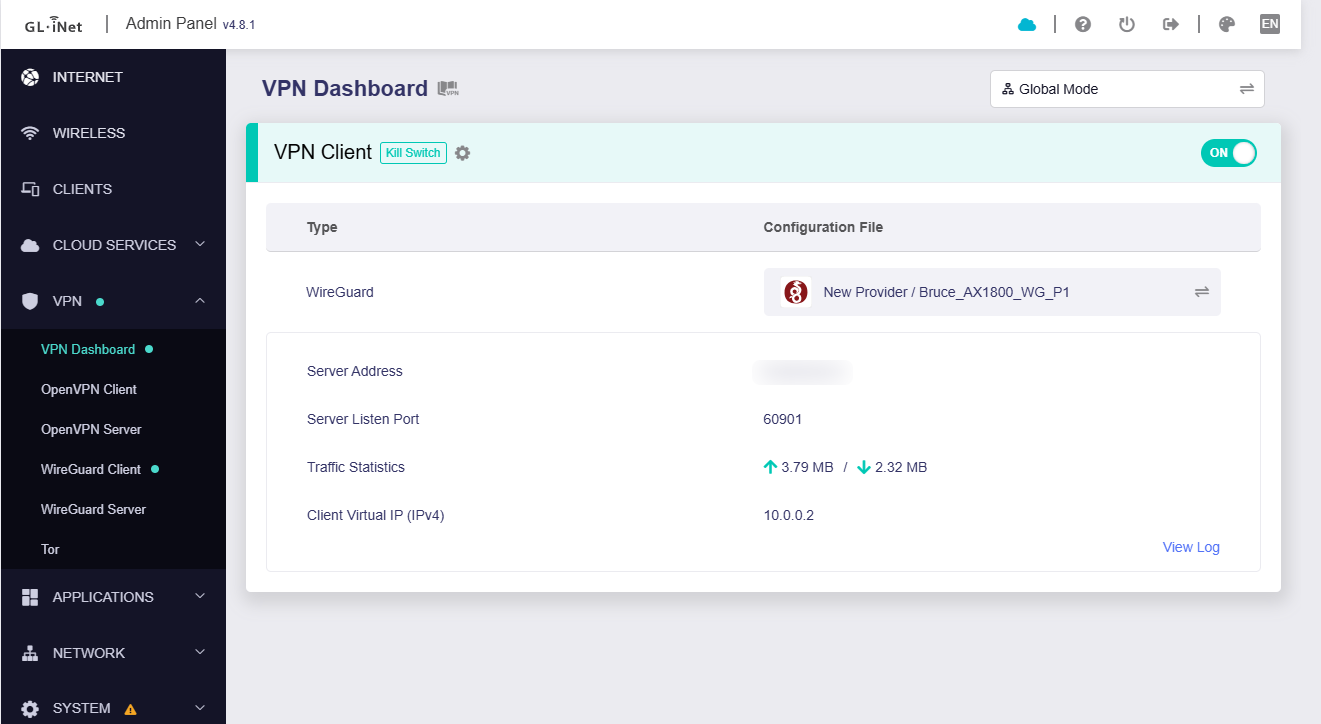
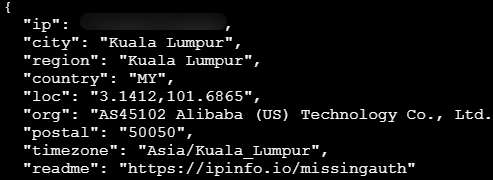
    Your router is accessing the Internet via my VPN server:

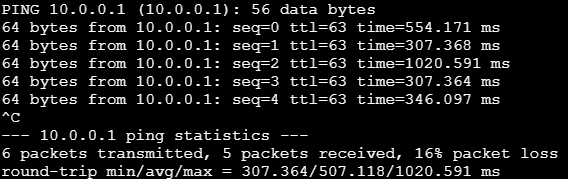
    Your router ping my server tunnel IP is reachable:

So I ran a traceroute from my internet router to the vpn at home.

Test failed.
traceroute to 98.109.56.242 (98.109.56.242) from 10.104.30.177, 30 hops max, 38 byte packets
1 10.104.0.1 (10.104.0.1) 6.135 ms 7.942 ms 5.306 ms
2 10.36.121.74 (10.36.121.74) 6.646 ms 6.533 ms 6.483 ms
3 * * 172.16.194.176 (172.16.194.176) 6.360 ms
4 172.16.211.74 (172.16.211.74) 5.966 ms 6.095 ms 6.173 ms
5 172.16.211.33 (172.16.211.33) 6.217 ms 6.541 ms 6.209 ms
6 172.16.197.3 (172.16.197.3) 6.954 ms 6.773 ms 6.883 ms
7 10.40.141.33 (10.40.141.33) 25.024 ms 10.40.141.27 (10.40.141.27) 22.631 ms 22.505 ms
8 10.40.150.30 (10.40.150.30) 22.735 ms 23.431 ms 21.344 ms
9 * * *
10 * if-bundle-56-2.qcore2.pvu-paris.as6453.net (80.231.245.40) 136.290 ms 135.187 ms
11 if-bundle-12-2.qcore1.pvu-paris.as6453.net (80.231.245.12) 134.465 ms 135.484 ms *
12 * * *
13 * * *
14 * * *
15 * * *
16 * * *
17 * * *
18 * * *
19 * * *
20 * * *
21 * * *
22 * * *
23 * * *
24 * * *
25 * * *
26 * * *
27 * * *
28 * * *
29 * * *
30 * * *

Please change another profile or other VPN service provider to compare test.

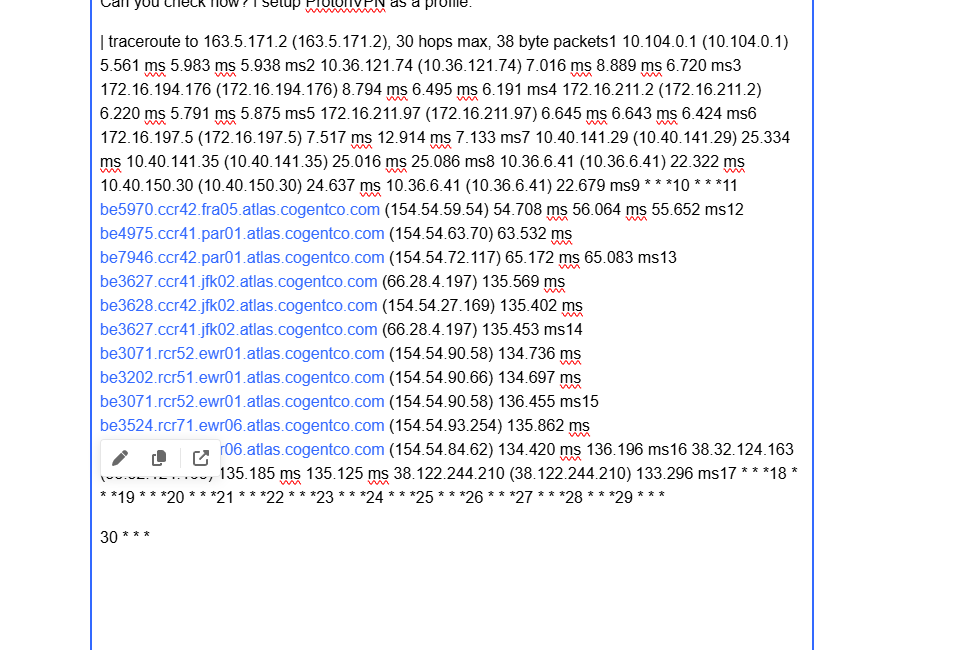
Can you check now? I setup ProtonVPN as a profile.

Yes, your router now goes to VPN without issue. Please initiate the route tracking on the router's client (ie Windows CMD tracert or Mac traceroute), instead of the router SSH, the SSH will not go through the VPN tunnel.

[ns:client_br-lan_1] # curl ipinfo.io
{
  "ip": "98.109.***.***",
  "hostname": "pool-98-109-***-***.nwrknj.fios.verizon.net",
  "city": "Plainfield",
  "region": "New Jersey",
  "country": "US",
  "loc": "40.6337,-74.4074",
  "org": "AS701 Verizon Business",
  "postal": "07062",
  "timezone": "America/New_York",
  "readme": "https://ipinfo.io/missingauth"
}[ns:client_br-lan_1] # ping 1.1.1.1
PING 1.1.1.1 (1.1.1.1): 56 data bytes
64 bytes from 1.1.1.1: seq=0 ttl=57 time=162.225 ms
64 bytes from 1.1.1.1: seq=1 ttl=57 time=157.718 ms
^C
--- 1.1.1.1 ping statistics ---
2 packets transmitted, 2 packets received, 0% packet loss
round-trip min/avg/max = 157.718/159.971/162.225 ms
[ns:client_br-lan_1] # ping www.google.com
PING www.google.com (142.250.80.68): 56 data bytes
64 bytes from 142.250.80.68: seq=0 ttl=117 time=159.358 ms
64 bytes from 142.250.80.68: seq=1 ttl=117 time=158.813 ms
^C
--- www.google.com ping statistics ---
2 packets transmitted, 2 packets received, 0% packet loss
round-trip min/avg/max = 158.813/159.085/159.358 ms
ns:client_br-lan_1] # traceroute www.apple.com
traceroute to www.apple.com (23.57.1.24), 30 hops max, 46 byte packets
 1  console.gl-inet.com (192.168.8.1)  0.027 ms  0.021 ms  0.016 ms
 2  192.168.2.1 (192.168.2.1)  153.304 ms  154.603 ms  155.649 ms
 3  lo0-100.NWRKNJ-VFTTP-359.verizon-gni.net (71.187.203.1)  159.470 ms  159.003 ms  159.608 ms
 4  B3359.NWRKNJ-LCR-22.verizon-gni.net (100.41.205.194)  160.611 ms  167.441 ms  159.339 ms
 5  200.lag-7.NWRKNJMD-PPR01-CC.ALTER.NET (140.222.15.93)  159.683 ms  *^C

Thank You it worked, I was able to delete the original Wireguard configuration, and it worked again.

A post was split to a new topic: Mudi WireGuard unable to connect VPN Mullvad

Hi, I believe I have the same issue but I did not understand how to fix it.
It is not the 1st time I use my 2 Beryl AX routers but it is the 1st time I experience this below

Sun Nov 2 23:09:39 2025 user.notice wireguard-debug: USER=root ifname=wgclient1 ACTION=REKEY-GIVEUP SHLVL=1 HOME=/ HOTPLUG_TYPE=wireguard LOGNAME=root DEVICENAME= TERM=linux SUBSYSTEM=wireguard PATH=/usr/sbin:/usr/bin:/sbin:/bin PWD=/
Sun Nov 2 23:09:40 2025 daemon.notice netifd: Interface 'wgclient1' is now down
Sun Nov 2 23:09:40 2025 daemon.notice netifd: Interface 'wgclient1' is setting up now
Sun Nov 2 23:09:40 2025 user.notice firewall: Reloading firewall due to ifdown of wgclient1 ()
Sun Nov 2 23:11:22 2025 daemon.info dnsmasq[2593]: read /tmp/hosts/dhcp.wgclient1 - 3 addresses
Sun Nov 2 23:11:22 2025 daemon.notice netifd: Interface 'wgclient1' is now down

Sun Nov 2 23:11:22 2025 user.notice firewall: Reloading firewall due to ifdown of wgclient1 ()
Sun Nov 2 23:15:43 2025 daemon.info dnsmasq[6592]: read /tmp/hosts/dhcp.wgclient1 - 3 addresses
Sun Nov 2 23:17:02 2025 daemon.info dnsmasq[8383]: read /tmp/hosts/dhcp.wgclient1 - 3 addresses

Would you be able to help? Thank you

This means, in most cases, that the other WireGuard device isn't reachable. Either because IP changed, the port forwarding crashed (maybe by ISP blocking) or simply because the wgserver isn't running. See How to troubleshoot WireGuard