XL3000 don't see cell lock or other menu options

Bit strange but I don’t see the Cell Lock or other options only the Modem AT Command. Is it something to do with the modem firmware version ? Tried re-booting several times but they don’t come up. Current versions installed are as follows:

Router - 4.0 v0803release

Modem - RM520NGLAAR03A04M4G_01.202.01.202

Thanks!

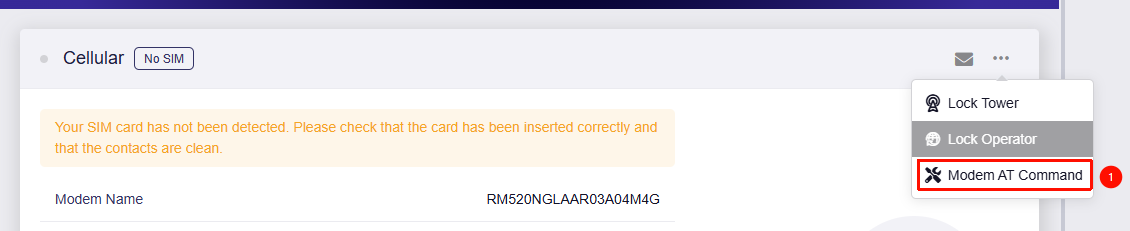
You don't see this UI?
image

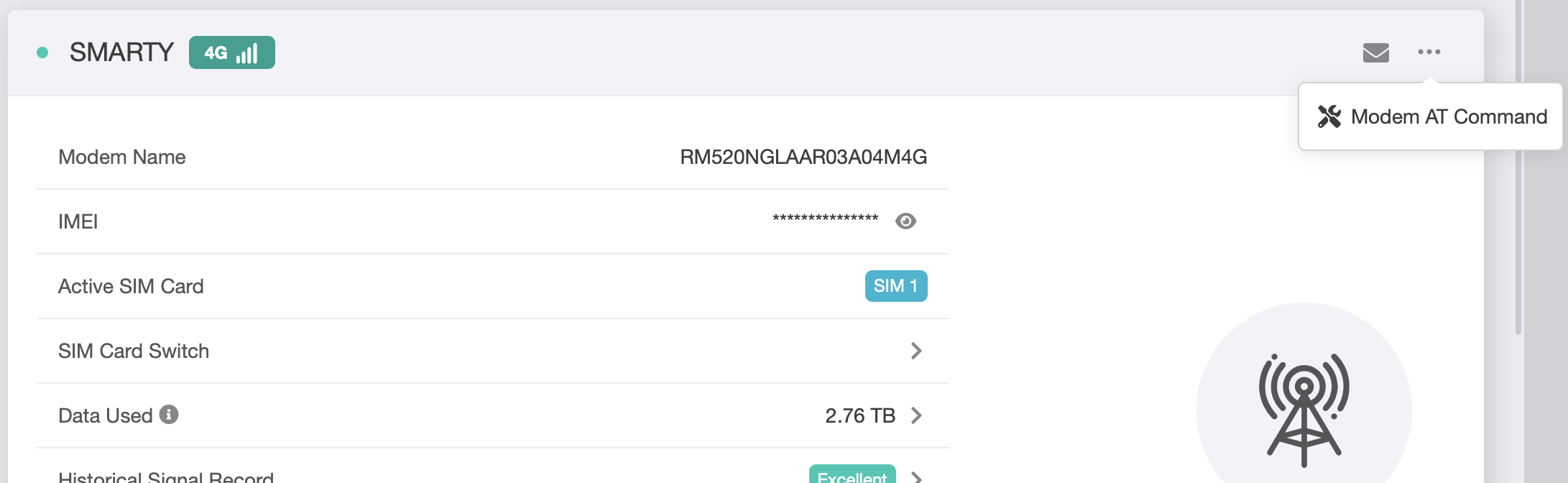
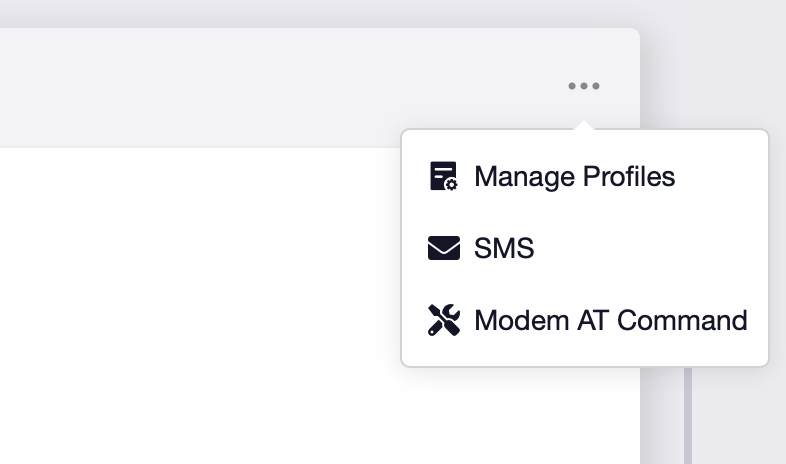
Nope, I see this… and also was same on v4.7 ( Mean I didn’t see the icons you have shown - just the Messages and three dot icons.)

This is what I saw on 4.7:

Hi

Please try running the following AT commands to adjust the module's operating mode, then reboot the device to see if the relevant options appear.

AT+QCFG="pcie/mode",0
AT+QCFG="data_interface",1,0
AT+QCFG="usbnet",0

Thank you, these steps did get the menu options back. However my connection is broken now. It is connecting to the right cell tower, but no internet connection. APN is still correct. Not locked to a provider or cell tower. It seems to connect to non-Three/Smarty cells.

Update, those commands have completely destroyed by ability to connect. Even switching back to USB on the modem. No menu icons, no connection.

That’s a bit unusual.

These commands only adjust the communication mode between the cellular module and the router to the factory-default PCIe RC mode, and set USB Net to QMI or RMNET mode, in order to enable Lock Tower and Lock Operator support.
Under normal circumstances, they should not affect how the module communicates with the mobile network.

Could you try exporting the system logs and the cellular module debug logs and send them via private message so we can investigate further?

If possible, please follow the guide and share your device with us via GoodCloud so we can check it remotely:

Kindly send us the MAC address and the router password via private message so we can access it.

How to export logs:

How to export module debug logs:


How to send private messages:

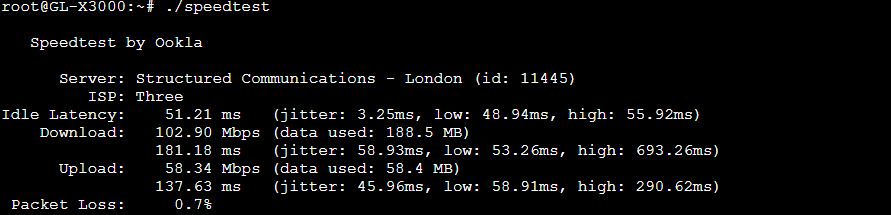
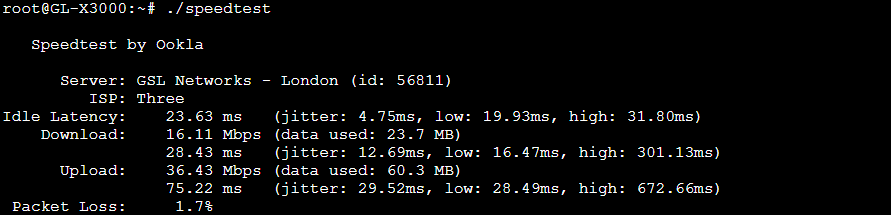
I have finally got it back up and kind of working, with the menu options remaining. What I have now though is excellent 5G signal connection but the internet throughput via my back end router (UDM SE) is very poor (30Mbs) whereas I had no problems whatsoever before this. For some reason, I also had to downgrade to 4.7 and then back to 4.8 once I’d sorted out the connection problem.

I will share the logs.

We performed an initial remote check, and it appears the issue may be related to the availability of your current network.

Based on the observed speeds, it appears that NR may not actually be fully deployed in your area yet, and only LTE service is effectively available.

The network scan results from the modem also seem to support this assumption, as only EE advertises support for 5G NSA:

+COPS: (1,"SMARTY","SMARTY","23420",7),(1,"234 32","234 32","23432",7),(1,"EE","EE","23430",12),(1,"EE","EE","23430",7),(3,"vodafone UK","voda UK","23415",7),(1,"O2 - UK","O2 - UK","23410",7),(1,")

Could you check whether the same SIM card, in the same location, is able to connect to a 5G NSA network and achieve the expected speeds on another device, such as your phone?

If it also cannot, then the issue is likely on the network side, which may unfortunately be beyond our control.

However, if it can, please try using some software to check the network and bands your phone is currently connected to, and send us screenshots via private message for further investigation:

  • For Android, you can use Cellular Z or similar apps.
  • For iOS, please enter *3001#12345#* in the dialer and place the call.

Thanks for investigating. It seems very strange, it’s been running at high speeds previously 250+… and it should connect to either Three or Vodafone (same company now). I’ve tried locking onto different cell towers but speed same. Will continue to try and failing that might have to swap providers.

It all seems a big conincidence as those three commands to get the menus back really did destroy my connection.

The only thing I can think of is that I’d swapped from PCe to USB when it had been working (for at least 1 year by the way very stable!) - which when I do that again I lose the Cell Lock/Provider options in the menu.

So I tried to switch back to USB mode on the modem. Connects no problem but no speed change - and all the menus disappear again. However now I cannot issue any AT commands from SSH to get it back to PCIE or look for neighbouring cells.

root@GL-X3000:~# gl_modem -B 0001:01:00.0 AT 'AT+QCFG="data_interface”,1,0'

Modem is not exit.Please make sure bus.


Managed to switch it back to PCIE. Still no joy though on speeds. I will test it today in a phone. I’m using a Poynting 4x4 Omni antenna on top of my roof pointed towards these cells and as I said before it’s been stable with a decent speed for over a year.

I seem to have found a new cell tower which is giving speeds >300Mb which seems to be a Vodafone tower. There must be an issue with Three cell towers in this area. Will check. Thanks.

1 Like