2026-11-20: GL.iNet Security Notice - GoodCloud / KVM / Routers

GL.iNet Router and KVM Security Incident

Issued November 20, 2026 | Last updated November 21, 2026 (UTC)

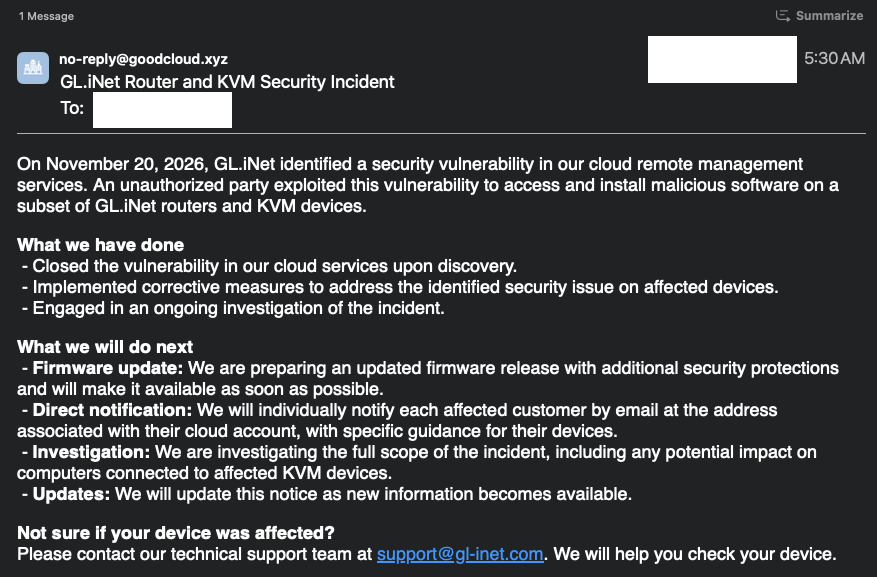
On November 20, 2026, GL.iNet identified a vulnerability in its cloud remote management services. An unauthorized party exploited the vulnerability to access and install malicious software on some GL.iNet routers and KVM devices.

The attack path has been blocked. We fixed the cloud vulnerability and blocked the access used in this incident. Devices can no longer be newly infected through this attack path. These measures do not remove malware from devices that were already infected.

What you should do

Security firmware: Stable firmware with security fixes for both routers and KVM devices is scheduled for November 22, 2026. We recommend installing the stable update for your model as soon as it becomes available, even if the check finds no signs of infection.

Follow the steps below to check your device. For both routers and KVM devices, look for the exact text crond -i /tmp/.log within the details of a running process. The process entry may contain other information.

  • If you find the indicator: Treat your device as infected. For a KVM, you can install the security beta for your model now using the links below. You can also restore your device to factory settings to address the infection. A factory reset erases your settings and requires you to set up the device again. The cloud vulnerability has been fixed, so a reset device cannot be reinfected through that vulnerability. Whether you install the beta or reset your device, we still recommend installing the latest stable security firmware for your model as soon as it is available.
  • If the check completes without finding the indicator: If you have no other reason to suspect infection, no factory reset or other cleanup is needed. The stable security update is still recommended.
  • If you cannot complete the check or are unsure about the result: Contact support@gl-inet.com for help.

How to check a GL.iNet router

Option 1: Use the web admin panel (LuCI)

  1. In the router’s Admin Panel, go to System → Advanced Settings and sign in to LuCI.
  2. In LuCI, open Status → Processes.
  3. Press Ctrl+F (Command+F on macOS) and search for tmp/.log. Check whether a matching process shows crond -i /tmp/.log.

Option 2: Use SSH

Sign in to your router via SSH and run:

ps | grep tmp

Look for crond -i /tmp/.log in the output. A line showing only the grep command is not a match.

How to check a GL.iNet KVM

In the KVM web interface, go to Toolbox → Terminal → Access. Run the command for your model in the KVM’s terminal, not on the connected computer.

RMQ1:

ps -a | grep tmp

All other KVM models:

ps -aux | grep tmp

Look for crond -i /tmp/.log in the output. A line showing only the grep command is not a match.

If your KVM is infected, also check the connected computer

As a precaution, check for unfamiliar programs, browser extensions or user accounts; unexpected startup items or scheduled tasks; and unusual settings changes or network activity. Run a full scan with up-to-date security software.

KVM security firmware downloads

KVM security fixes are already available through the beta channel for the models listed below. If your KVM shows signs of infection, you can install the beta update for your model now.

  • RM10: 1.10.2 beta or later
  • RM10RC: 1.10.2 beta or later
  • RM1: 1.10.2 beta or later
  • RM1V2: 1.10.2 beta or later
  • RMQ1: 1.8.6 beta or later
  • RM1PE: 1.10.2 beta or later
  • RM4PE: 1.10.2 beta or later

Firmware release, customer notifications, and investigation

  • Firmware release: KVM beta builds with security fixes are available now. Stable builds with security fixes for both routers and KVM devices are scheduled for November 22, 2026.
  • Customer notifications: We will notify customers we identify as affected by email at the address associated with their GL.iNet cloud account. These emails will include device-specific guidance. You do not need to wait for an email to check your device or install the update.
  • Ongoing investigation: We are still determining the scope of the incident, including whether computers connected to affected KVM devices were impacted. We will update this notice as we confirm new information.

Contact

For questions, please contact support@gl-inet.com.

To report a security issue, contact security@gl-inet.com.

We apologize for the concern this may cause and are committed to keeping you informed.

GL.iNet Security Team
Does this only include if the device linked to goodcloud or glkvm had enabled remote access ?

On my router for example I only linked it to goodcloud, but had no remote access enabled.

Where my wireguard server credentials exposed on goodcloud?

--

On a side note for people wondering if persistancy is possible: yes it is possible on the router but I suspect the attack to be small targeted, the chances seem to be low.

If you don't trust it after a factory reset please check the contents of /etc/uci-defaults and /etc/sysupgrade.conf if there are no suspicious pointers to malicious code you should be fine.

Can you please be more specific how to check if our devices were affected? What to look for on the routers? Can I still export the configuration backup, factory reset and safely import the configuration back?

My guesses are try to carefully examine it for now if your device is a router:

Check these files after the reset took place and you placed back the backup:

  • /etc/rc.local (start up programs)
  • /etc/sysupgrade.conf (files being preserved after backup, and also with firmware upgrades)
  • crontab -e (tasks)
  • /etc/uci-defaults (code being executed when firmware flashes, or firmware reset is pressed, this is a unusual place as the firmware image code executes at /rom/etc/uci-defaults)
  • /etc/rc.d ( service symlinks, delete to disable )

My problem is, we don't know yet when the attack took place and how long, and we neither know if the attacked devices are having persistanced code, so examination is advised with the backups.

You could try to do the firmware reset via u-boot to avoid any uci-defaults trigger.

Ps: I'm not a GL employee.

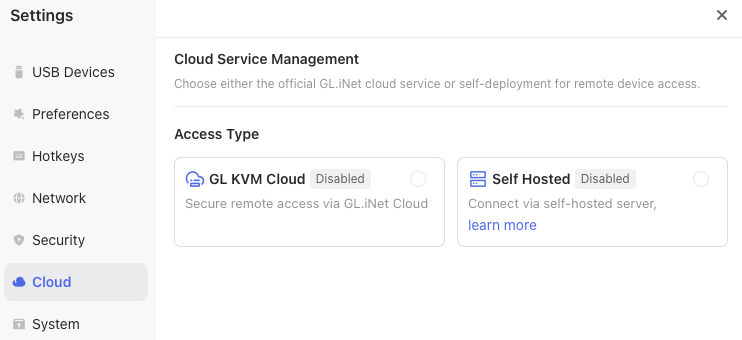
Is a KVM which is not bound to your cloud service but showing the Cloud service enabled safe or not?

I just discovered that the cloud service can be disabled fully..... That should be the default but it is not :(.

The disable button is hidden under "More Settings".

On my GL-RM1, Goodcloud and self-hosted are disabled, and all outbound traffic is blocked with IPTABLE rules on the device itself.

Can I assume I am safe?

Chain OUTPUT (policy ACCEPT)
target     prot opt source               destination         
DROP       icmp --  anywhere             anywhere             icmp echo-request
ACCEPT     all  --  kvm.redacted.com     192.168.69.0/24     
DROP       all  --  kvm.redacted.com     anywhere            
DROP       udp  --  anywhere             anywhere             udp spt:!ntp dpt:ntp

This is a serious security incident that understandably raises concerns among GL.iNet users. I appreciate GL.iNet's initial response, but several important questions remain:

@bruce @will.qui, could you please clarify the following?

  • Which devices and firmware versions were affected?

  • When did the attacks begin?

  • Will GL.iNet provide indicators of compromise (IOCs) to help users determine whether their routers were affected?

  • Can a factory reset reliably remove the malware?

  • When can we expect the announced security firmware update?

More technical details and clear guidance would be greatly appreciated, especially for users with complex router configurations.

Transparency and regular updates will be important in helping customers regain confidence in GL.iNet's products and services.

Another question is : what does the malware do ?

If I had goodcloud remote access enabled, I would:

  • follow any enterprise incident response procedures (quarantine KVM and connected computer, save any applicable activity logs, etc.)
  • manually download the latest firmware
  • perform a local upgrade
  • make sure to uncheck the box to save configuration
  • then scan or re-image the connected computer
  • if in an enterprise environment, remove the KVM
  • if in a homelab, disable goodcloud and block all outbound traffic

I suspect if the goodcloud enabled KVM was connected to a computer, and was either logged in at the time or did not have access controls enabled (e.g. console access), it's possible the miscreants could have installed malware on the connected computer, not just the KVM itself.

This scenerio is precisely why I do not enable any OEM cloud remote access capability. And precisely why these devices should never be connected in an enterprise environment. Full stop.

Also likely why user @1020alex got fired from his job.

@bruce @will.qiu - I'm going to post the same reply as on reddit.. This vague notice is NOT the way to do things.

Can you publicly post the root issue, detection & mitigation process asap please? Like right here, right now please?

This isn't the type of thing to keep gated behind someone checking or receiving an email. That is not how CVE and security disclosure is done for an active threat already being exploited. We should be able to start detection and mitigation immediately. Has GL registered a CVE with MITRE?

These are devices most often directly managing private LANs or already inside the existing LAN. We need to understand the full exposure and potential for lateral movement FOR IMMEDIATE ACTION.

Emails could have been registered with disposables for privacy, GL email domains go direct to spam on some providers, and some of us manage devices on behalf of others. Personally, I can't wait for thousands of individual emails to potentially come in and get forwarded. I have 400+ devices in my personal GoodCloud alone and no email with details yet.

We need dates, initial attack vectors, indicators & artifacts to look for, etc. MANY GL devices are physically remote, so "pushing reset" isn't an option. Remember you sell VPN servers and KVMs - the entire point is people may be managing these devices from many miles away. These devices could be inside management and control VLANs.


EDIT: GL TEAM, I'm not sure who missed security-basics training day, but DO NOT tell people to blinding just reset their devices!

If this is a full root exploit, then the devices need to be scanned to see if it was actually infected first before reset, and hopefully find file modification dates so you can determine how long the device has been compromised and the potential blast radius to other LAN devices. If this device was inside a small office with HIPAA or PCI compliance then it may be required to investigate or wipe entire exposed infrastructure. People need information exactly how to IDENTIFY the compromise as STEP 1.

TO EVERYONE - If your GL device is in a business environment, then DO NOT just reset it. This could void your insurance coverage for the event. Power off and remove the device, then contact your IT support or even your insurance provider if you have umbrella or cyber coverage so that forensics can be done to assist with a full environment assessment.


This response is a disgrace. There is nothing like sufficient information here.

Looks like emails are going out.

I briefly had goodcloud enabled when I first got the GL-RM1 in October, 2025, but quickly disabled it given the security risks.

That email response is as entirely useless and devoid of details as the initial announcement. This handling just gets worse by the minute.

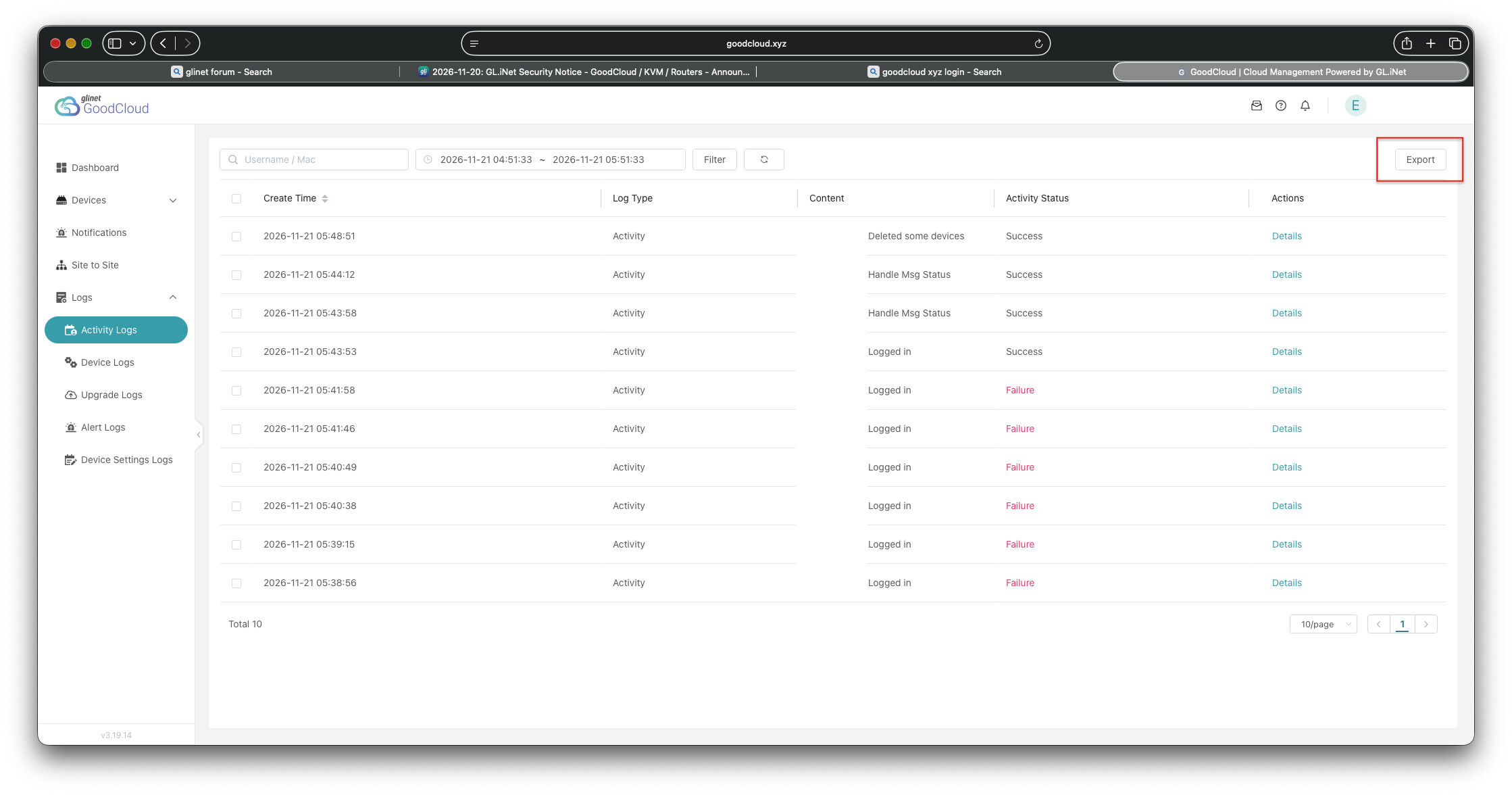
Since I initially had goodcloud enabled back in October, 2025, I logged into my goodcloud account and manually reviewed the logs.

Seems like everyone affected should export all the logs to preserve evidence. It would be helpful if GL-iNet could provide an example what suspicious activity would look like,

For me, there is no logs prior this morning ... no logs from 20/11

Yeah, same for me.

I'm wondering now if this could be related with my post from yesterday

KVM firmware(s) are here https://forum.gl-inet.com/t/kvm-firmware-security-update/73058

Edit: Apparently the thread has been unlisted for now so does not appear publically anymore, no idea why.