My internet went down earlier tonight, so I hooked up my Android smartphone and used Tethering.
I had used it previously on 4.7.0-op24 with Android 14 and it had worked well.
But now, 4.7.5-op24 Tethering with Android 15, it works for a few minutes and drops out.
I reconnect and again after a few minutes, no internet.
How's WiFi speed and strength? Tempted to move from my 4.6.3 build .
Will OP24 4.8 need a fresh, clean install?
@alzhao, I’m experiencing an issue when trying to manually add a WireGuard connection on the new OP24 version 4.7.5 with a MT3000. An existing VPN configuration carried over from a previous firmware still works and can be started without problems. However, when I try to manually add a new configuration, I receive an error message.
Has anyone else encountered a similar issue with this firmware version?
I started again from scratch with a freshly installed firmware. Same problem.
I’m using Torguard as VPN provider, and it worked before for many years.
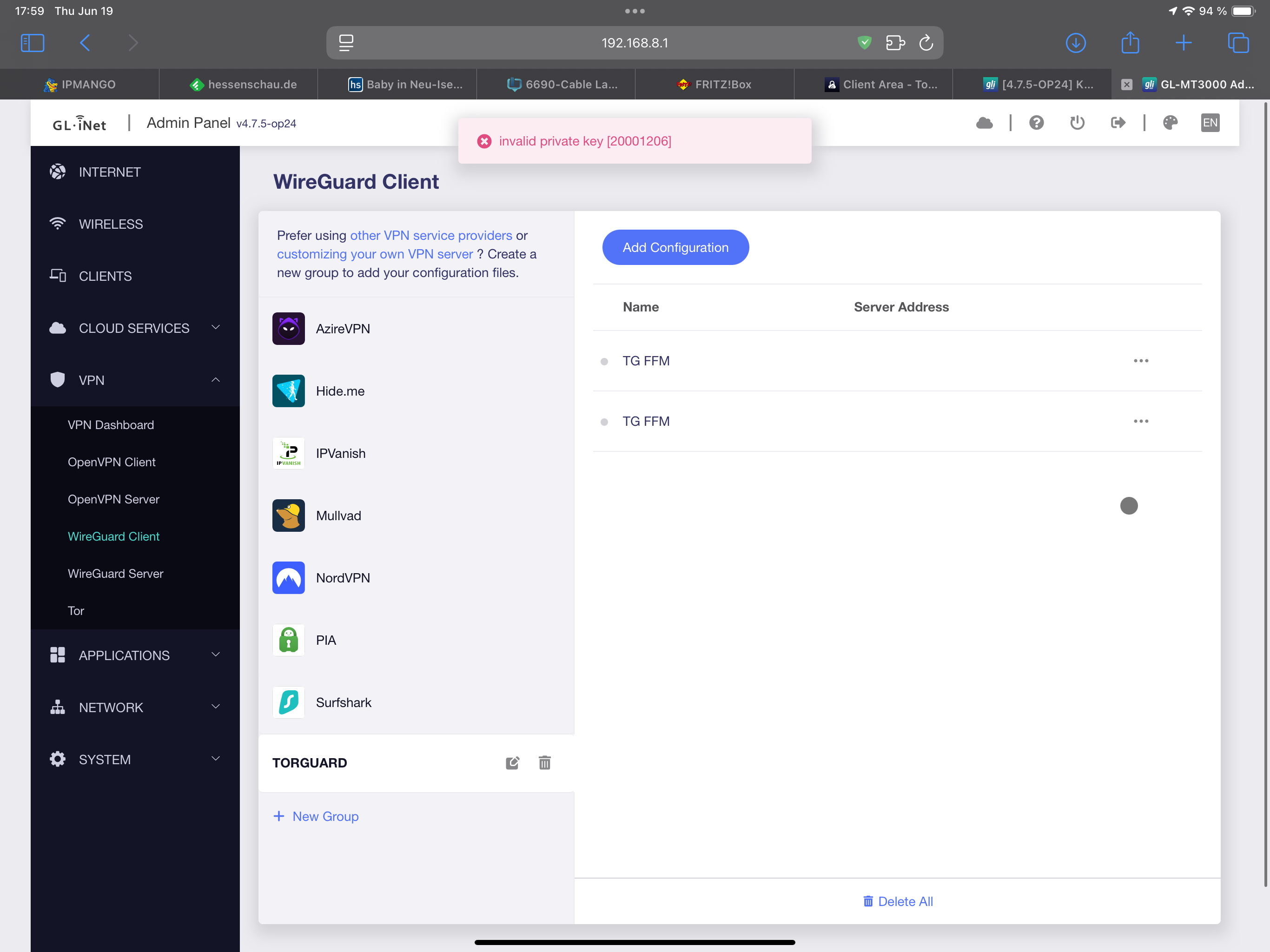
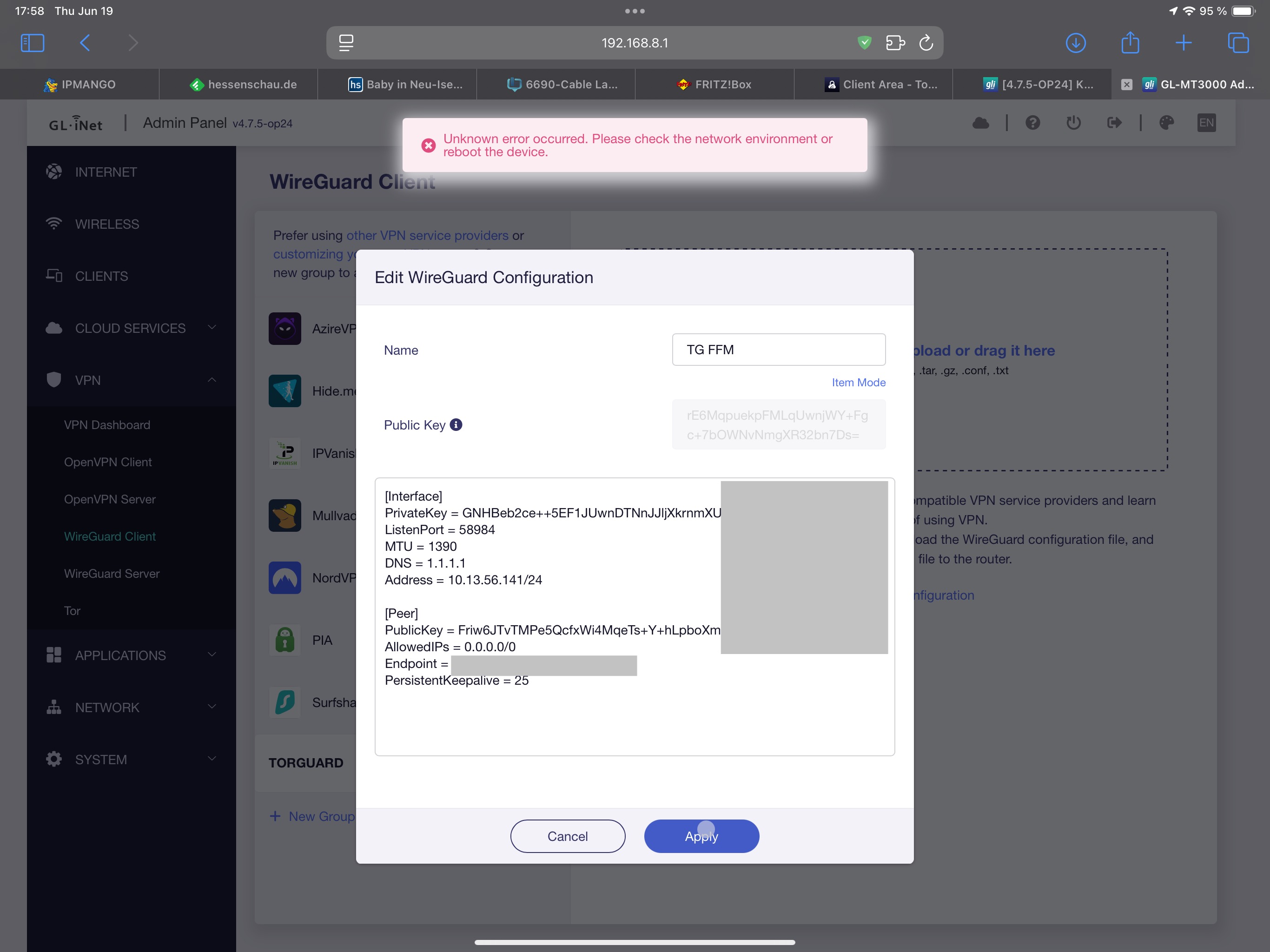
I tested 4.7.5 and used a wireguard config and it seems fine.
I don't have Torguard and if you can send me your condfig to verify that will be perfect.
Hi,
Sorry, this is a bug.
A previous commit affected the validation of the ListenPort parameter, causing the configuration containing the ListenPort field to not be written correctly.
We will fix this issue as soon as possible.
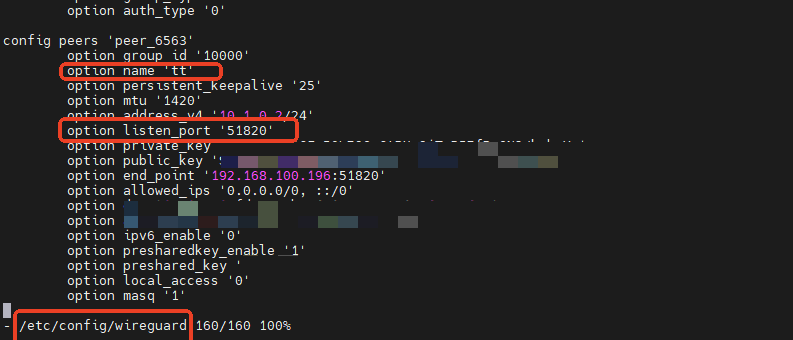
A temporary solution is to delete the ListenPort field in the web, and then manually add option listen_port in the corresponding section of /etc/config/wireguard
2 Likes
Time to re-do OP24. 24.10.2 has just been released
8 Likes
I hope @bruce can have some good news for us 
Is there a new OP24 build coming soon?
4 Likes
@bruce Are you going to build 4.7.5 or 4.8.0 for Flint 2 with newly released 24.10.2 ?
3 Likes
I would love to see it BUT, you really think they are gna put out 4.8 on 24+ when the new shiny is on 23 4.7. At some point you all need to consider the bean counter side. 2 builds is pretty cool as it is. I would expect this to get more attention when and if they get the flint 3 up to the same level as the flint 2
3 Likes
To be honest guys I stopped seeing the need to keep going with the "23" version for the Flint2 a few months ago, looking at the advantages archive by owrt 24.10 with the open source driver I don't see the point of keep dragging "23" and I know a lot of you guys feel the same way 
4 Likes
Agree, plus if you want bleeding edge openwrt and the mt6000 chipset is their official supported as well. I would like a 4.8/24 but it would be a pleasant surprise to see it before they get the F3 up and launched
5 Likes
Hi @teleney, I have exactly the same problem with my new Flint 3, which I received today. I can't add a WireGuard config from Torguard. Could you please fix this issue asap? Thank you.
@alzhao, could you please forward this information to @teleney ?
I think it is simpler to see that supported routers are on quarterly release cycles unless a specific higher impact issue comes up to cause an extra release.
For mt3000/6000 it seems to get both stable and op24 on quarterly schedule but they are not synced quarterly schedules.
Perhaps as a device ages it will change to 6 month or 12 months release schedule.
1 Like
Hello,
This is a common issue in firmware, both in Flint2 and 3, I will inform R&D to release newer firmware to resolve this issue.
1 Like
Hi,
The fix code for this issue has been submitted, but we have not yet compiled the new firmware for op-24. I have forwarded your request to the relevant colleagues, and they will compile the new firmware as soon as possible and send it to the download center after testing.
5 Likes
Regarding op24.10.2, this has to adapt.
If feasible, v4.8.0 will be released based on 24.10.2; if the adaptation is not ideal, it will still be based on 24.10.1.
The adaptation takes some time, please wait.
4 Likes
Here are the errors I found:
the button does not turn off WireGuard; I tried the button script from the shell, I see an HTTP 302 to the RPC, but nothing turns off;
the gl.inet DDNS gives an error; I read the log, and the problem was libcurl4.so, so I did a force reinstall of curl, and now it works;
iperf3 did not see the parameters and always responded with help. I don't know how, but while I was fixing something else, it resolved itself
Pros:
iperf3 has better parallel performance than the release;
DNS over HTTPS is pre-installed and does not conflict with the internal resolver;
the native PBR of 21 had bugs on dependencies.
I hope the release in op24 arrives soon, in the meantime I'll keep the beta.
I cannot confirm this, I use direct snapshots from master.
But I do see a few things which lead me to assume this:
This looks like you tried to update all packages including core packages, which can do alot of harm and even soft brick your device, this also includes parts of luci... usually updating plugins go by firmware upgrade, also the security ones, only in rare situations a developer may ask to do that, the plugins are more only for user based packages.
This however let me assume you use gl package repo, unfortunately I can confirm aswell that alot of plugins are broken, this is only possible because the packages are compiled with a much older toolchain targeting a different router type, and don't work right with the current firmware kernel of your router.
If I could make a suggestion about the ungoing tooling issues in the repo for GL-iNet:
I would advise to use something like jenkins-ci, while it may take more space it's a much better approach because each project has it's own workspace which mean that there is zero chance such type of situation can happen, OpenWrt also shared a similar folder structure.
Especially the packages between op24 and mediatek sdk should be split, and also the QSDK ones.
I used the firmware downloaded from gl.inet and installed from the gl.inet GUI.
Sometimes I did upgrades to fix something, if it's bricked there's tftp or similar, but since it was already on an updated version it didn't make any sense, except for curl because it couldn't find libcurl4.so with gl.ddns, technically it was a reinstall with the default repositories. Wireguard uses curl, maybe that's why it doesn't turn off from the toggle, but from the GUI it does and the toggle recovers it, maybe that's why iperf3 worked, and I really needed it.
As for native pbr, the problem was with its use for domains with ipset, it was well explained in the openwrt forum.
The most important packages work well, and performance seems even better. I hope they follow your suggestion or any other to recompile everything. If the modem works with native drivers, I understand it's not a game, but they can definitely carry everything to 24.
I only have one thing to say: fix curl.
1 Like
The WireGuard bug is for OP24 4.8.0 not fixed. This still shows up after installing the newest beta for my MT6000. I switched now back to version 4.6.6, because there I can create a config and start the VPN. 4.7.5 doesn't work either.
1 Like