Yes, I can confirm that. The values don't make any sense.
I'm using this firmware on my Flint 2, and it's been mostly stable.
I faced one issue last week, though: Wi-Fi devices were disconnected and could not reconnect to the SSID until I rebooted the router.
1 Like
Could you please PM me your backup configuration, I would like to reproduce this locally to further check.
Hi,
May I know if you downgrade the firmware to previous one version, does the VPN server work well?
Hello,
Sorry for my delayed answer 
The gateway on the Asustor is the same as all other NAS/NUC, etc...: the Flint2 IP 192.168.2.1
I am unclear about your query regarding the two gateways for VPN. Could you please clarify?
I configured the WireGuard VPN on the Flint2 to assign an IP address within the range 192.168.12.xxx. All traffic is routed through the WireGuard connection. While everything functions correctly, there is an issue accessing the LAN IP address of my Asustor NAS.
As previously mentioned, when connected to the WireGuard VPN server on the Flint2 (using my iPhone on 5G or my Mac via the iPhone USB shared connection), the only IP address I am unable to access is the NAS's address, 192.168.2.203. However, I can access the NAS using its domain name, which is resolved locally by my AdGuard Server (192.168.2.64) and points to my reverse proxy at 192.168.2.64 on the ADM port.
I suspect this issue is related to the Asustor system, as it began after upgrading to ADM 5.0 immediately following the OP24 update on the Flint2.
(I apologize; I am uncertain if I am being clear.)
I have not attempted a downgrade, as it is not the right time at the moment. However, after performing a factory reset, I attempted to reconfigure the settings as they were before.
Today, I discovered a solution for the OpenVPN connection issue. I had been using port 80 on UDP, which worked fine on my iPhone (over 5G) but not on my Mac.
After several configuration changes, I found that switching to TCP on port 80 resolved the issue. The connection now works on both my Mac and iPhone (using USB mobile data sharing and mobile data 5G, respectively).
The WireGuard problem still persists, and I strongly suspect an issue with ADM.
If anyone has insights into what might be wrong, I am open to suggestions. In the meantime, I will proceed with writing a ticket to Asustor support.
Thank you for your interest in my question. 
It's not a good idea to update any packages which you didn't install yourself.
Each base release is a house of cards which was built assuming that all preinstalled packages are the versions that shipped, and not newer. There is no system to prevent you from installing a newer package version that introduces a change which causes GL.iNet's software to break.
So, it's not like a desktop or server where you regularly install updates and there's a whole entire process (as with Debian, and many other distros) to distribute security updates without introducing such changes. In many cases packages are left alone between the times when you flash a new release and install whatever extra packages you need to set it up.
1 Like
You originally said you run another wireguard server on home assistant. That is why I asked about your gateway as your words make it sounds like you have 2 wireguard servers that are running on different devices. Eg 1 VPN server on your gl-inet router and 1 on your home assistant server.
If there is 2 VPN servers it sounds like you have no return path from the asustor to your wireguard client IP, eg the asustor is sending the data to a router that knows nothing about the wireguard clients IP. Because that router is not where the VPN client connects and you lack a static route to push the data to the other routing device that hosts the other VPN server.
It sounds like it works from the reserve proxy because wireguard in/out of proxy is working and proxy to asustor is on same LAN so is working. In the reverse proxy case the asustor never needs to reach the wireguard clients IP, the proxy does that.
Your reply to me now appears to say you run a single wireguard server on a gl-inet router. And there is no other wireguard servers.
To me it sounds like the asustor gateway is set to the home assistant server and not to the gl-inet router.
That is why VPN clients connecting to the home assistant VPN server work but not from the VPN clients connecting to the gl-inet router.
Will do. But this has to wait. Will be travelling (mostly) offline and in nature till monday from now
1 Like
Hello 
Yes I have two WireGuard server on two distinct servers on two différent port.
The routes are handled by those servers not the NAS, right?
As all is working fine for my Synology NAS and my two mini pc on which I have Proxmox and many services in VM and LXC, I don’t understand why only the Asustor is the only one affected.
All my servers are configured the same way on the network side : same gateway, same dns server , … only the IP change and it is given by the dhcp server, aka the Flint2.
Before updating to ADM 5, and when I was on 4.7.8-op21 GL firmware, my two WireGuard servers was working fine.
My biggest error was to update to op24 build on the flint2 and don’t wait until I’ve done all tests before updating ADM to the 5.0 version.
I see the 4.7.5 op24 version still in beta. Is it safe to use for normal stable use with GL-MT3000 Beryl AX?
The Nas needs a route to the ip it wants to talk to, eg a client that connects to it.
If you have a VPN server on an IP that is not the default gateway of your asustor you will not be able to just talk to it with the VPN client. Because the VPN client has an IP that is not within the same subnet as the asustor. The asustor will send the response data to its default gateway and that default gateway is not where the VPN client is.
You either need a static route in your asustor or a static route in the device that is hosting the VPN server your client connects to. That static route needs to point to the second VPN server. This is to give the asustor a route to your VPN client.
Eg assume
Gl-inet 192.168.8.1, VPN clients get 192.168.81.x
Home assistant 192.168.8.2, VPN clients get 192.168.82.x
Asustor 192.168.8.3 with gateway 192.168.8.2
You need a static route 192.168.81.0/255.255.255.0 to gateway 192.168.8.1
This static route needs to be in the asustor and/or the home assistant.
I fail to see how you had it working before with the 2 VPN server if you didn't have a static route. Unless one of the VPN servers allocated clients within the 192.168.8.x subnet.
"The routes are handled by those servers not the NAS, right?"
How does the VPN server tell the asustor where a route is?
I hear what you're saying but I assure you everything was working fine before without the need to setup a special route…
Here what my network configuration is:
- Flint2: 192.168.2.1 -> LAN 192.168.2.2– 192.168.2.254
- Synology : 192.168.2.201
- Asustor : 192.168.2.203
- MiniPC1 (proxmox) : 192.168.2.196
- MiniPC2 (proxmox) : 192.168.2.194
- HAOS (VM on MiniPC 1): 192.168.2.140
- Reverse Proxy (inside LXC) : 192.168.2.64
- DNS server (AdGuard Home inside the same LXC) : 192.168.2.64
- A lot other services with their own IP addresses.
WireGuard Server on the Flint2 GL-MT6000
Port used : 5223
The WireGuard Server in the flint2 gave me an address in the range: 192.168.12.2 to 192.168.12.xxx.
My iPhone has 192.168.12.2/24
My Mac has 192.168.12.3/24
Here the configuration I have 
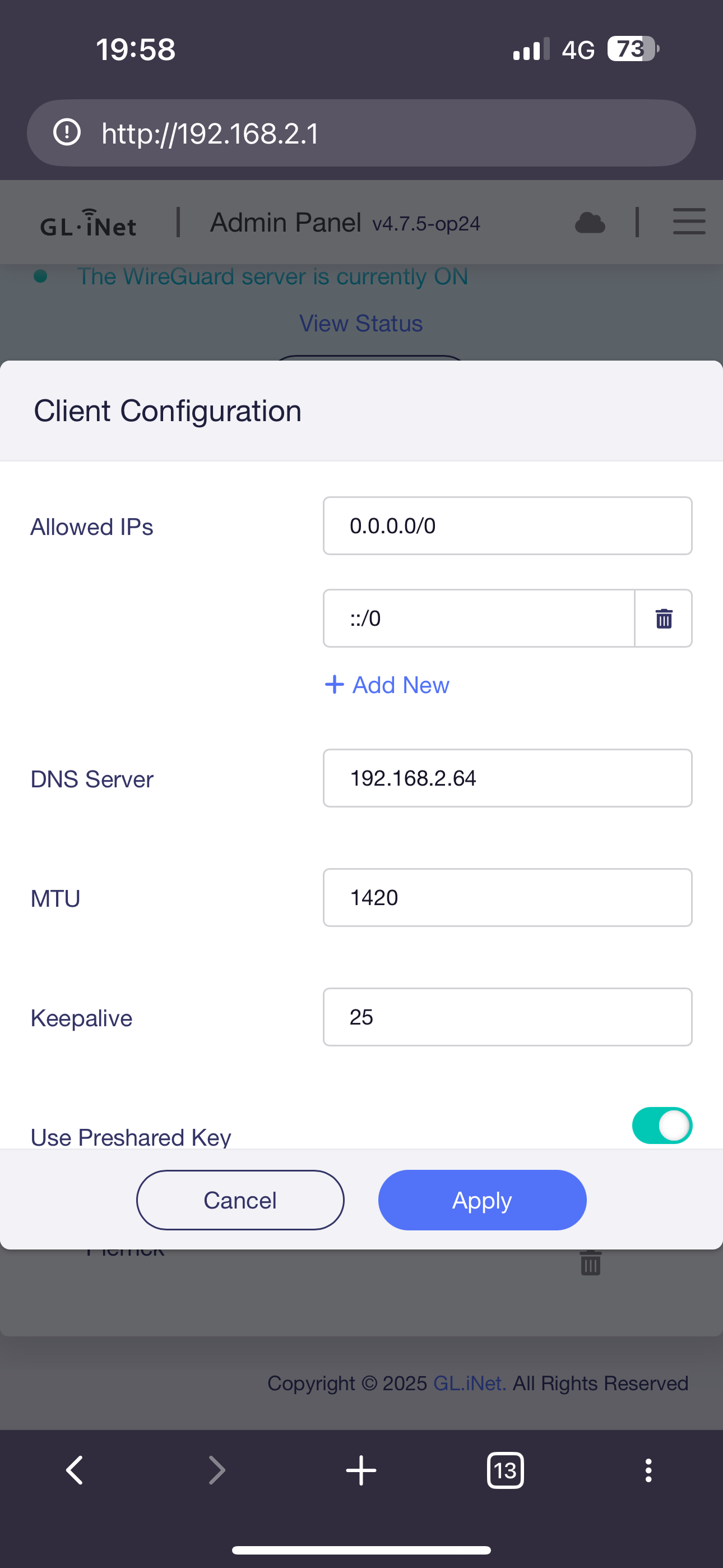
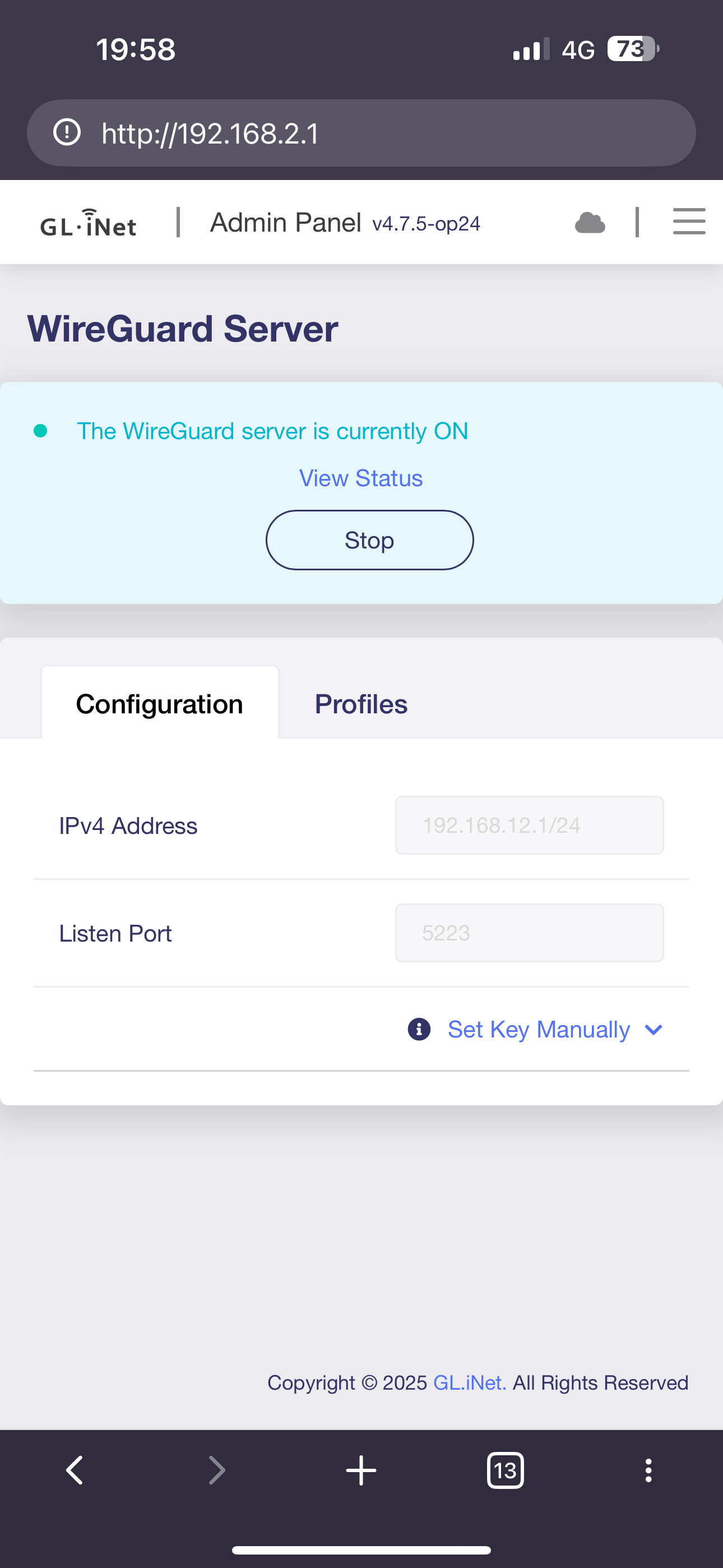
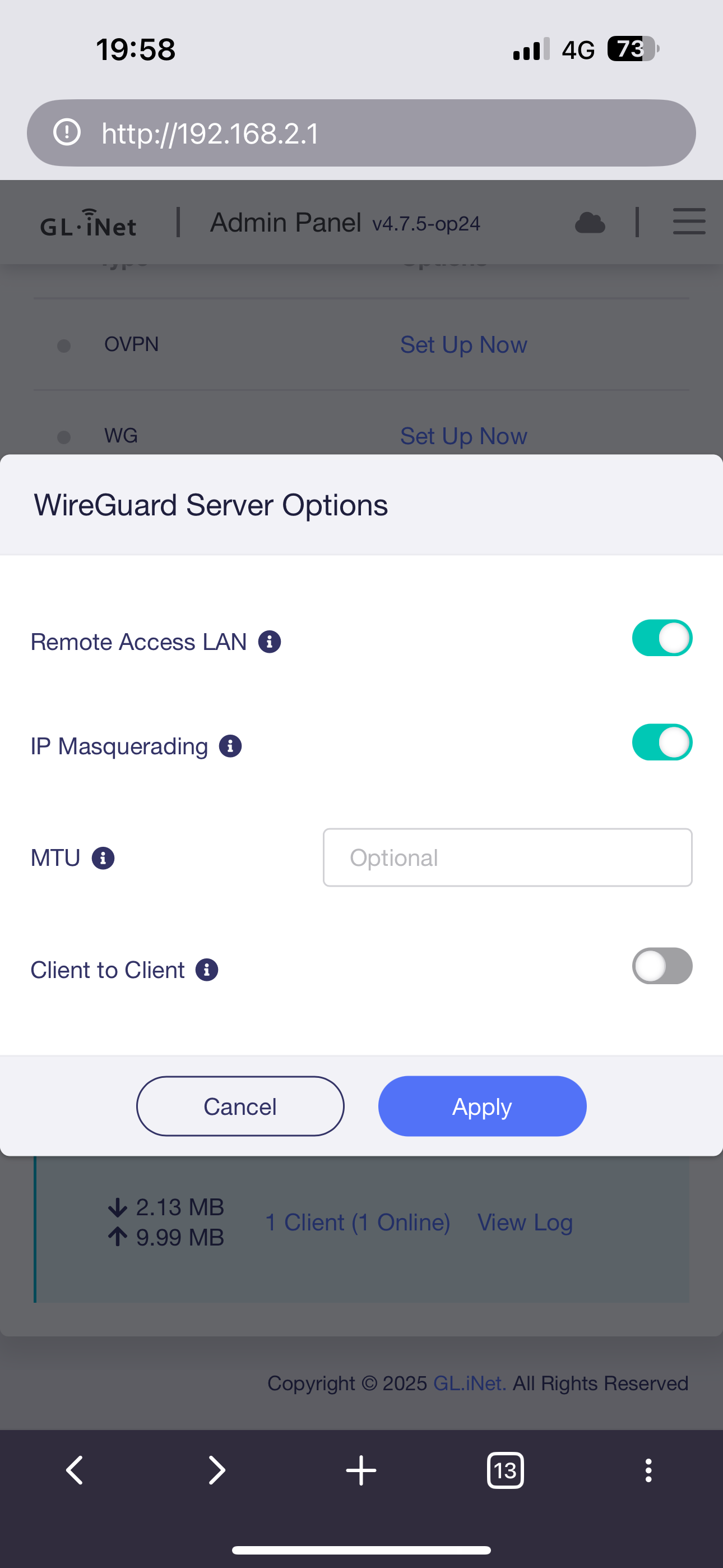
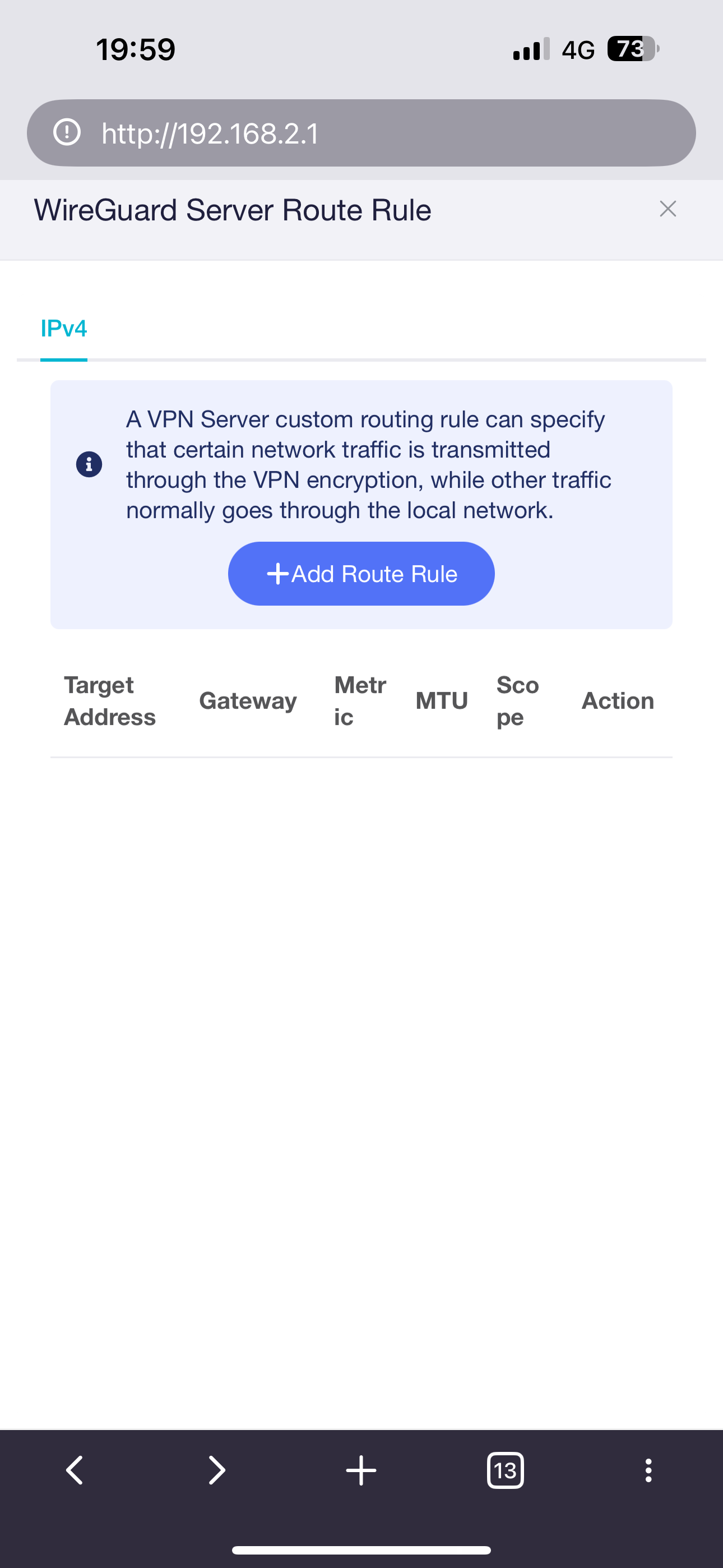
On my NAS (both of them) the gateway set up is 192.168.2.1 , the flint2’s IP.
Both have their firewall allowing access from 192.168.2.xxx and 192.168.12.xxx.
The WireGuard server on my HAOS VM
Port used : 51620
Configuration:
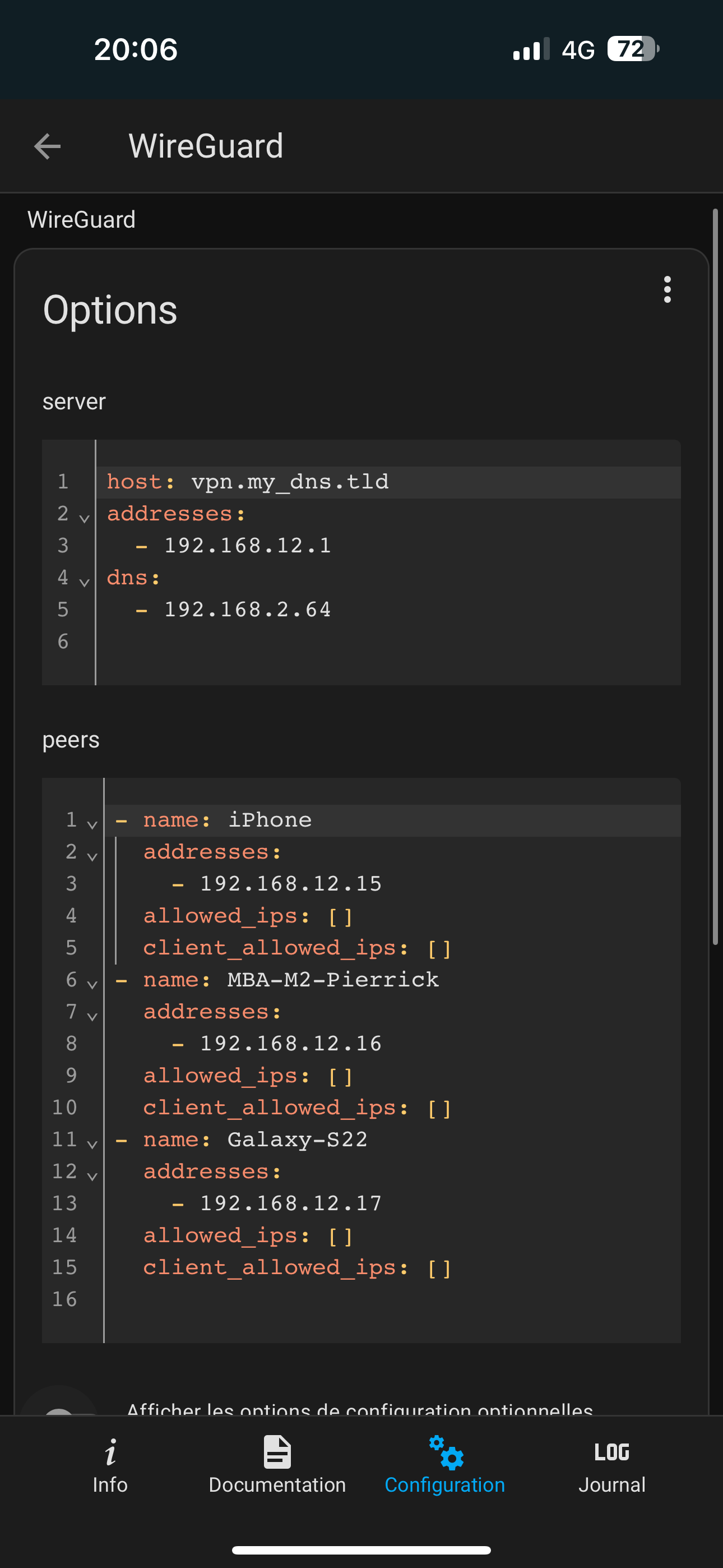
I don’t know the mechanics under the hood for both servers but I can access from both connexion all my ip lan , except the Asustor’s one only if I’m connected to the Flint2 WG server .
I repeat: I don’t connect to the 2 wg servers at the seam time, of course.
So for me, what you said for the routes and gateway, it’s on the wireguard’s server side.
And from what I see it’s working.
I think the Asustor has a problem need solving with their support, that I’ll contact soon.
I’ll get back here when I have some answers.
1)I wouldn't have both VPN servers allocating ip's in the same range. They should be treated as seperate networks.
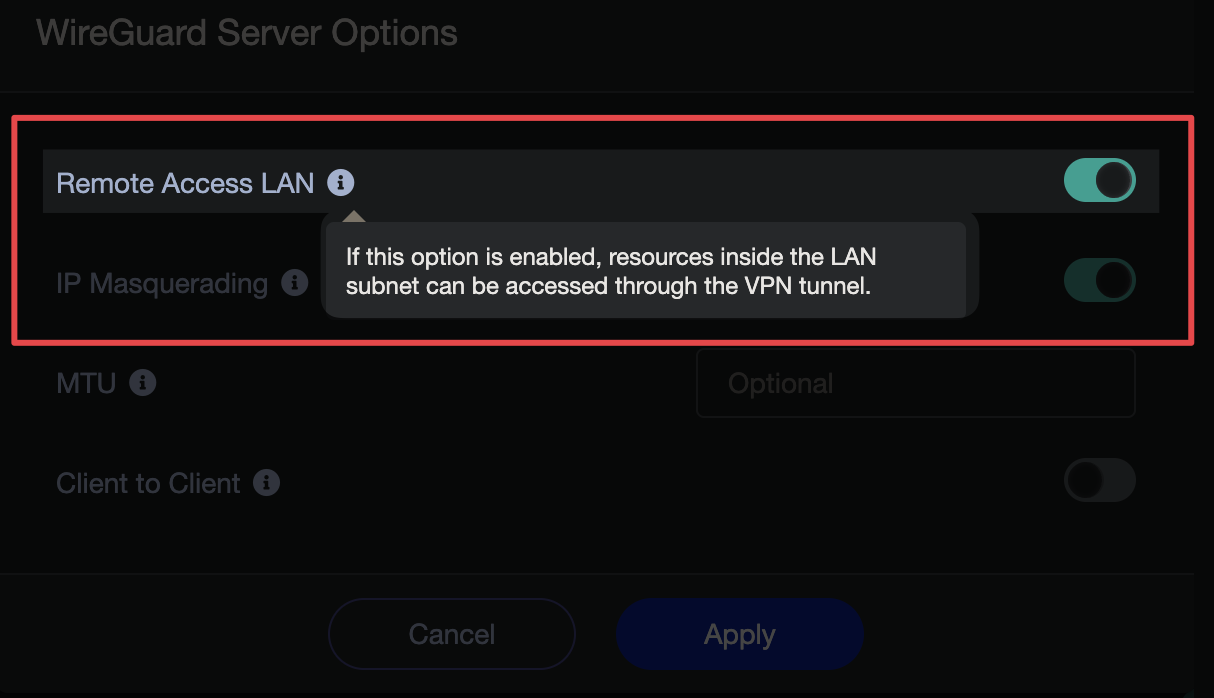
2)I wouldn't be using masquerading for the VPN clients to access my internal Lan. I assume masquerading on both your VPN servers is what is making things work as much as they do. But also breaking other things. IMHO masquerading is intended for VPN clients trying to bounce back out the wan and not for accessing the Lan. Masqueraded internal ip's likely fall under unsupported for all kinds of software.
3)The haos is unfamiliar to me but the VPN config seems incomplete lacking allowedips etc. but perhaps blank leads to auto filled data?
4)I would add a static route to both VPN servers for the other VPN server's client range to reach their correct gateway. In particular the default gateway in the main lan network should have the static route to the other VPN server.
5)recheck the asustor network config, reboot it, check routing table if possible etc.
because you're on different subnets...
192.168.12.0/24 cannot communicate with 192.168.2.0/24
That is the issue. I attempted to change the subnet to 192.168.10.1/24, and everything worked fine afterward. However, I am uncertain about what happens when it fails only for one specific LAN IP address.
I am having difficulty understanding the explanation of IP masquerading. My primary goal is to access my local area network (LAN) through the VPN WireGuard server without being identified by the internet IP address associated with my iPhone.
The allowedip parameter is set to 0.0.0.0/0 by default, including the same configuration for IPv6, which I have removed.
There seems to be a misunderstanding regarding my usage  . I connect exclusively to one WireGuard server, while the other serves solely as a backup.
I reset the network settings this afternoon before changing the VPN subnet on my Flint2. Unfortunately, it did not improve the situation, as the same problem persisted.
The only solution that works is changing the subnet of the WireGuard server.
I can assure you that it functions very well, except for the Asustor LAN IP. I was able to access the Synology IP, the Flint2 IP, the Portainer IP, the AdGuard IP, and so on. I am uncertain how this is possible, but I assume it is due to the "remote access LAN" option.
Is a new build of the OP24 firmware forthcoming?
2 Likes
So you changed the subnet used for the gl-inet wireguard server and the problem went away?
Maybe the asustor has blacklisted/quarantined the other IP. Or has a bad route in its tables through previous misconfiguration of the network.
The iPhones internet IP would be visible to your Router and wireguard server , which for your situation could or could not be one of the same device depending which of your wireguard servers you connect to.
But the VPN tunneled data will be using the VPN tunnel address, eg 192.168.12.x or 192.168.10.x. Eg the asustor would see 192.168.12.16 connecting. The asustor will attempt to reply to 192.168.12.16 which is outside of its subnet so will send that data to its default gateway to find the destination. Which in your case the default gateway is the gl-inet which will find 192.168.12.16 inside its own wireguard server and route via the required tunnel.
IP masquerading will replace that tunnel IP address with the IP of the interface it wants to masquerade as, eg the wan interface IP. But masquerading could potentially use the lan interface ip and become 192.168.2.1 if the software was confiugured to do so. Eg the asustor would see 192.168.2.1 connecting. The asustor can directly reply to 192.168.2.1 because it is within its own subnet, as a silly coincidence this device is also its default gateway which it would have sent the data to anyway if the ip was outside of its subnet.
This is potentially how you can connect to the haos and still access the lan even though you have no return path for the vpn clients tunnel address. The asustor can direct reply to 192.168.2.140 and the haos uses its nat table to find the wireguard tunnel that made the request.
Masquerading could cause different ports to be used which could break things that do not tolerate different ports to be used.
Also session data within the ip packet could include the IP address of the client. Many apps can tolerate a wan ip header and lan session ip as this is a common problem but might fall over if you have lan ip header and a different lan session ip as this would be an unusual state.
If 192.168.12.16 was connected to the haos and the haos didnt use IP masquerading the asustor would not be able to direct talk to 192.168.12.16 as it is outside of its subnet and would would send the data to its default gateway(the gl-inet). The Gl-inet will not know where 192.168.12.16 is either so gets to use a bogan filter to dump the data or route it upstream to its default gateway, aka your ISP, that would likely use a bogan filter to dump the data. A static route in the gl-inet could tell it the 192.168.12.0/24 destined data should be sent to the haos.
That would be for wireguard clients allowedips, eg the default route is the connected tunnel.
But would be wrong for the servers allowedips. How would the vpn server know which tunnel to send data through if multiple tunnels had allowedips 0.0.0.0/0. For wireguard server allowedips should be the single IP aassigned to that client and any other remote IP's that you want to route down that tunnel, eg in lan to lan there could be more IP's(eg 192.168.21.0/24) on the other side of the tunnel. This is how wireguard servers select the correct tunnel for data to route through.
This is being pedantic but it sounds like you have primary/secondary wireguard servers.
Exclusive is to exclude others. But in the same sentence you say that you have another server which is clearly an exception to your exclusion of other wireguard servers.
Changing the subnet for the GL-iNet WireGuard server resolved the issue I was experiencing. I suspect that the Asustor may have, in some way, blacklisted something. However, the reset I performed restored the network settings and disabled the ADM Defender, which includes the firewall and blacklist. Nevertheless, I am uncertain because I created some profiles for the GL-iNet WireGuard server to obtain the same IP address provided by my backup WireGuard server (the one on the HomeAssistant server). Despite being able to connect to the GL-iNet WireGuard server using the same IP as HA WireGuard server, I still cannot access the Asustor LAN IP.
Thank you for the explanations; it is somewhat clearer to me now. I have just deactivated the masquerading option (I tested my VPN connection to check for any issues, but I did not encounter anything unusual).
Are you suggesting that the allowed IP list should include only the specific IP address obtained upon connection, as in the example 192.168.10.2/32? Is that correct?
I have two WireGuard servers, but I do not use both simultaneously. I only use one to access my LAN network when I am away from home. I may not have been entirely clear about this, and I apologize for any misunderstanding. My native language is French, and I do my best to translate what I want to express into English. I kindly ask for your understanding.
PS: Please, moderators, could you separate my recent posts into another thread to avoid cluttering this one? Thank you in advance.
TEam, when the new Firmware 4.7.5 opt 24, there are around 50 Pluggins outdated, once i Updated, the GLI Gui sent an error, have to reupgrade to 4.7.5 opt 24 and keep the pluginn outdated to avoid to lost the GLINET GUI
4 Likes
Every now and then I find these errors in the log
daemon.err eco[32021]: call wifi.get_config fail with http code: 302