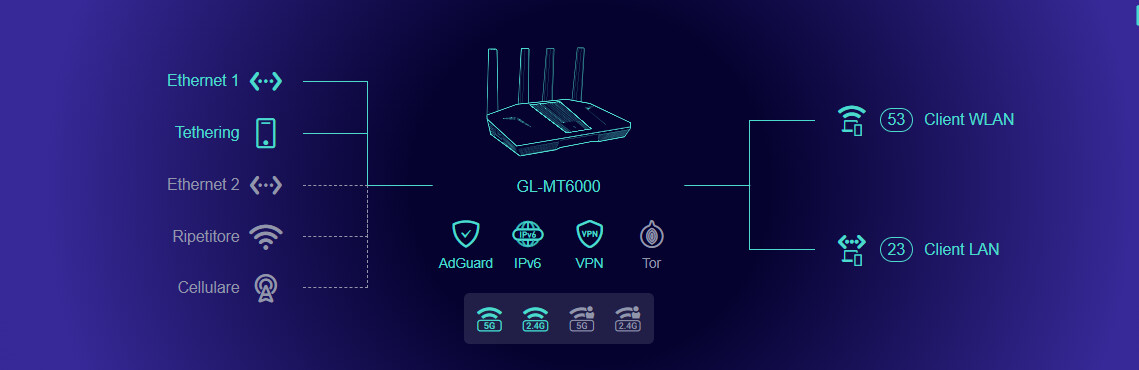
Looks like 4.8.4 has been pulled for the Flint 2, im not happy with this. They are basically admitting something is not right with this firmware and they have not even informed the community. I didnt have issues with 4.8.4 but I have now rerverted back to 4.8.3. Another hour of my time wasted. Im not going to be installing the latest firmware untill it’s been out at least a month now. This isnt the first time GL-iNet have done this.
Does it ever seem possible to you that with every update something ends up not working? Considering that a user running your firmware may not even be particularly tech-savvy, you are putting people in serious difficulty with devices they purchased from you.
Until September I had always strongly recommended your products, but now I can only warn people against buying them, since for months you have been releasing faulty firmware that causes users to waste a huge amount of time.
If we also add the fact that you even pushed the 4.8.4 op21 update to users who had a version installed on OP24, then we’ve really hit rock bottom.
It certainly isn’t the first time I have installed a new firmware only to have to install a previous version because of a bug or the firmware being pulled.
Yes, I’ve just done this on 2 Flint 2’s, just make sure you download 4.8.3 firmware and save it somewhere, then go to the ‘Firmware Local Upgrade’ tab, browse to the 4.8.3 firmware, wait for a minute for it to validate, then make sure you enable ‘KEEP SETTINGS’ option before installing.
This retained all my settings, including all my Adguard Home settings including DNS blocklists and custom filter lists etc.
I can also confirm that after downgrading back to 4.8.3 my Wi-Fi signal strength has increased back to maximum.
I can suggest something although I'm not a GL-iNet developer or employee.
I know that GL-inet owns a repository with pre compiled packages, some are maybe a script I don't think these break fast but not all are some are binaries.
The problem is that different packages have been compiled with different toolchains, and the problem is exactly this... if you compile with a higher toolchain the chances are that packages may fail to work on firmware compiled on a lower toolchain take for example the MTK SDK, or vice versa, intepreters and compilers always have some compile rules and whilst there is some backwards compatibility this does not always mean there is.
My opinion is, that they should run a build server something like Jenkins where each project/firmware has their own package chain and toolchain, this shared collection thing they have running will absolutely contribute to some of the problems, because some of the packages may function as a core package and can do really unexplained behaviours when it is in a firmware runtime environment with a incompatible tool chain.
It can also be permission problems on the image builder, unfortunately on my own sdk this was a long existing problem and I fixed it by branching off and checking out the openwrt repo so all permissions restore, and then I explicitly only checked out the necessary files and scripts in my own sdk but it is a risky practice because you may miss something and then there is loss, it fixed alot of issues including that dnsmasq stopped working due to not able to write files to /tmp and pbr got halted after upgrade, but on a reboot things worked fine, it was a weird experience, but this is a thing which easily can be a cause of the weird side effects in the firmware.
Under ‘Applications’ on the left menu, open Adguard. In the last line of the text box at the top of the page click the ‘Settings Page’ link. This will open the advanced settings, From here select the ‘Filters’ from the top menu, then choose ‘DNS Blocklists’. On this page there will be an option at the bottom of the page that says ‘Add Blocklist’.
This will open up a list of filters. You should look at the categories and select any that meet your needs. These can then be added or removed as needed the same way.
Should i download the latest OpenWRT for the Flint 2 from here and install the latest Beta Version?
It is a .bin file. Not sure were to upload it and if it is recommended? I guess this needs to be done in Lucy? Lucy –> System –> Backup / Flash Firmware –> Flash new firmware Image? Is this the way to go? Any boxes to check prior to that? Will the settings be saved? Thank you very much.
Since the wifi on the 4.8.3. was very powerful even on the low setting, i instantly updated to the 4.8.4 as soon as i saw it, in hope for a better adjustment range between the max and low setting. As a former fritzbox user, i thought, updating right away was a good thing to do. I was surprised that the low wifi setting now really worked as it should, it was notably less powerful than on the max setting, which is great. Since the update on 4.8.4 i also noticed that the internet stopped working once or twice a day, although the Gl-inet Gui showed no failure. After a reboot or the change of one of the selected vpn-servers (no matter on which of the 4 tunnels), the internet started again. A research about the 4.8.4 update brought me here and what i learned gives me some worries. So i downgraded again to the 4.8.3, thank you @EBE for your instructions. As @kb_tech95 mentioned, OpenWrt has been downgraded to 21.02-SNAPSHOT, and it stayed like that after my 4.8.3 downgrade.That is a 5 year old OpenWRT Firmware version the Flint 2 is now running on, which gives me headaches. I am not a pro at this stuff and would appreciate any advice. Is there a way to update to a newer OpenWrt version without bricking the router? I am not sure which OpenWrt Version was preinstalled out of the shelf but i think it was 24. something. I really wouldn’t like to send this router back, because i like the gl-inet gui, the vpn and adguard home functions a lot. But i am not sure if it is secure to use this router under these circumstances? Thank you in advance.
The Flint 2 currently has two actively maintained firmware options:
Stock firmware: Built on the MTK SDK provided by the chipset vendor, using closed-source wireless drivers. Since MTK has not provided a newer version, its OpenWrt base remains at op21. We are still maintaining this version and providing bug / security fix.
OP24 firmware: Built on the open-source OpenWrt project, with an op24 base.
If you’d like to use a newer OpenWrt version, you can choose the OP24 firmware.
i have to admit i am totally lost and confused. The Router had the gl.inet version 4.8.3 and open-wrt 24. something, preinstalled. So it it isn’t either or from my understanding, but a combination of both, an openwrt by gl.net tweaked motor which is running under the gl-inet hood? As i wrote, unfortunately after my downgrade from gl.inet 4.8.4 to 4.8.3, open-wrt was set back to 21.02-SNAPSHOT. Why? The lack of communication is pretty unsatisfying. I mean, from what you telling me, my current setup with 4.8.3 and op21 is safe and good to go. But why did i get the router of the shelf with 4.8.3 and op24 (i think .10, not a beta version).
I am not sure that you understood me correctly. Under no circumstances i want to lose the gl.inet gui, and i assume going back to 4.8.3 and op24 is the best combination. Isn’t it?
Is the update process really the way to go, as described in your link? Get the latest opwrt from your download page, which would be op24 beta, update it in the gl.inet screen instead of in lucy? That is exactly the way i did the downgrade from 4.8.4 to 4.8.3 for gl.inet. Rememberi don’t want to overwrite the gl.inet firmware, i still want that gui. So shouldn’t the upgrade to op24 be done in Lucy instead, and is the beta Version you are offering stable and secure enough?
I don’t want to be pedantic or ungrateful. Your help is appreciated very much. I am just a average end user, who want’s to have a save setup on it’s router and to be honest, a little annoyed about that amount of time that i already had to spent around this situation.
Other than that, i really like it so far. No internet interruptions after going back to 4.8.3 everything seems to work. Only the strong wifi on the lowest setting is a minus, that was better on 4.8.4.
Yes, if you want to use the -op24 version, you will still have Gl.iNet GUI, but please be aware is recommended to NOT keep settings when you swap from OpenWrt 21 to OpenWrt24 or vice-versa. So a factory reset is more then recommended. (and of course don`t import the settings from the other firmware)
Also, you can upgrade/downgrade the versions from the same Gl.iNet GUI tab, you don`t need to do it from LuCI.
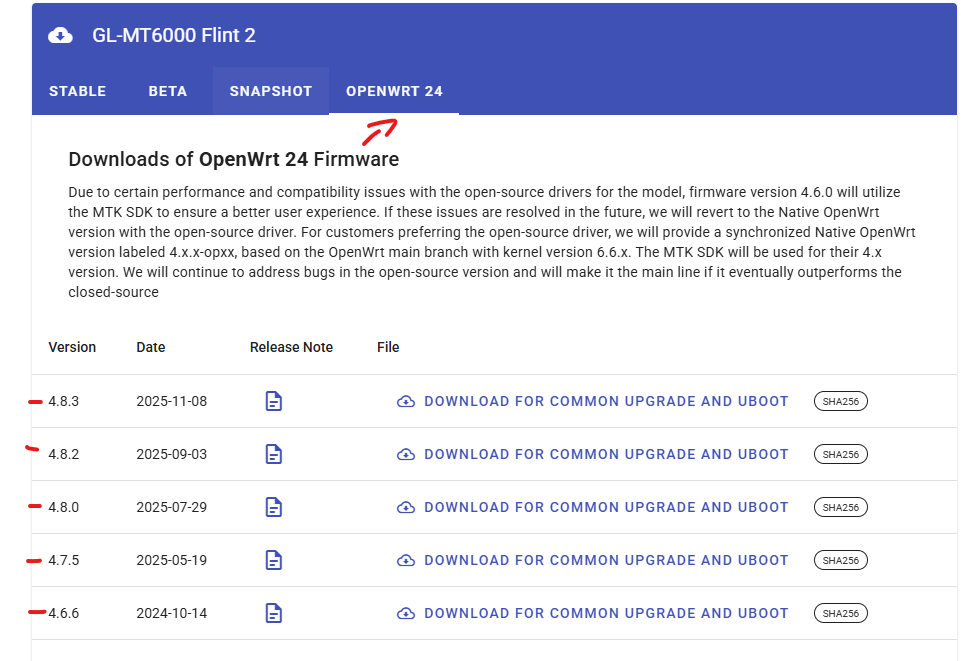
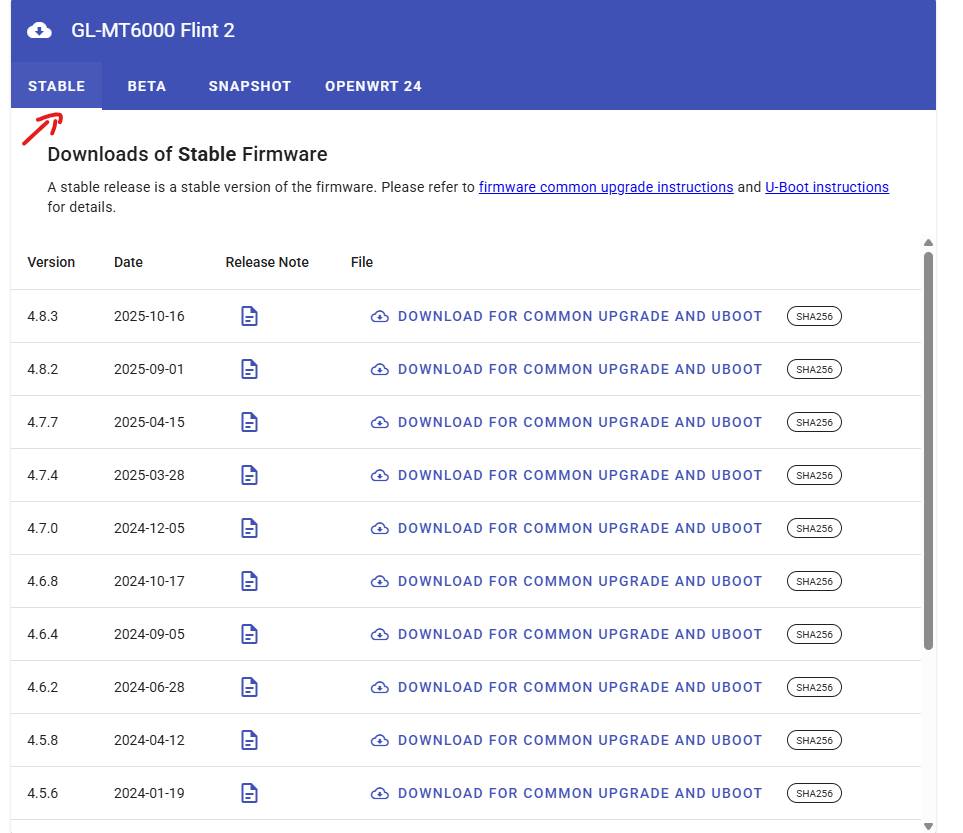
So just to make it clear, as you can see in the download center for Flint2:
STABLE / BETA / SHAPSHOT tabs are based on OpenWrt 21.02-SNAPSHOT
OPENWWRT 24 tab (as the name suggests) is based on OpenWrt 24.10.4
Don`t be scared of OpenWrt 21.02 that is “old and not secure”, Gl.iNet team does patch them for CVE`s.
Both of them work similar, with advantages and disadvantages. You have to test for yourself which version works better in your particular situation.
For ex, I`m using -op24 version for a few months now with no issues.
thanks for your help. I think i am getting closer to it. If i got it right, the stable version and the op24 versions both have the same gl-inet gui and both can (or need?) to be installed via the gl-inet gui. The main difference between them is that op24 version has open source drivers for the mediatek processor?
Thank you also for pointing at the undergoing security updates that the op 21.10 is getting from gl-inet, i feel way better know. Right now, everything seems to work fine, so i’ll leave it as it is.
Some people say that they have a lower range/speed with the -op24 version because is using open-source wireless drivers compared to the closed-source MTK drivers used in the op21 version.
In the end, as I said earlier. Use the one that best suits you Another bonus for the op21 version, is updated more frequent and all the new features first come there and only after a while are ported to op24.
i am back again. First , thanks again for all your help and time. I really appreciate it.
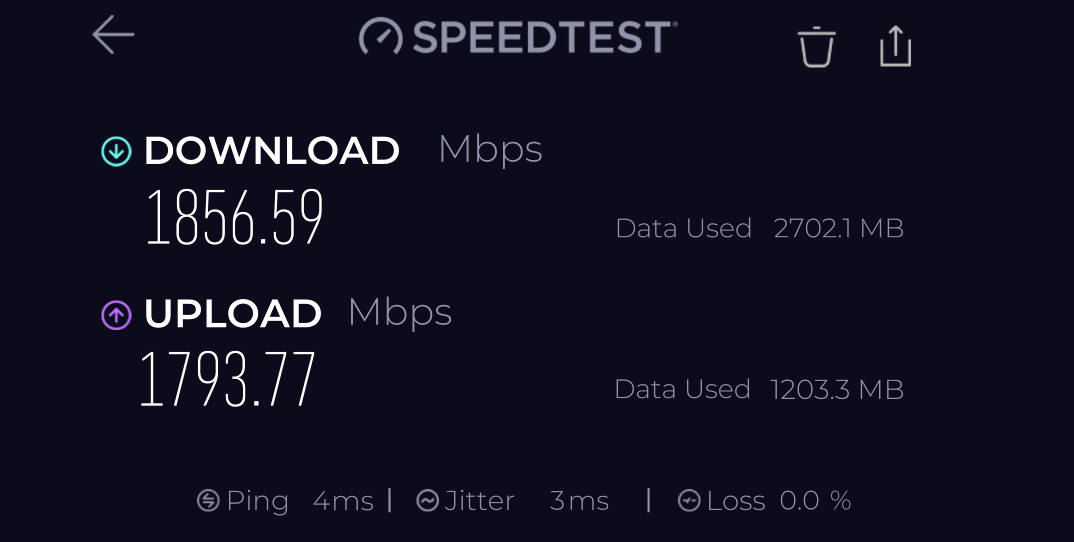
That is fast! That was measured on 5 Ghz, right?
I am not sure if it is ok to continue here because i am probably going a bit off topic. But this threat seems to be not to crowded anyway. So…
I am considering to try the op24, i have some hope that i will get a weaker wifi signal on the low setting and i hope to get less interruptions of the internet connection. Today i had no internet on all of my four openvpn tunnels (kill switch on on all of them). My main Router showed now signs of a malfunction. After 8 minutes or so, it came back without doing anything. I never had any disconnections on my old router running dd-wrt, but i have to say that i only had one openvpn tunnel running on it (but the processor was much weaker though). I am pretty sure it is not due to the vpn provider.
Are you running openvpn tunnels on your router without connection issues?
Will the gui in op24 and gl-inet be similar to the gl-inet 4.8.3 version?
Do you know if luci-app-statistics and collectd-mod-thermal will be running on op24?
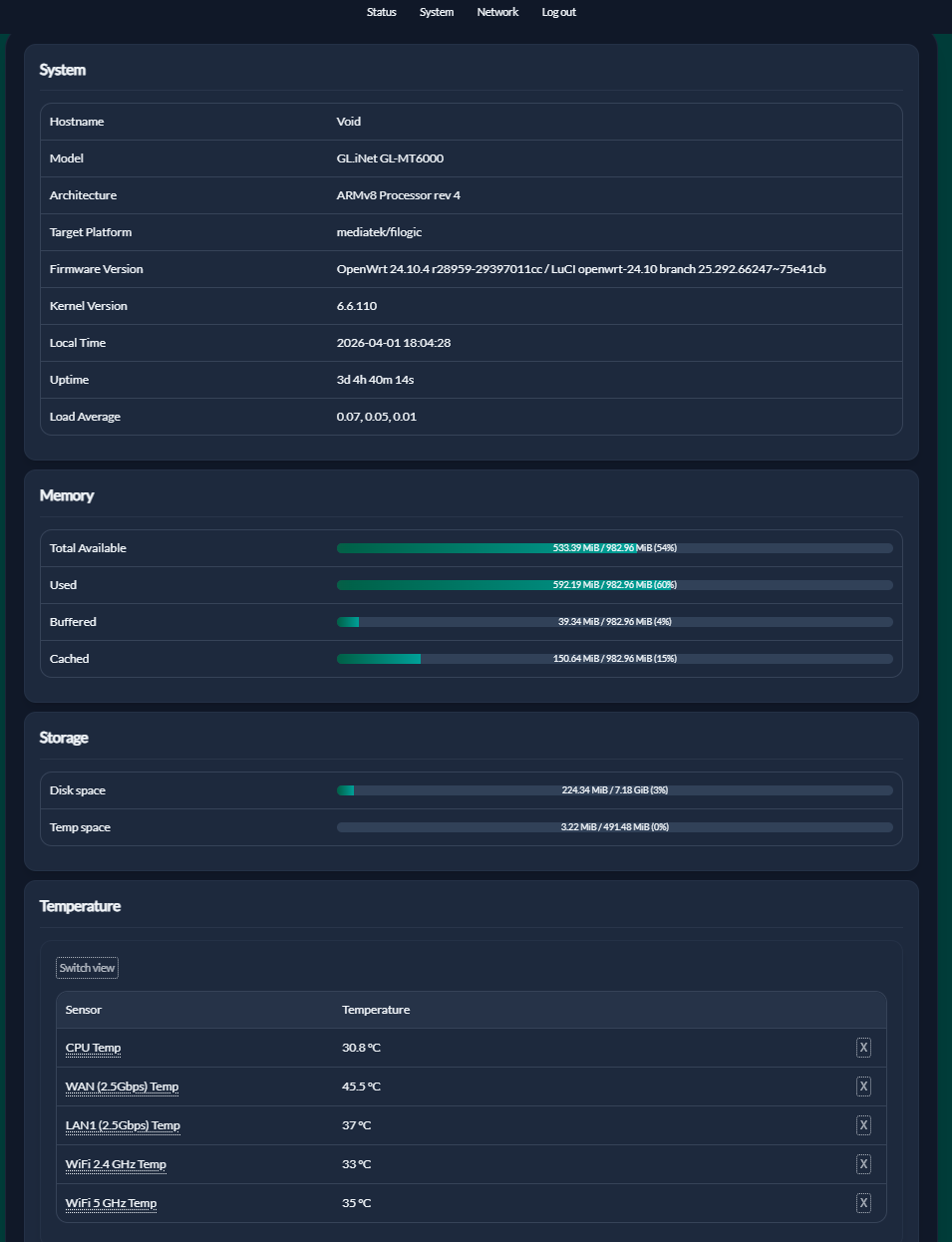
Is the last op24 on the gl-inet download page the OpenWrt 24.10.4 version as your wrote, is it stable? My downloaded .bin says it is a beta version? mt6000-op-4.8.3-op24_beta1-911-1108-1762535859.bin
That are a lot of question, i know. Anyone else i of course also welcomed to answer.
Thank you very much!
I’ve been running OP24 (4.8.3) for a few months now and it’s been quite stable overall.
The interface is basically identical to OP21, so you won’t notice any real difference on that side.
I don’t use OpenVPN—I’m using WireGuard instead—and I haven’t had any connection drops in several months. The only times the connection went down were due to actual internet outages, not the router itself.
As for the packages, both luci-app-statistics and collectd-mod-thermal work just like they did on OP21. I haven’t noticed any differences there.
Regarding the beta label: I think it’s still marked as beta mainly because it’s not their primary development branch, so they prefer to keep it that way even if it’s already quite solid.
In terms of stability, I haven’t had major issues. Occasionally the router would freeze and require a reboot, but it’s been pretty rare. I’ve even had uptimes of over 120 days.
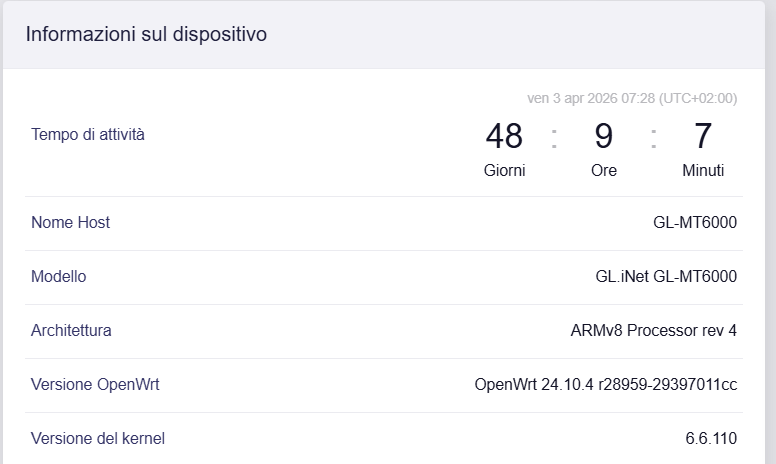
Right now, my router has been running for more than 48 days without any problems.
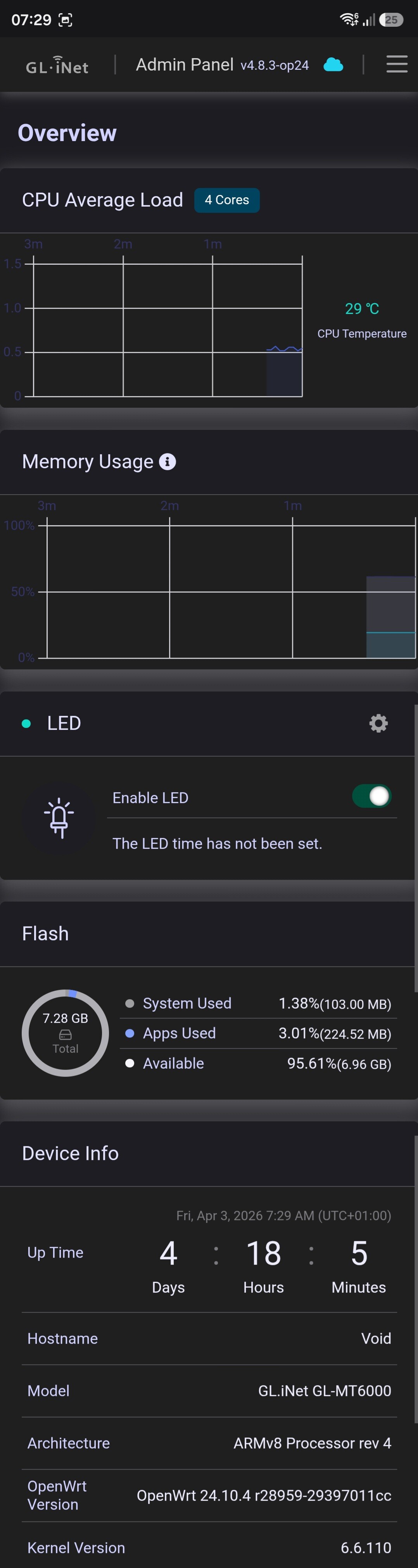
I have a GL-MT6000 (Flint 2) with 4.8.3 op24 installed. I use VPN and Wireguard.
Should I install 4.8.4 Stable or 4.8.5 Beta?
Which version is currently the best?

 Another bonus for the op21 version, is updated more frequent and all the new features first come there and only after a while are ported to op24.