GL.iNet OP24 Firmware vs Standard Firmware (MT6000 / Flint 2)
OP24 is GL.iNet’s firmware branch based on OpenWrt 24 (newer, more upstream), while the standard GL firmware is a heavily customized OpenWrt build with proprietary components.
Key differences
Base system
OP24: based on newer OpenWrt (24.x, newer kernel)
Standard: based on older OpenWrt with GL customizations
Wi-Fi drivers
OP24: open‑source drivers
Standard: MediaTek proprietary drivers (via SDK)
Performance
Standard firmware often has better Wi‑Fi range and stability
OP24 may behave differently depending on environment
Features & UI
Both include the GL.iNet web UI and core features
OP24 is closer to “vanilla OpenWrt” under the hood
Philosophy
OP24: more open, modern, and flexible
Standard: more optimized, stable, and user-friendly
The main practical difference is the Wi‑Fi driver stack — everything else is largely similar from an end-user perspective.
When to use which?
Use OP24 if you want:
newer OpenWrt base / kernel
better compatibility with OpenWrt packages
more control and openness
Use standard firmware if you want:
best Wi‑Fi performance and range
maximum stability
a “just works” experience
Notes
You can switch between both, but it requires a full reset (no config restore).
From a GUI and feature standpoint, they behave almost identically.
TL;DR:
OP24 = more modern and open.
Standard firmware = more optimized and stable (especially Wi‑Fi).
Has anyone else noticed that in op-24 v4.9.0, IP masquerading of the wireguard tunnel is not working (fresh install without keeping settings)? I have DPI inspection and Adguard both running as well as Windscribe VPN client if that makes a difference although IP masquarading was fine with these features all on the op-21 version of the firmware on Flint-2! Everything else that I have tried seem to be working fine so far.
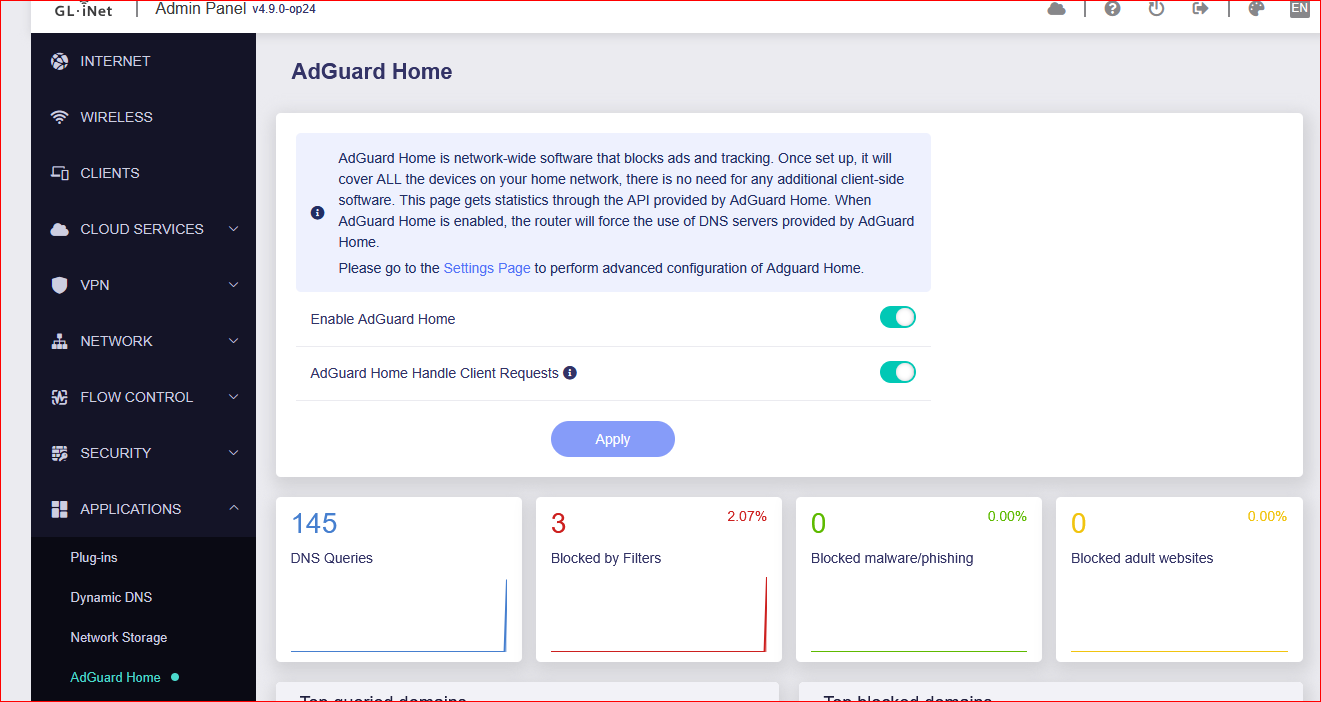
I was able to update AdGuardHome to version 0.176 via the console. In firmware 4.9.0, the client handling counter is still displayed correctly and appears to be working as expected.
@bruce I found a DNS leak issue in this firmware. When the VPN is enabled and AdGuard Home is running, DNS requests appear to leak through the AdGuard Home DNS IP instead of being fully routed via the VPN DNS. If needed, I can provide log files for further investigation.
Thank you. The leak did not occur with OP24 v4.7.7. Do you know what changed in this firmware version?
Do you expect this issue to be fixed in futue releases? Since the quick fix dates back to April, I assume this may be standard behavior when using a VPN together with AdGuard Home. But applying this SSH fix, can’t be the long-term solution.
If ADG is enabled, DNS resolution will use the DNS servers configured in ADG. This shouldn't be considered a leak, that is an expected behavior.
If there is a policy in the VPN tunnel and it is configured with a 'Specified Domain' list, you can enable ADG, but cannot enable 'AdGuard Home Handle Client Requests' option.
If the behavior you are experiencing does not match this expectation, please PM me the syslog, we try to check first if there is indeed an issue.
Apologize for the trouble. We have discovered this issue in time and located the cause.
The new version of op24-4.9.0 (beta2) is resolved this issue and has been released. Please try to upgrade to this latest firmware and check whether the issue is solved.
it indeeds resolve the previous DNS issue that it will always be Cloudflare no matter what DNS provider you choose. (Stubby is totally gone from system)
this can’t be correct. When I configure specific devices to use the VPN, as shown in the screenshots, those devices should also use the DNS server configured in the Wireguard config.
With this new default behavior, DNS requests are no longer routed through the VPN, which results in DNS leaks. To prevent this, I would need to use a separate router or implement additional network configurations.
On firmware OP24 4.7.7, this setup worked as expected and did not cause any DNS leakage. Could you please clarify whether this change is intentional or if it is a bug?
Side note: I can no longer attach screenshots. It appears that image attachments now require moderator approval. Is this expected behavior, or is there an issue with my account?
I have this aswell long time user with title edit rights (i believe).
Not sure about this, from how I see it is that adguardhome replaces the dns from dnsmasq it just forwards to adguardhome (stubby).
Logically it makes sense also what Bruce says that you need to configurate the upstream resolver in adguardhome, you could point to a local dns provider from the tunnel.
It however does not make much sense to tunnel full dns over vpn this can break domain resolvement with ddns and such things, if the endpoint was a domain name of course the kill switch could behave contra.
 The main practical difference is the Wi‑Fi driver stack — everything else is largely similar from an end-user perspective.