I just want to add to this.
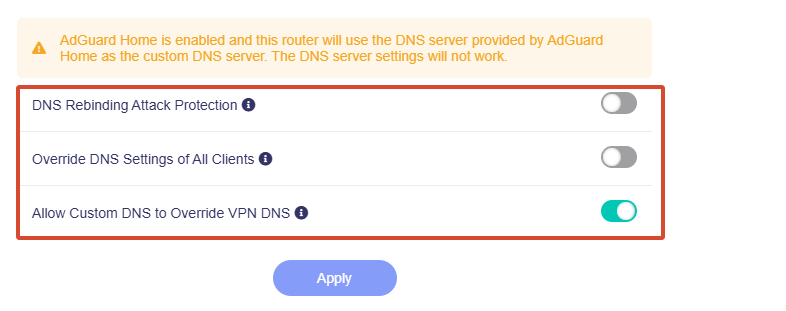
The DNS settings page does indeed become restricted when adguard home is enabled but the toggle options are still functional including to route VPN DNS, you can toggle this on so that adguard home can serve as the DNS for the VPN traffic too or toggle it off so it hits the VPN providers DNS.
If you toggle adguard home off via the applications menu you will see the DNS settings, I believe the message you are seeing when adguard home is enabled is just mentioning that those settings are no longer available, is that right @bruce - maybe it will be better for the gui to show the original settings section but grey it out with the tooltip so it's doesn't seem like the toggle switches are also not applicable.
Your computer might be showing Cloudflare because the browser is using HTTPS (DoH) in its browser settings. Firefox for example has: Default Protection - Firefox decides when to use secure DNS to protect your privacy. I find this can mess with results. You can disable it from the Firefox settings, settings > DNS over HTTPS then toggle to off. This will then always use your DNS.
What I want is to use either the VPNs DNS or Adguard DNS (which I assume is cloudflare?)
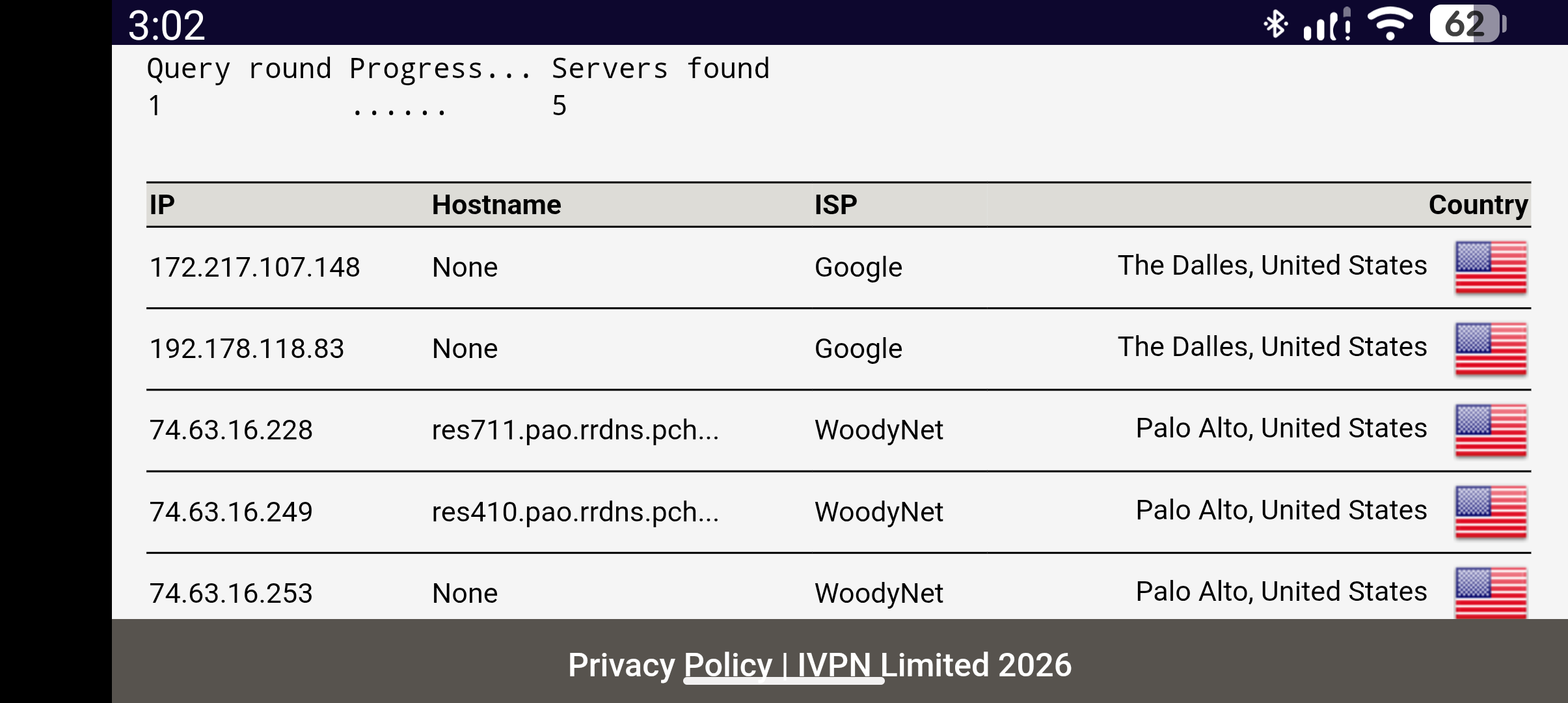
The reason you might be seeing woodynet (quad9) and Google DNS is because adguard home is calling them in your config. You can login to adguard home settings and check your DNS upstream to see what adguard is using / you can also change them. I think it's quad9 by default (woodynet) inside adguard home. It can be any dns provider you want to set it as.
If you turn off: Allow Custom DNS to Override VPN DNS
and route your clients via the 3rd party VPN tunnel you will find the DNS should be hitting the VPN provider.
Toggle on: Override DNS Settings of All Clients
This will help force clients that try and use their own DNS regardless.
Also if you can, I would enable/toggle on: AdGuard Home Handle Client Requests
By doing so you can then see each device in the logs which helps, for example. If you enable Allow Custom DNS to Override VPN DNS you would see the devices that are going via VPN hitting your adguard home logs, when you toggle off you will see no such entries. You also get the ability to create clients inside adguard home and set per device rules, individual DNS for each device, custom block rules etc.
The one thing I found myself needing to do is go to each device and ensure that any browser DoT or DoH settings are off, like I mentioned above with the default Firefox HTTPS DNS settings. @bruce is there a way in which can force / refuse browser DoT and DoH with some firewall rules to prevent internet access without hitting the brume first?