Ok I’m using a Flint 3 as the main router and my Flint 2 in AP mode, I went into LuCI on the Flint 3 and enabled fast roaming on both wireless bands but could not find fast roaming in the Flint 2, logged into the Flint 2 via LAN port both wireless bands configured the same as the main router, then I connected the Flint 2 WAN via cable to the LAN of the Flint 3, now I can only see the main router the Flint 3 the Flint 2 blinks blue seems to be working but I can’t see any reference in the Flint 3 to enable me to log into the Flint 2, where would the IP address be for the Flint 2, have I done this all correctly, thanks
Hi,
After a successful bridge in AP mode, the LED on the Flint 2 should be solid white.
So it seems there may be a configuration issue causing AP mode not to work properly, which is why the Flint 2’s IP address cannot be found on the Flint 3.
Please check whether the cabling is correct (the Flint 2’s WAN port should be connected to a LAN port on the Flint 3). Try reconfiguring it and then rebooting to see if it works properly.
Hi thanks for the reply, I must admit I’m stuck, I tried everything but still end up with a blue blinking LED, I rest the firmware on the Flint 2 and just set up the wireless to match the Flint 3, but still the same, the cable is fine which is run from the WAN on the flint 2 and to the LAN on the flint 3.
When I reset the firmware on the flint 2 I put the password in ad connected to the internet with no problem solid white LED I configured the wireless unplug the WAN and connected it to the flit 3 LAN then selected the AP mode all I get is a blinking blue LED still connected to the flint 2 LAN I see the flint 3, but still a blue blinking LED, can’t reboot the flint 2 I can only cut the power to reboot it.
In the past am I correct in saying that the WAN of the router to be AP mode was first connected to the internet before connecting it to the main router, I did try that as well.
One last thing i have static IP address on the Flint 3 would that be a problem, where should the flint 2 UI address be seen in the Flint 3, just tried a reboot of the flint 3 still the same.
I do Have hidden ESSID on both routers.
Please try the following steps and see if this works for you:
- Connect the WAN port of the Flint 3 to the LAN port of the ISP modem.
- Access the Flint 3 Admin Panel and configure the WAN connection type as needed (PPPoE or DHCP). You can refer to:
Ethernet - GL.iNet Router Docs 4 - Access Flint 2 Admin Panel and change its LAN IP address to a different subnet from Flint 3, for example
192.168.10.1, on Admin Panel → Network → LAN. - Connect the WAN port of Flint 2 to a LAN port of Flint 3.
- Configure the WAN connection type on Flint 2 as DHCP.
- Check whether Flint 2 can obtain an IP address via DHCP, and whether devices connected to Flint 2 can access the internet.
- If that works, go to the Flint 2 Admin Panel and switch it to AP mode.
- After switching to AP mode, reconnect your devices to Flint 2’s LAN/Wi-Fi and check whether they can obtain an IP address from Flint 3’s LAN subnet (by default
192.168.8.0/24, not the192.168.10.0/24subnet you set on Flint 2 earlier). - If they can, this indicates that AP mode is working correctly.
- You can then go to Flint 3 Admin Panel → Clients to find the current IP address of Flint 2 (within Flint 3’s LAN subnet).
- After that, you can further adjust the Wi-Fi and other settings according to your needs.
I followed you’re instruction and the flint 2 does not obtain internet access on the internet page DHCP just keeps saying connecting, i have also disabled my VPN and made sure normal internet access is obtainable and Services from GL.iNet Use VPN is also disabled.
Does this mean you encountered an issue at step 6?
Please help check the following:
-
Using the same cable, can another device connected to a LAN port on the Flint 3 obtain an IP address via DHCP?
-
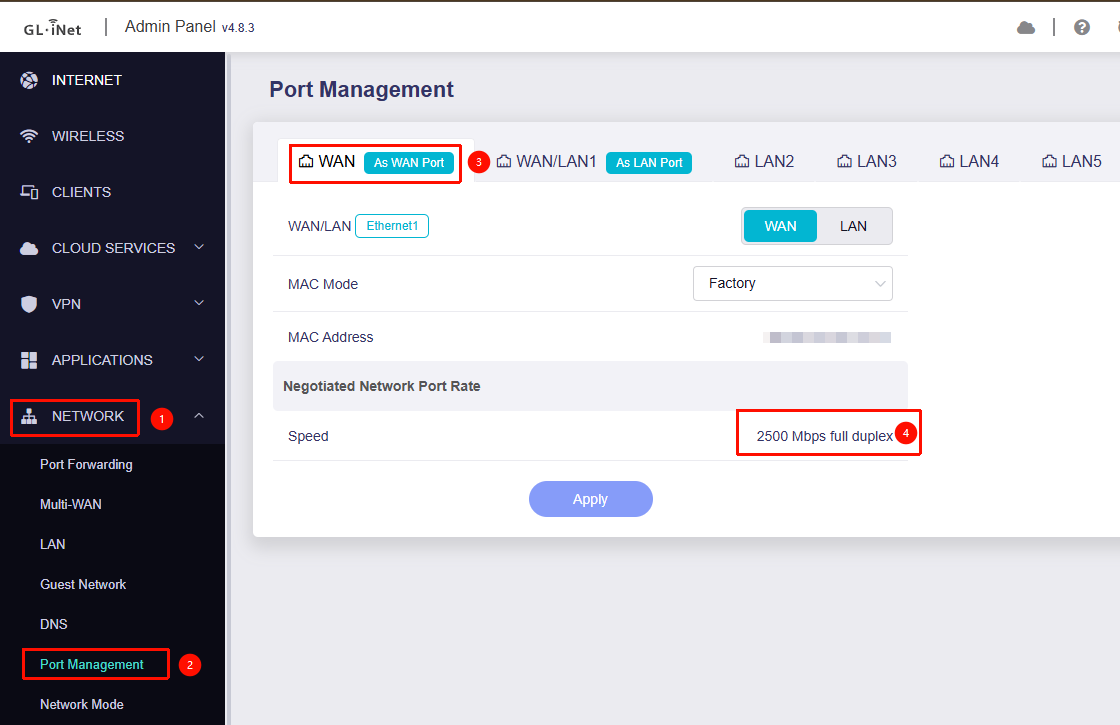
If yes, then connect the cable to the WAN port of the Flint 2, go to Flint 2 → Admin Panel → Network → Port Management, and check whether the Flint 2 detects the cable (e.g. whether a negotiated link speed is shown).
-
Please export the device logs and send it to us via private messages so we can investigate further.
How to export logs:

How to send private messages:

Yes correct no internet.
To eliminate problems i have put the Flint 2 as the main router running all the devices in the house with no issues, so i pulled out my old Flint 1 and tried the same, Logged into it via LAN, changed its IP to 192.168.10.1 DHCP still shows connecting, but never does, so i Logged into the Flint 2 (NOW THE MAIN ROUTER) LAN 2 shows the cable connected to the Flint 1
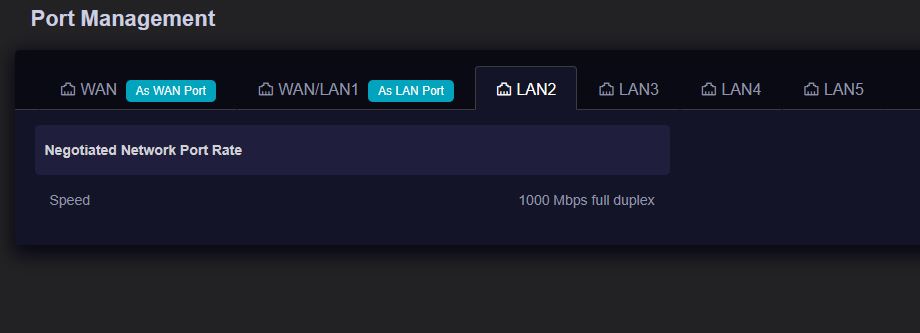
Using the SAME cable and an RJ45 Coupler i pulled out the Flint 2’s Ethernet cable (which goes to the Modem / Router) and the Flint 1 connected straight away with the same cable.
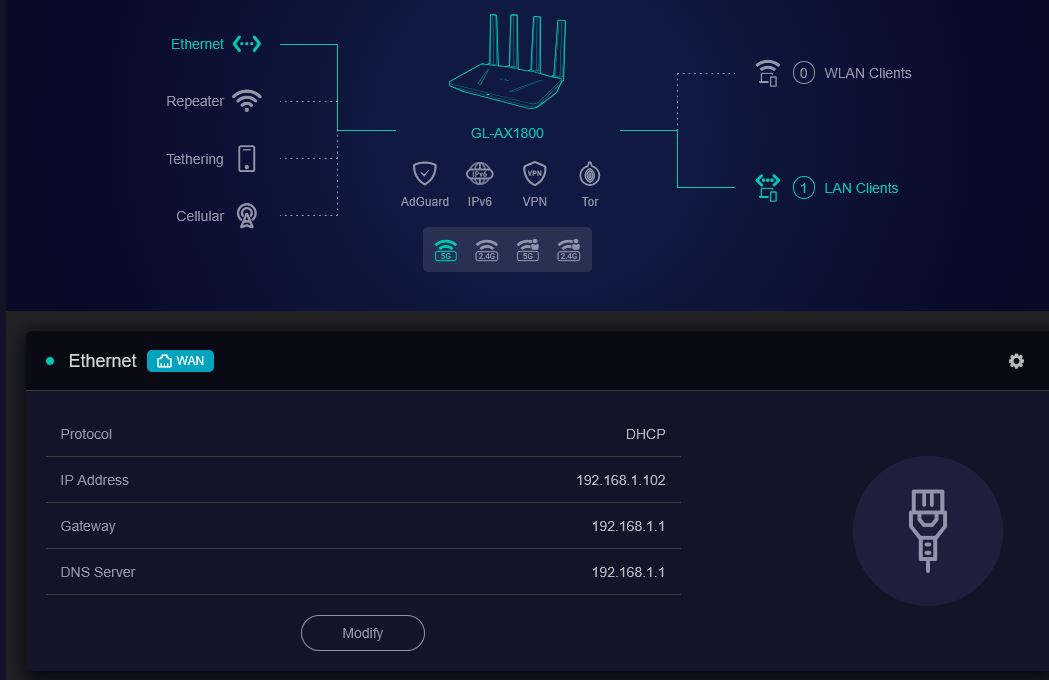
So when you:
- Connect the Flint 2 directly to the ISP modem, place the Flint 1 in front of the Flint 2 (in the previous position), and use the same cable to connect the WAN port of the Flint 1 to the LAN port of the Flint 2 — the Flint 1 shows the same issue and is unable to obtain an IP address via DHCP.
- At that time, when you access the Flint 2 and check the corresponding port, it shows a negotiated link speed.
- If you disconnect the Ethernet cable between the Flint 1 and Flint 2 and instead connect the Flint 1 directly to the ISP modem, the Flint 1 is able to obtain a DHCP address from the ISP modem normally.
Is our understanding correct?
If so, could you please provide the following details to help us further confirm the issue:
-
Would it be possible to place the devices (Flint 3 and Flint 2, or Flint 2 and Flint 1) close to each other—rather than in their actual AP locations—and test using the Ethernet cables that came with the Flint 3 and Flint 2, as well as a few other known-good cables?
-
You mentioned that other devices can connect to the Flint 2 without issue — are those connections wired?
-
If the issue still persists, please keep the WAN port of the Flint 2 connected to the LAN port of the Flint 3, then try using the Repeater function to connect the Flint 3 and Flint 2 to the internet. After that, share the device with us via GoodCloud so we can perform a remote check.
Technical Support via GoodCloud - GL.iNet Router Docs 4Please send us the MAC address of your device and the Admin Panel password via private message so we can access them.
Additionally, our office will be closing soon for the Chinese New Year holiday. If the issue persists, we may need to continue troubleshooting after we return on 24 February.
Thank you for your understanding.
Hello Hope you had a great Break, i left posting a reply, the great news is i finally found out the problem was because i was using Address Reservation when i deleted it the AP router could obtain an IP address i then assigned it permanently and the LED is white, but to answer your question, even with a flashing LED i still got internet via wireless and LAN on the AP router.
Just a quick question on the Flint 3 why is it if you use the DFS channels and tick the 802.11r Fast Transition under the WLAN Roaming in LuCI, when you restart the router the 5.8GHz band no longer works unless you drop down to the non DFS channels.
Glad to hear that the previous issue has been resolved.
Regarding enabling 802.11r, due to poor compatibility between the Qualcomm Wi-Fi driver and LuCI, we recommend following the configuration steps in the post below instead of Luci:
Does the ssh change the wireless file or is it deeper then that, I looked at Bruce’s link and can these be simply pasted all in one go eg.
uci set wireless.wifi5g.ieee80211r='1'
uci set wireless.wifi5g.mobility_domain='4f57'
uci set wireless.wifi5g.ft_over_ds='1'
uci set wireless.wifi5g.nasid='ap1'
uci commit wireless
ubus call network restart
It will modify the configuration in /etc/config/wireless and then reload the latest configuration for the wireless driver using the ubus command.
Yes, you can simply copy and paste everything directly, no need to enter or paste each command individually.
That’s great I can just backup the file using winSCP, can this bee done on the Flint 2 (still my favourite router) thank you for all you’re hep.
For Flint2, we recommend using the openwrt24 version to enable 802.11r.
You can download the openwrt24 firmware here: GL.iNet download center
After installation, you can directly enable the corresponding configuration option in LuCI.
May be a silly question why isn’t it included in the firmware.
The stock firmware for Flint 2 uses the closed-source wireless driver provided by the MTK SDK, while the OpenWrt 24 firmware uses an open-source wireless driver.
As a result, there are some differences between the two in terms of wireless features and LuCI support.
I used the configuration steps and it made a huge difference absolutely brilliant, I noticed when I went into LuCI and wireless it required saving the SSH steps so I saved it in LuCI and restarted and it all worked fine and kept on the DFS channel as well so well pleased.
I love the front LED on the Flint 3 & 3b hope when the flint 4 comes out it is in a simulator case as the Flint 3, that is my one and only complaint about the Flint 2 is the LED on the top its a pain for me fine if it’s on the wall.
Thank you for the explanation about the flint 2 and openwrt24 i noticed it was in beta though.
Here’s some early information about the Flint 4—it should more or less match what you’re looking for. The LED (or rather, it’s now a screen) is on the top , instead of being on the front panel.
Is the CPU as good as or better then the Flint 2, shame the display was not on a little flap so it could be sat up to view when router was laid flat on a shelf and can’t be viewed from above, which is the only thing I like about the Flint 3 & 3b.