I don’t think that’s current on the road map but it’s a great idea. I will talk to the devs
2 Likes
Mesh node is coming. I don’t have an ETA but I could beta as soon as Q4. The upcoming mango will get mesh node functionality though I know that much.
2 Likes
Another request, I have this behind a Unifi Cloud Gateway Fiber, which is my device that controls ad-blocking, IPS/IDS, etc. So I have the Flint 3 as an AP. It won’t show the mesh options as an AP I guess - only as a router. I can use Eero mesh like this (main gateway as AP, then the others connect to the main Eero) - so consider this request for the Gl.Inet mesh?
That idea needs to happen!
Three questions in this post......
I have two Flint 3 In ASTROMESH (beta 4.10 - 1 firmware) connected via ethernet. I thought I would test the WiFi ASTROMESH by disconnecting the ethernet cable and sure enough, the node connected via WiFi.
So I connected the ethernet again but the node is still showing connection via WiFi - how do I get the node to once again use the ethernet connection rather than WiFi. I have rebooted both routers which made no difference. I would have thought it would automatically reverted to the ethernet connection.
This evening AdGuard stopped working - no DNS. I disabled / reenabled AdGuard it would still not start up as it has done in the past - Is this an undocumented feature of the beta (4.10 Beta 1)?  AdGuard has been pretty reliable in the past.
And lastly, what is the best way to configure / use WiFi for domestic use with ASTROMESH. I have all the SSIDs set to the same including MLO. Should I have all the bands including MLO with the same SSID? Should the three bands & MLO have separate SSIDs or the three bands on the same SSID with MLO on a different SSID?
How do the features of this compare to Tailscale, particularly performance of exit nodes and access to the home network?
I currently have a Tailscale implementation that works well, but would be interested in testing this if there are known benefits.
Which features - that is a very vague comment?
Just a follow up on my question above (I can't seem to edit it) on ASTROMESH vis WiFi / Ethernet on F/W 4.10 beta 1.
I have conflicting information presented to me - My master router shows the node is connected via WiFi:-
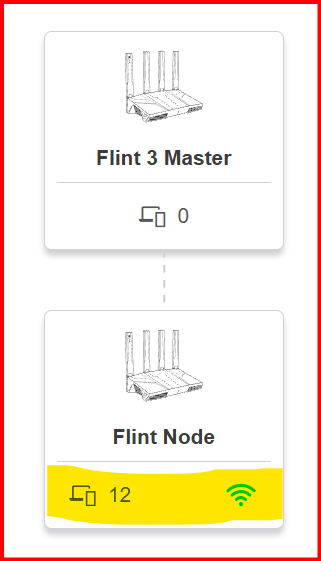
but the node Clients show the Master is connected via ethernet (which is how it is connected now).
THe node ASTROMESH shows WiFi:-
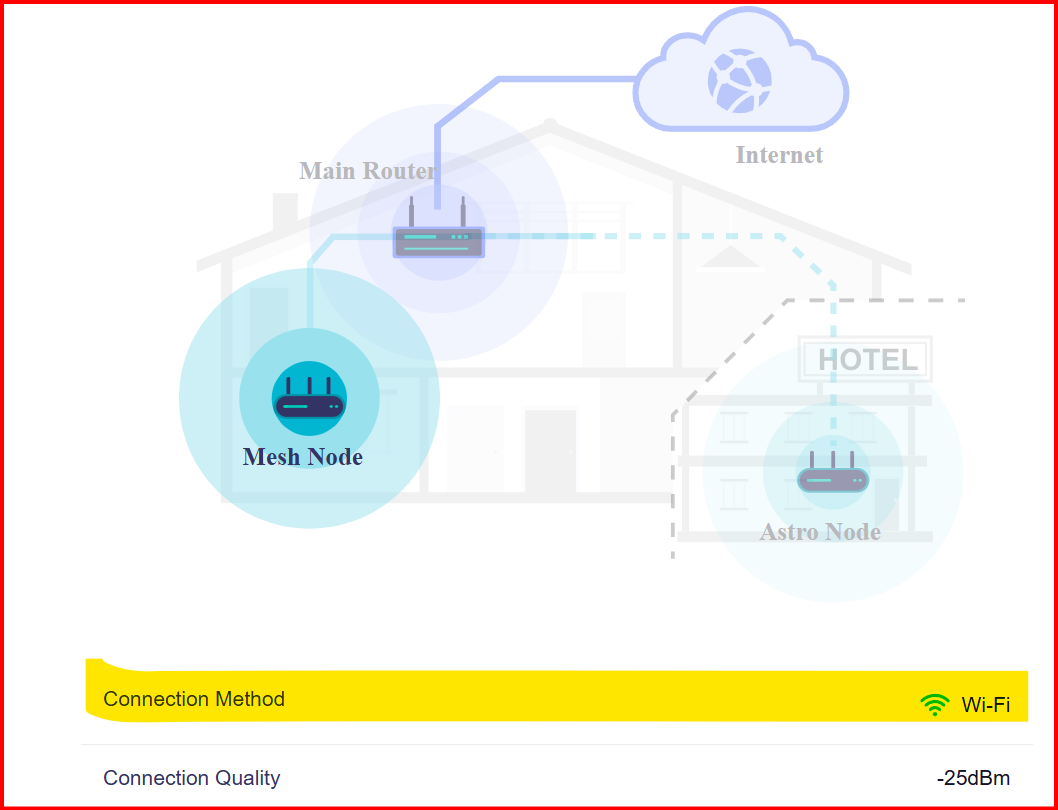
But in the Node Clients page it shows via Ethernet:-
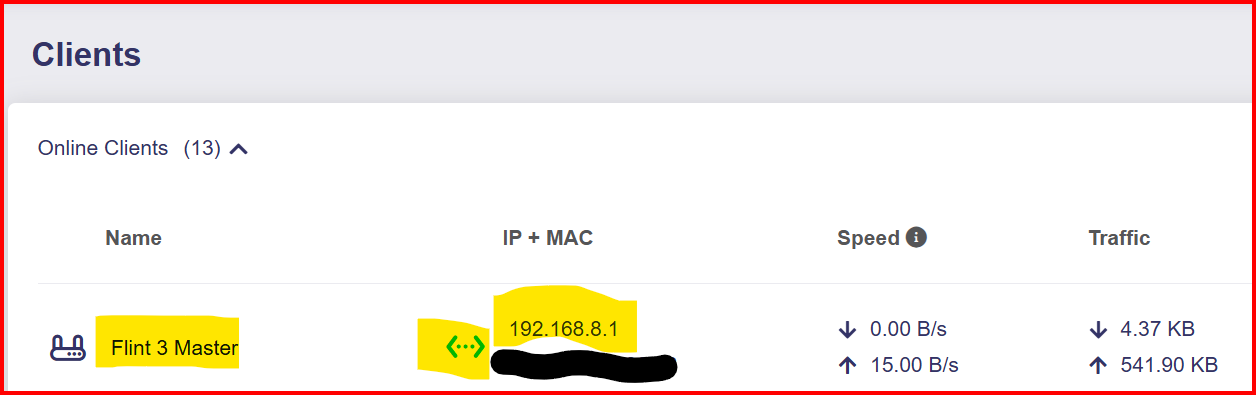
So I guess going by the majority WiFi is 2 to 1 so I guess it is using WiFi.
Again, AdGuard stopped working - not resolving DNS - Only a router reboot restored functionality on F/W 4.10 beta 1. (I realise problems can/will occur when using beta F/W - I am just reporting issues)
That often gets killed by the "Out-of-memory"-killer. If you throw too much lists/records in there, AdGuard will simply use too much memory. That's the same on all firmwares and there's not much gl-inet will do to fix.
It was working well before I installed 4.10 beta 1 - I have not made any changes to the lists.
Perhaps Beta 4.10 beta 1 takes up more memory now?
I have two Flint 3 In ASTROMESH (beta 4.10 - 1 firmware) connected via ethernet. I thought I would test the WiFi ASTROMESH by disconnecting the ethernet cable and sure enough, the node connected via WiFi.
So I connected the ethernet again but the node is still showing connection via WiFi - how do I get the node to once again use the ethernet connection rather than WiFi. I have rebooted both routers which made no difference. I would have thought it would automatically reverted to the ethernet connection.
Under normal circumstances, the automatic switch from wireless backhaul to wired backhaul takes about one minute. During our internal testing, we discovered an anomaly in packet forwarding during this process, which we expect to fix in the next version.
You can try the following steps: temporarily powering off the child node while maintaining the Ethernet connection. Then restart the master node after the master node has started up, power on the child node again.
This evening AdGuard stopped working - no DNS. I disabled / reenabled AdGuard it would still not start up as it has done in the past - Is this an undocumented feature of the beta (4.10 Beta 1)?
Could you PM me a copy of this log?
And lastly, what is the best way to configure / use WiFi for domestic use with ASTROMESH. I have all the SSIDs set to the same including MLO. Should I have all the bands including MLO with the same SSID? Should the three bands & MLO have separate SSIDs or the three bands on the same SSID with MLO on a different SSID?
We recommend that your main network (2.4G, 5G, 6G) WiFi use the same SSID. However, MLO WiFi should use a different SSID.
It was working well before I installed 4.10 beta 1 - I have not made any changes to the lists.
Perhaps Beta 4.10 beta 1 takes up more memory now?.....
OOOoooopppps. I made a blunder  - The reason The node was not connecting via Ethernet as explained above in a post, is I had connected the back haul to a LAN port rather than the WAN port so that is all good now....
Thanks Miles,
That is the sort of working I expected - When I am game I will try again
It was only after resetting the firmware and configuring again, I found I had inadvertently connected the back haul to a LAN port .... DOH!
No need to now as I have resolved the situation.
I have since rebooted the router will that make any difference - I will get the log tomorrow.
Thanks also for the WiFi SSID recommendation - I will change that now.
2 x Flint 3 ASTROMESH Firmware 4.10 beta 1.
This morning I awoke to see the Node (ethernet backhaul) was offline for some reason. I left it the previous night all working.
As I did not have an ethernet (or any connection) connection to that node it was easier for me to use the well known repair technique of applying the old off/on process to restore functionality - so all good again. I also do not see the node IP address as a client in the master - I have configured a custom reserved IP address of 192.168.8.2.
(And again ADGH dropped off - router reboot fixed that.)
This morning I awoke to see the Node (ethernet backhaul) was offline for some reason. I left it the previous night all working.
If the problem recurs, you can send us the logs from before the reboot.
And again ADGH dropped off - router reboot fixed that.
Yes, I checked the configuration file you sent. Adguard Home triggered an OutOfMemoryError (OOM) and killed the process.
You can refer to this post for more information. We recommend reducing some Adguard Home DNS filtering entries.
1 Like
Thanks Miles - reducing the filtering entries to me seems to make the AdGuard feature almost useless. I believe the Flint 4 maybe better? I am using the same lists and docker container in as I was in firmware 4.9.
I will look at the aggressive memory reclamation.
I could put AdGuard on a RasPi, but the thing that drew me to the Flint was the inbuilt AdGuard (and the content filtering).
I now see the Content filtering is not filtering and zero Activity. I wonder if that is related to the OOM as well?
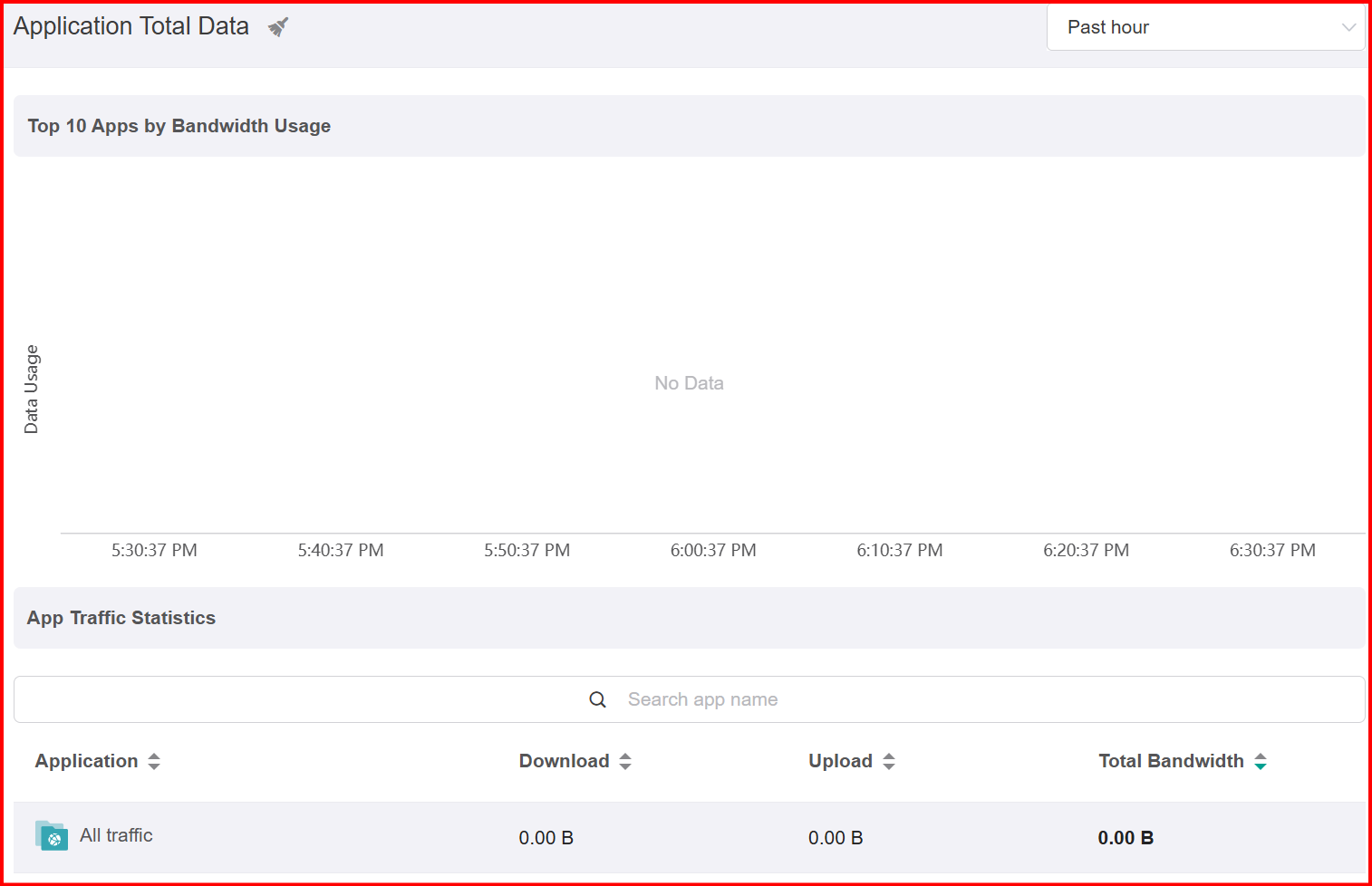
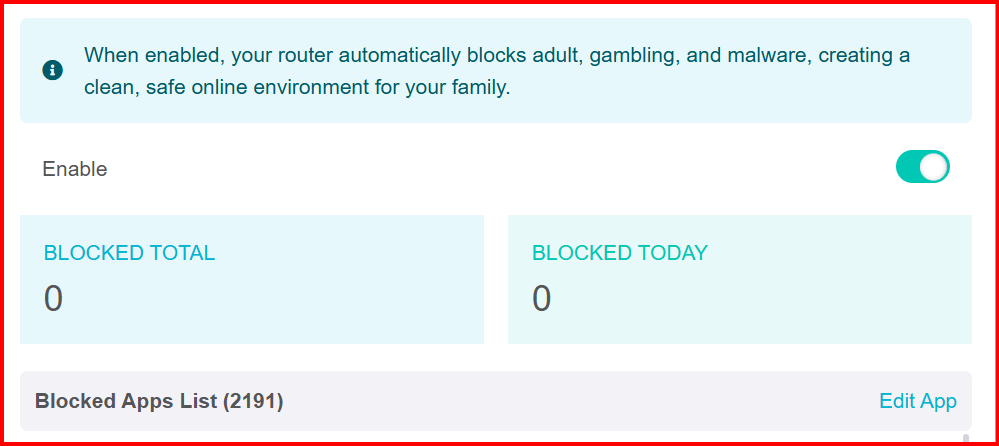
I also have docker installed with one container - I suppose that is also taking up memory. Now if LUCI were available on the NODE I could off load docker to the NODE perhaps.
1 Like
Supporting VLAN functionality on Mesh Nodes is on our backlog and will be implemented in a future update.
1 Like
This feature is also on our product backlog. As one of the fundamental features of a mesh network, it will be implemented in an upcoming version update. Maybe Q4.
Thanks.