Just to make sure, you saw both the initial solution I posted and the additional solution I posted later on (here: Sharing a solution for DNS leak with AdGuard Home handling client requests + connecting to VPN client - #16 by Integritas), right? The solution later on allows: (1) maintaining AdGuard Home filtering (2) using a VPN client and (3) being able to tap into the additional functionality of AdGuard Home when AdGuard Home handles client requests directly. If by chance you missed that other solution, check out that post, and the actual steps of the solution start at the point where the post says:
I have indeed read your thread, but I still don't see a way to achieve the setup I described as it involves multiple active VPN instances from different providers. Unless I missed something...
I want to be able to have multiple running VPN instances from different providers, i.e., Surfshark, NordVPN, etc, whilst also seamlessly using the dedicated DNS for the VPN provider currently in use. All whilst still having Adguard Home adblock filtering working.
Ah, apologies. I only super skimmed your post right before needing to chase after my tiny humans, and I quickly replied in case that would help before I could read more fully. I guess I should've just waited to reply. I'm not aware of anything that would allow you to have the functionality you're after, absent it possibly being doable via custom scripting. It's the automatic switching you're after that makes it a bit of a challenge. I'll be interested to see if anyone else has something to offer here.
No worries! I knew I was asking for too much anyways
It will be a cool feature to have but I doubt there's a straightforward way of doing it. If Beryl could support out of the box in the next upgrade, that would be the icing on the cake!
I'm still hoping they'll add support for their UI to recognize and faithfully report on VLANs configured in LuCI. Right now, if you believe their UI, I have zero clients on my network. But that's false, and it's because I run VLANs. I get it would be hard to have their UI support adding or configuring VLANs, but for the UI not to faithfully report all clients/traffic on the network seems like an oversight. From what I've heard, it's because that portion of the UI is hard-coded to "see" only their out-of-the-box subnets (the main and guest networks). But it shouldn't be hard to tweak that to be more dynamic. But I'm apparently not the first to ask for this, and there's been no clear sign of movement or commitment to fix this. But I continue to hope. (I have a whole post asking about this if this interests you.)
Back to your Beryl AX. Have you found the 4.8.1 firmware to be reliable? I'm a fan of GL.iNet, but I typically don't jump straight on their newest firmware releases due to what I've seen from others when they do that.
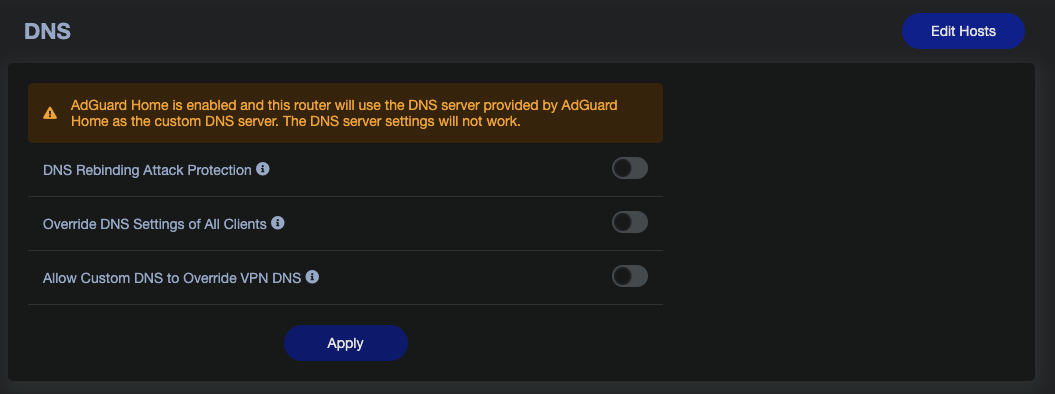
“Allow Custom DNS to Override VPN DNS” = ON + 2 VPN Tunnels (Surfshark & NordVPN) + ADG enabled = all VPN tunnels use the upstream DNS, but this means when the VPN tunnels failover, the correct VPN DNS isn't being used. If Upstream DNS is left blank (same for fallback DNS), Cloudflare DNS is being used.
“Allow Custom DNS to Override VPN DNS” = OFF + 2 VPN Tunnels (Surfshark & NordVPN) + ADG enabled = the correct VPN DNS is being used when VPNs change but there's no ADG filtering taking place.
Therefore, the question still remains - how can I have 2 active VPN tunnels, from different VPN providers, whilst using their dedicated DNS. Add to that, we still need ADG to filter traffic for ad/trackers, etc.
As it currently stands, this doesn't seem to be possible? Unless there's another way of achieving this @bruce ?
Adguard DNS will override "vpn dns" if “Allow Custom DNS to Override VPN DNS” = on.
On the other hand, AdG upstream query can use a different tunnel according to the rule.
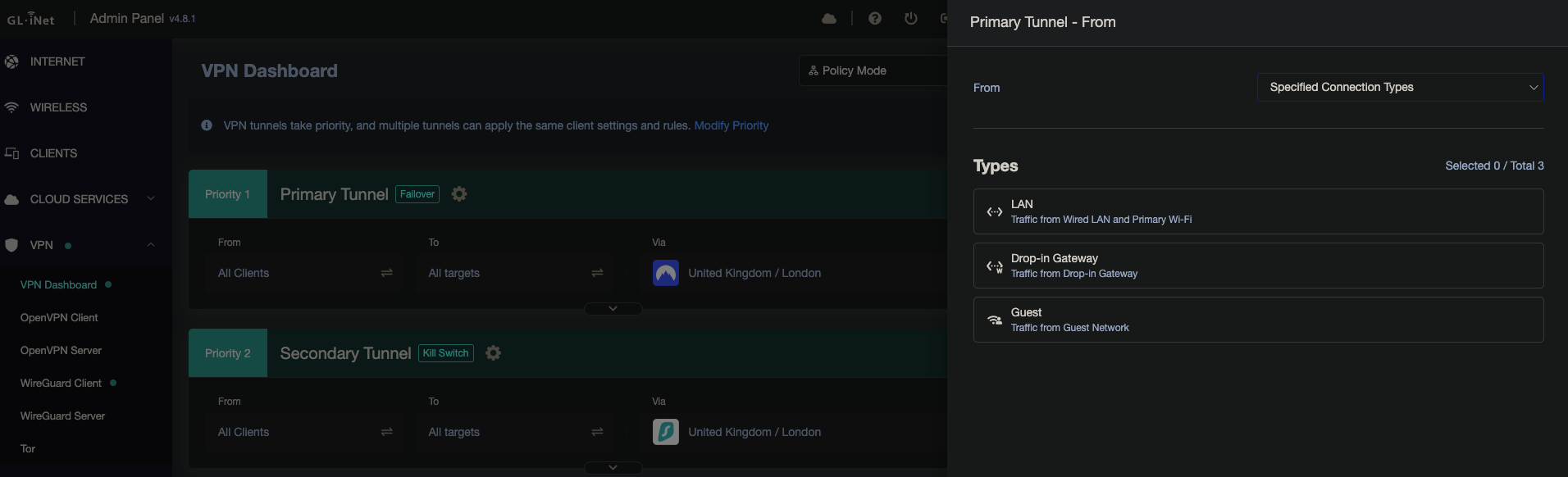
We'll address a bug for the rule that has ”Specified Connection Types“ from-settings.
You can try snapshot firmware if you set that.
In this scenario, please try to turn off DNS cache for AdG.
Just to make sure I'm following your suggestion. Is VPN DNS auto-switching from Tunnel 1 to Tunnel 2 possible with “Allow Custom DNS to Override VPN DNS” = ON if "Specified Connection Types" if set? But what ADG Upstream DNS should be used in this case?
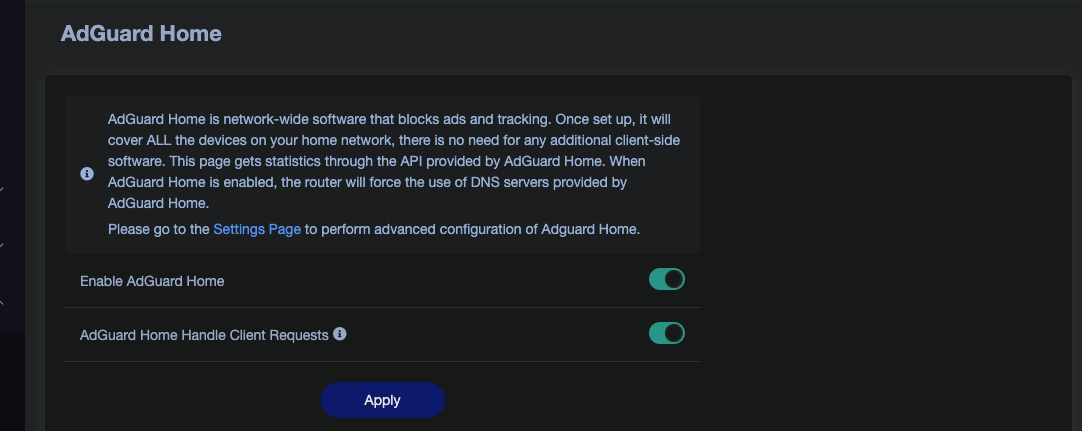
This is to forward DNS requests from client devices to Adguard Home when not enabling “Allow Custom DNS to Override VPN DNS” & "Override DNS Settings of All Clients".
Note:Before modifying, remember to back up this file to avoid any accidental operations that may mess up the firewall settings. Otherwise, you will need to reset the router to recover.
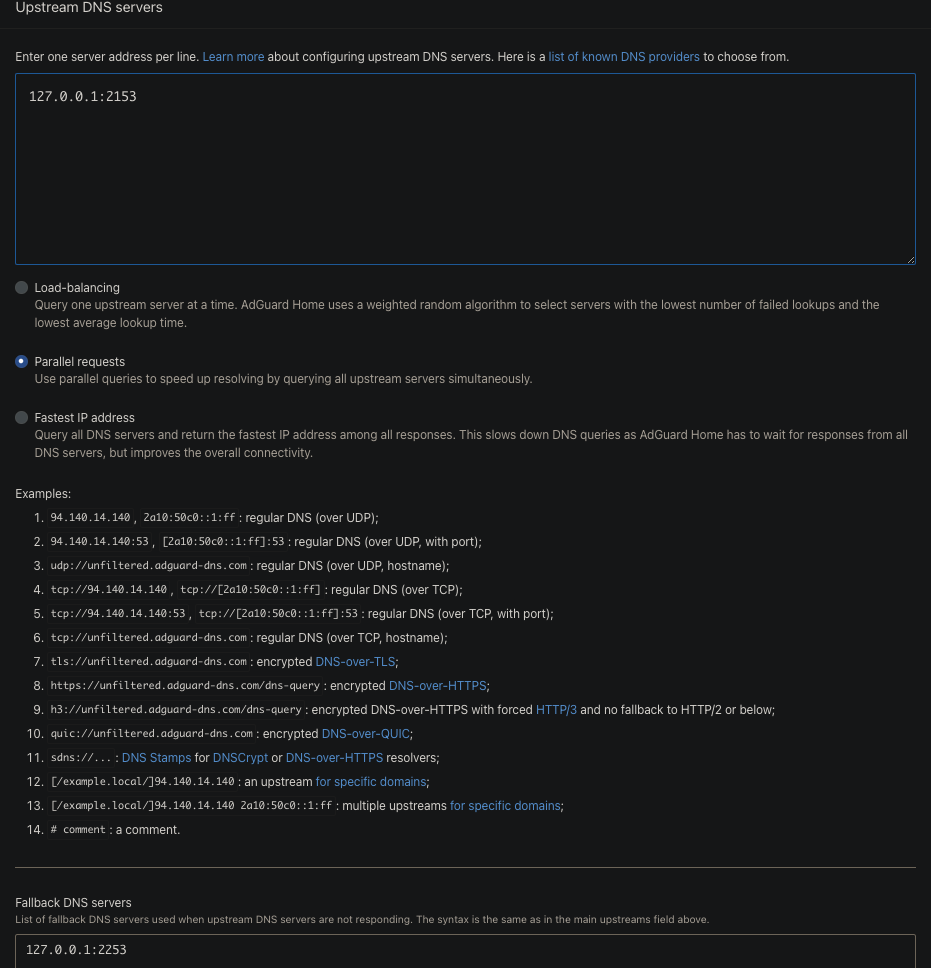
AdGuard Home DNS settings:
Upstream DNS servers:127.0.0.1:2153
Fallback DNS servers:127.0.0.1:2253
When the VPN type is Wireguard Client
The dnsmasq instance for the Primary Tunnel listens on port 2153
The dnsmasq instance for the Secondary Tunnel listens on port 2253
This is the configuration for Adguard Home to forward DNS requests to the corresponding VPN dnsmasq instance.
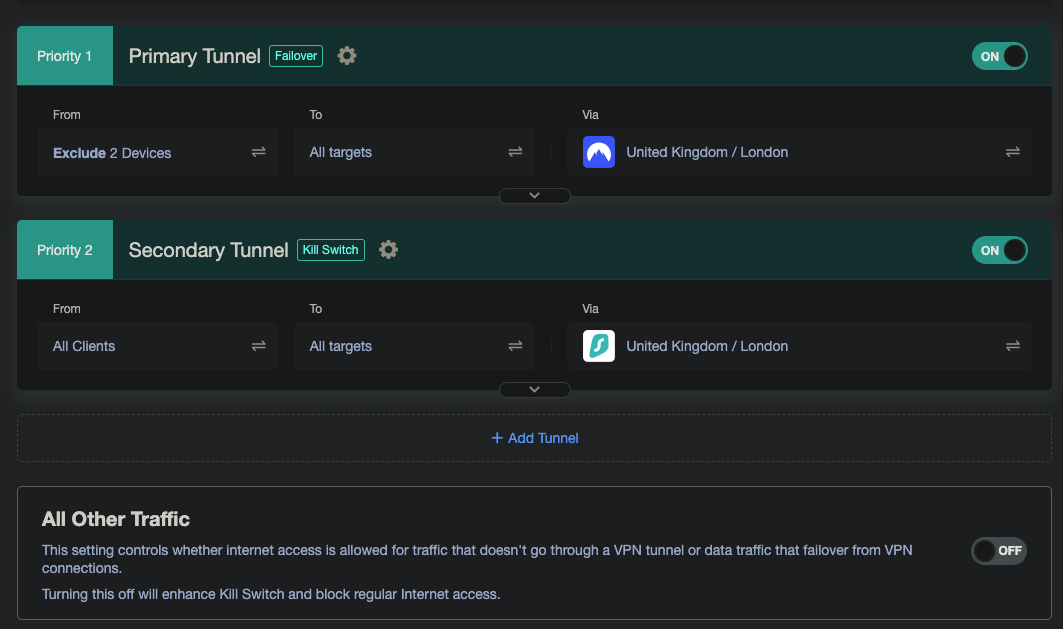
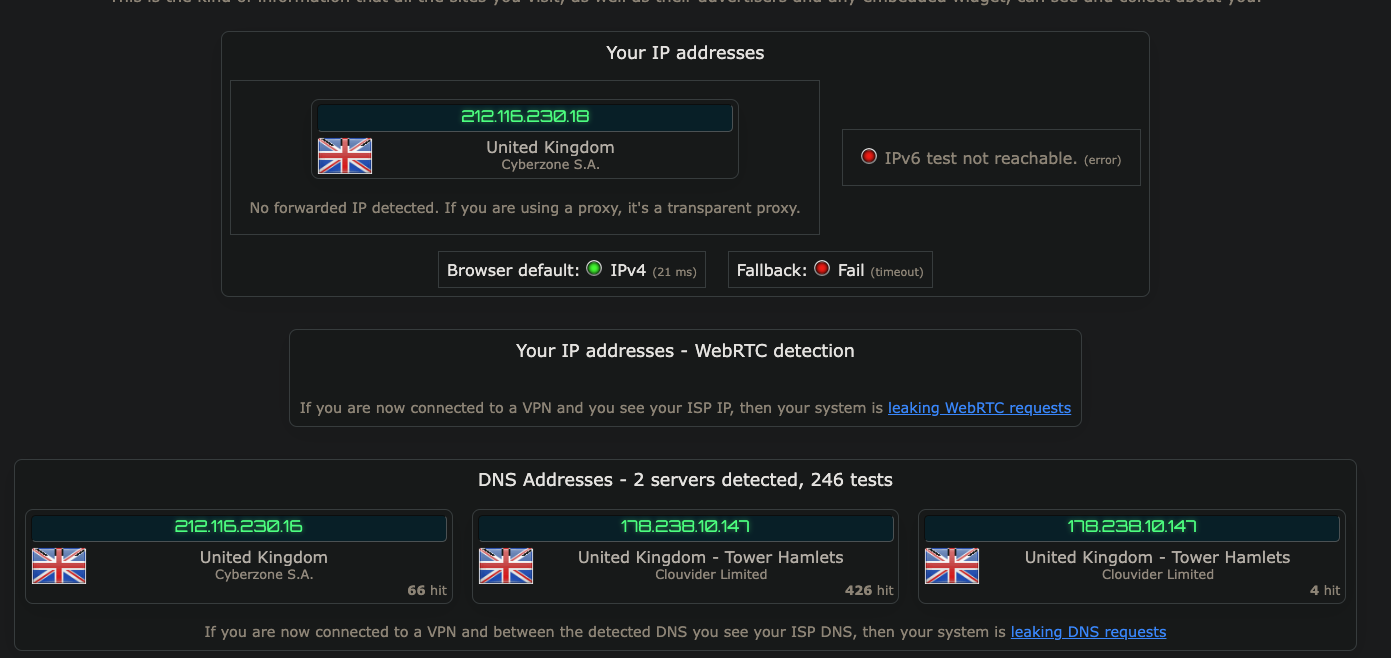
Now, when the failover happens, I can see the DNS from the Primary Tunnel in the IP Leak tests (Clouvider Limited). My assumption was that when we failover to the Secondary Tunnel, only that VPN DNS should be visible? Am I missing something?
This solution only applies when the Primary Tunnel is truly disconnected — the dnsmasq instance tied to that tunnel will become unavailable.
For testing, consider deploying a WireGuard (WG) server inside your internal network.
That lets you simulate a Primary Tunnel failure simply by stopping the local WG server.
 VPN DNS automatically changes when switching between VPN providers (good for streaming like BBC iPlayer)
 AdGuard Home receives DNS queries but no filtering occurs - ads/trackers are not blocked