Available 5G Wifi Channels

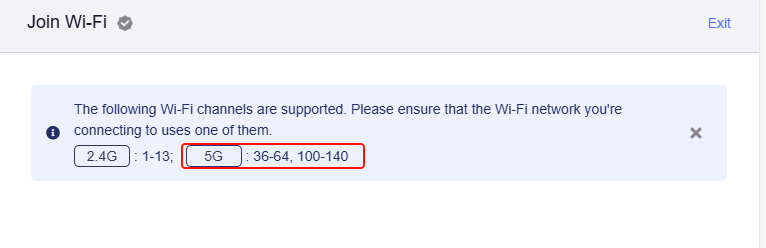
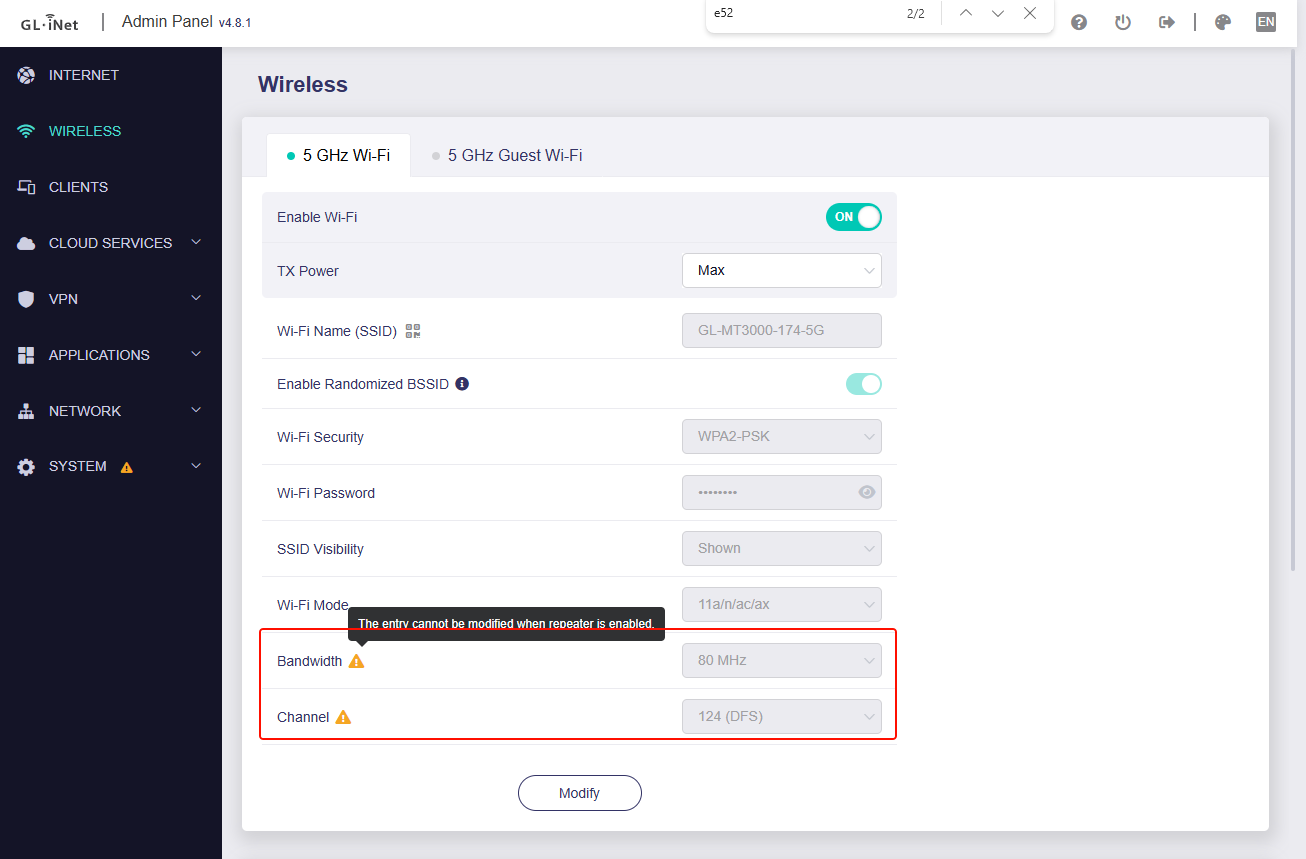
Hi! I did notice this question comes up repeatedly (eg DFS Wifi GL.iNet routers), and at least on my Beryl MT3000 the admin page says clearly

while the router where I am is on channel 124 and I can’t change it.
Other devices, like my Pixel phone and Macbook connect to that just fine.

My question is: can I persuade the gl-inet router. to connect too? Is it a toggle-able setting?

Thank you!

The channels you are allowed to use depend on where you are in the world. Therefore you have to enter the right country-code.

Don't use channels that are not allowed in your country, this might lead to huge problems with the authorities.

Hi! I am in a country where channel 124 is 100% certainly legally allowed, and the router I connect to is already on that channel. I want to set the mt3000 as repeater, and did not see anywhere any kind of option to specify a country or fhannel, thus my question.

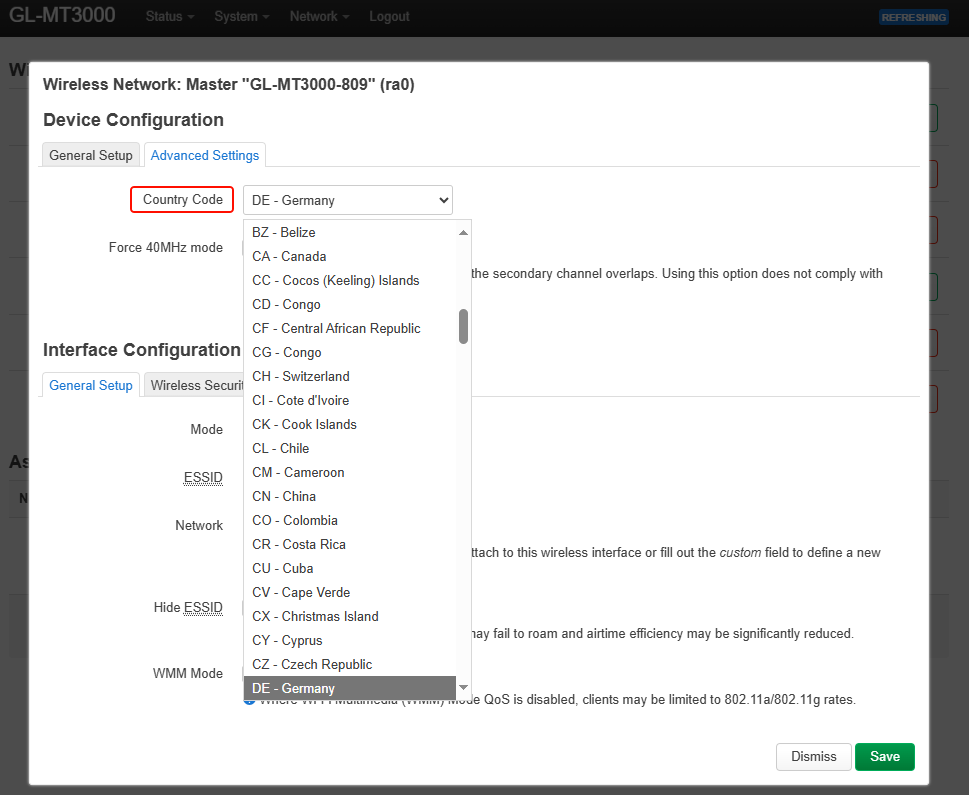
I had to set the country-code by using LUCI. You find it in the wireless-settings of LUCI.

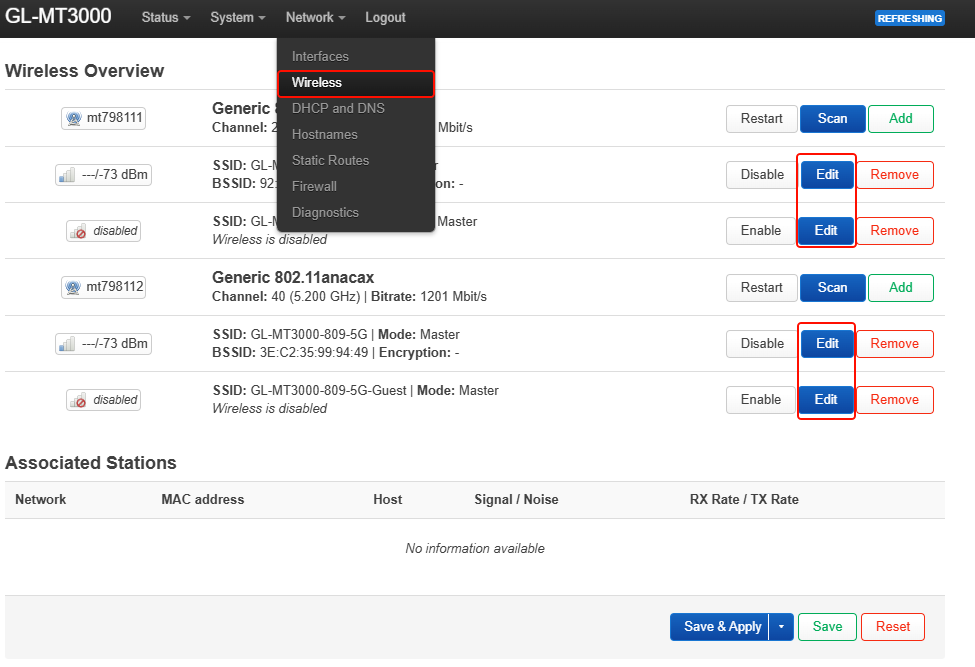
Please change the county code in GUI > System > Advanced settings > Luci > Network > Wireless > Edit (5GHz SSID) > Advanced Settings > Country Code.

Please ensure that the CH is legal and compliant for use in the current country.

2 Likes

Unfortunately that option is only available if the router is in “Master” mode, in “Repeater” mode I don’t see an “edit” button.

I see mentions in other threads to uci set wireless.radio0.country=‘UK’ but if I try a uci get wireless.radio0.country I just get a “uci: Entry not found” is that the right command to use? How much of the underlying OS is openwrt? I do see

cat /etc/*release | grep PRETTY
PRETTY_NAME="OpenWrt 21.02-SNAPSHOT"

The repeater is enabled, and there is also an "Edit" button which is displayed in Luci > Network > Wireless


Hi - unfortunately that doesn’t change anything :frowning:
I can edit the interfaces as you describe, but it still won’t connect to the AP on the DFS port.

Also the setting is the same as editing /etc/config/wireless it just puts the country code in (“GB” for me).

Looks like this is a “Repeater” mode limitation, it simply won’t work with DFS channels. GL-A1300 - How to disable DFS validation? - #4 by AnotherPhil seems to confirm my experience.

As far as I know, according to ISO 3166, the country code you should select is GB, not UK.

Hi - you’re right, corrected later and used GB. Same problem I’m afraid. I will also try a EU country soon where 124 is also allowed.

1 Like

@bruce the message listing alowed channels did change, now I can see 120-140 is in the list, the network is detected and listed as available, but the Beryl still won’t connect..

These one’s work, Just change country to suit

iw reg set US
uci set wireless.radio0.country=US
uci set wireless.radio1.country=US
uci commit wireless

I did run that, and also tried changing via Luci and editing /etc/config/wireless but in repeater mode it just won’t connect..

Hello,

  1. Please confirm on the repeater page that the DFS channel is within the scannable range.

  2. When the DFS WiFi unable to connect, what error message is prompted on the page?
    Please export the syslog and send it to me in PM.

  3. If your primary WiFi channel switches to a non-DFS channel, is the MT3000 repeater able to connect it?

Hi!

  1. Yes, after editing the country code with any of the methods above, I can see the needed channel (124, 80MHz wide) is in the allowed range
  2. The network ID appears available in the scan window, it shows as 5GHz and DFS, I can click on it, then it takes a loong time (1-2 minutes) afterwards just says timeout could not connect. I didn’t save the log at the time, will export it when I get back to that location.
  3. Yes, the same router (it’s a Ubiquity something I’m told) also has a 2.4 GHz network, much slower and noisier but the Beryl can connect to that just fine

Hi,

Thanks for your updates.

  1. If you own the primary router, please try to change the channel to a non-DFS channel (for example, CH36), let Beryl AX repeater connect, and export the syslog①.

  2. If the channel of the primary router cannot be changed (still DFS channel), let Beryl AX repeater connect until it times out and cannot be connected, and export the syslog②.

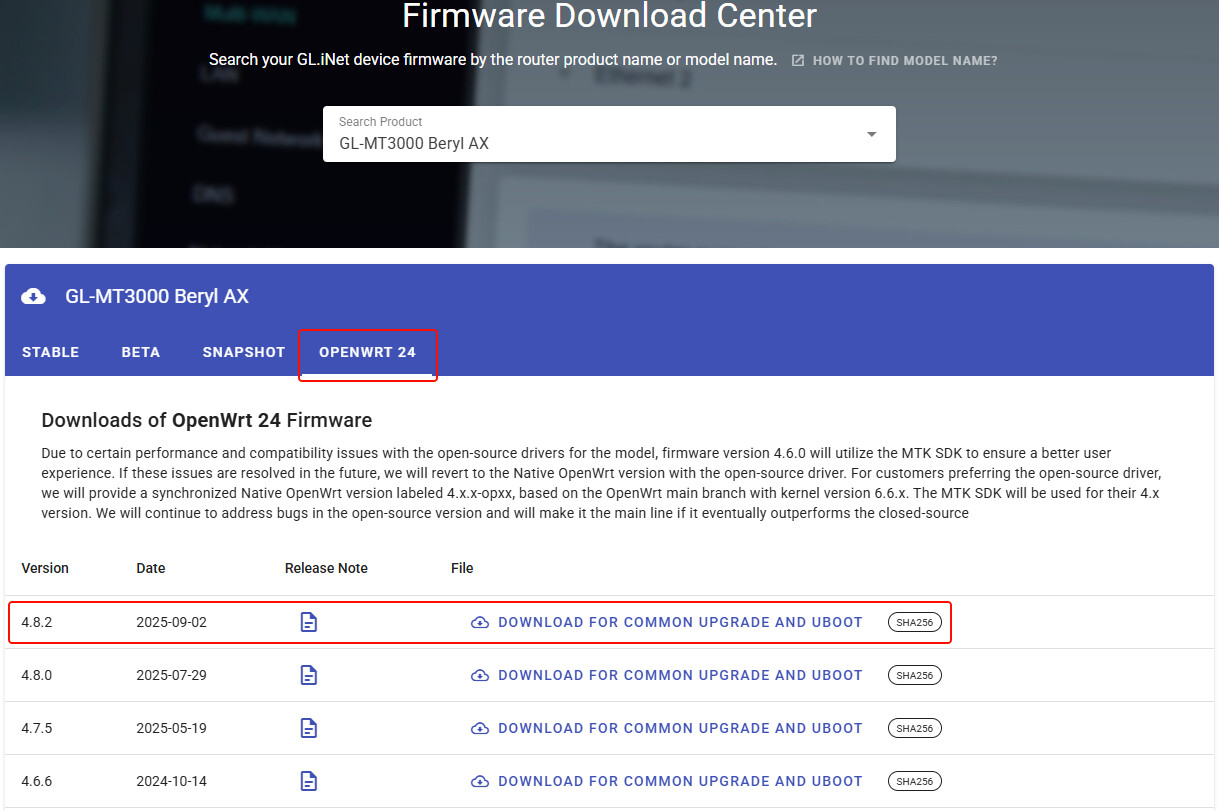
  3. Please flash v4.8.2-op24 firmware for Beryl AX, and repeater try to connect to the primary router DFS channel again.

hmm the changelog of 4.8.2 doesn’t say anything related. And there is another 4.8.3 non-openwrt coming, its changelog sounds more promising GL.iNet download center

it’s quite confusing having the two in parallel, hope GL-iNet will decide to stick with one in the near future..

I’ll test op24 next week and report here.

There may be confusion here.

Currently GL develop by closed-source SDK as mainline firmware (mostly).

The tab "stable/beta/snapshot" are all closed-source firmware, and only "openwrt24" is an open-source SDK.
Open-source firmware is only prepared for some router technology enthusiasts. but when users encounter wireless problems occasionally, open-source firmware will also be used for comparison testing.

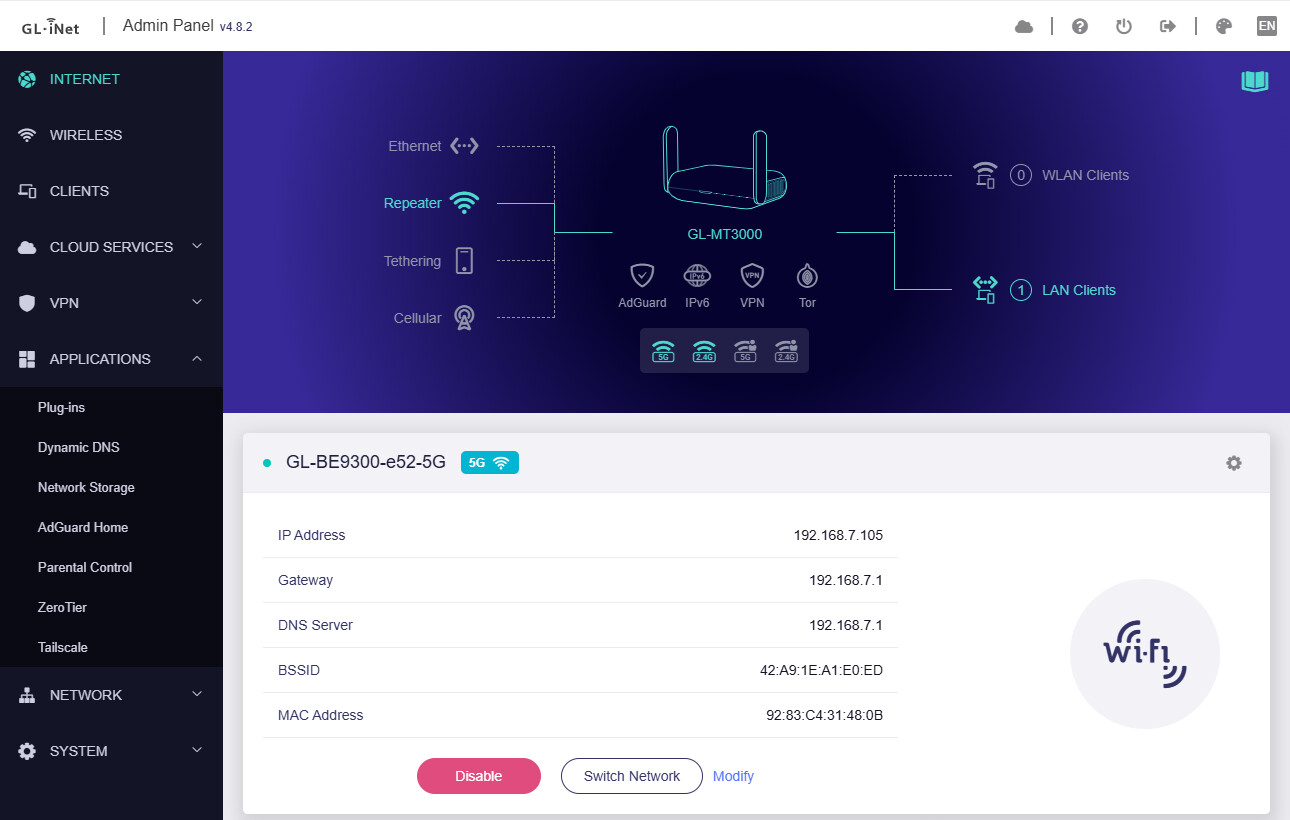
Hi, I haven’t tried Openwrt yet, but I do have one more router - the AXT1800 Slate AX - and just tried it in the same location. It works, didn’t need to edit any setting, it just went to channel 124 with no fuss. I do notice it has a slightly newer firmware (4.8.2 says the web interf) so whatever you did for it please do the same for the Beryl.

In my local test, the MT3000/BerylAX is able to connect to primary WiFi which is CH124 an 80MHz, your mentioned issue is not reproduced.


Please help to do some tests and provide logs:

  1. If you have other router for the test primary router, please try to set up to CH124 DFS, and let Beryl AX repeater connect this test router, and export the syslog①.

  2. Let Beryl AX repeater connect the primary router (Ubiquity) until it prompt times out and cannot be connected, and export the syslog②.

  3. Please flash v4.8.3-op24 firmware for Beryl AX, and the repeater try to connect to the primary router (Ubiquity) again.