how about having a speed test tool on the same page with some form of tooltip or even better, the script will perform a series of upload/download tests and then takes the average data and populates / suggests the data values.
Yikes, the SQM applied to the Br-lan is a total fail. It affects WIFI and LAN speeds. Went back to 4.8.3 on the F2
Thanks, we have the plans.
IoT Network will be coming soon, in a few months, I think.
VLAN may be added in the future, until we fully understand the requirements and applications.
You are welcome to share more details on these two features, about how you would like it to work, what it shall look like, etc.
3 Likes
Excellent so far, The WiFi signal seems to have improved with the this firmware, The new QoS feature is amazing and like how you can prioritise certain stuff in order, SQM as well! Definitely done good with the added applications
1 Like
Can we have the Guest and IoT network available for the Brume series? I have asked for this in the past because I and probably many others will run the Brume as the main router and use vlan aware access points
So it would be nice to have the option to have Guest and IoT as two more interfaces which we can then assign a vlan that matches our vlan aware access points. That way we can see the clients in the gui. Currently I can see clients because I re-create the guest network but I still have to merge my IoT to the guest network and then isolate the clients to see them too, it's hacky but it's the only way I can manage the clients via the gui / app on the Brume 2.
Even better would be if we could manually name the interfaces other than Guest or IoT / add more interfaces on demand.
Guest and IoT network features shall be available on Wi-Fi routers. Brume series would not have these two features.
VLAN would be a good solution for such a scenario, and I think it would be part of the future plan.
1 Like
In my head I’d want it to look similar to how Cisco does it on their meraki devices from a UI perspective.
one page you define your VLAN and name the vlan, then another drop down your can tag your interfaces with them.
I’m not sure if OpenWRT can support vlan trunking in the same sense, but that’d be amazing.
Hello,
Reg. affects the speed WiFi-LAN, I would like to know the following information:
- What is the topology like? What WiFi and LAN clients are affected? NAS, TV?
- When SQM is disabled, how much speed is obtained? When enabled, how much speed is obtained?
- How to measure the network speed? What application? Or what protocol traffic is?
Well that's disappointing. How can the Brume series be aimed at being a security gateway and have features like being able to add Guest and IoT interfaces not be included?
The Brume series still feels like a travel router in many respects. Actually, it feels more restricted as I could just place a Beryl as my main router “security gateway” and have more features (the included Guest and IoT interfaces)
Again, I know the Bume 2 and the future Brume 3 don't have WiFi but that shouldn't prevent the end users having the interfaces, some Guest and IoT devices can still be hardwired, we could also attach WiFi in our typology in the form off access points and therefore want to have dfferent SSIDs (Guest and IoT) how would we then route / show the clients in a Guest / IoT gui if it's not easily included on the Brume frontend.
I tried to put web page which is displayed Data Statistics in the foreground (to prevent the browser from freezing the page to save memory), over 20 minutes, and no problem.
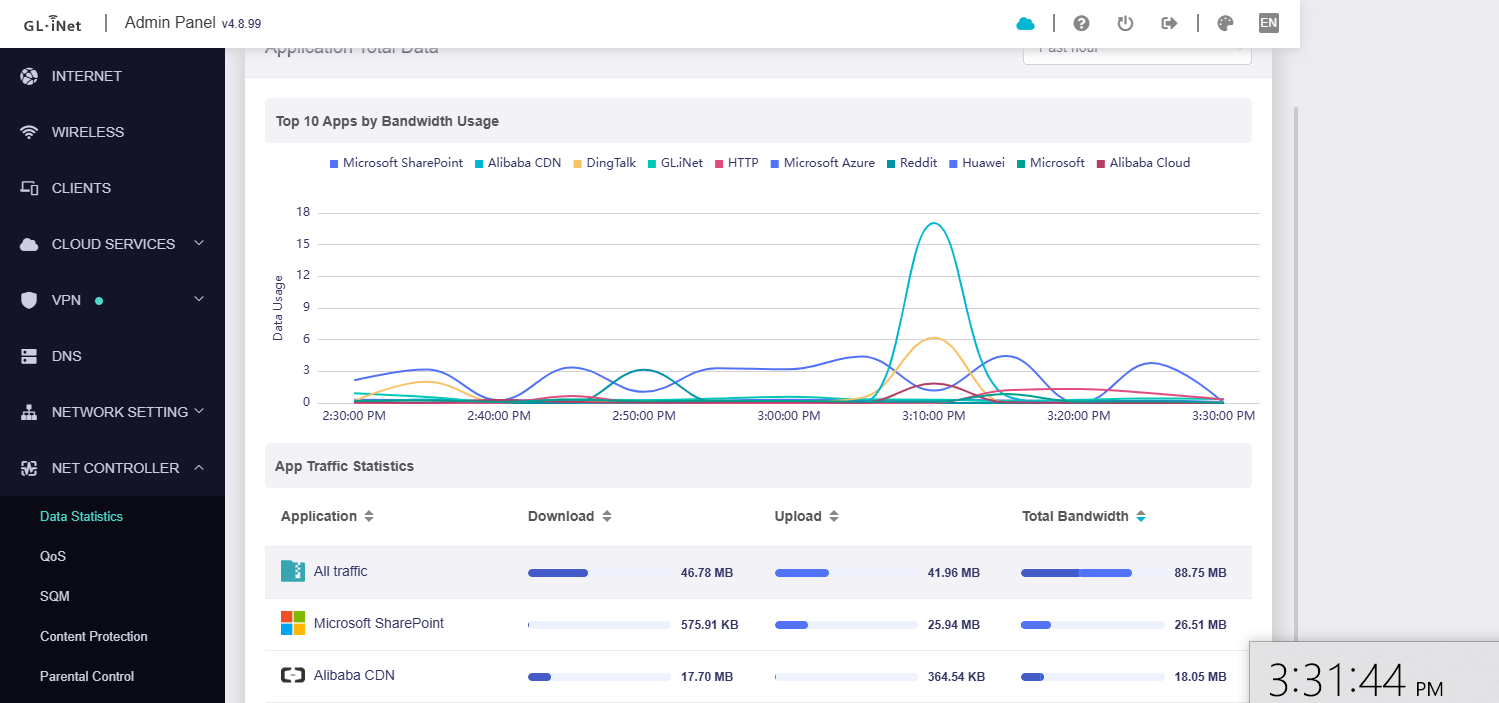
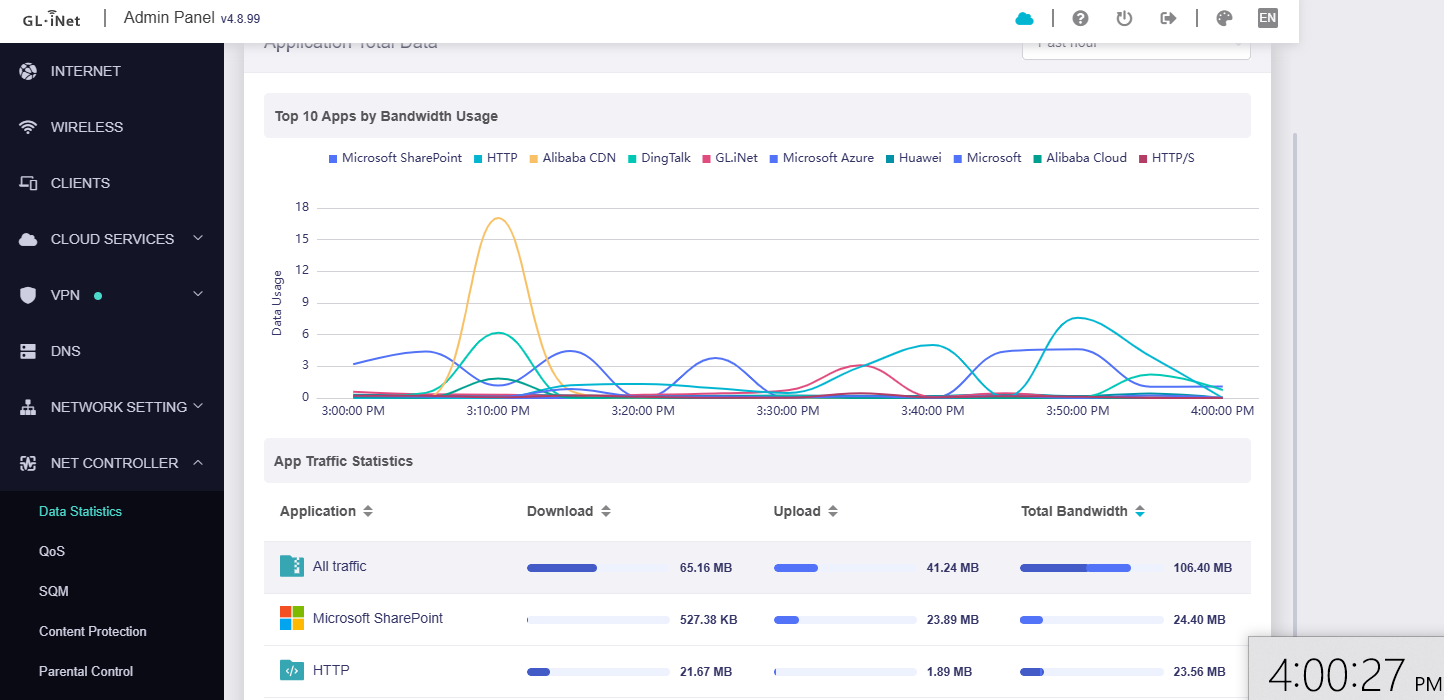
1 Like
I think that will be useful, but we need to evaluate a lot of things, let's use ookla speedtest first.
Standard home setup, mix of devices nothing special.
SQM set bandwidth on all devices is limited. I had 100/20 set and to my NAS from phone I could only get 1.5MB yes big B, turned off 25MB. Same with running iperf3 strait to my NAS from LAN devices, You are applying the rules to br-lan this is expected behavior if that’s your config
Let us check this, thanks for your reply.
Just noticed that only the last 7 days worth of statistics are available.
Have skimmed through the thread and haven’t seen this mentioned - apologies in advance if it has been covered.
Is this a beta limitation or the intended design?
Yes, this is the testing period for v4.8.99 beta firmware.
After the expiration date, DPI related functions will not be available, and it will look like a standard firmware.
The next beta version probably will be released after further improving the issues collected in first beta.
I think this is more about creating multiple subnets and isolating them from each other.
If our routers support VLAN and can configure its VLAN interface IP, DHCP server, then your requirement can be met.
We will consider and try to make it in the future.
2 Likes
Hi all,
We have released a updated firmware for Flint2 and Flint3 without merging new codes which the improve or fix bugs. This updated firmware has only extended the trial license of DPI, which is valid until December 28, 2025.
Just to be clear, there's no need to be concerned about the basic features of DPI currently being tested will be free to use in future standard versions.
If you encounter any problems, please feel free to let us know.
Even if the problem you encounter may be known, I will judge before collecting it. No need to worry about repeated feedback.
Attach download link:
Flint3: GL.iNet download center
Flint2: GL.iNet download center
Thanks everyone for testing!
5 Likes
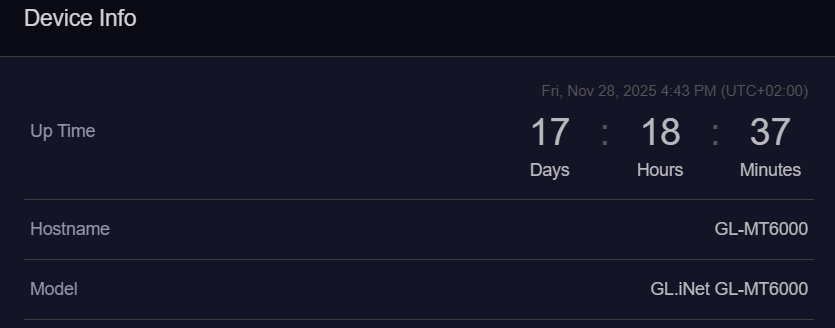
After successfully installing the update to version 4.8.3, I tried installing the beta version of 4.8.99 out of curiosity.
At first, it worked correctly, but then I tried to enable AdGuard Home (which is essential for me) and internet browsing was blocked.
It didn't even load the settings page at 192.168.8.1:3000.
I then tried reinstalling 4.8.99, and it worked fine at first (there is a new item in the menu that is all capital letters, unlike the others, and the DNS item in the main menu; I don't know if this is intentional or not). I tried to upload the 4.8.3 settings via LuCI, but internet browsing froze again.
Furthermore, with the stable versions, I noticed that disabling hardware acceleration reduced the internet speed from 2.5G down to just under 1G down, and all the new features require hardware acceleration to be disabled.
Hello,
Thanks for testing!
I assume something conflict with ADG, but I can't reproduce it. If possible, please PM me the router backup and we would like to reproduce it locally. Please also let me know the Web UI login password of the backup.
Regarding the left menu bar of GL GUI, yes, we have made minor adjustments recently, and this firmware is not the final confirmed version.
Regarding the network speed, we tested it locally, reset firmware, disabled Hardware Acceleration, and enabled Data Statistics and Content Protection. The obtained network speed is as follows:
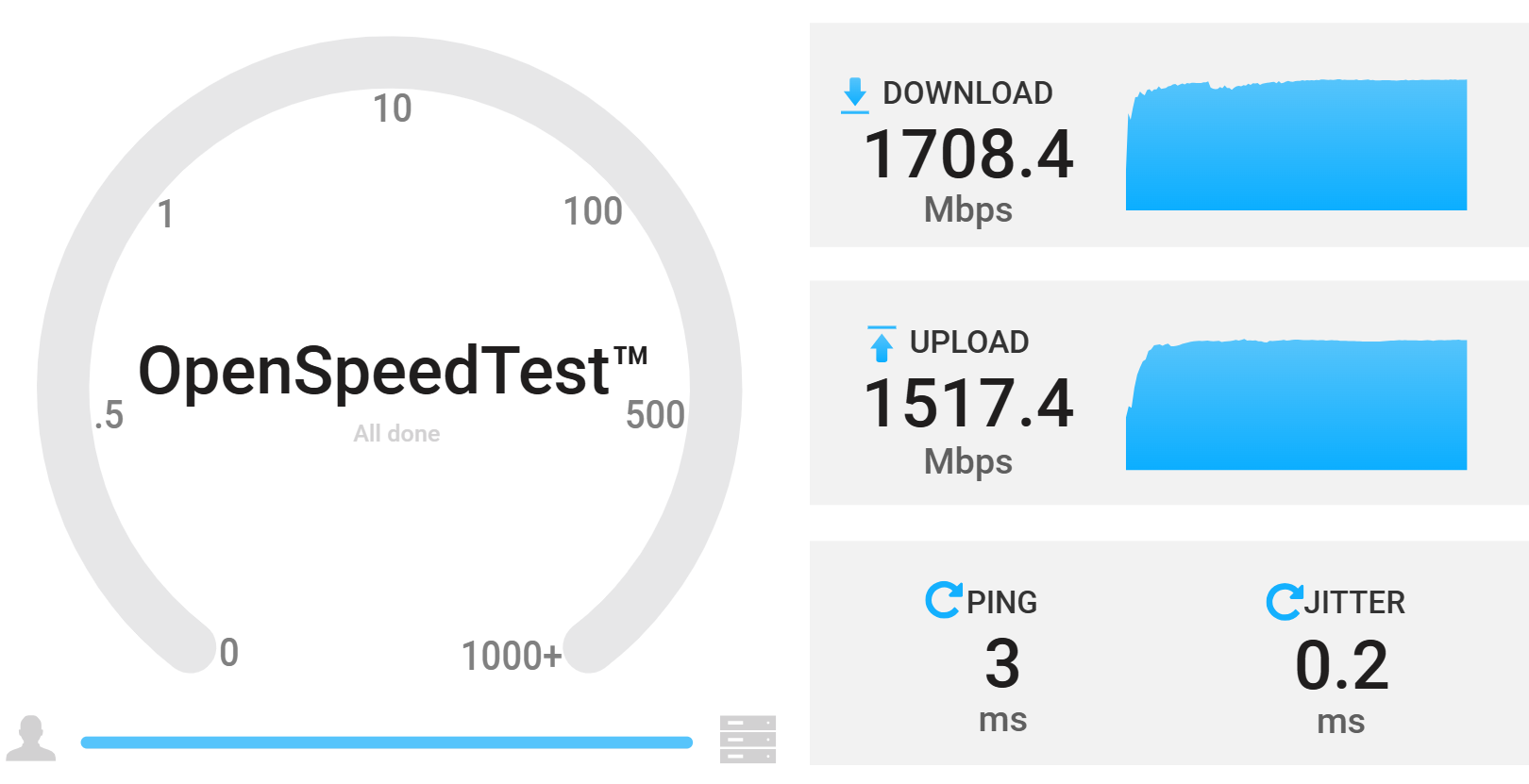
The network speed when hardware acceleration is turned off will indeed be lower than when hardware acceleration is turned on. This is also expected.