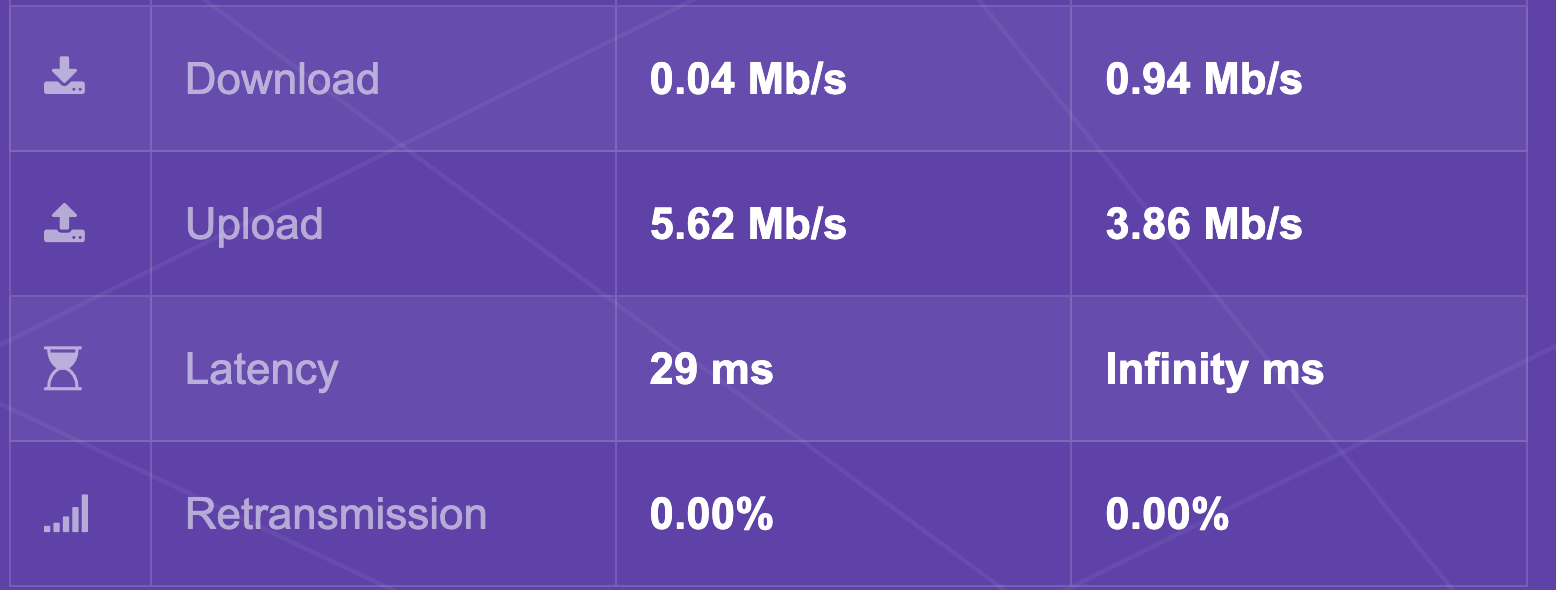
Hi, following up on this previous topic:
Hi, I'm using my Brume 2 as my main router. It's connected to an ONT.
Since the latest firmware update (I updated 2 days ago to v4.6.4) I started to encounter internet speeds of 0.1Mbs (If have 600mb FTTH which always worked.) Ping was working but websites loading terribly slowly. It took me two days to figure out what the issue was. From my ISP I get DHCP and my wan vlan is 20. Great that we can add this to the UI nowadays!
Tried to check all cables > no issues found
I tried to connect the o…
Hi - any update on this bug? I tried to enable hardware acceleration again but experience still the same issue.
Network Acceleration:
Testing with: https://speed.measurementlab.net/
I’m on a 1Gb FFTH symmetrical fibre connection at home.
Internet settings:
Other settings:
Firmware:
Hi
Could you provide a detailed network topology so we can better understand what's happening?
If you connect the PC directly to Brume 2 with hardware acceleration enabled, are the speeds normal?
Here's the setup. Let me check when home as well to run a speedtest from a wired device.
Internet
   │
   ▼
┌──────┐
│ FTTH │ Fibre to the Home
└──┬───┘
   │
┌──▼───┐
│ ONT  │ Optical Network Terminal
└──┬───┘
   │
┌──▼────┐
│Brume2 │ Security Gateway/Router
└──┬────┘
   │
┌──▼─────────────────┐
│ PoE Switch         │ TP-Link JetStream Omada
└──┬─────────────────┘
   │
┌──▼──────────┐
│ Ruckus R550 │ WiFi Access Point
└─────────────┘
   │
   ▼
Clients
Right, weird - tested with wired connection and all OK. Now going back to wireless and suddenly seems working with full wireless speeds.
It sounds like it was just a loose network cable.
system
February 10, 2026, 9:52am
8
This topic was automatically closed 90 days after the last reply. New replies are no longer allowed.
 OFF → normal wifi speed
 HARDWARE → slowness, pages not loading, etc.