I'm trying to find out if anyone has benchmarked the upload and download speeds of a WireGuard setup using two GL.iNet routers, where the server is connected to a fiber internet connection. Specifically, I'm interested in real-world results from users who have configured one GL.iNet router as the WireGuard server and another GL.iNet router as the client using Fiber vs Cable Internet.
If you've run such tests, I'd love to hear about your experiences and the speeds you achieved!
The VPN service speed will also be affected by the region and operator (restrictions).
It is also related to the GL router model used, and there are many other factors.
The specific speed test results are only for your reference, and the actual situation still depends on your actual network environment.
The bottle neck will be your ISP upload speed as when you connect to your Wireguard server that will become your clients Download speed.
That is something you need to ask your ISP. Is your current ISP package the best available for the cable you currently have? Fibre, FTTP (Fibre to the premises) is rated a higher throughput compared to FTTC (Fibre to the cabinet, fibre with copper to home)
What you need to find out is what your current upload speed is (also finding out what your download speeds are too), then match the ISP upload speed to the products Wireguard advertised speeds and then you will known. For example. The Beryl AX specsheet states around 300mbits for Wireguard.
So with that information you know that if you have a 300mbit upload then you should max out the beryl ax wireguard speed but that is also assuming that your other connection (client) has a ISP downloads speeds that can also reach 300mbits.
So without knowing your ISP infrastructure/ broadband plan then it's hard to tell if you need to upgrade. Latency can be improved on fibre amongst other things but without doing benchmarks you probably wouldn't even notice. The key thing to remember here is, is my current setup unreliable? Is it slow? Does it keep dropping?
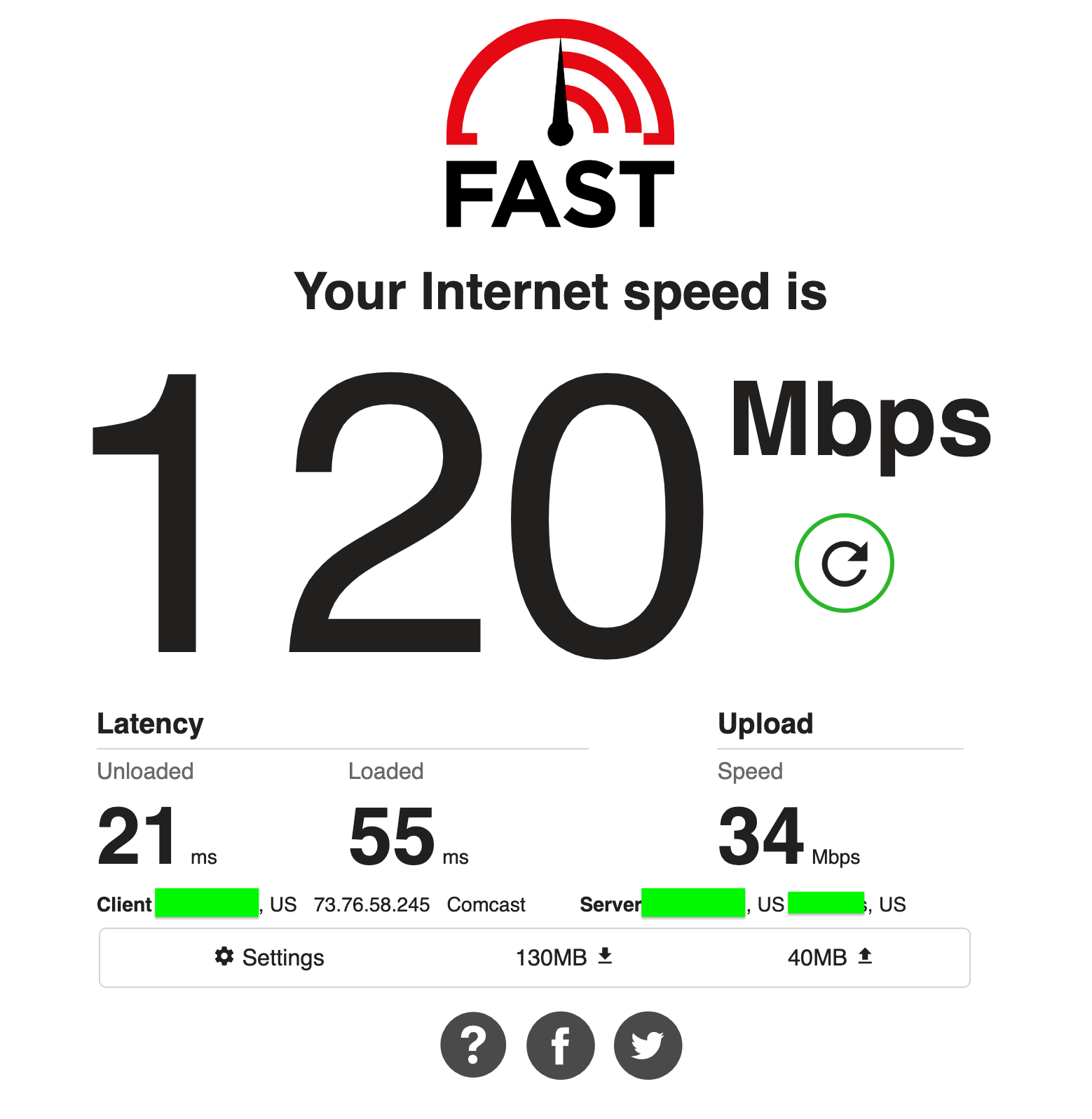
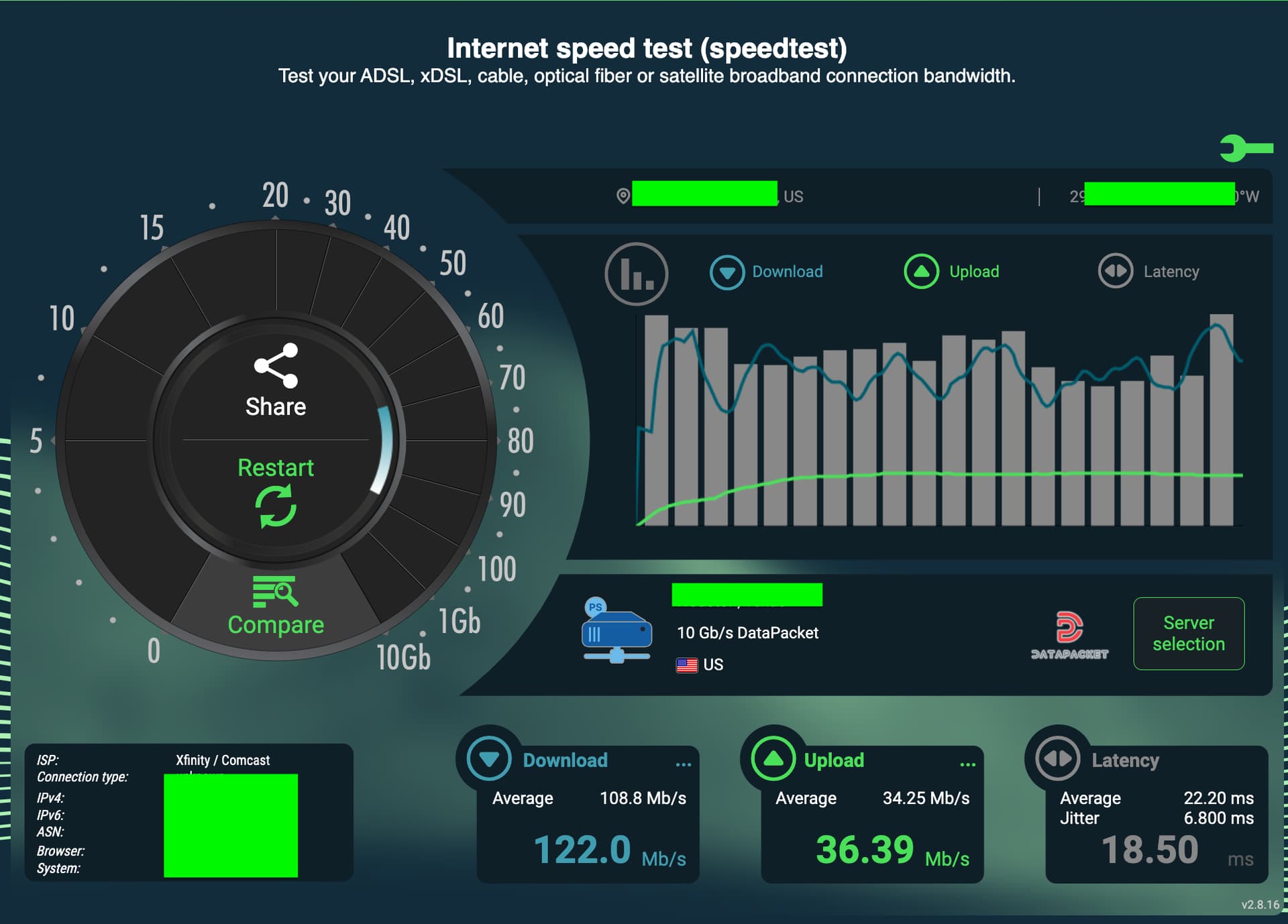
You can also gauge what speeds your are currently getting by visiting sites like
Again run these speed tests at both locations to get the speeds of each site. Run the test on the WAN connection, no VPN involved.
You missed the part where I said about testing without any VPN. You need to find out what your home WAN speeds are (where the Wireguard server is located) as that can a be limiting factor along with the external site, if the external site (Client) also has slow download speeds then that becomes a bottle neck too.
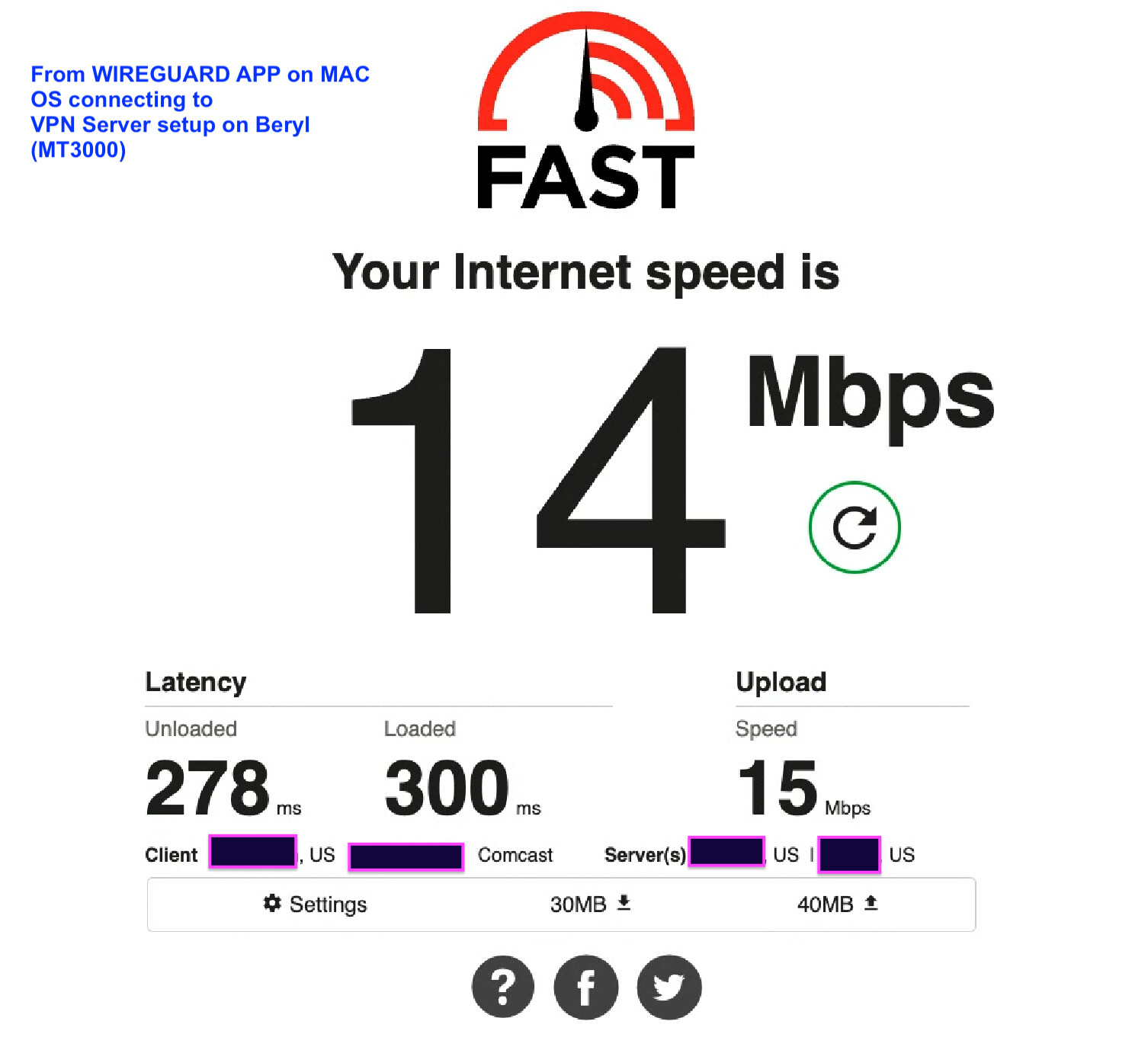
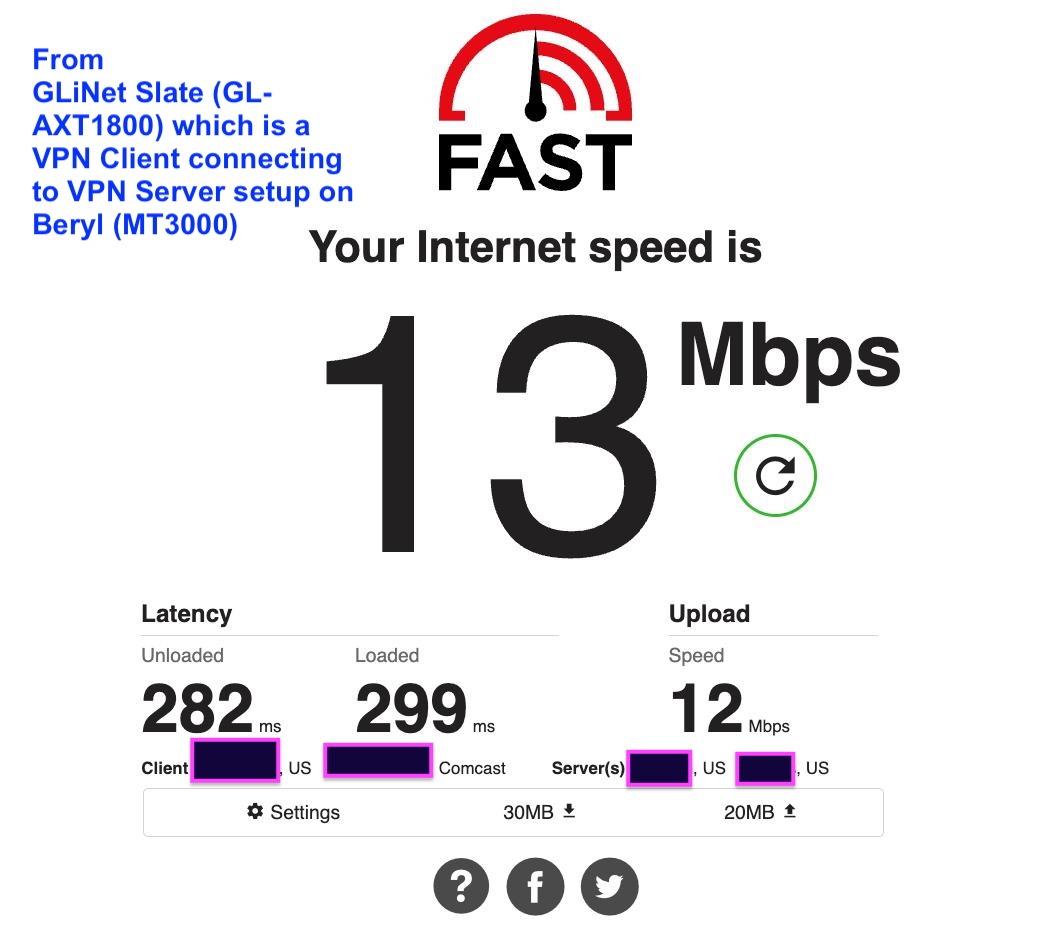
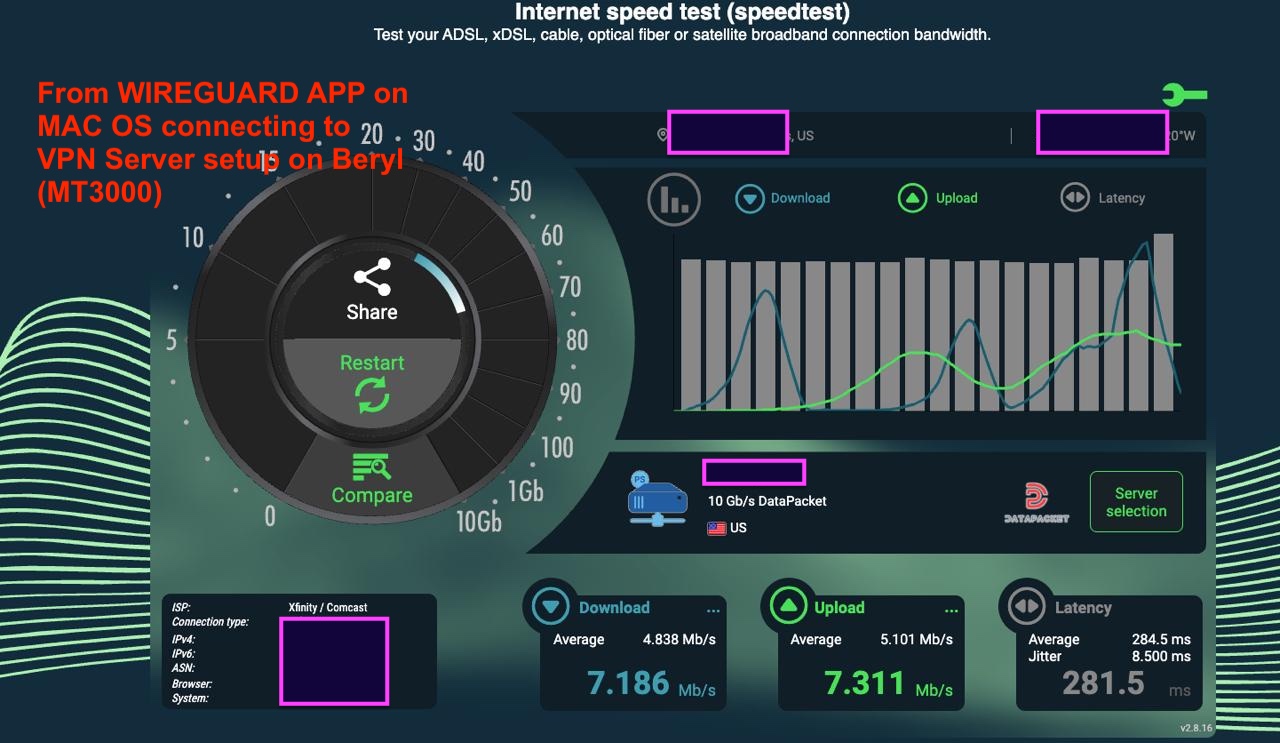
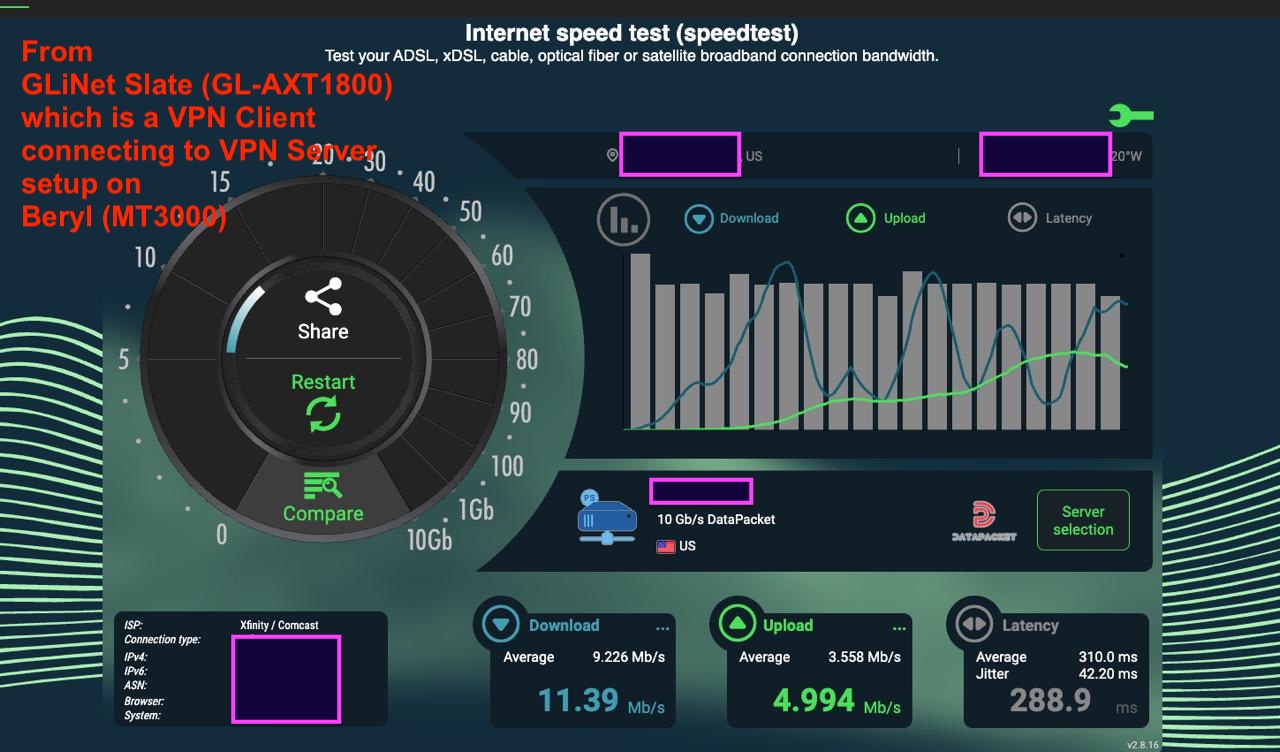
Looking at the results with VPN on it would seem to suggest that your speeds are pretty low anyway as you are nowhere near the max rated Wireguard speeds for the devices.
Please re-read my previous post.
Do a speedtest from your location, run the speed test directly from your device to WAN. Ensure there's no VPN connection running and you are just hitting the internet like you would if you just connected to the local WiFi.
I agree with @j2zero the upload speed at your vpn destination is the limiting factor.
I used to have Comcast internet and was paying for 800Mbps down and 20 Mbps up. I was getting nearly 940 down and 24 up because of Comcast overprovisioning the service by 20%. When I switched to fiber my speeds became symmetric, which made the vpn performance into the house significantly better on fiber. Based on your speed test results, it looks like you probably only have 10 Mbps upload speed. So even a slower rated download speed on fiber would give you better vpn performance if your fiber option is symmetrical.
Is the above screenshot taken from where your client is, 700 miles from the Wireguard server? I am guessing that is the case.
You now need to find out what the WAN speeds are over at Wireguard server location.
Do you have anyone over at the other location on the network that could run the same test for you and give you the results? Or maybe you have a desktop on the LAN over at the server location that you can access and run a speedtest via that?
I'm sorry but I can't get a clear picture of your speeds / location. One minute you are saying you are 700 miles away testing the location and then you say you tested from 9000 miles away?
I thought you were trying to figure out why your Wireguard server was slow?
How can you test your Wireguard server / connection from a location that's 9000 miles away?
My understanding was that you were situated 700 miles away and you were connecting to your beryl server, trying to figure out why you connection was slow??