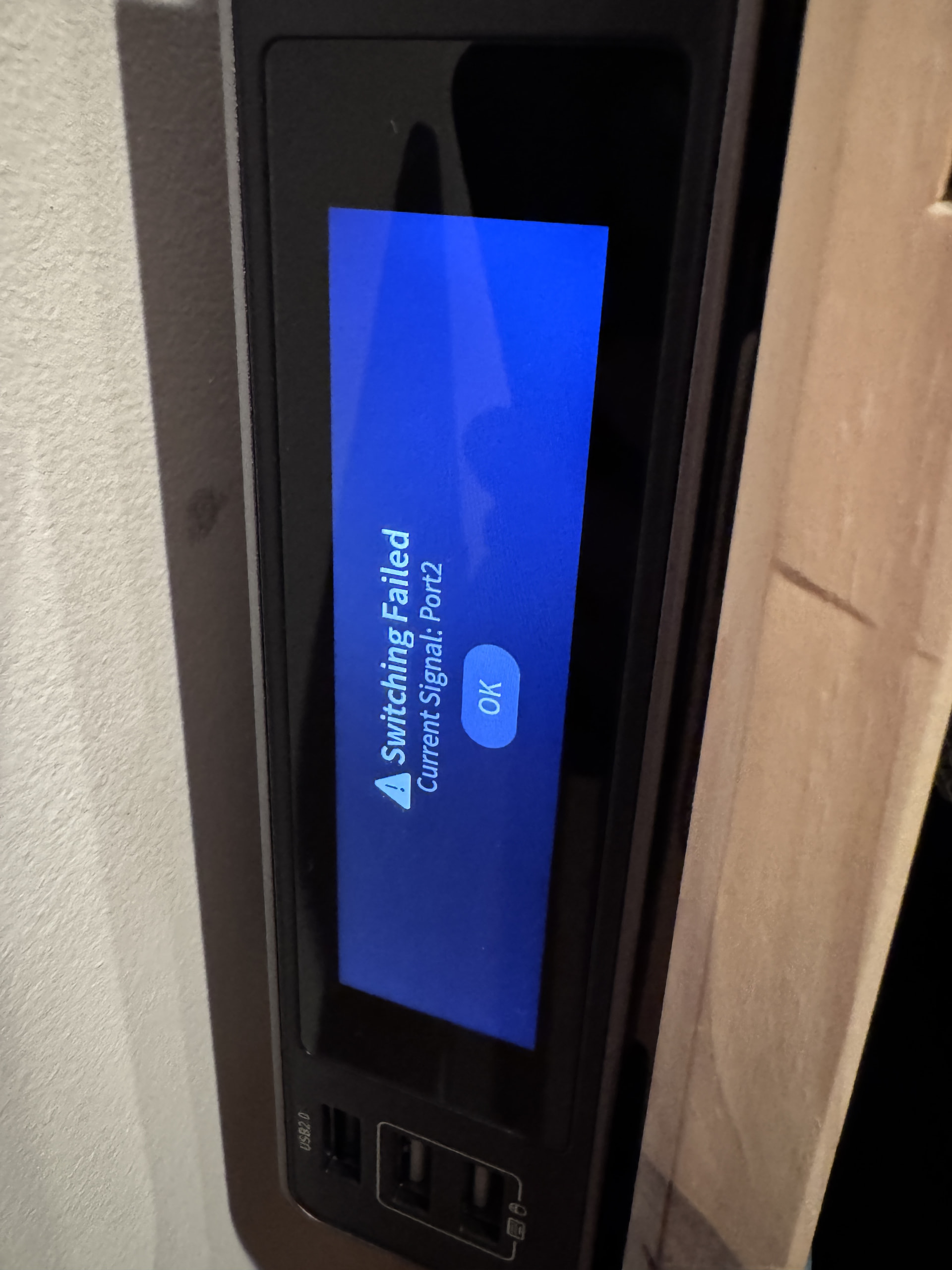
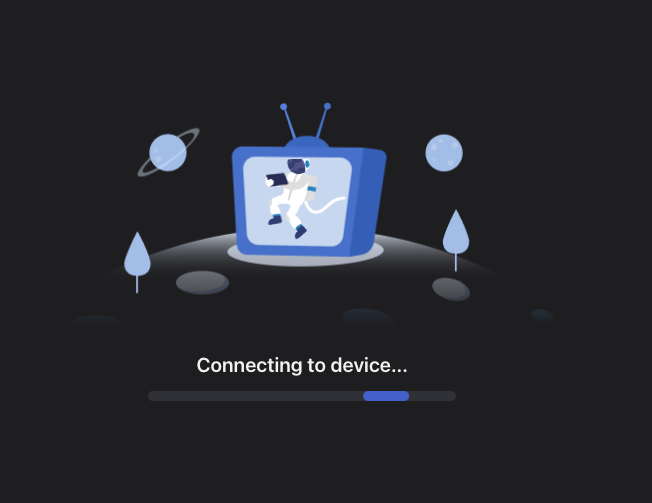
So after updating my Comet X to V1.10.1 release4, the web UI and app never get past "Connecting to device...". SSH still works, and kvmd crashes on startup because the GSV2705 HDMI switch chip isn't responding-
gsv2705-switch 3-0058: chipid err, read:0x0, expect:0x2705
gsv2705-switch: probe of 3-0058 failed with error -22
FileNotFoundError: [Errno 2] No such file or directory: '/sys/bus/i2c/devices/3-0058/channel'
i2cdetect -y -r 3 shows nothing on the bus. The capture chip is fine.
Already tried a cold power cycle and a driver rebind with no change. The update itself installed cleanly and the config is stock, so this isn't the issue from thread 72144. A downgrade won't help either since 1.8.1 has the same switch logic, and it would also re-flash the capture chip back to an older version.
I've emailed after-sales for an RMA. This looks similar to thread 67281, which ended with a replacement. I'll update here once I hear back. If anyone else with an RM4PE has seen this, let me know.
I have the same problem. I tried rebooting, but it did not fix. I then pulled the poe cable. This seemed to work, but did not last. Can the kvm be downgraded? I have only been using this kvm for 2 or 3 days
an update, I can login to the 2 pc's that are connected using vnc. This wakes up the pc's. At this point I can see the desktop on the kvm but I have no keyboard or mouse control on both pc's. I am pretty sure that i had no problem until the update. But, I have only had for 2 or 3 days.
another update ... I downgraded to 1.8.1 which seemed to brick the device. I did the uboot to unbrick to 1.10.1 rel 3 with no fix, I did the upgrade again to rel 4 with no fix. I rebooted 1 of the pc's and now it works. The other pc is busy, so I cannot reboot it. I did look at device manager on both pc's . the 1 that started working shows 2 mouse entries and 3 keyboards, whereas the 1 that does not work has 2 keyboard entries and 0 mice. Both PC's are win 11 pro at ver 26H2. If there are other versions I don't see them. I see 1.8.1, 1.10.1 rel 3, and 1.10.1 rel 4
All four connected devices are a bit different. (all using the bundled HDMI/USB cables) Port 1 - Direct HDMI direct to Lenovo Thinkpad, Port 2 HDMI to Anker Dongle - Connected to Microsoft Surface Pro, Port 3 - Direct HDMI to Lenovo Thinkpad, Port 4 - HP Prodesk Mini G6 - HDMI to Displayport dongle.
Currently POE powered but since the issue started i have tried both methods in an effort to troubleshoot.
I cannot say for sure which firmware I was using prior. If I had to guess. I believe it was the same firmware, but just the older Release number (Maybe release 1?) of V1.10.1? That said, yes things were working really smoothly. I had a few minor feature requests but had been loving it, and relying on the Comet X on a daily basis.
For browsers I have Tried Brave, Chrome, Safari on MacOS and Chrome and Edge on Win11. Controllers tried are V1.6.0 release1 and V1.5.0 release1. None of which ever get past the same 'Connecting to device' page.
system_logs_20261026_131914.zip (231.1 KB) an update ,,, seems that I can get it to work after a reboot of both pc's, but it does not last 24 hours. I had to reboot the pc's this morning. I checked with AI and got this info. It might be a Microsoft issue???? Maybe per AI The KB5127648 (build 26200.9711) update installed on October 18 2026 is the one introducing the new HID arbitration logic that breaks composite USB devices like the Comet X.
Here’s what to do next to lock in stability:
Uninstall KB5127648
Open Settings → Windows Update → Update History → Uninstall updates
Find Security Update for Windows 11 (KB5127648) and remove it.
Reboot immediately after uninstall.
Pause updates for 7 days
This prevents Windows from reinstalling the same patch while you test HID stability.
Keep the Logitech HID profile and Virtual Media off — those are the most stable settings under 26H2 once KB5127648 is gone.
After uninstalling, your Comet X should enumerate cleanly every cold boot (one keyboard, one mouse, no hidden devices). Also Microsoft is aware of the USB/HID regression introduced in Windows 11 26H2.
Internal and public feedback reports (Feedback Hub and OEM partner channels) describe exactly what you’re seeing: composite USB devices like KVMs, docking stations, and some gaming peripherals intermittently lose HID enumeration after cold boot.
Microsoft has already acknowledged the issue in partner documentation and is testing a fix in KB5128195 (build 26200.9457) and later Insider builds. That patch adjusts HID arbitration timing during boot.
In short:
The bug is known and tracked.
It affects multi‑interface HID devices (like your Comet X).
A permanent fix is expected in a November 2026 cumulative update.
Until that update lands, your current workaround — uninstalling KB5127648, keeping the Logitech HID profile, and rebooting warm — is the correct mitigation.
Thank you for providing me the beta firmware. Unfortunately even after the flash, I still see that the switch chip is still not responding. KVMD still is showing that the service is failing even after the new firmware flash.
The capture chip updated to 1.11 and works. The GSV2705 still fails, the new driver’s 1still is cycling and all return i2c_rd ... failed -6 and chipid err, read:0x0, expect:0x2705, and firmware version reads 0.0. i2cdetect -y -r 3 still shows no device.
kvmd still exits /sys/bus/i2c/devices/3-0058/channel. Since the chip does not respond on I2C even after repeated power cycling, I'm starting to believe this might be a hardware failure which is heart breaking. I was really hoping this was something we could be fixed via software, since I have grown to rely on this KVM for my standard workflow.
I attached some logs that I had AI pull any identifiying info from, but please let me I'm wrong, Id rather get this running than need a replacement
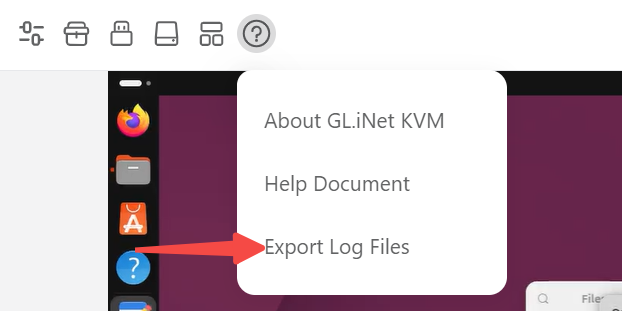
Is there anyway that we can pull the requested logs from an SSH connection? I ask since I do not have any access to the web panel/GUI. When trying to access my KVM via the GUI or through the GLi.NET software GLKVM, I only am able to get as far as the 'Connecting to Device' loading screen.
Another update , I loaded the "without iad" version. Seems to be better. I am starting to be convinced that it is a Microsoft problem. I am noticing usb problems on other pc's that do not have kvm's. If I plug a thumb drive into a pc and do some work, I cannot eject the drive, so I manually pull it out. If I try to install a different drive in this pc, the pc will not see it until I reboot. AI says KB5127648 introduced a change in:
USB arbitration timing
composite device enumeration
Power‑state transitions (selective suspend)
Storage interface locking
Removing the update and resetting the USB tree restores normal behavior. Hope this helps and hopefully Microsoft fixes this soon. Thanks for your help!!!
Another update, the "without iad" seems to be working for several days. During this time, I updated Windows to (KB5127936) (26300.9818). I don't think they fixed the USB issue. Thanks for your help