Hi, I’d appreciate if someone can share their experience using German SIM cards in Mudi7. I’m interesting in finding out if O2 is not supported or my device is defective.
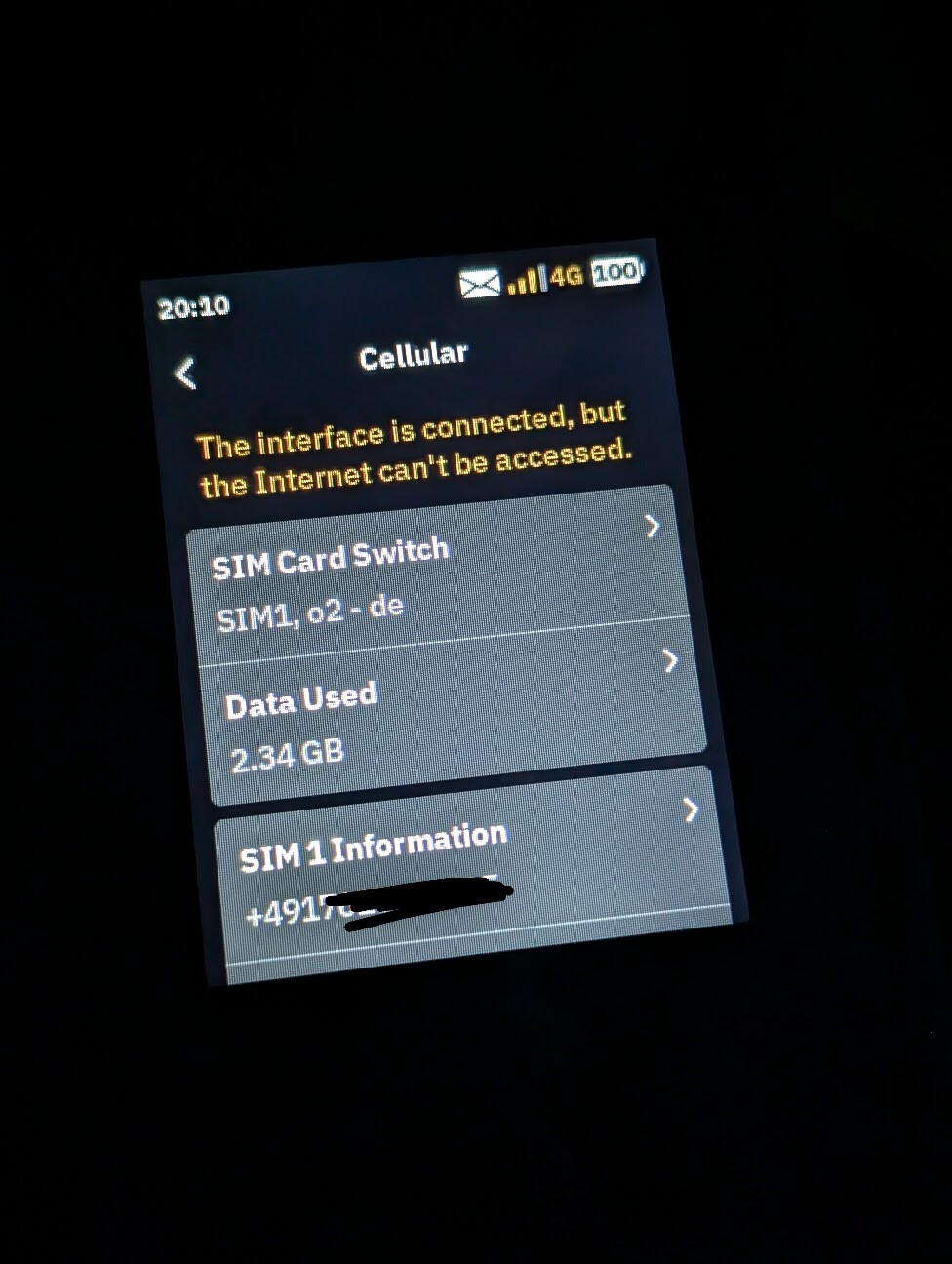
My O2 (data) SIM in Germany works only for a few minutes on my newly purchased Mudi 7 before disconnecting with the following error: "The interface is connected, but the Internet can't be accessed".
The APN configuration is correct, the SIM has no PIN/PUK code and works fine on the TP link travel router and my mobile phones.
[#] More details:
Which router (which model?) are you using?
Mudi7 GL-E5800, Modem name: RG650V-EU
Which firmware version is in use?
Version 4.0, Firmware Type 0803release
How is your router connected to the Internet?
Through a physical O2 Germany (data SIM) in slot 1
Which DNS server do you use? (The local one of your ISP? AdGuard Home? Another one?)
O² worked fine for me, when I used an unlimited contract from O² Germany.
Since the GL firmware isn't very good at band bonding, it might be useful to block certain bands using the band masking feature. Try to block all LTE bands to force the router to use 5G or vice versa. But make sure that your contract is 5G-SA ready. Another point where you can fine-tune: Disabling (or enabling IPv6)
About the error: If you use a device like your PC - is there no internet either?
My O2 data SIM also has unlimited (business) contract, I suspected it could be something related to the device IMEI binding etc. but it is not — It works fine on phones, old TP Link LTE modem and so on.
I’ve also tried switching b/w IPv4/6 with no persistent improvement.
Thanks for the tip regarding the band masking feature, I was unaware of it and do some research now. Not sure if it would be a good idea to block LTE bands since the 5G coverage is quite choppy in Germany as you already know. I would like to have a stable connection that could auto switch between 4G and 5G depending upon the signal reception strength.
About the error: If you use a device like your PC - is there no internet either?
I am only using the physical SIM in slot 1 as the only internet open and then use the Wifi to connect to my devices including the Macbook. When the device is showing an error, none of the connected clients are online.
Unfortunately, my Mudi7 was a beta one, and I needed to send it back to GL. I'm still waiting for the final shipment. I don't remember if I did special things to get O2 working ... but I don't think so. Guess I just uploaded my eSIM, pressed connect, and tadaa But my SIM was a regular one, not a data only.
5G inside the O2 network is mostly fake anyway. In my city 4G is faster than 5G ... thanks Telefonica!
TLDR; Try to just block the band the Mudi is connected to, when the issue occurs and leave all other bands unblocked.
There is a known issue with registering the sim with the tower with certain bands. I’m having the same issue with a Deutsche Telekom Sim. For me, the connection worked only occasionally, because my Mudi changed bands. I then blocked band 1 which wasn’t properly connecting, with the masking feature, but left all other bands active and things have been working fine for me since.
 But my SIM was a regular one, not a data only.