R03 includes regulatory fixes that somehow makes the performance unstable while R01 branch is the "generic" global firmware
1 Like
R03 has better performance for me. I get much better upload speeds. So I guess it really depends on your tower,location and personal situation doesn't it?
1 Like
Most probably it's operator-related.
I upgraded to the once suggested RM520NGLAAR03A03M4G_01.201.01.201 and it was really a nightmare (disconnections, band aggregation problems) until I tried RM520NGLAAR03A04M4G_01.202.01.202 and that finally gave me stability again.
Now, out of curiosity, I tried RM520NGLAAR01A08M4G_01.205.01.205 and it's as stable as RM520NGLAAR03A04M4G_01.202.01.202 for me, go figure....
2 Likes
I agree with this. I see a lot of variability between carriers such that there is not a single firmware that runs best in all scenarios. It takes some testing to see what works best for your situation.
1 Like
As @Max3 has stated, I think it is best to stick with either of the latest firmware visions only.
RM520NGLAAR01A08M4G_01.205.01.205 or RM520NGLAAR03A04M4G_01.202.01.202
They have been updated for a reason. As a side note, TMO has been doing a lot more testing with their 5G SA mode Country wide as of late so this in itself can be a major contributing factor for some users in certain areas.
1 Like
But what is difference between R01 and R03 does it matter if I am in Europe?
In terms of stability, R1 and R3 are stable, but R1 and R3 belong to different baseline versions and have the following differences:
Compared with R1, R3 has a relatively large adjustment in the code framework, so after upgrading directly from R1 to R3, due to the incompatibility of the software framework, some key configuration parameters related to the network will not take effect, and some operators' networks may be disconnected and unstable
Conclusion: Therefore, it is recommended not to upgrade from R1 to R3 directly, and notify you of the upgrade after Quectel provides a compatible upgrade solution
1 Like
@Javon_ma Thanks a lot. What about going R3 to R1 (both latest) ... I happen use R3 but probably do not need adjustments from that branch. Would you discourage doing so?
@tasinofan As mentioned earlier, if R01 is upgraded to R03, some operators will have network disconnection and instability, so if your current R03 is stable, you do not need to downgrade to R01
1 Like
@Javon_ma : Thank you. I understand, but I wonder, why calling going R01 a downgrade ? That sounds like missing something or going back in time. But both trains move forward I suppose and then my question was also about : should I consider train R01 without adjustments if it does all what I, most probably, need (in Europe) and avoid relatively large R3 extras? I can say, my requirements and needs are modest 
@tasinofan There might be a misunderstanding. The downgrade is only regarding the version number naming. For the R01 you mentioned is stable in Europe, but now you have upgraded to R03. You can try using it for a while first. If there are any network disconnection issues, you can revert to the R01 version, and that should be fine.Thanks!
1 Like
That sounds like a good strategy ! I really appreciate your expert reaction!
Thank you so much.
This has been my experience as well with the exact same modem firmware.
I updated today to RM520NGLAAR01A08M4G_01.205.01.205 by downloading the zip from the link in: GitHub - 4IceG/RM520N-GL: Quectel RM520N-GL is 5G IoT module specially optimized for IoT/eMBB applications.
And then drag'n'dropped it to the local module upgrade page.
I had issue where in every 2 hours the modem stopped working by either giving the SIM card not registered or showing a spinning icon for the cellular:

Hopefully after this update it will work properly.
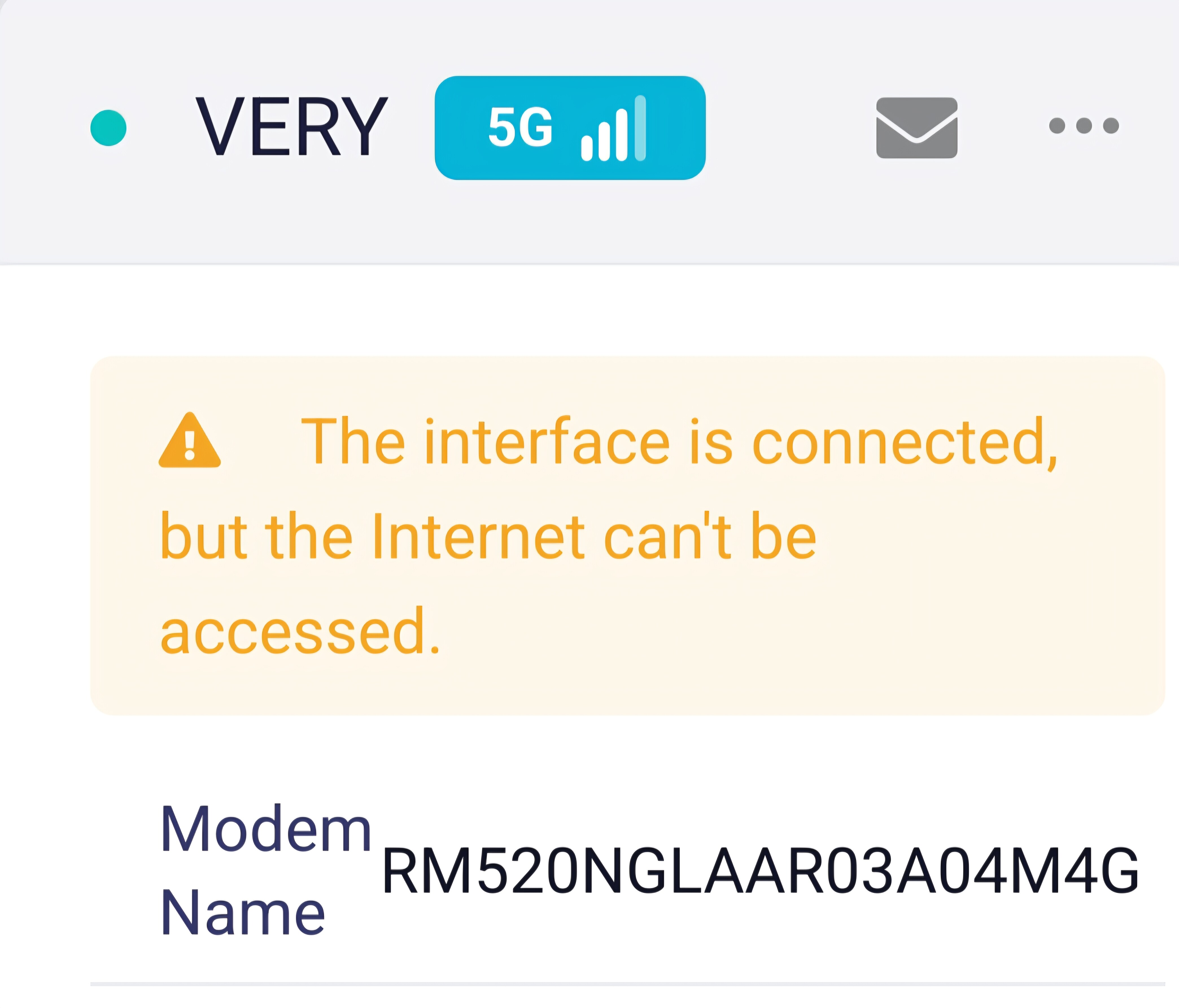
I'm getting data disconnects every 4 hours for 2 minutes on X3000. Which modem version should I be using? I've changed a few modem firmwares, and it used to be better.
Now I'm using RM520NGLAAR03A04M4G
For Wind Three in Italy.
Where can I find the best firmware for Europe for RM520NGLAAR03A04M4G?
I just upgraded the modem firmware to RM520NGLAAR03A04M4G_01.204.01.204.zip
I'll monitor and see if the X3000 connection is better.
I found the modem firmwares here GitHub - 4IceG/RM520N-GL: Quectel RM520N-GL is 5G IoT module specially optimized for IoT/eMBB applications.
That is the firmware that I am currently using and it has been rock solid. But I’m also in the US. I don’t plan on updating to future firmware versions even if available unless there is something absolutely major. If it’s not broken, don’t fix it! 
1 Like
Hi,
I have the same issue with that operator and different firmware RM520NGLAAR03A03M4G.
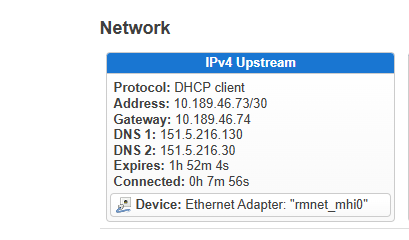
I think the problem is with the operator, its DHCP lease is usually 4 or 2 hours only.
You can see that in Luci, when the lease expire and renew there are 2 minutes of no internet.
Let me know if you resolved it.
Next time I need 5G, I will try Tim or Vodafone.
Leonardo
Yes I did some research and found you're right, Wind Tre has the most aggressive DCHP policy renewal of all the operators in Italy, 4 hours. No idea why. I think the issue is more pronounced on the X3000 because of the process of reconnecting to the new IP, it takes 2 minutes, on a mobile phone the process is quicker, so less notifiable. For the moment I'm living with it, Very Mobile is the cheapest, 12 euros for unlimited 5G a month. TIM and Vodafone I think do 24hr IP renewal.
The IP lease time is related to the operator's policy. Different operators have different management strategies for lease times. As for the X3000 needing two minutes to restore the network, it is because the device firmware defaults to checking for IP changes every minute. When the operator updates the IP, it cannot be updated promptly, which results in a temporary loss of network connectivity.
2 Likes