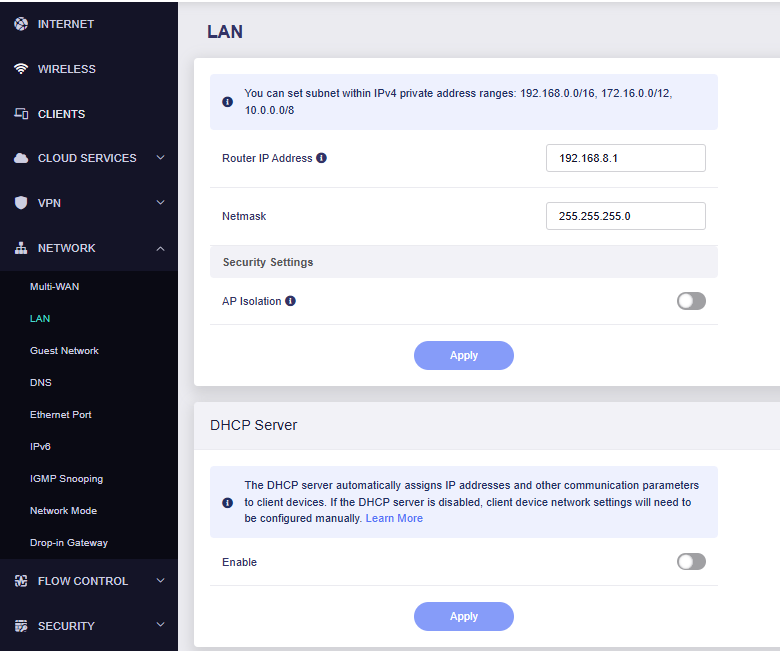
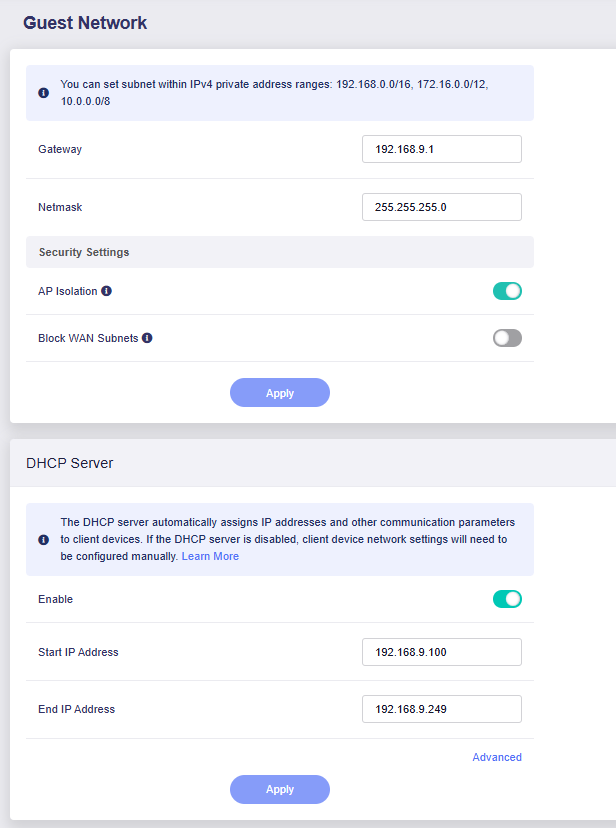
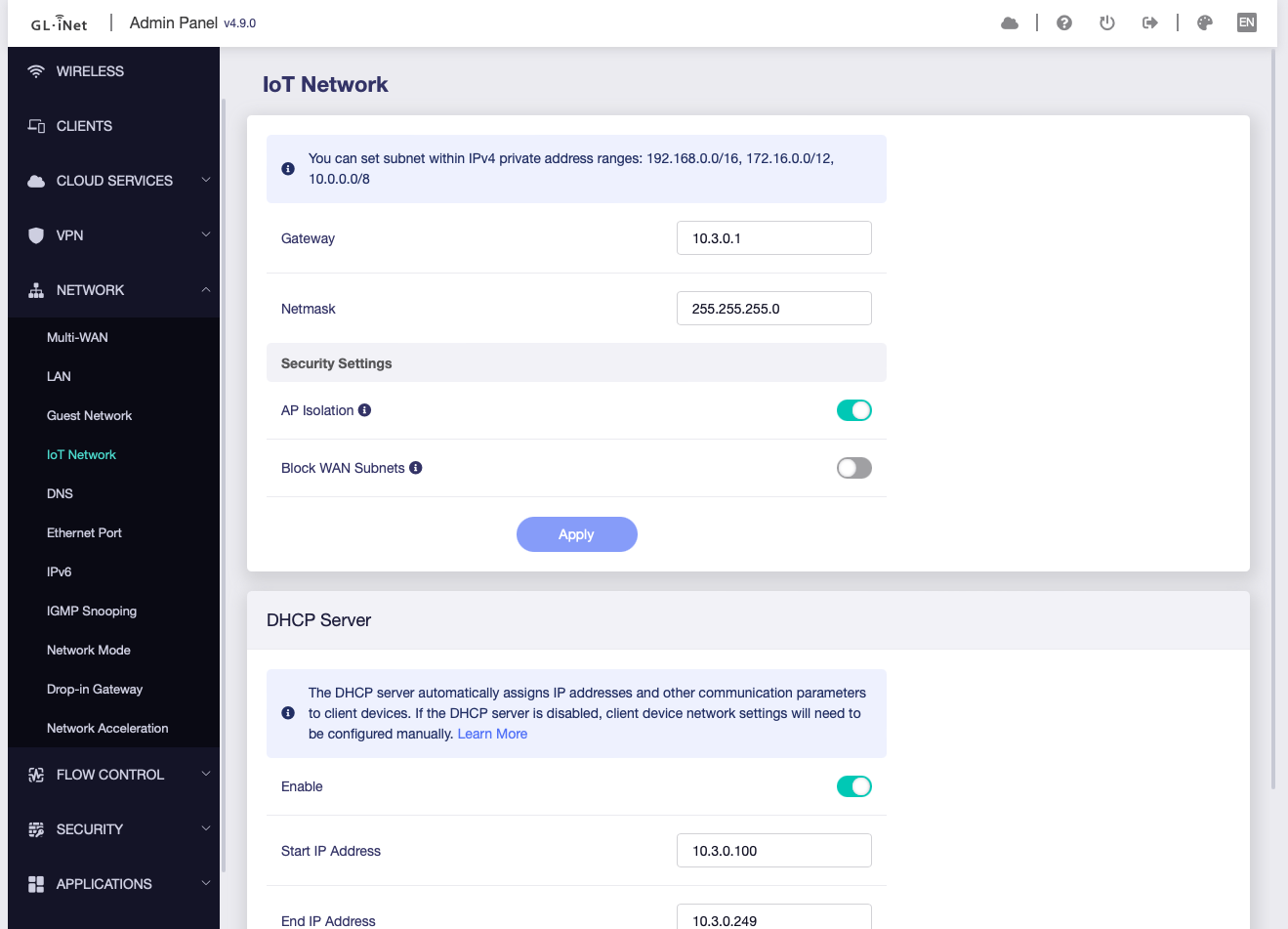
I have a scenario where I would like to enable DHCP for the guest and the IoT network only. I do not want to use DHCP on my main network as this is been provision by another server already.
Is this configuration possible? GL.iNet GL-BE6500 firmware: 4.9.0
Yes, this configuration is possible. If your existing DHCP server is connected to the GL-BE6500's main LAN network, you can configure it as follows:
Assign the DHCP server a static IP address within the GL-BE6500's main LAN subnet, and configure its DHCP address pool, subnet mask, default gateway, and DNS settings.
Disable DHCP for the main network on the GL-BE6500, but keep the DHCP servers for Guest and IoT networks enabled.
Start the external DHCP server and renew the client IP addresses.
With this setup, clients on the main network should automatically obtain their IP addresses from your existing DHCP server, while the GL-BE6500 continues providing DHCP services for the Guest and IoT networks.
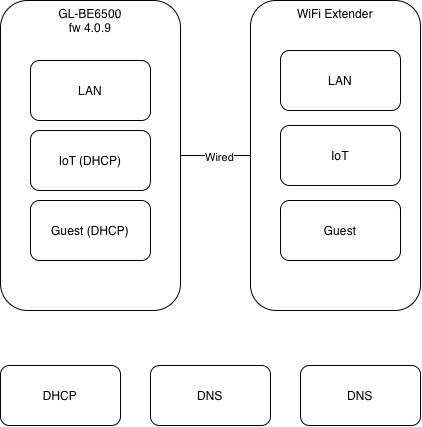
Thanks for the response. If I connect a wireless extender via a wired connection if I set up the three networks LAN, IoT and Guest devices are not correctly connecting to the IoT network for example.
Devices connected to my Wi-Fi extender are visible on the Flint router on the LAN network regardless of which network they connect to.
I can't reserve static addresses on the guest and iot networks.
I'm not convinced that the DHCP server is not working on the LAN, but I don't know this for sure.
Have the ability to set up VLAN Ids on the Wi-Fi extender, but I don't think that they are respected even if I configure via luci (I can find the setting for IoT, but not guest)
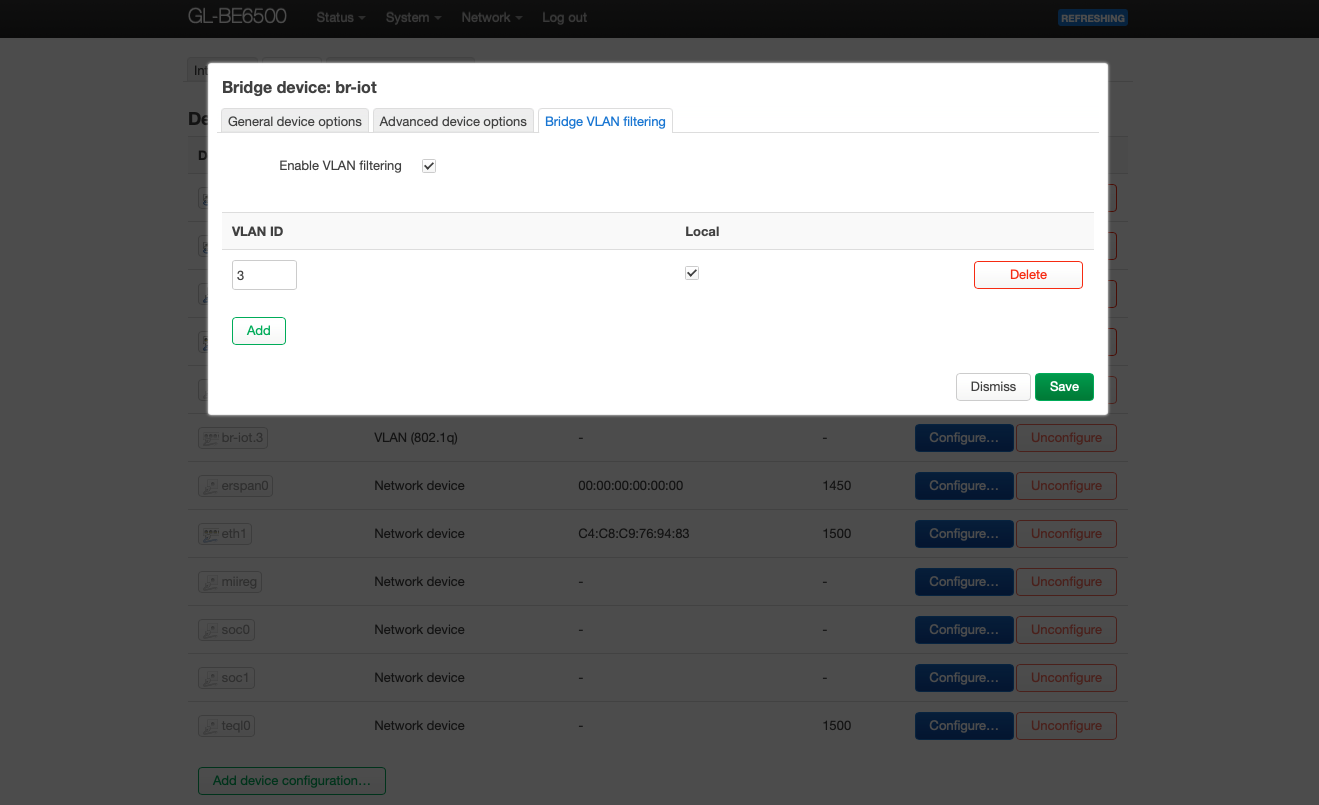
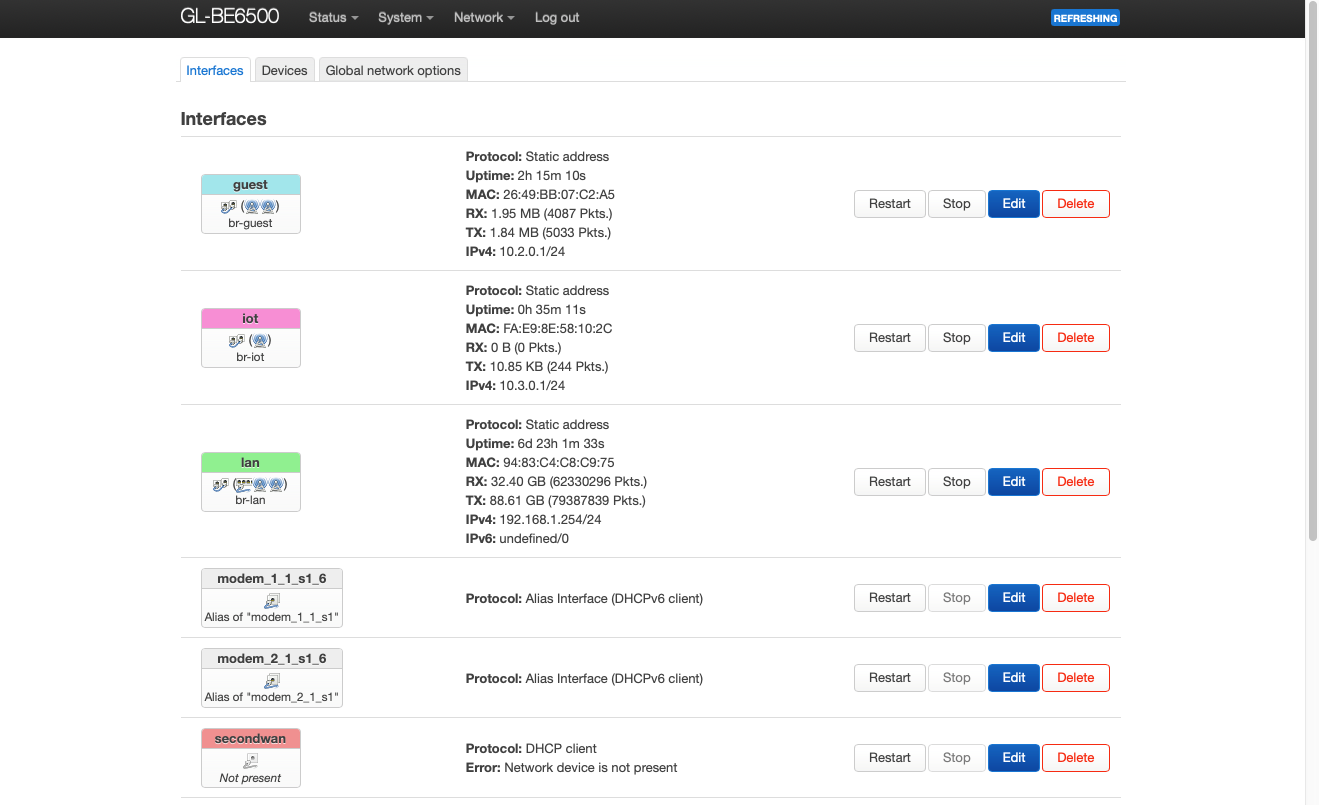
Could you please provide assistance - see screenshots below
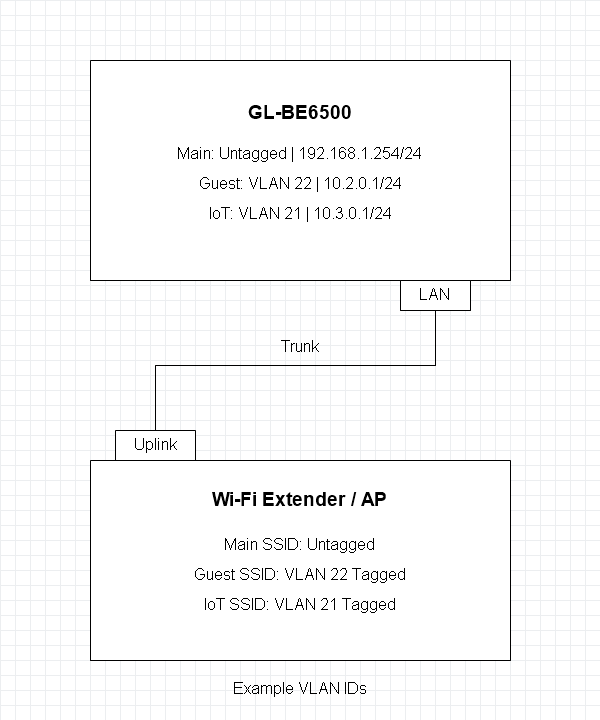
To extend all three networks over a single Ethernet cable, please configure the BE6500’s LAN port connected to the extender and the extender’s uplink port as a VLAN trunk, as illustrated below.
Keep the main LAN untagged, and carry IoT and Guest traffic tagged with separate VLAN IDs, using matching settings at both ends.
VLAN IDs 21 and 22 in the diagram are examples; on the BE6500, connect the corresponding VLAN interfaces to the existing IoT and Guest bridges.
Your Wi-Fi extender needs to support 802.1Q VLAN tagging and per-SSID VLAN mapping, so it can process the tags and forward traffic to the appropriate wireless network.
You can refer to this discussion about VLAN configuration on the BE6500, using your chosen VLAN IDs and the appropriate physical port.
Once the VLAN setup is working and devices receive IP addresses from their respective Guest or IoT subnets, could you check whether address reservations work as expected?
Thanks, Charles. Given 4.10 firmware is due in the next month or so and will potentially provide an out of the box solution. I don't think I'm going to implement it as it looks pretty complicated and would cause conflicts when the new firmware is installed I imagine.
Could you please provide a comment as to whether or not 4.10 will offer this functionality
If you mean configuring VLANs directly in the GL.iNet web interface, yes—this is planned for the BE6500 with firmware v4.11, which will follow v4.9 directly, skipping v4.10.
However, for this VLAN setup, your Wi-Fi extender would still need to support VLANs and have matching VLAN and SSID settings. Could you please let us know the model of your Wi-Fi extender?
Oh, I was under the impression that 4.10 was going to be released in the next month or so. Do you have any idea when 4.11 is due? I currently have a TL-WA1201 which supports 802.1Q VLAN tagging.
As mentioned in this update, the BE6500 v4.11 beta firmware is expected to be released this month, while the stable release date is still to be determined.
Thanks for releasing the firmware. I upgraded to 4.11 however the van tagging doesn't seem to work. The TA-WA1201 has the same wireless SSID settings however, if I set a van tag to either 9 or 10 respectively (as per the default tags on the guest and IOT flint-3e networks) devices cannot obtain IP addresses. If I set the vlan tags to 1 on the TA-WA1201 wi-fi network devices can connect however they connect to the main LAN network. Any advice as to how to diagnose what is going on?