Exactly, ping 8.8.8.8 works, but ping google.com doesn’t. If I change the DNS Server on the client of the Gl inet Router, ping google.com is possible and also the traceroute google.com is correct.
Beryl AX MT-3000
4.8.1
The Beryl AX is connected to my home network via wifi. It is intended as travel router, so it will always be connected to another network.
The VPN Server is hosted on a VPS, other Wireguard Clients work without any issue.
Subnet of VPN Server: 10.10.10.0/24
Subnet of Gl inet Wifi: 192.168.8.0/24
Config of Wireguard Client on Beryl AX:
[Interface]
Address = 10.10.10.11/32
ListenPort = 51820
PrivateKey = Private_Key
DNS = 10.10.10.1
MTU = 1200
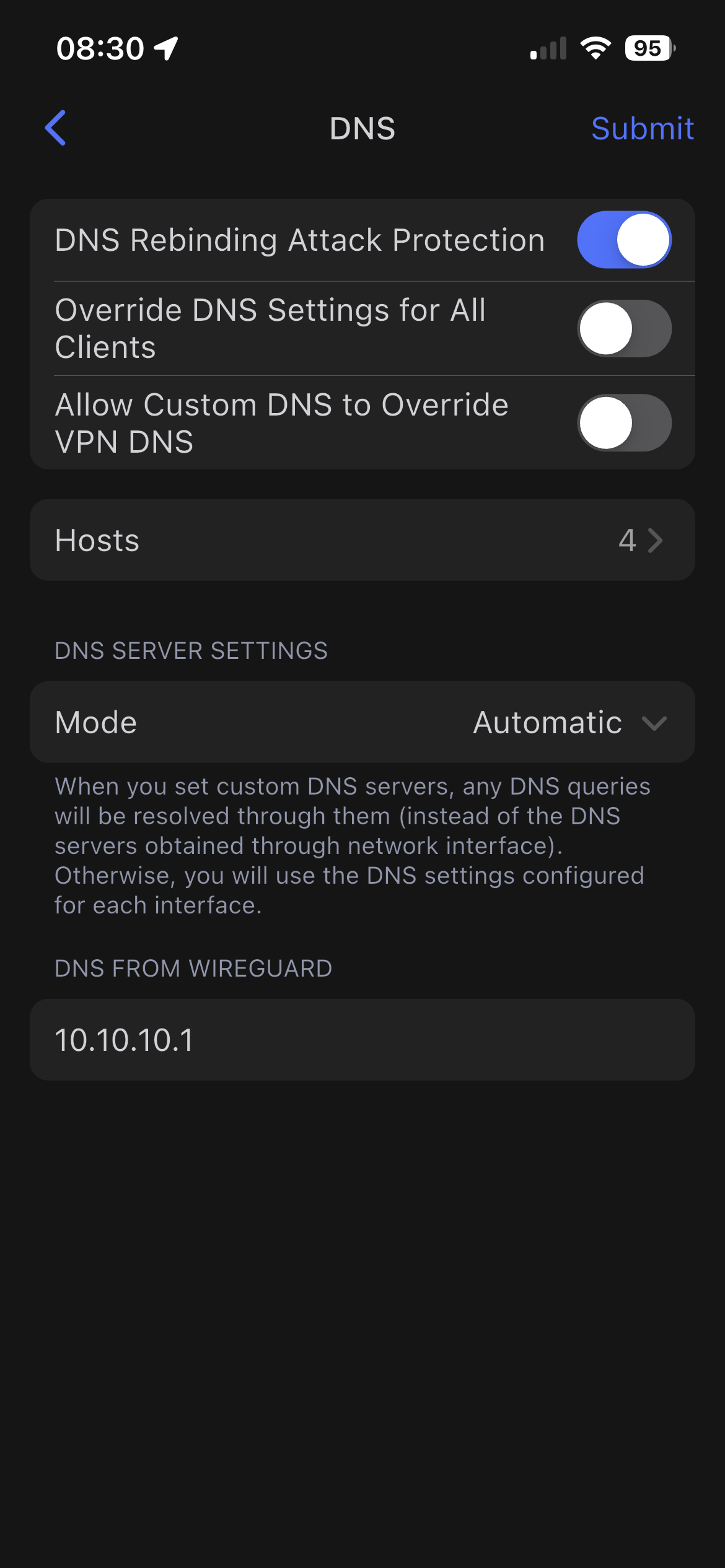
DNS Rebinding Attack Protection = On (Auto enables “back” when turned off in the GUI; so can’t be disabled)
Override DNS Settings of All Clients = Off
Allow Custom DNS to Override VPN DNS = Off
DNS Server Settings Mode = Automatic (Below is written: “DNS of VPN Client: 10.10.10.1”, which seems correct)
VPN Client Global Options:
Mode: Global
Services from GL.iNet Use VPN = Off
Are these sufficient information or do you need more?
As already mentioned, this is the third router in total I would like to connect to my WG Server, the two others are opnsense machines and the work like a charm. So DNS on the VPN Server should not be an issue. Connections of mobile devices to the VPN Server also work without any issue.
Especially if you might use nextdns, what is reported on their site is not the same it just uses it as client identifier.
To why I say the topic is tricky complex:
If you split tunnel domains, maybe you don't that is better, but things can easily go wrong this is also the disadvantage of split tunnel it poses risks to dns leaks.
Take websites behind cloudflare or amazon aws as example, they often rotate ip so they can hide the real server ip.
The issue with this is that ips get stored in a ipset, but there is no extra domain verification step, meaning if a different site uses a ip in that ipset you leak it over wan, I noticed this because ironically nextdns is behind cloudflare and the site fails if you only would forward traffic to firewall zone wireguard.
So my suggestion is can you try it without any policies or with the certainity its not split routed on one of these clouds?
I tested different upstream routers in several hospitals, hotels and at home. The problem occurs everywhere.
The problem with the DNS rebind attack protection is, that it automatically re-enables it, whenever I try to turn it off and want to apply the changes. Do you have any ideas, how I can disable it?
This is a bit strange. GL firmware does not have auto enable the DNS redirect protection option. If you disable it and click "Apply", it will be disabled persistent.
When you run ping or traceroute on SSH of the MT3000, it will go to the uplink interface (for example WAN or repeater). This is expected in in v4.8.x, the v4.8.x firmware is designed that way (the router itself traffic will go to uplink interface).
If switching to a public DNS services will work properly, please try to check whether the VPN server’s DNS is functioning properly, for example, you can active this profile on a phone or PC to test whether domain resolution works properly.
I know it sounds strange. I attached two screenshots, one where the DNS rebind attack protection is disabled and one after clicking on submit. If you tell me how, I can also share a video of it.
Switching to a public DNS server did not solve the issue.
The DNS server on the VPN server is working perfectly fine. I can browse the internet on clients with a full tunnel without any issue.
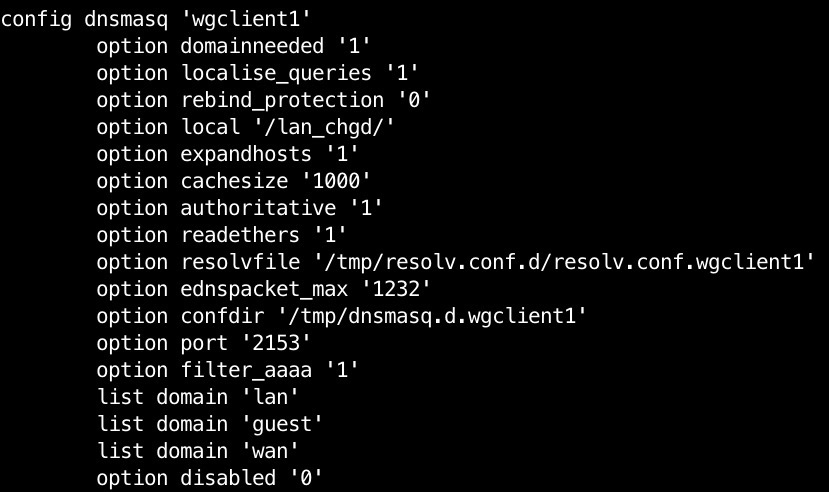
I also attached a section of the /etc/config/dhcp file, where the part of the wgclient1 is defined. The rebind attack protection seems to be disabled?