My Slate keep on loosing it's A record for .glddns.com
Firmware is up-to-date.
- Hostname GL-A1300
- Model GL.iNet GL-A1300
- Architecture ARMv7 Processor rev 5 (v7l)
- OpenWrt Version OpenWrt 21.02.2 r16495-bf0c965af0
- Kernel Version 5.4.179
My Shadow and Mango never had that issue.
Anyone knows where I can start troubleshooting this?
Obviously a workaround would be to use a Shell script with Cloudflare API and cron to periodically update the A record, but that is just that... a workaround
Thanks
Ah yeah... sorry for the delay
So the Slate is connected from my modem/router via RJ45 LAN (NAT) to the RJ45 WAN port on the GLiNET Slate. A PAT rule forward UDP traffic (for Wireguard)
The slate is not listening on SSH or HTTP, just Wireguard
When I toggle "Enable DDNS" the A record for ******.glddns.net works... until it doesn't.
dnschecker.org would show that the dns A record has replicated worldwide, but a couple of hours or days later, that record has disappeared... and that happened already multiple times, the GUI shows the toggle as "on". Power cycle did not fix the issue and it is on the lastest firmware.
I ended writing a shell script for ash interpreter that fetch my public IP, and update my domain with a A record (on Cloudflare - free, since GoDaddy doesn't support it) if the IP has changed, since I cannot trust a CNAME record to glddns.net which keeps disappearing...
Now interestingly, my shadow and mango are setup in this very similar fashion but they never lost their DNS record...
That's the workaround (not fix), that I resorted to using...
#!/bin/ash

# === Configuration ===
ZONE="mydomain.com.au"
RECORDS=("slate")
API_TOKEN="<Cloudflare API>"
LOG_FILE="/var/log/dyndns.log"

# === Logging function ===
log() {
    MSG="[$(date +'%Y-%m-%d %H:%M:%S')] $1"
    echo "$MSG" | tee -a "$LOG_FILE"
}

# === Get current public IP ===
CURRENT_IP=$(curl -s http://api.ipify.org)
if [[ -z "$CURRENT_IP" ]]; then
    log "ERROR: Failed to retrieve current public IP."
    exit 1
fi

# === Get Zone ID ===
ZONE_ID=$(curl -s -X GET "https://api.cloudflare.com/client/v4/zones?name=$ZONE" \
  -H "Authorization: Bearer $API_TOKEN" \
  -H "Content-Type: application/json" | jq -r '.result[0].id')

if [[ -z "$ZONE_ID" || "$ZONE_ID" == "null" ]]; then
    log "ERROR: Failed to retrieve Zone ID for $ZONE."
    exit 1
fi

# === Loop over each record to update if needed ===
for RECORD in "${RECORDS[@]}"; do
    FULL_NAME="$RECORD.$ZONE"
    [[ "$RECORD" == "@" ]] && FULL_NAME="$ZONE"

    RECORD_DATA=$(curl -s -X GET \
      "https://api.cloudflare.com/client/v4/zones/$ZONE_ID/dns_records?name=$FULL_NAME" \
      -H "Authorization: Bearer $API_TOKEN" \
      -H "Content-Type: application/json")

    RECORD_ID=$(echo "$RECORD_DATA" | jq -r '.result[0].id')
    DNS_IP=$(echo "$RECORD_DATA" | jq -r '.result[0].content')
    TTL=$(echo "$RECORD_DATA" | jq -r '.result[0].ttl')
    PROXIED=$(echo "$RECORD_DATA" | jq -r '.result[0].proxied')

    if [[ "$RECORD_ID" == "null" || -z "$RECORD_ID" ]]; then
        log "WARNING: No record found for $FULL_NAME — skipping."
        continue
    fi

    if [[ "$CURRENT_IP" != "$DNS_IP" ]]; then
        log "Updating $FULL_NAME from $DNS_IP to $CURRENT_IP (proxied=$PROXIED, ttl=$TTL)..."
        RESPONSE=$(curl -s -X PUT \
          "https://api.cloudflare.com/client/v4/zones/$ZONE_ID/dns_records/$RECORD_ID" \
          -H "Authorization: Bearer $API_TOKEN" \
          -H "Content-Type: application/json" \
          --data "{\"type\":\"A\",\"name\":\"$RECORD\",\"content\":\"$CURRENT_IP\",\"ttl\":$TTL,\"proxied\":$PROXIED}")
        log "Update response for $FULL_NAME: $RESPONSE"
    else
        log "No update needed for $FULL_NAME. IP is still $CURRENT_IP."
    fi
done
The GL.iNet was behaving erratically after installing dnscrypto-proxy via Luci
The web portal would not let me log in, SSH worked tho... and the Install Packages on Luci would throw a "permission denied" but I'm root.
So I have reset its firmware (manufactory default/reset) and will start fresh, I'll update this post to let you know if the issue remains (means the exception still is in your code) or not (means my config was corrupting)
Oh woaw... can't even set a password.
Then it's complaining about network connectivity but I don't see why that'd be needed for setting a password... I certainly didn't suspected an hardware issue. I'll be returning it, it's one month old!

For the problem of not being able to access the management page.
- Please try again to press and hold the reset button for 10 seconds after the router starts to restore the factory settings.
- Re-upload the official firmware through uboot, refer to the document:
What should I do if my router is bricked - GL.iNet Router Docs 4
We cannot help with abnormal behavior caused by installing third-party plug-ins.
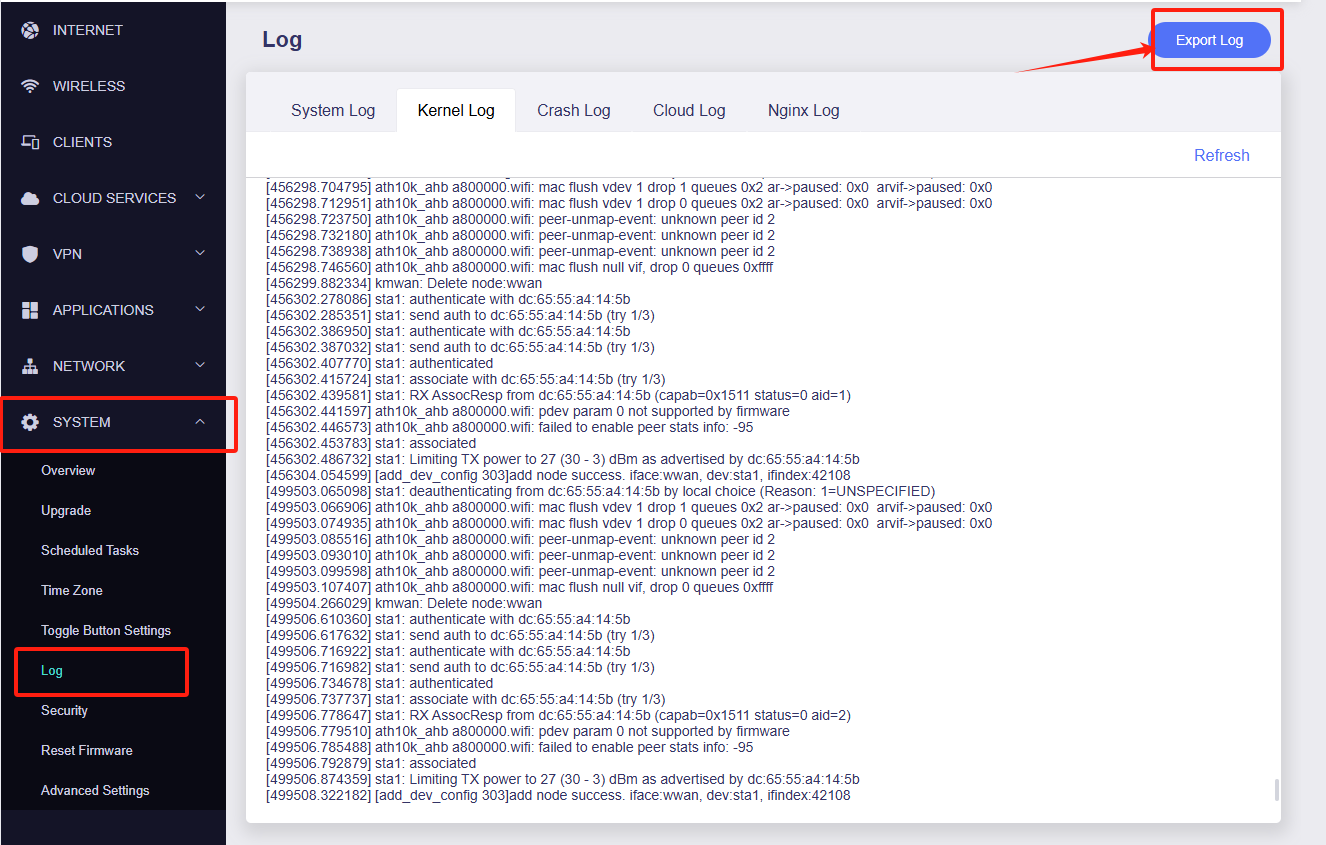
Regarding your DDNS loss issue, if it is convenient, please export the log for us to analyze.
I just got a brand new GL.iNet Slate since mine couldn't be factory reset.
The local authentication issue is resolved but the DynDNS issue remain: the A record, keep on getting lost on the NEW device as well! so. GL.iNet, I'm afraid you have a bug somewhere.
*******.glddns worked yesterday, and now not longer resolve...
GL-A1300
GL.iNet GL-A1300
ARMv7 Processor rev 5 (v7l)
OpenWrt 21.02.2 r16495-bf0c965af0
5.4.179
Is there a requirement to enable HTTP or SSH access to have DynDNS updating? is there a firewall setting required to allow that traffic (egress)? Clearly the first DNS update works when I toggle , but subsequent ones fail...
I currently want to use DynDNS only so I can PAT to my Wireguard Server.
What logs related to ********.glddns dyndns, can I check or provide you with please ?
Sure, please try to reproduce the problem and export the log after the router is working properly.
If possible, could you provide us with a remote debugging environment on your computer?
This code is from system log
Wed Jun 25 15:46:23 2025 authpriv.notice sudo:     root : PWD=/www/cgi-bin ; USER=root ; GROUP=nonevpn ; COMMAND=/usr/lib/gl_ddns/dynamic_dns_updater.sh -- stop
Wed Jun 25 15:46:35 2025 authpriv.notice sudo:     root : PWD=/www/cgi-bin ; USER=root ; GROUP=nonevpn ; COMMAND=/usr/lib/gl_ddns/dynamic_dns_updater.sh -- stop
Wed Jun 25 15:46:37 2025 authpriv.notice sudo:     root : PWD=/www/cgi-bin ; USER=root ; GROUP=nonevpn ; COMMAND=/usr/lib/gl_ddns/dynamic_dns_updater.sh -- start
Wed Jun 25 15:46:38 2025 user.notice ddns-scripts[27838]: ddns: PID '27838' started at 2025-06-25 15:46
Wed Jun 25 15:46:38 2025 user.warn ddns-scripts[27838]: ddns: Service section disabled! - TERMINATE
Wed Jun 25 15:46:38 2025 user.warn ddns-scripts[27838]: ddns: PID '27838' exit WITH ERROR '1' at 2025-06-25 15:46
Wed Jun 25 15:46:38 2025 user.notice ddns-scripts[27841]: glddns: PID '27841' started at 2025-06-25 15:46
Wed Jun 25 15:46:39 2025 user.warn ddns-scripts[27841]: glddns: NO valid IP found
Funny enough... my A record is still there, but probably not for long...
1 Like
Thank you for your reply. As you showed in the log, it does throw an exception.
We hope to have the opportunity to schedule a remote debugging with you. Our professionals will debug and try to find the root cause of the problem.
No, thank you.
The issue has been reproduced on two A1300 devices that are connected over WAN to my home router with FTTP. It has a 192.168.20.* IP address.
You have my firmware version and can therefore easily reproduce the issue at your end without taking up more of my time since you don't need me to fix this.
Good luck, I hope this gets prioritised...
1 Like