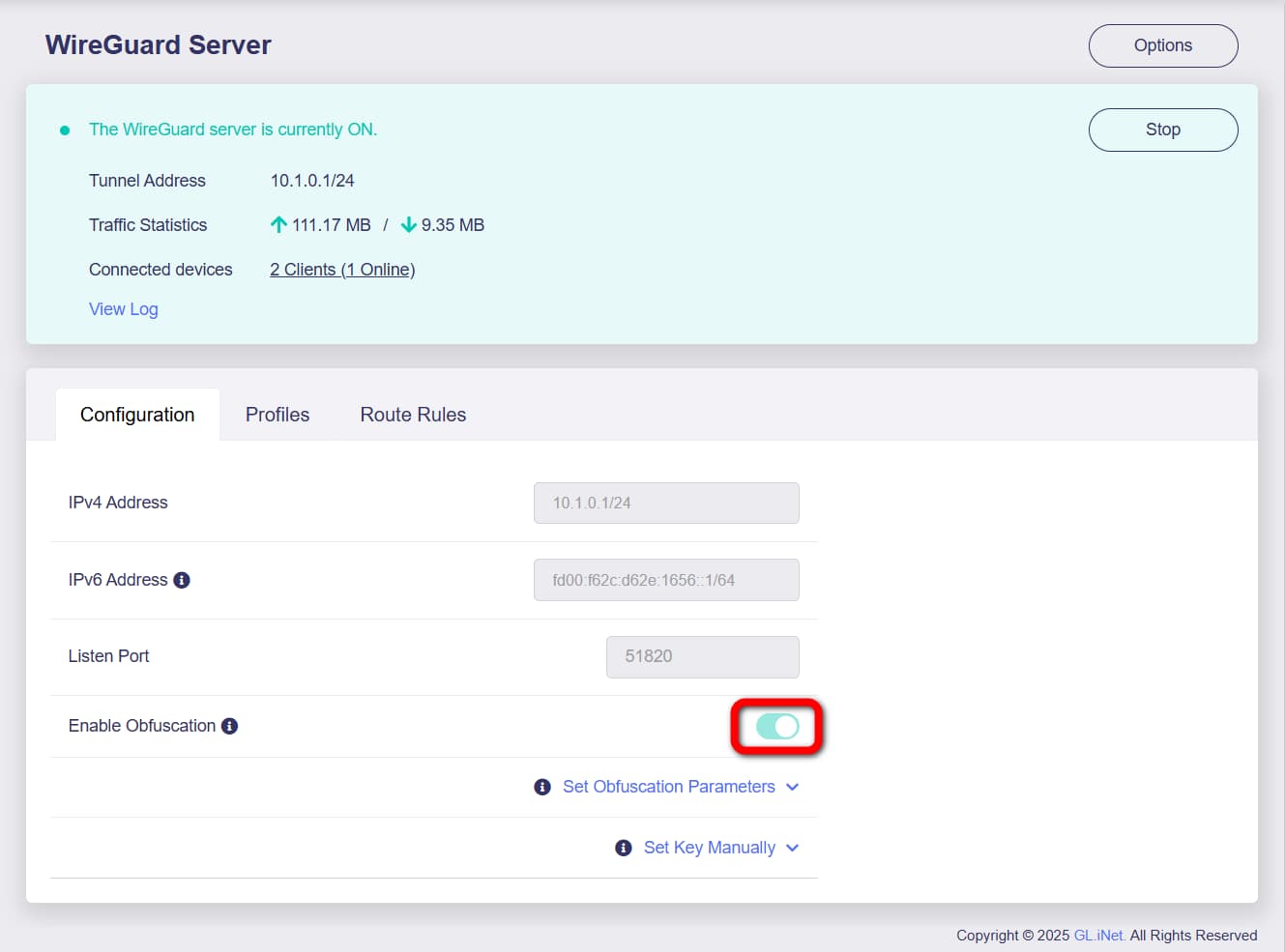
You can always use luci to tune firewall. Simply remove WAN as exit point (LAN —> WAN & WG, leave LAN —> WG only) and you are always on “kill switch” now, it tells router to pass all traffic using one simple exit — WG interface, no any chance to pass data without WG tunnel up.
3 Likes
Good idea!
But is it possible that the awg tunnel can malfunction in any way? I’m just concerned because it is a beta. I’ve used openwrt before with a WG killswitch but I’ve been lazy to do so on my MT3000.
My friend confirmed it’s working great for him. He had issues with Wireguard but AmneziaWG resolved his issue. I also tested it out and it worked for me with no issues.
The new Kill Switch isn’t so bad either. I may update my AXT1800 to 4.8.2
1 Like
I’ve compiled AmneziaWG for mt-6000 Flint2 for 4.8.2 version. Works on my device: )
1 Like
Any guide on how to use / add this to the Flint 2? Thank you.
I’m using MT3000 as a server in Europe and another MT3000 as a client in China and everything is working great.
On my mobile, I installed Amenizia WG for Android and it’s connected to MT3000 (server) without any issue.
Fantastic improvement!
2 Likes
- download official 4.8.2-op24 firmware from GL.iNet download center
- install it. Open System → upgrade section inside admin panel.
- download below files from Github repo I posted above:
amneziawg-tools_4.8.2.ipk
kmod-amneziawg_4.8.2.ipk
luci-proto-amneziawg_4.8.2.ipk - configuration & installation is similar as described in post [Feature request] Replace Wireguard with AmneziaWG - #124 by vanstr above.
1 Like
Yes, with a small modification it will work. Check this post: [Feature request] Replace Wireguard with AmneziaWG - #192 by p_g
Many thanks @p_g for this very helpful instruction. Will it work with other GL.iNET firmware versions other than 4.8.2-op24 as I found this one to be a bit buggy? Also where do these .IPK files go? Are you saying that they should be uploaded to the firmware upgrade section of the GUI?
Follow step 4
I forked my git repo from v4.7.0: GitHub - phoenix-us/amnezia-glinet-mt6000: Amnezia package for official MT6000 firmware
There are also v4.7.5 fork available GitHub - rfoxxxy/amnezia-glinet-mt6000: Amnezia package for official MT6000 firmware
However I personally didn’t test those versions
1 Like
Hey,
We have compiled a test firmware for MT6000 with AmneziaWG protocol, please PM me and I will reply to you with the firmware sharing URL.
As this MT6000 firmware is compiled from personal server, so it cannot be uploaded to the firmware center, nor can it be shared on a large scale, only for debugging, R&D has tested it as VPN server is supported.
2 Likes
I just discovered this thread, since I a down in Ecuador and it is the first time I have had to mess with ports to get my home-made VPN to work (switched to an ISP that is blocking traditional wireguard port. I am running Wireguard over an internal Zerotier network, so I thought my Wireguard connection was undetectable. I guess not). I am so glad this is being worked on. Having this availability / supportability in Gl.inet products is a big deal as ISPs begin clamping down around the world.
1 Like
Thanks!
If you have similar needs and you own the MT3000 or MT6000, you can test AmneziaWG in advance.
any firmware for FLINT3 with AmneziaWG protocol?
1 Like
Initial tests of the firmware and it seems to be working really well so far. The firmware itself if very stable and smooth and I am able to call home (Flint 2) using my Beryl AX (and also my phone Amnezia WG app using LTE) using VPN but I am just wondering how to check if my connection is actually obfuscated? At present, I have (fortunately) no restricted sites that I am unable to access without obfuscation and so was wanting if there is an easy way to test that this functionality is actually active.
Visit Russia or China and try to open instagram 
4 Likes
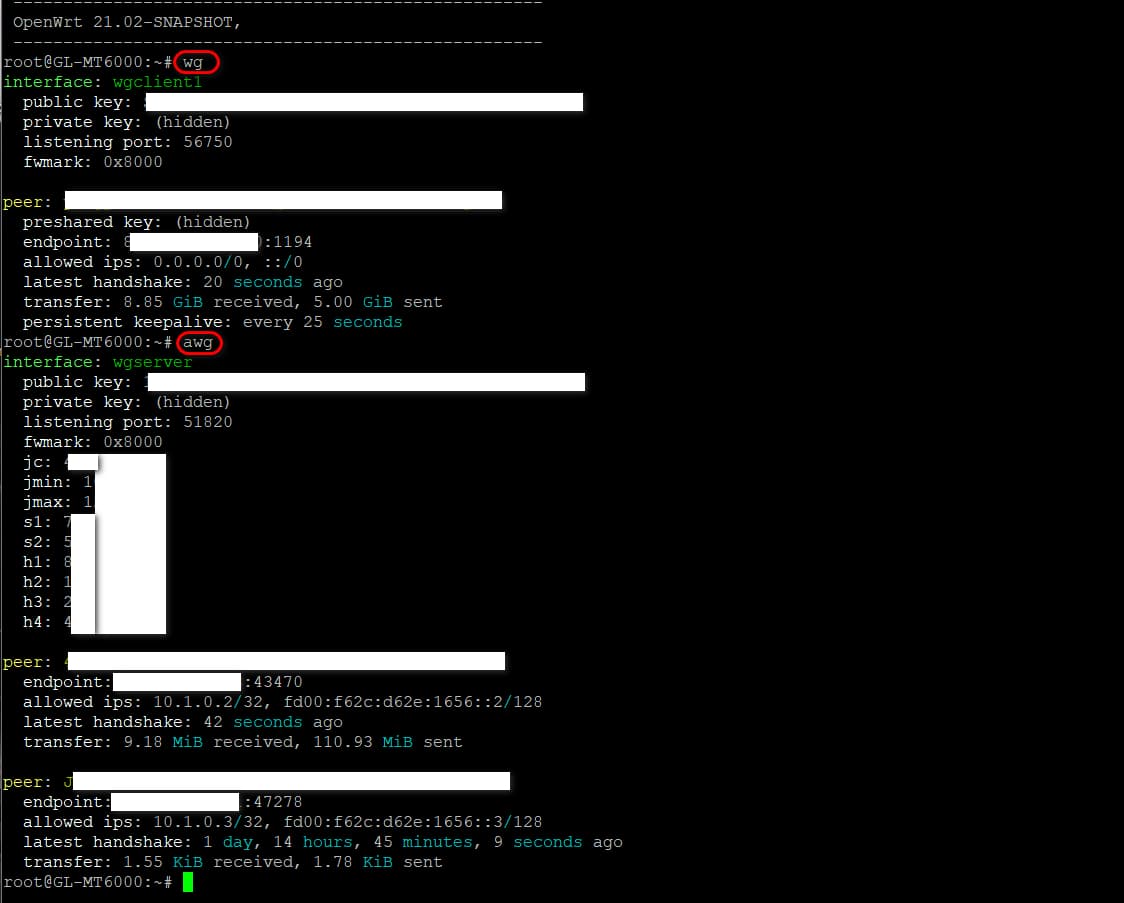
If the WireGuard interface is an AmneziaWG (obfuscated) tunnel, SSH to router and command awg —display something profile info; command wg —there will noting display.
If the WireGuard interface is a standard WireGuard tunnel, SSH to router and command wg —display something profile info; awg —there will noting display.
Another way:
ip -d link show dev wgclient1
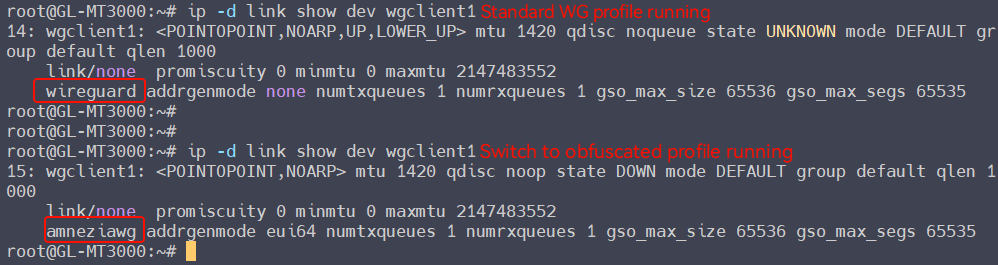
This will tell you whether your tunnel is using obfuscation or standard protocol.
2 Likes
AmneziaWG in Flint3 firmware is not currently supported.
Please allow a moment, it will be supported in the near future.
Many thanks @bruce for the detailed instruction. I have followed these steps but still unsure if the connection is using obfuscation or not. Here are screenshots of the output I got for your to kindly check. Many thanks again for your work on this.