Hello,
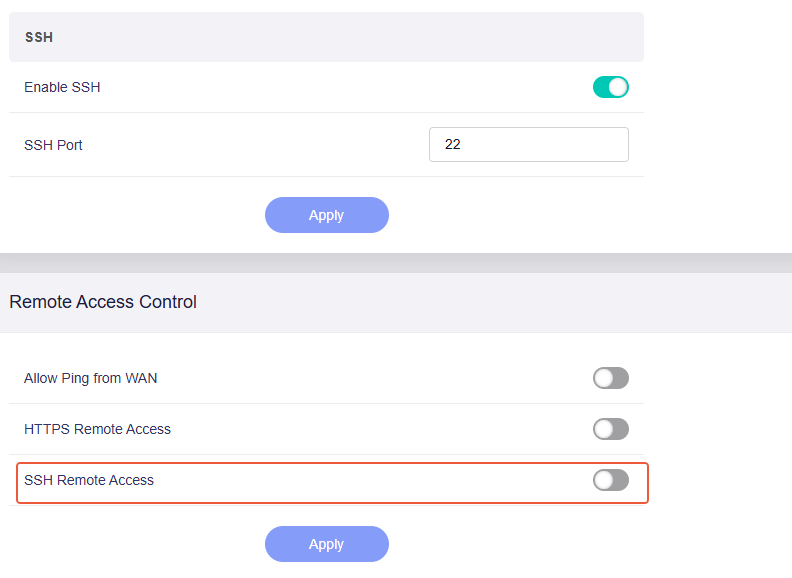
Under the default firmware configuration, when SSH Remote Access is not enabled, SSH connections to the WAN are not allowed:
There is no need to set SSH restrictions in LuCI anymore, i am worried it might cause conflicts.
Hello,
Under the default firmware configuration, when SSH Remote Access is not enabled, SSH connections to the WAN are not allowed:
There is no need to set SSH restrictions in LuCI anymore, i am worried it might cause conflicts.
The WiFi signal strength is not an issue, it’s simply the expected performance under current regulations.
Hi, sorry for the question but,When will beta 4.9 be available for the Flint 3e?
The release time of Flint3e I cannot certain now, sorry, but it is in the next batch of lists
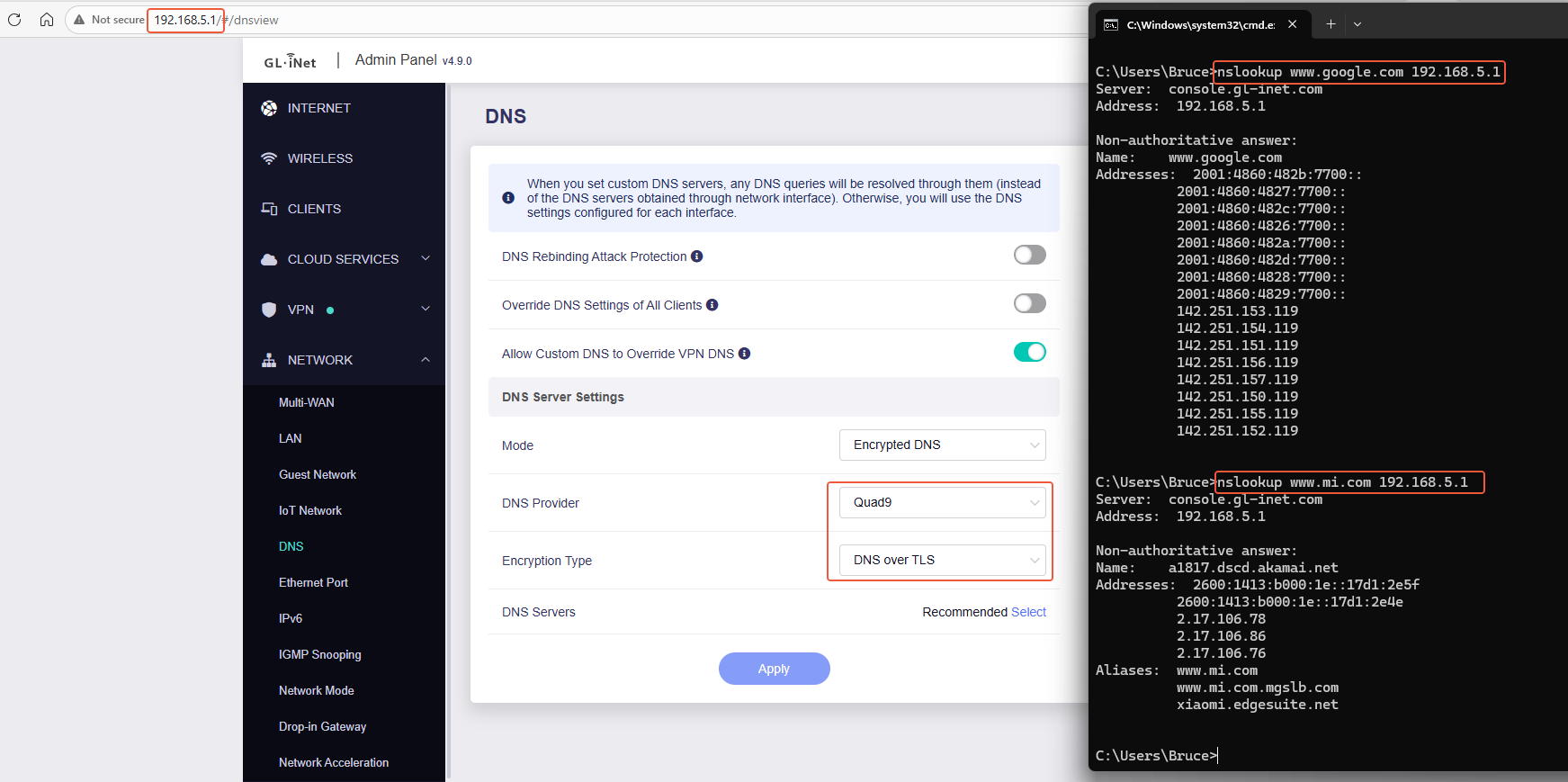
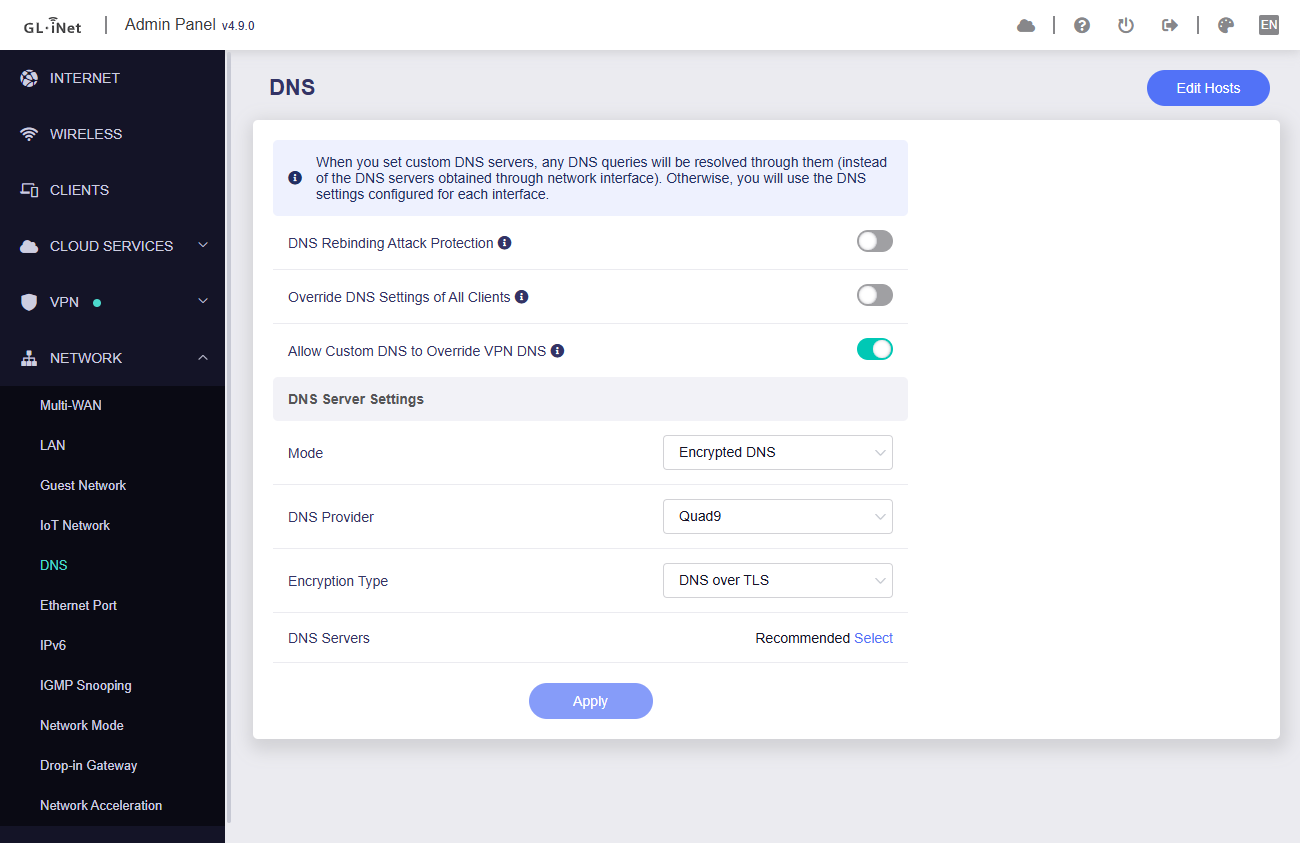
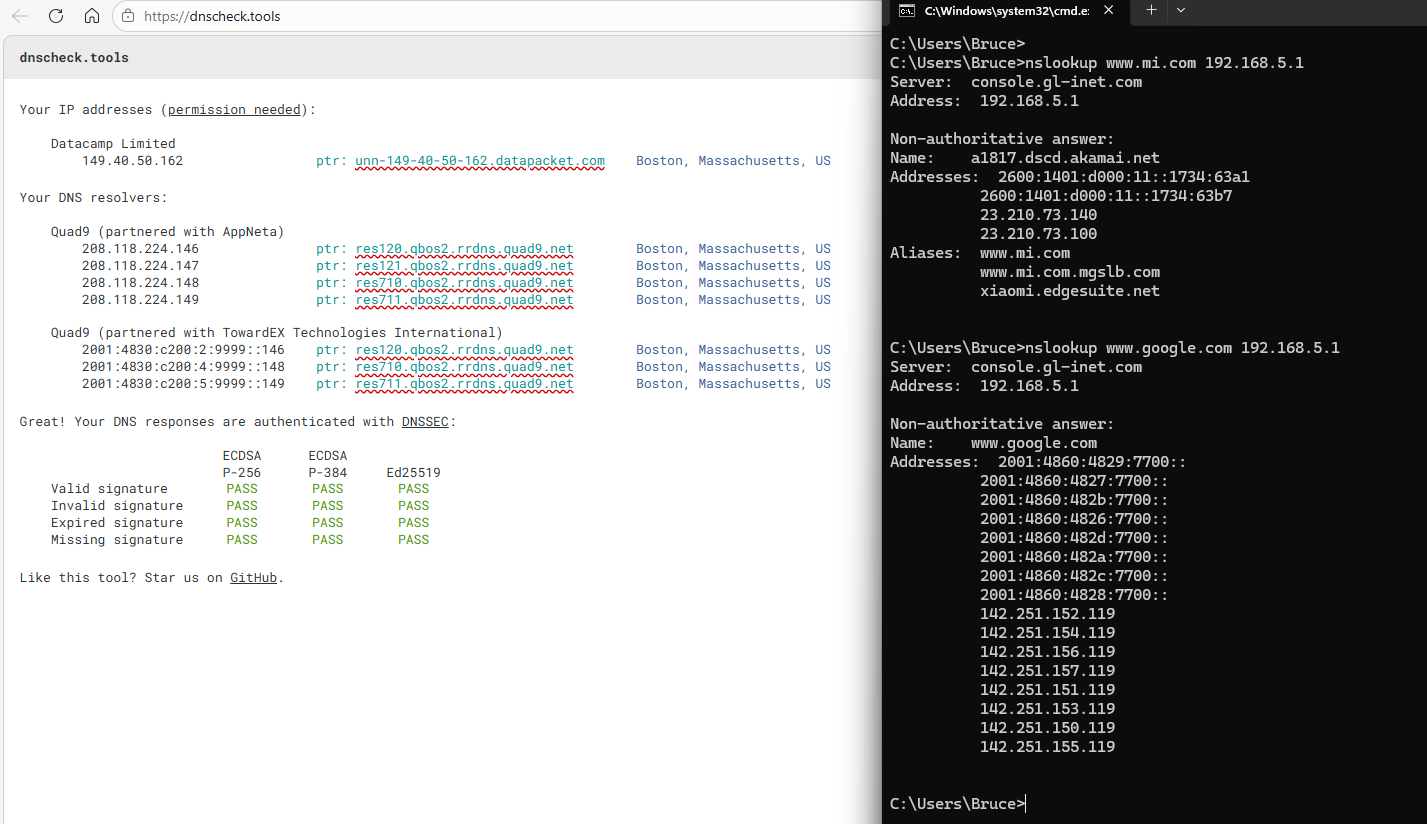
Please after selecting Quad9 try to test with https://dnscheck.tools/
This happens after checking with site above.
connection is restored choosing another DoT server (cloudflare for example)
I had gone into Luci and changed the interface from 'unspecified' to LAN without changing anything under Remote Access Countrol (SSH Remote Access is off). So I went back in to Luci and changed it back to 'unspecified'. That gives me SSH access from the WAN interface. Now, I had kept the 4.8.2 settings, so that might affect it. Are you sure access from the WAN is blocked by default?
Would it be an Idea to give us a timecontrolled switched we can assign ? f.e so we can assign this switch to adguard or tunnels just like the led or reboot timer .
I really can’t understand some decisions dear bruce, this user suggest a good idea, you can hide this settings under an “advanced” menu or something similar.
You sell advanced router for advanced users. If you hide the basic settings like this (used for tuning the wifi, specially in crowded environments) for basic people who complain everything… you're good to do a basic 3 button interface and stop.
Was this fixed on 4.9 Beta (released today 29th of April) for GL-MT3000?
I totally get where you're coming from, yep, but truly sorry there are the "behind the scenes" headache we face:
We use different chipsets across our models. Some wireless drivers are super picky—what works perfectly on one might cause a complete Wi-Fi crash on another. Keeping the GL GUI stable across the entire lineup is a balancing act.
You'd be surprised how many "advanced" users accidentally brick their Wi-Fi by tweaking one tiny parameter they didn't fully understand, and then our support team has to spend hours untangling it.
We aren't going "basic," we’re just trying to keep the main interface foolproof while leaving the back-end wide open for experts like you.
Appreciate the honest feedback. If you have any questions regarding wireless parameter configuration, even if different model or closed/open drive, technical support team will continue to do our utmost to assist you and can offer debug suggestions.
Hello,
May I know what kind of user scenario this is?
like an ADG or a VPN tunnel, under what circumstances would you turn them off after enabling them?
Yes, by default port 22 is not open to the WAN, so SSH access from the WAN will be blocked.
You can remove that custom rule, or reset the firmware, and test SSH access from the WAN again.
I see only 4.9.0 Beta from 20th of April here: GL.iNet download center for Flint 2
Ah. I follow. My nonstandard SSH port was retained, so I guess Luci was giving SSH access to WAN because the interface wasn't limited, while the GL-iNet was also giving SSH access on port 22 but blocked by default on the WAN interface.
Yes, but I’m talking about GL-MT3000 and not GL-MT6000 
Hello,
I tested https://dnscheck.tools/ and then tested with nslookup, the issue does not reproduce.
Could you please export your router backup configuration, and share it to me in PM, please let me know your web ui password as well.
timebaes schedules on tunnels or timeswitches like existing LED/Reboot for adguard.
Please don’t remove CPU temp from the GUI.
I feel like this is excessively heavy handed. The correct way to handle the issue would have been to show the operating temperature to the user, either on hover for the temperature value or on the empty space provided by the 0 value fan speed.