Firmware v4.9 Preview: What to Expect

@will.qiu The Beta 3 version on FLint 2 appears to have broken something related to DNS resolution. Since updating, I can still ping and access other computers on my network directly by IP address with no issues, but I can no longer access them using their device names.

I’m using AdGuard also with content filtering enabled, but I had the same settings on the Beta 1 version without any similar problems.

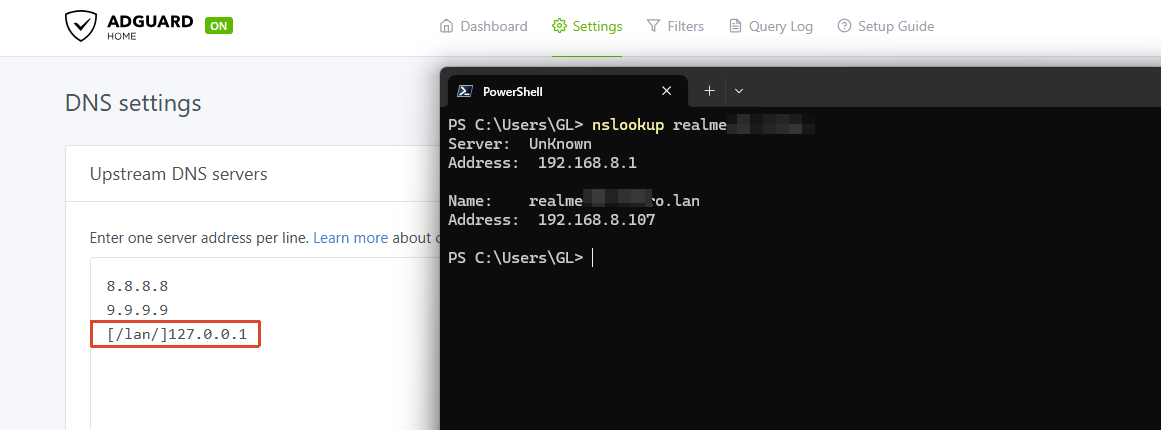
Please check whether the “AdGuard Home Handle Client Requests” option was enabled.

If it was, then you’ll need to add the following entry to AdGuard Home’s upstream DNS settings so that local domain requests can be resolved properly:

[/lan/]127.0.0.1

We tested this locally on the MT6000 running v4.8.4 and v4.9.0 beta3, and it worked as expected.

This behavior should be consistent across all versions — local domain requests need to be forwarded to the router’s local DNSMASQ instance for handling, since AdGuard Home itself does not appear to process these requests correctly.

1 Like

Small bug: DNS settings are reset on firmware upgrade.

Updated from beta 4 to 5.

DNS was set to Encrypted → NextDNS → DNS over QUIC

After upgrading, the router was resolving using Cloudflare. The Admin Panel still showed my Encrypted DNS configuration.

Resetting DNS settings to automatic and then back to my Encrypted DNS configuration applied the DNS resolver correctly again.

[GL-BE9300] Significant Internet throughput regression on 4.9.0 Beta (2026-05-16)

After upgrading from 4.8.4 stable to 4.9.0 Beta (2026-05-16), I experienced a major speed drop from >2 Gbps down to ~600 Mbps on Ethernet (link speed confirmed to be 2.5Gbps)

Troubleshooting steps already performed:

  • Toggled Network Acceleration on and off — no change
  • Enabled Packet Steering in LuCI — negligible improvement
  • Confirmed DPI, Content Filtering, and QoS are all disabled in the UI

Rolling back to 4.8.4 stable immediately restored speeds to >2.5 Gbps, confirming the regression is firmware-specific.

Note: I have not tested any earlier 4.9.x beta builds, so I cannot say whether this is a recent regression or present since the first 4.9.0 beta drop.

Happy to provide any additional diagnostics if useful.

I have the same issue on my Flint 3. Toggling from automatic to DNS set to Encrypted → NextDNS → DNS over QUIC, did not work for me.

Reverted to manual DNS config.

Hi,

We compared v4.8.4 with the latest v4.9.0 beta firmware locally, but were unable to reproduce the issue.

Could you please clarify the following:

  1. Does the Ethernet speed you mentioned refer to the wired internet speed?

  2. Besides the test PC, are all other devices also affected including the wireless devices?

  3. If possible, could you please follow the guide below and share your device with us via GoodCloud so we can check it remotely?

    Technical Support via GoodCloud - GL.iNet Router Docs 4

    Please also send us the MAC address and the router password via private message so that we can access the device.

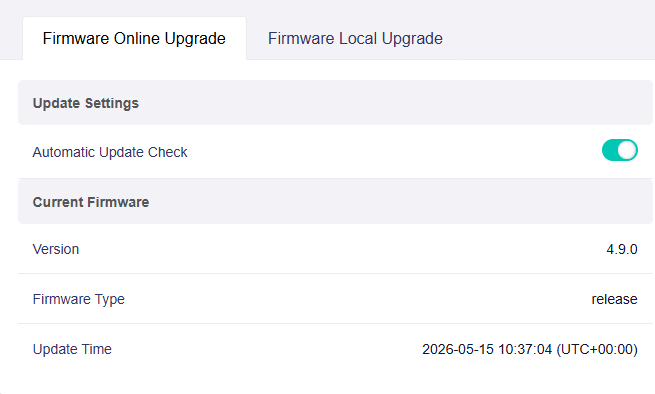
I have installed on my Flint 3 the latest firmware version:

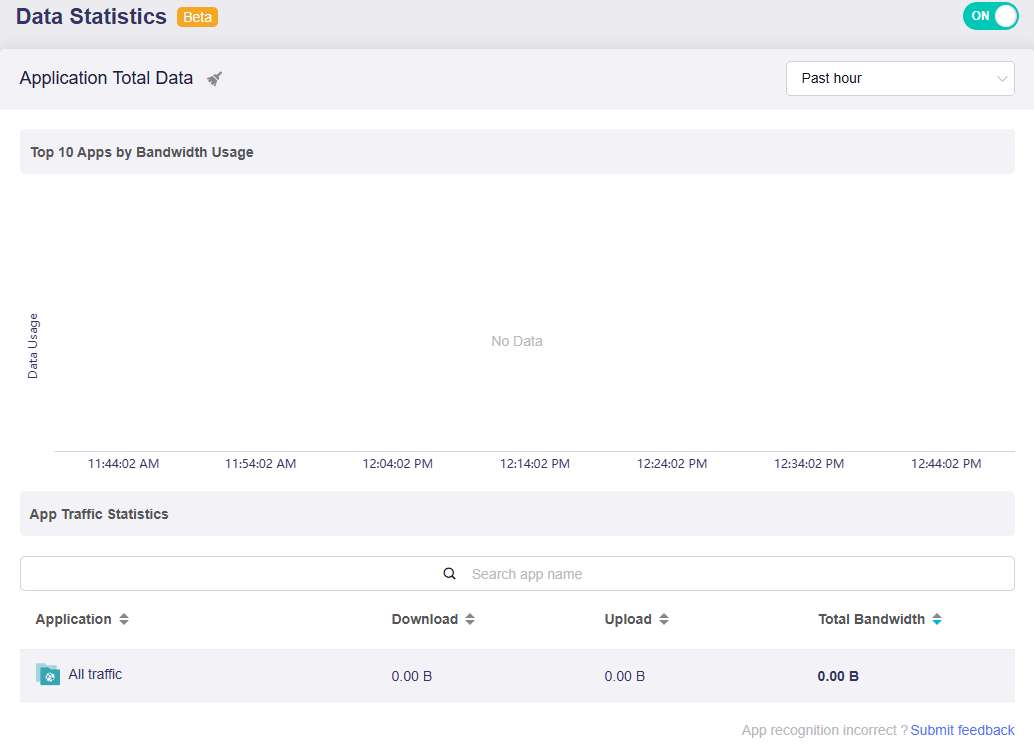
Whilst I never had any issues with the Data Statistics in the Flow Control menu in previous versions, in this version everything remains at zero:

I upgraded to the new firmware without retaining the settings.

I uploaded the settings using the file I had saved via LuCI from the previous version.

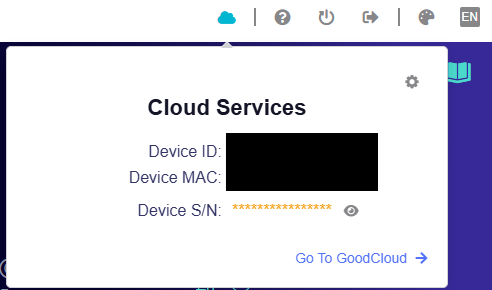
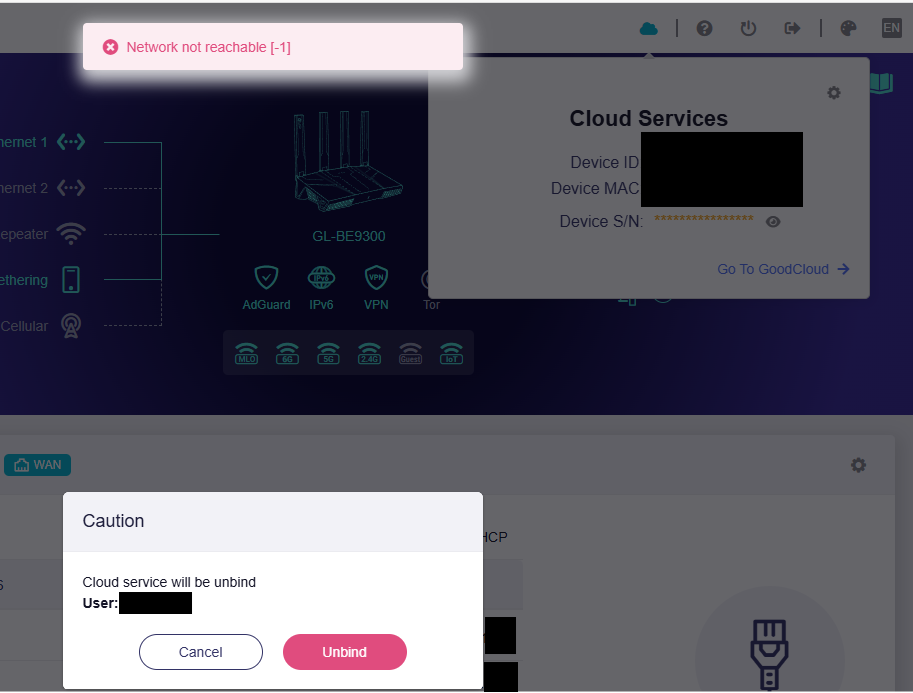
Another problem with this firmware is that GoodCloud tells me it’s working properly, but the website doesn’t show it as connected:

If I click on ‘unbind’, I get:

Well this update release on GL-X3000

Did you try to factory reset the router and DON`T upload your previous settings?

Set everything manually from scratch.

This is the way. Restoring backups often restores errors too.

1 Like

There were no errors before; everything was working properly.

And it’s handy to be able to upload configurations, especially for VPNs, AdGuard Home (and also for the names of connected devices) :sweat_smile:

But since you’re unable to resolve conventionally, try a clean flash.

Why hasn’t the 4.9.0 beta for GL.iNet Flint 3e been released yet?

1 Like

@caicy

It’s been “coming soon” for a month already, and there still hasn’t been update for flint 3e.

It's true, it's been almost two months and there's been no update for this model, nor any news, but let's hope it's soon.

Hello,

Maybe it`s worth updating to AdGuard Home v0.107.75 from version v0.107.73, seems they fixed a critical vulnerability :slight_smile:

Changelog:

This update gives AdGuard Home a solid security upgrade — think of it as tightening the locks and double-checking the doors.

We’ve fixed a critical vulnerability affecting DNS-over-QUIC and DNS-over-HTTPS that could put your DNS privacy at risk. The gap is now closed, and your encrypted traffic is back to traveling through a properly armored tunnel.

We also updated Go to the latest version, sweeping out known vulnerabilities in its libraries.

Acknowledgments

A special thanks to @N0zoM1z0 for reporting the vulnerability, our community moderators team and to everyone who filed and inspected issues, added translations, and helped us test this release!

Full changelog

See also the v0.107.75 GitHub milestone.

Security

  • Go version has been updated to prevent the possibility of exploiting the Go vulnerabilities fixed in 1.26.3.

  • IDs of requests received over DoH and DoQ and forwarded to plain-DNS upstreams are now set to non-zero values to improve security.

    This is GHSA-xgx4-4h9w-53pv. We thank @N0zoM1z0 for reporting this security issue.

Changed

  • Frontend API requests no longer depend on axios.

  • Dashboard charts use Recharts instead of Nivo.

  • enable_dnssec in dns configuration now defines whether the proxy should set the DO flag in the upstream requests, the default is true (#7046).

Fixed

  • Statistics database deadlock (#8359).

  • Translated labels on the DNS settings pages not updating after changing the UI language.

  • Dashboard charts now correctly display lower query counts (#6823).

  • Redundant validation warnings about DHCP when it's disabled (#8348).

  • Safe Browsing and Parental Control labels on the General Settings page not updating after changing the UI language.

Thanks guys! @will.qiu @bruce

3 Likes

Yes, I finally did...I was hoping for some less extreme solution, to save me work :sweat_smile: , but in the end I reset the router to its initial settings, redid the configurations...I'm just missing the vpn.

Now everything works

1 Like

Hi Void,

In this post you can find a script that works great for updating AdGuard Home:

3 Likes

Hi Earendil . Thanks. I’m using it for a few months. Was just trying to raise awareness for the team that maybe it would be useful to use the latest version before the final version of 4.9.0 is released

3 Likes