Firmware v4.9 Preview: What to Expect

GL-X3000 with 4.9.0 B2

First of all, VERY NICE UPDATES & ADDITIONS!

  1. Cell dialup: VERY FAST! It used to be that I could reboot the device, then have to wait for the dialup and IP connections to complete. Now, IPv4 & 6 are ready to play as soon as I an access the main page.
  2. Landing Page:
    1. very subtle, but effective changes to the SIM info subpage
    2. SIM 1 Information:
      1. You seem to have added the FBB.HOME APN - I know I told the update process to ignore all existing settings…
      2. Helpful addition of the SIM card phone number to distinguish between connections
  3. Wireless:
    1. Nice redesign that summarizes primary WiFi info by radio
    2. QR-code here is also a nice addition, but QR code is not available in disabled radio although the password for that radio is
  4. Clients (I’m routing multiple subnets through OPNSense to my Spitz):
    1. View Details is a very useful addition, that provides almost all the IPs seen for the client.
      1. IPv4 - only reports a single IP even though multiple are listed for this client in netstat output
      2. IPv6 - reports (almost) all addresses seen by this client.
      3. It’s not clear how often the IP list is refreshed internally; netstat output may differ
    2. Limit Speed - YESSSSS! I’ve wanted this for some time.
  5. Cloud Services: It looks and acts the same as in 4.8.4 B2
  6. VPN - I haven’t used this feature, but based on what I’ve seen from others hereabout, some folks are going to be very excited
  7. Network:
    1. IoT - this will be very well received
    2. IoT & Guests: can the BW limit feature be extended to either / both of these?
    3. DNS: NICE extensions to the Secure DNS options!
  8. Flow Control: yesYesYES!
    1. DPI engine - please clarify “DPI” on this page - it’ll be unclear to users new to these concepts
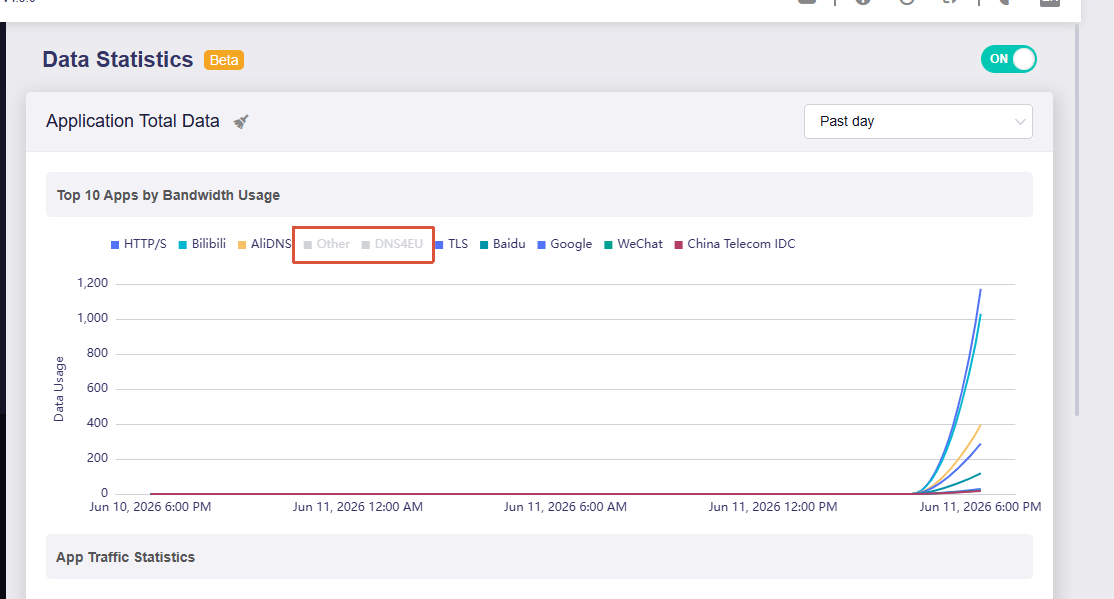
    2. Data Statistics - very nice layout and graphics. They appear to be pretty accurate so far. I have a couple of issues:
      1. it’s unclear to the user where the classifications are sourced. If they’re lucky enough to find it in their logs, they’ll learn that it and the engine comes from Netify and NTOP (Great Addition, BTW)
      2. Because the graph colors are somewhat limited, it’s likely that a color will be shared across protocols / applications. Where this becomes problematic is when you mouseover a line in the graph, the corresponding entry in the mouseover list should be highlighted (bold, italics, etc.) in some way so that the user can see what that line represents
    3. Content Filter - Lots of folks should enjoy this, and it’ll make for a nice backup to my OPNSense filters
    4. QoS - I have it set per the instructions, but haven’t really tested it yet.
    5. SQM
      1. It’s unclear from the text what distinguishes low vs. high BW connections in bps
      2. Nice mouseover explanation for why SQM can’t be enabled when QoS is enabled - lots of folks might want to try both together (I know; a networking dev nightmare)
    6. Parental Control - we’re retired and avoid childebeasts except for our gkids these days
  9. Security: ACL - I haven’t tried this yet; it looks like a GUI into uci for the firewall..? If so, why doesn’t it list the existing firewall rules?
  10. Applications:
    1. Dynamic DNS
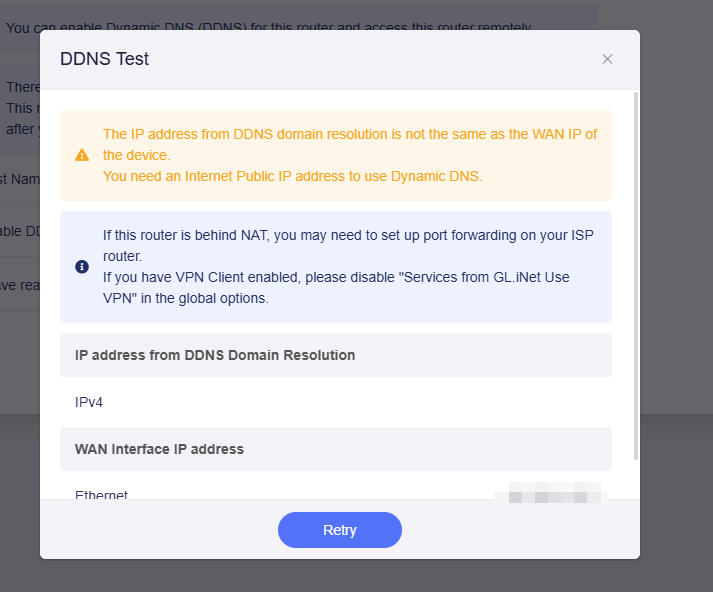
      1. Did you guys start up your own DDNS services? I don’t recall seeing this in prior builds.
      2. you might want to clarify that DMZ or port forwarding might be required as well as a DDNS entry
    2. Network Storage - even after nuking my configuration, it remembered mounted drives from the prior firmware
    3. AdGuard Home - haven’t used it (OPNSense handles that for me)
    4. Bark - when I click this item, I receive a red popup stating “Unknown error occurred,” but the controls appear to function. The NGNIX response is Uncaught (in promise) {"reqData":{"jsonrpc":"2.0","id":160,"method":"call","params":["84RsfW2pGxRKweAPvtnOfva46oJOTFO5","bark","get_config",{}]},"error":{"message":"Method not found","code":-32601}}"'
    5. Tailscale - I’m a ZeroTier user
    6. ZeroTier - Nice updates, but please:
      1. add the ZeroTier ID (the first 10 characters in the zerotier.gl.secret)
      2. add IPv6 addresses (when seen)
      3. add options for:
        1. use DNS
        2. use as default route
    7. TOR - haven’t used it
    8. eSIM Management:
      1. also produces a red “Unknown error occurred” popup and correctly indicates that no eSIM is installed
      2. You seem to have replaced EIOT with SIMPoYo - do these support IPv6? I know that the EIOT SIMs don’t (they told me so)
  11. System:
    1. still using OpenWrt 21.02-SNAPSHOT? Any chance we could see a more modern version?
    2. Scheduled Tasks - I don’t recall if the WiFi radios had entries here, but if not, excellent addition

All in all, you have some really good additions for me (us) to play with. I’ll reply to this if I discover any issues or have any suggestions.

Overall, WELL DONE!
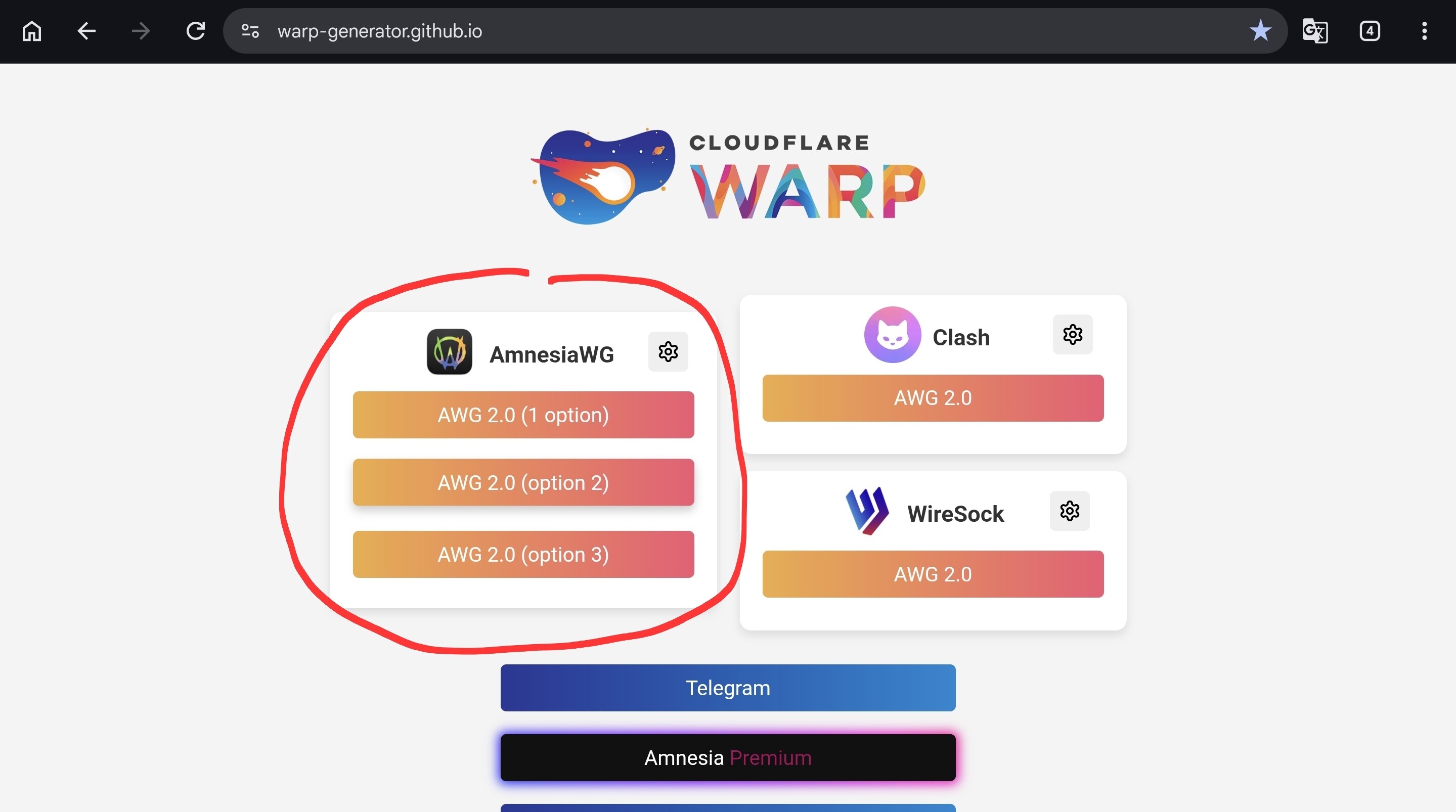
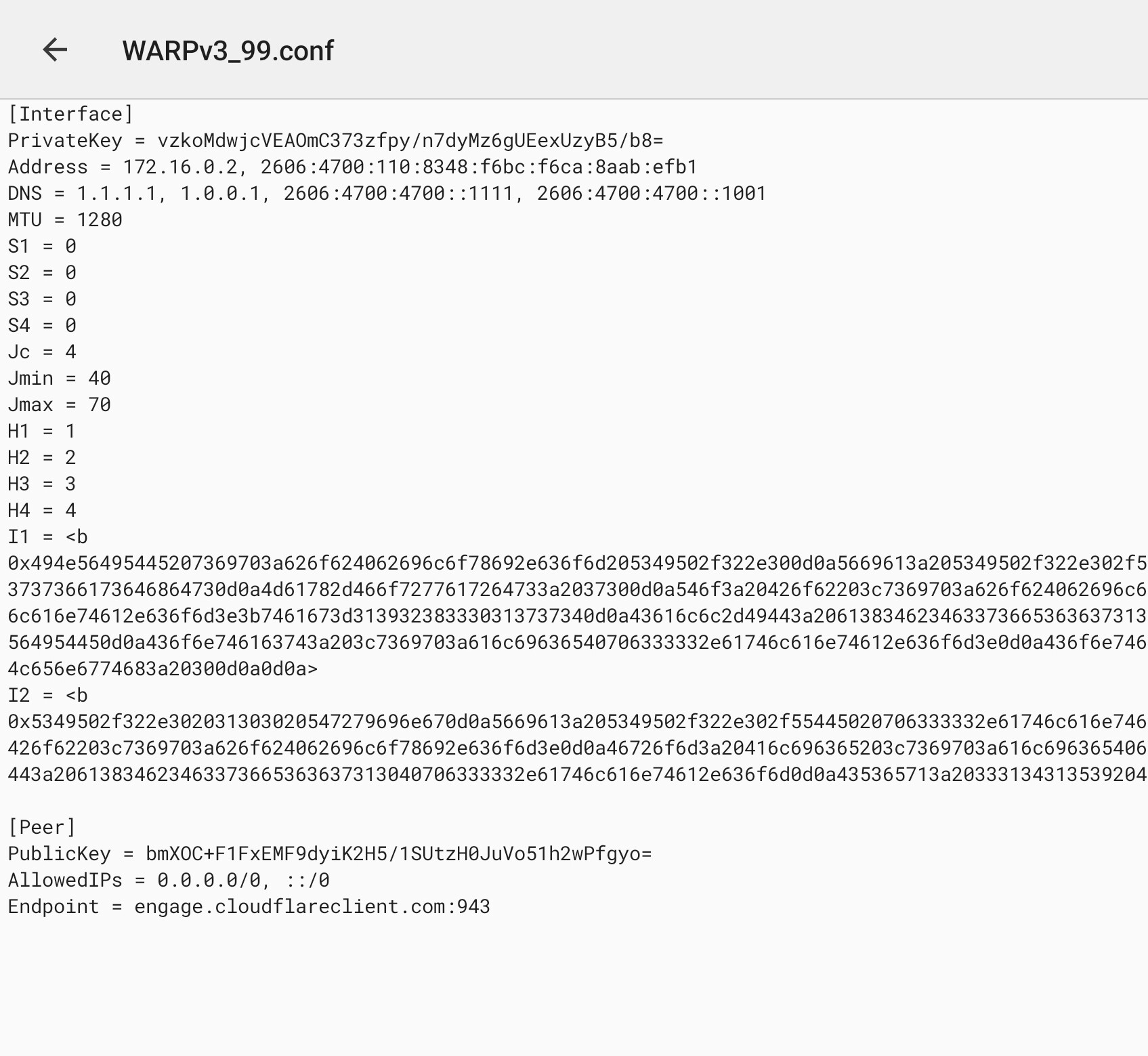
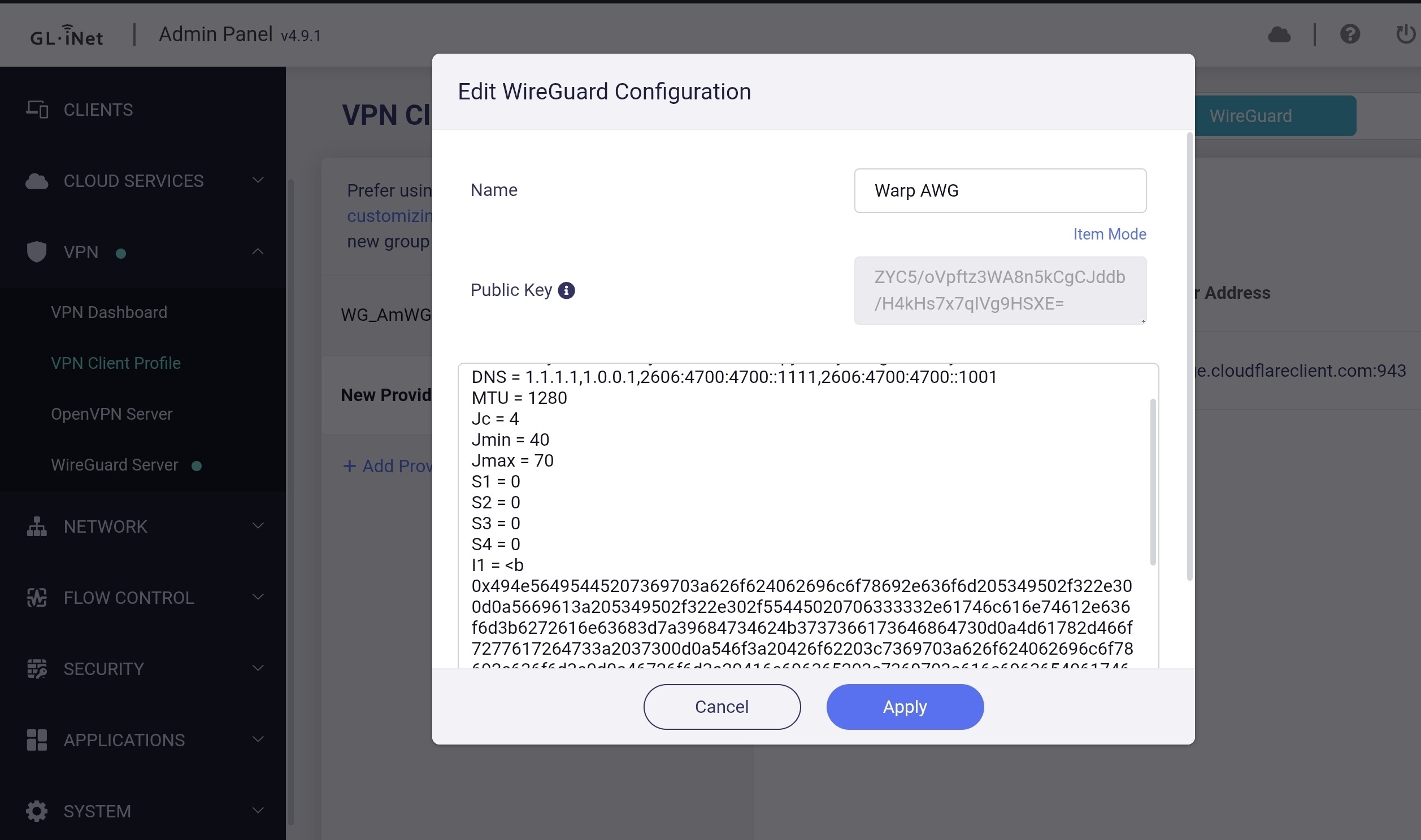
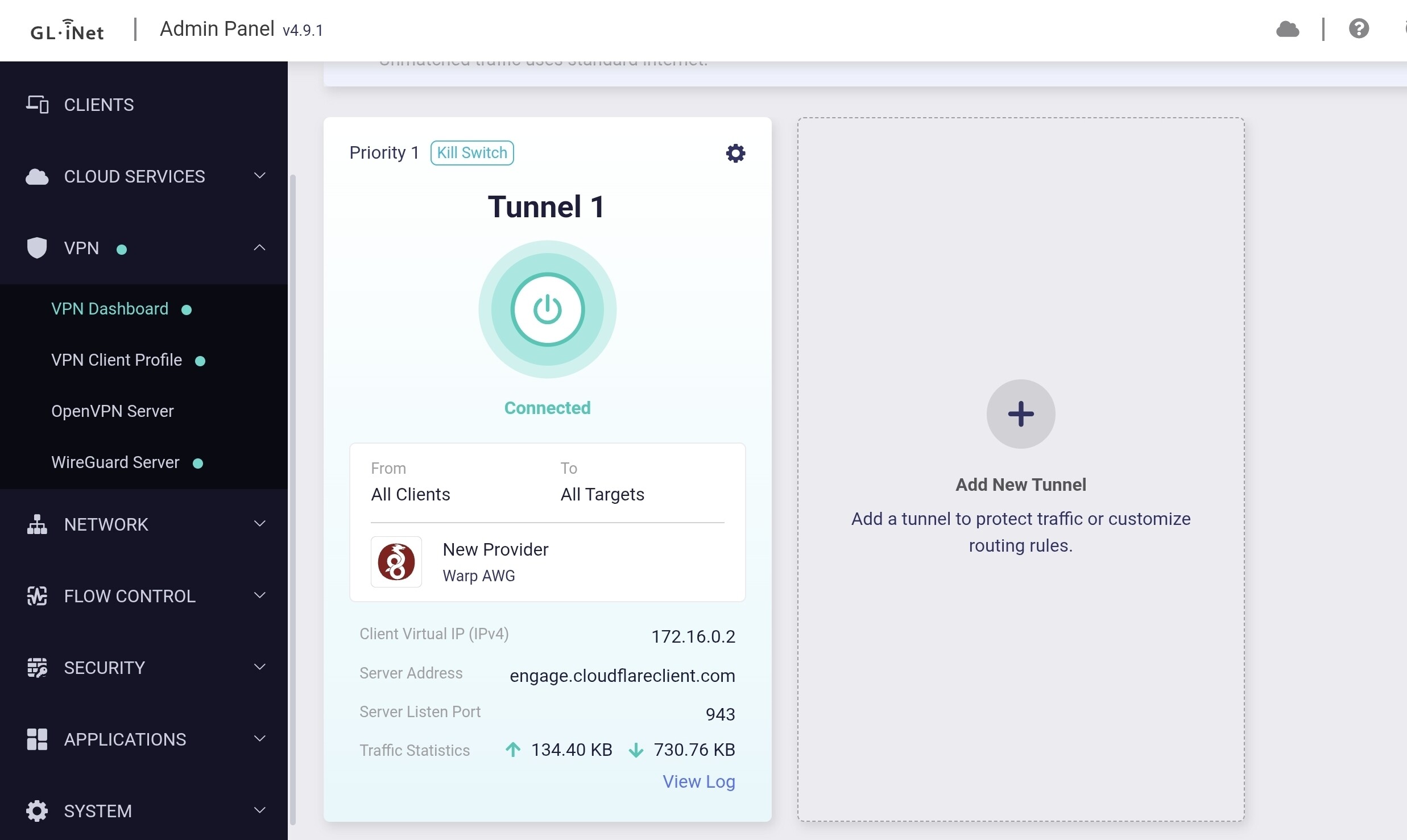
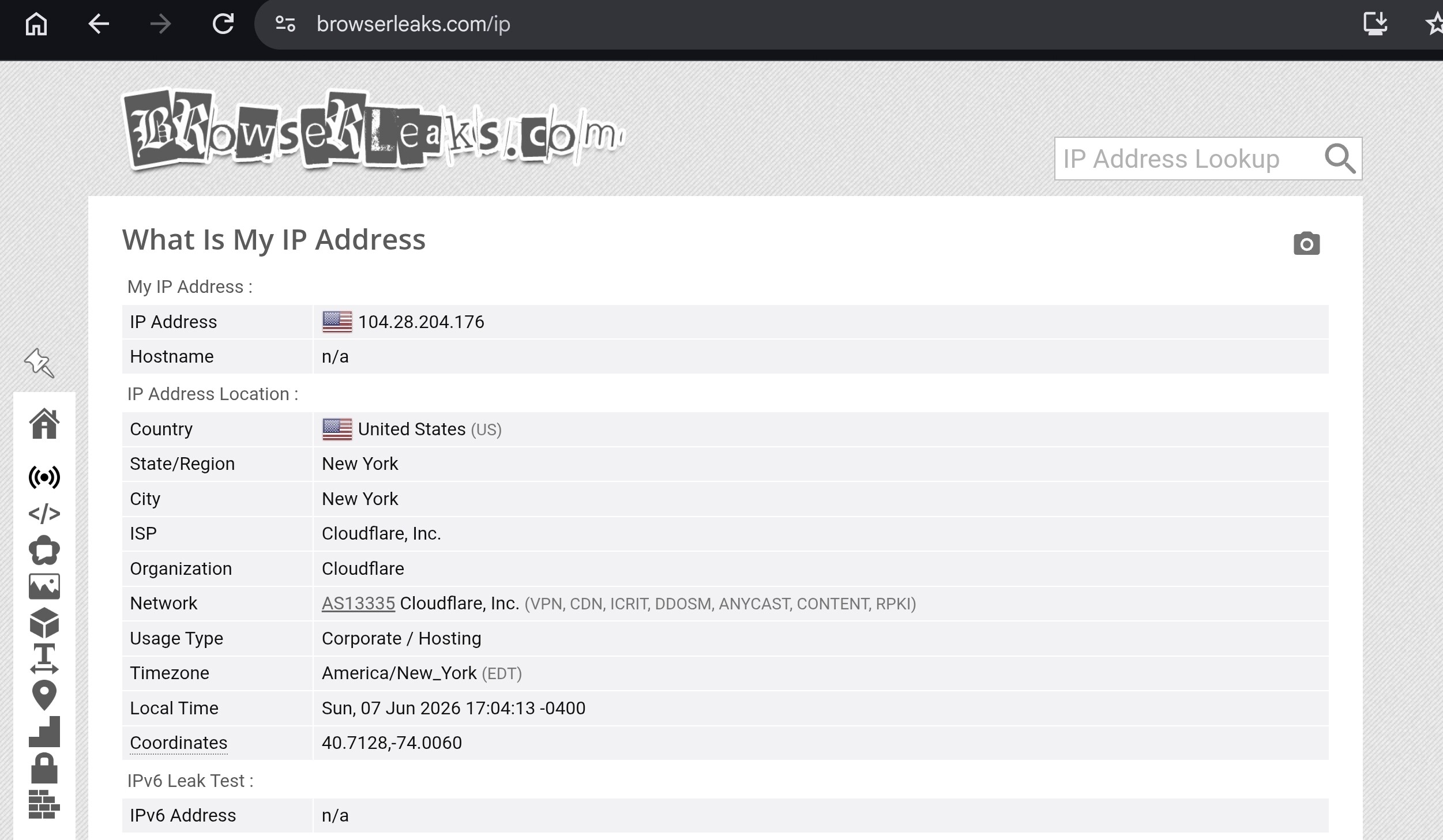
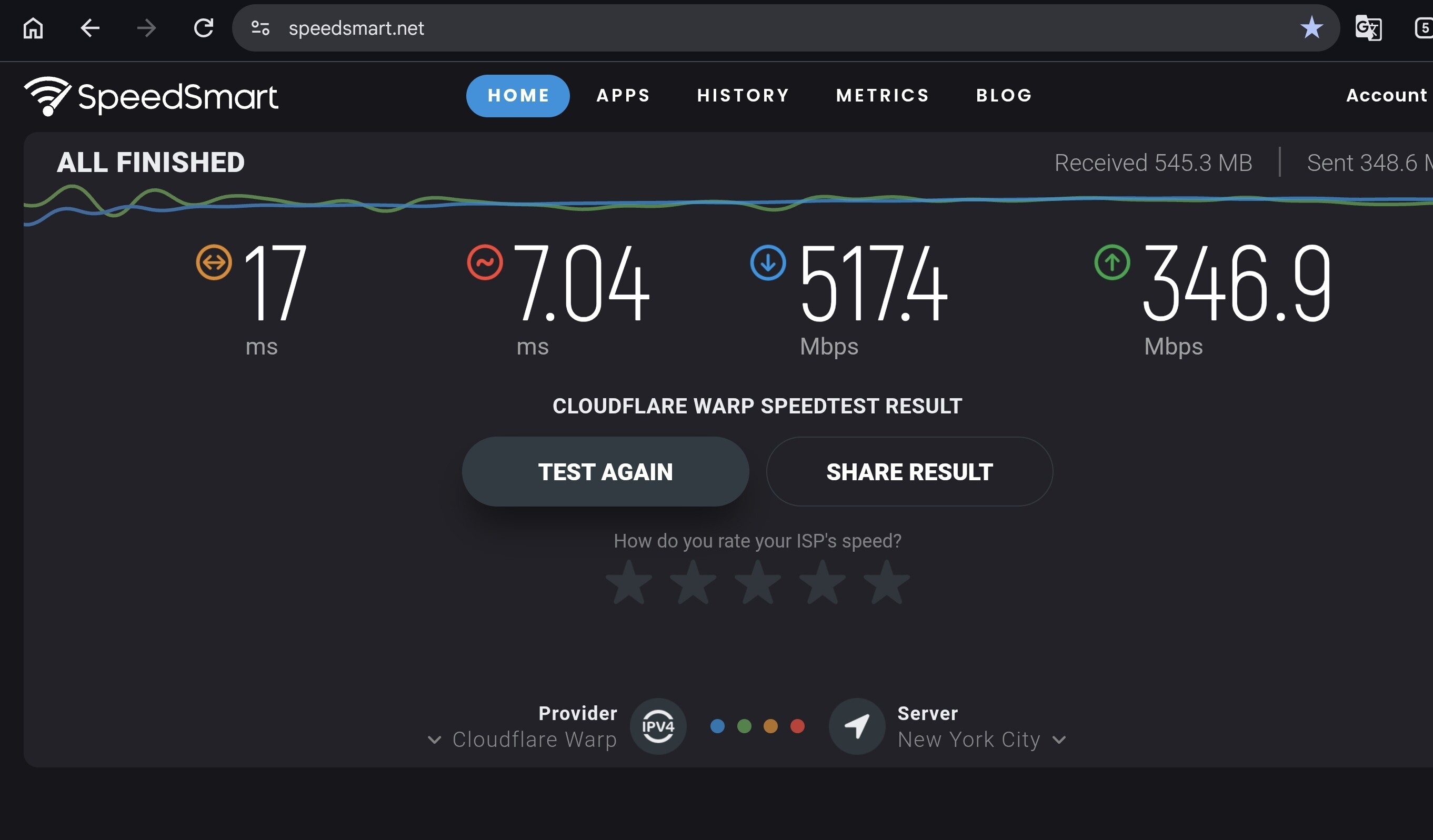
I don't have a Cloudflare account or use their app. After creating a Warp AWG config, I just copy it right into the GL.inet VPN client GUI options. I have to remove the H1-H4 parameters to save it.

Works well. I'm on a 1GIG fiber connection. Getting 500 megs through the tunnel.

This is a temporary config in the screenshots.

3 Likes

Unfortunately IP masquerading (enabled on both VPN server settings and also the VPN client dashboard) on 4.9.0-OP24 beta 2 is not working still. Tried with a ‘fresh install’ again and also with a UBOOT one as well with minimal settings and the VPN client is still showing my original WAN IP rather than that of the Windscribe VPN client. Install 4.9.0-OP21 beta 4 and IP masquerading is working again as usual. Very easily reproducible and a definite issue with the OP24 version.

1 Like

I’m not sure about effective (since I’ve never tried having L2TP connection to a router rather than through a router to an endpoint on the LAN), but it’s possible in OpenWRT with the installation of some plugins so I’m sure the support could be added to the GL-iNet admin GUI. Whether it would worth GL-iNet’s time and energy to add that support is another issue. I don’t think it would be a very heavily used feature.

I am 4.9 on a Flint 3…… TBH I am dissapointed with the limited number of block list in AdGuard but I manage to have 1.7Mill blocked sites and it still seems to be functional - I can’t help the limitations of the router.. And between the ad blocking in Vivaldi browser, the content filter - All list enabled and neccessary sites unblocked, AdGuard shows I am blocking 30-40% DNS requests and I can still use the internet…. That does not mean I will not use the Flint AdGuard - I need to lower my ad OCD…. lol :thinking:

My RasPi 5 AdGuard blocks 60-70+% of the DNS requests and using the internet is still functional for me. I have white listed a number of web sites which I have transferred to Flint AdGuard - perhaps that now does not need to be as extensive [the custom filters] if I am not using as many block list in the Flint as the RasPi. (I absolutely destest ads on the net and TV and streaming services)

I love the content filtering.

I am not yet using the Flint as the main router just yet as I am getting familiar with it first and will wait for the Flint 4 (I have a SAF - son acceptance factor) to consider before really using it.

Seconded.

The GL-X2000 development seems stuck, last stable firmware is close to a year old and even 4.8 development seems stuck. Really disappointing considering it’s such a recent device.

2 Likes

Gl.inet’s policy based routing uses ipset to route traffic after the IP has been resolved. Current settings allow for 65536 routing entries. This can easily be expanded into millions with a simple sysctl.conf update and no lag whatsoever.

1 Like

I had the same issue and had to roll back to v4.8.4 postponing the next upgrade when a newer release will be available with such issue fixed …

Absolutely agree. The most recent stable firmware update for the GL-X2000 was one year ago, which is entirely unacceptable given that it is a relatively new device. Also, it is based on OpenWRT 19.07, which reached end of life in April 2022. That's just a pure scam.

1 Like

Hi

I believe we discussed this request in another thread previously.

We have already forwarded it to the product team for consideration and evaluation, but at the moment there are no further updates or information that we can share.

In v4.9, the IoT Wi-Fi network is already connected to the br-iot bridge and the IoT network by default.

Could you please provide more details about your requirements so that we can better assist you?

It may be more appropriate to create a new thread and include information such as:

  • Your current network topology
  • Your planned VLAN design
  • Router model and firmware version

This will help us and other community members better understand your setup and provide more accurate suggestions.

Yes, we do plan to add the ability to configure port VLANs and assign ports to different networks.

However, there is not much additional information available at this time, and we do not yet have a specific timeline to share.

1 Like

Hi

It sounds like you may be looking for Drop-in Gateway Mode.

Please refer to the following guide and see if it meets your requirements:

Hi

By default, google.com already matches *.google.com, so using * may not be necessary.

See:

Unfortunately, we currently have no plans to support L2TP/IPsec.

The value has a slightly different meaning here.
There are servers that have numeric values.
For example, yt3.l.google.com.
But the next day, the CDN rebuilds and says it goes to yt4.l.google.com.
I could do l.google.com.
But that wouldn't be correct, since another service that shouldn't be there would be tunneled. So, in Mikrotik, I use the regex * yt
*.l.google.com.

Is it possible to use two lists simultaneously?

For example, one rule for forwarding and one for exclusions
so that the specified addresses are never routed through the tunnel?

Many of our applications can check whether you're using a VPN.
They use standard API requests, so I sometimes specify an IP subnet and domains for routing through the tunnel (redirect). There's a list that should 100% only go through the WAN; in my configuration, it's called "direct."

Hi

Thank you for your detailed testing and feedback on the X3000 v4.9.0 Beta 2.

Please see our responses below:

3.2

We believe the primary purpose of the QR code is to allow mobile devices to scan and connect to an active Wi-Fi network. Since the radio is disabled, the QR code would not be usable in that situation, which is why it is hidden.

The password, on the other hand, is hidden by default and only displayed when the user explicitly chooses to reveal it, so we consider that a slightly different case.


4.1.1

Do you mean a scenario where a single network interface has multiple IPv4 addresses within the same subnet?

We have not specifically considered that use case so far. We will make a note of it and see whether other users have similar requirements before discussing it further with the product team.


7.2

Which BW limit feature are you referring to?

If you mean the blacklist/whitelist functions, Access Control rules, or the previously mentioned Speed Limit feature, then yes, they also apply to Guest and IoT networks. You can find the corresponding devices under Admin Panel → Clients and configure the restrictions there.


8.2.2

Thank you for the suggestion. We will discuss it with the product team and see how the interface can be improved.

For now, you can click the highlighted area shown below to hide specific categories, which may make it easier to focus on a particular type of traffic.


8.5.1

We think that around 500 Mbps is generally a reasonable dividing line.

That said, the optimal value depends on the user's network environment. We would recommend using bufferbloat tests to determine the most appropriate setting.


9

At present, this feature is intended only for creating new custom firewall rules. It is not currently designed to display the status of existing firewall rules.


10.1

Our GL DDNS service has actually been available for several years. It is possible that it simply went unnoticed in earlier firmware versions.


Yes, we already provide a reminder about this. You can see it by clicking DDNS Test on the DDNS page.


10.4

Thank you for the feedback.

The X3000 does not support the Bark feature, so this appears to be a frontend UI issue that is displaying the option incorrectly. We have already asked the development team to fix it.


10.6

Thank you for the ZeroTier feature suggestions. We will record them and forward them to the product team for consideration.


10.8.1

Thank you for the report. We will ask the development team to investigate.


10.8.2

SIMPoYo physical SIM cards and eSIM profiles do not currently support IPv6 either.


11.1

Since the X3000 stock firmware is built on the MediaTek SDK, firmware updates of the underlying OpenWrt version are generally dependent on MediaTek providing a newer platform release.

That said, the X3000 already has native OpenWrt support available. Users who do not require the GL.iNet UI may prefer to run native OpenWrt directly.

1 Like

New round of firmwares out for Brume, Beryl AX etc. 3 changes, appear common to all:

Bug Fixes

  • 2026-05-29: Update the dnsmasq component to version 2.92, incorporating upstream CVE fixes.

  • 2026-06-09: Fixed an issue where dnsmasq allocated one extra IP address from the address pool.

  • 2026-06-09: Fixed an issue where VPN could not connect when both Global Kill Switch and AdGuardHome were enabled.

1 Like

Waiting for 4.9 Beta 3 to include this Brume 3 VLAN fix.

@will.qiu thanks for the detailed responses!

3.2 fair enough…

4.1.1
”Do you mean a scenario where a single network interface has multiple IPv4 addresses within the same subnet?”
No, there are multiple routed subnets behind my OPNSense firewall, for which the clients are “visible” to the Spitz. For example, the OPNsense appears as 192.168.8.2 with MAC address 1A:2B:3C:4D:5E:6F, but Client2 behind the OPNsense appears as 10.11.12.13, also with MAC address 1A:2B:3C:4D:5E:6F (standard routing scenario).
Netstat on the Spitz correctly shows these connections.

7.2
”You can find the corresponding devices under Admin Panel → Clients and configure the restrictions there.”
That’s fine for individual clients and overall BW limits - what I’m asking for is this to be applied on a per-network basis; fir example, LAN and Guests would have full flow, but IoT would be BW-limited to 1Mbps for all IoT clients regardless of the upstream BW capacity (limits their use as part of a bot farm).
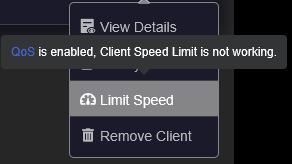
Unfortunately, QoS & SQM appear to be incompatible with the per-client BW functionality:

8.2.2
Thanks

8.5.1
I suspected as much. I had tried SQM from an article I found in these forums. It didn’t seem to make much difference, but that article didn’t address the “crossover” BW.

10.8.2 (eSIM IPv6)

:sob:
Seriously, there are scenarios where IPv6 provides connectivity where IPv4 can’t. A common use case is working remotely using an employer’s VPN.
The VPN solution one employer required is IPv4-only (as are so many of them), so if I needed to connect to resources either at home or elsewhere while connected to their VPN, I need to use IPv6. With an IPv4-only SIM, this isn’t possible.

11.1
That’s a shame (but understandable; you can’t change what you don’t own), since the Spitz UI manages configurations and settings not found in OpenWRT LuCI.

Still, the updates are highly welcomed and I’m looking forward to more improvements!