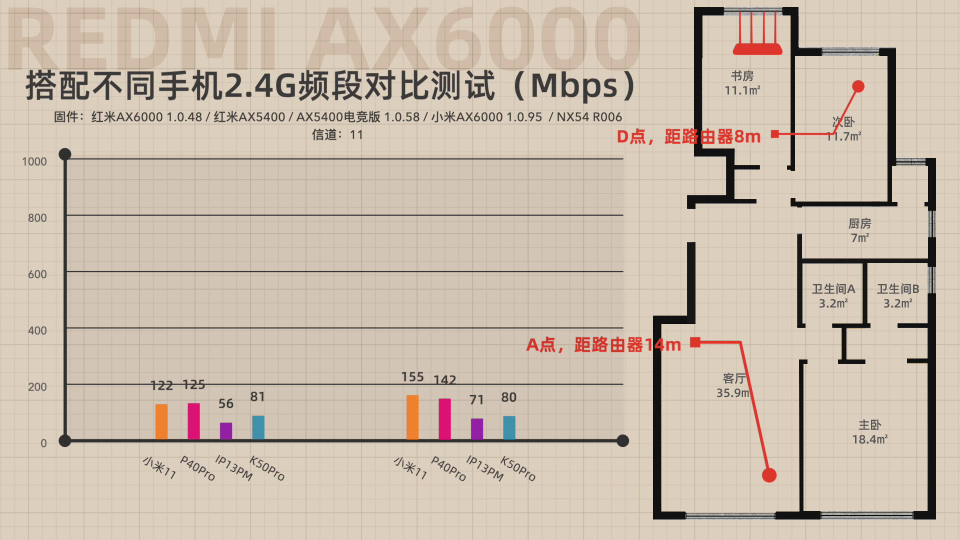
About the 2,4Ghz speed issue, it seems that Redmi AX6000 (same MT6000 specs) does not have this problem. See this video on minute 5min39s and you can see the 2,4ghz comparation with other routers. There’s no 2.4ghz issue.

About the 2,4Ghz speed issue, it seems that Redmi AX6000 (same MT6000 specs) does not have this problem. See this video on minute 5min39s and you can see the 2,4ghz comparation with other routers. There’s no 2.4ghz issue.
I think that’s a general test with just the Xiaomi Mi 11? However, if you skip 7 minutes into the video then you’ll see the phone test results (2.4GHz on channel 11) and it seems similar to what we’re seeing with the GL-MT6000.
The Xiaomi Mi 11 and the Huawei P40 Pro support 802.11ax via the 2.4GHz band, so that’s why they’re getting over 100Mbps.
And based on the speeds of the iPhone 13 Pro Max and Redmi K50 Pro I’d assume they’re using 802.11n. So maybe a compatibility or driver issue?
I have a s21+ and previously had a redmi ax6 and in the same conditions as the mt6000, reaching 300mb at 40hz on 2.4.
Ok maybe it’s a xiaomi router + xiaomi smartphone optimization, both same brand. Anyone knows if the xiaomi firmware uses a proprietary wifi driver?
They might use the proprietary MTK driver in the router? I wouldn’t know for sure without downloading the firmware and running it though binwalk.
If you’ve got a device that supports 802.11ax on both bands then you should easily get more than 100Mbps. Unless you’ve got an Apple device anyway 
Personally I don’t care much about the 2.4GHz speed. For me it’s mainly the range that seems poor, since my signal is always stronger when using 5GHz.
Right. What’s piss me off is that 2.4ghz on my notebook, wifi ax, it’s just fine, full speed. But on my wife’s Samsung Galaxy S10, wifi ax, it’s awful. And it does not happen on other ax routers I tested (including Mt3000). Let’s hope and wait for the fix.
It seems that 2.4ghz works normally now with my non-ax phone.
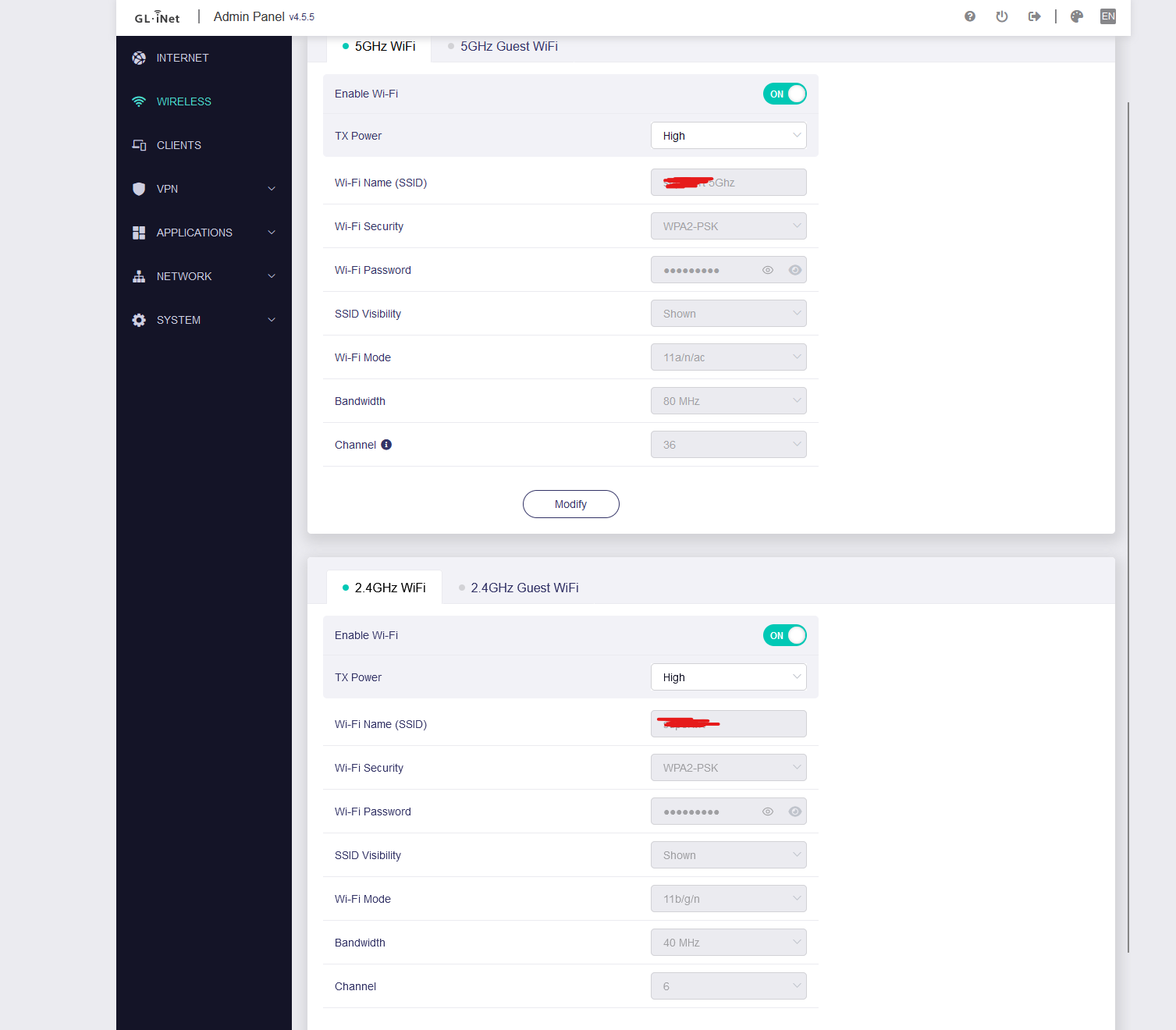
2.4ghz with ax enabled and using 4.5.5 release 3 firmware.
I use these settings and I’m not too happy with how it works, both channels, wrt1900acs v2 moves better with the latest driver updates with openwrt…
for now, I don’t have any client that uses the AX standard, I also used the combination with AX and the latter one that appears in the image seems more ok, very low signal range at about 10 meters in the speed test on 5ghz I reach somewhere around 50mbps with TX Power max
Never had problems with 5Ghz.
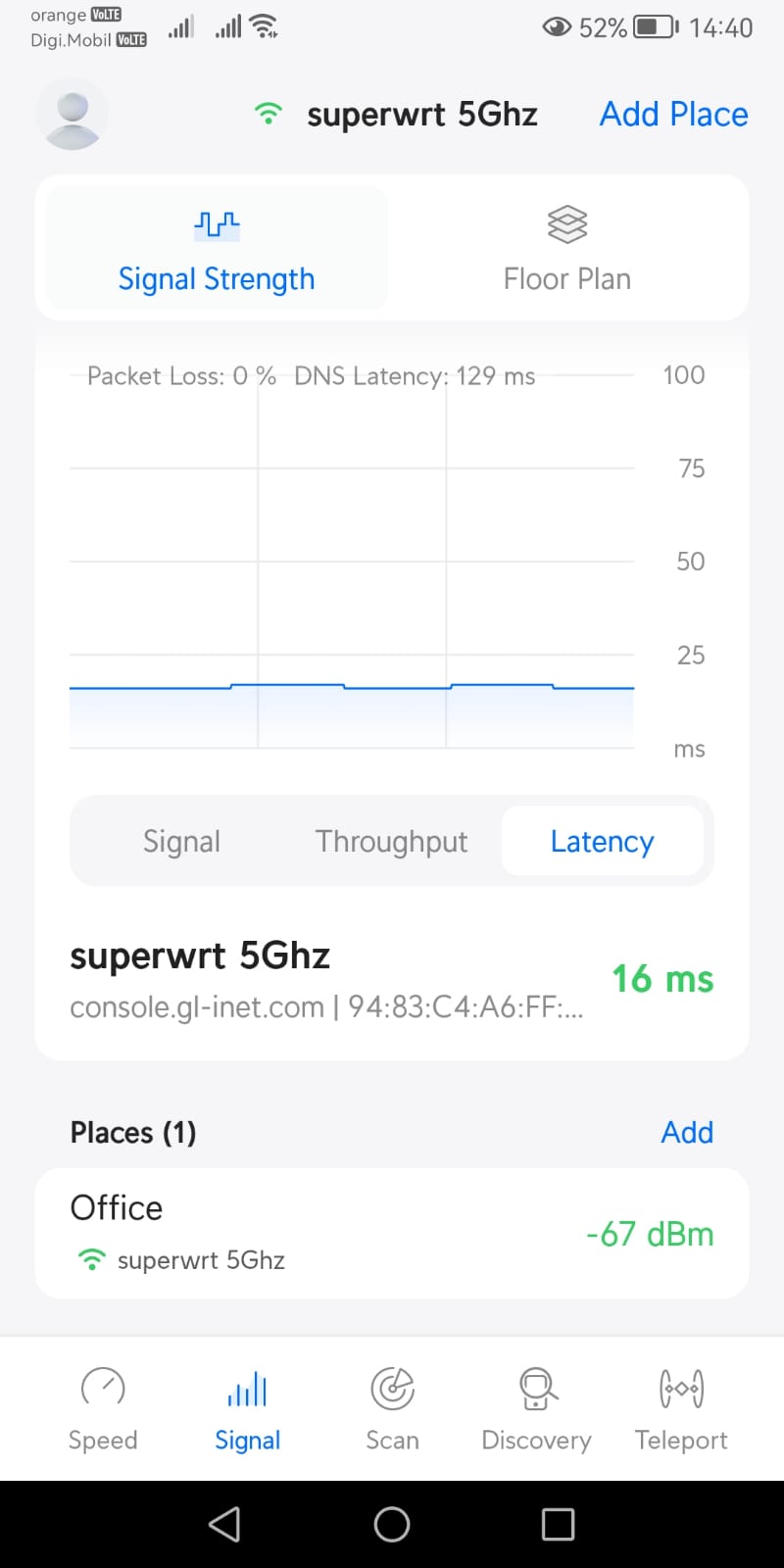
I don’t have any disconnection problems, the thing is that on one of the TVs when I want to watch YouTube, it doesn’t play in 1080 because the signal is weak, I don’t understand, in the speed test on the phone I download somewhere at 500mbps and upload 300 at a distance of 1m from the router, no I know why it suffers on the upload side, the latency is ok on 5Ghz
I think it is not well understood by the device that do not know the AX standard…
I uploaded a small video with speed test on wifi PC Motherboard Name Asus ROG Maximus X Code and you can see the anomaly, it only knows standard AC, THE COMPUTER IS POSITIONED UNDER THE ROUTER!
THE SERVER IS FROM MY PROVIDER IT IS SAFE…
5ghz
2ghz test
Well the problem is hit or miss right now. I had problems with non-ax device on 2.4ghz but 5Gghz was still fine. Now my 2.4ghz works normally but others still doesn’t. I don’t have any super technical skills so I cannot really suggest any helpful advise aside from upgrading the PC to AX I guess. I hope it will also get fixed on your side too when they release another fw.
EDIT:
Well maybe I celebrated too early. My 2.4ghz is now again throttled to 5mps max. The only difference from earlier was I was using SQM and now Im using Network Acceleration. Will try to use SQM again.
No luck. Broken 2.4ghz again 
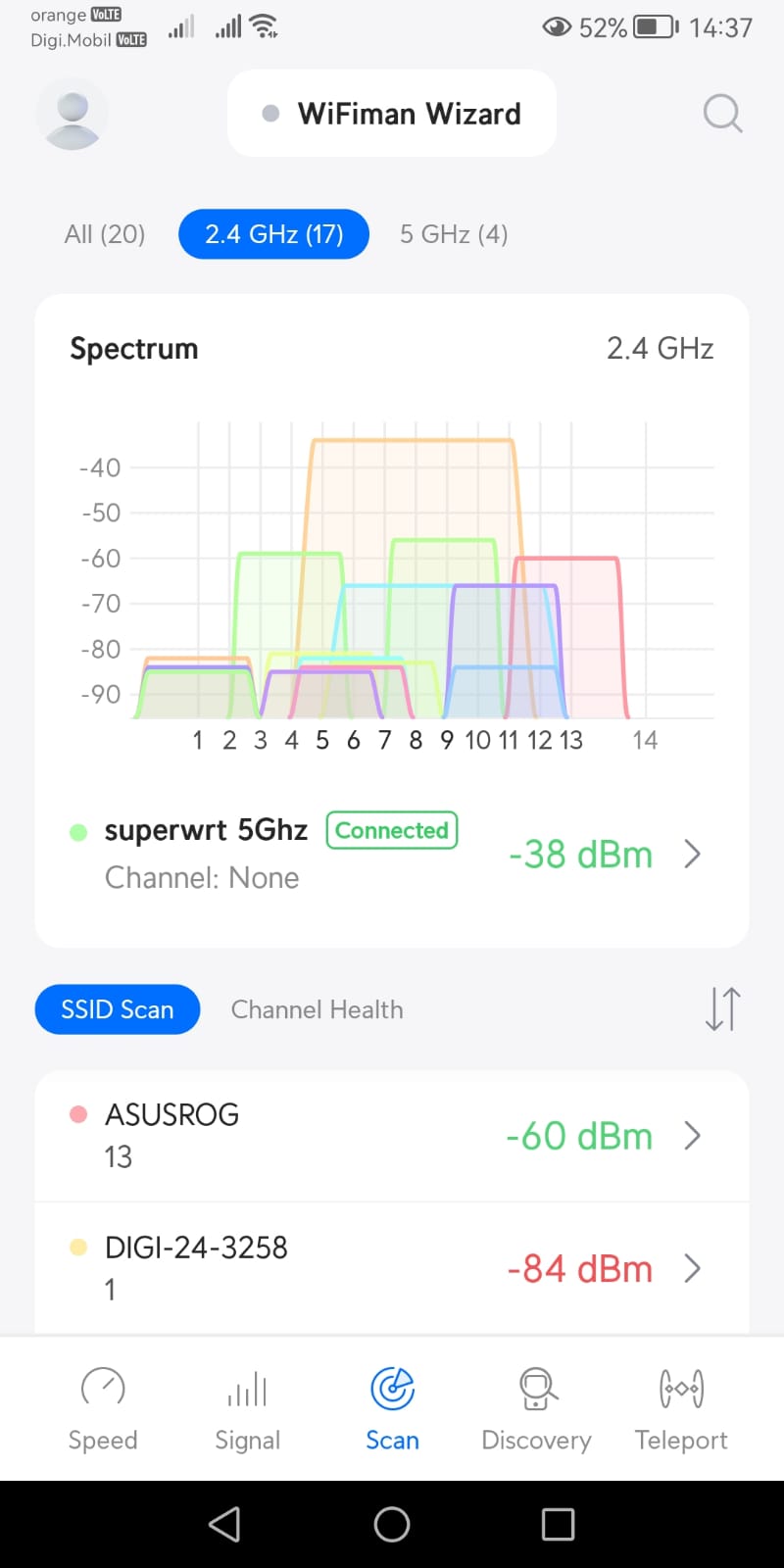
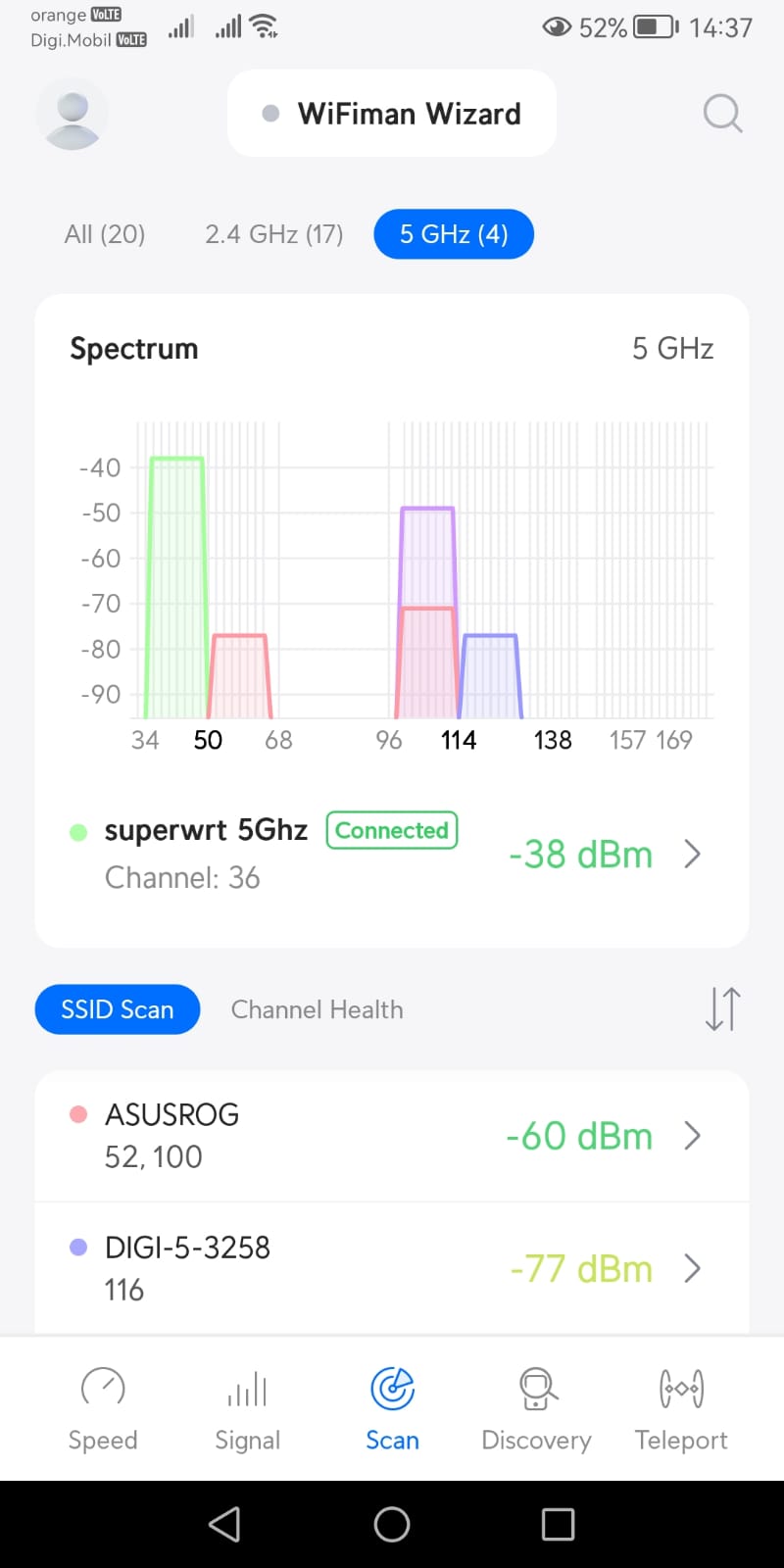
I’m surprised channels 36 to 48 aren’t congested for you, since most routers default to channel 36 or 44.
Have you tried using a DFS channel like 120, since they normally have a higher transmit power?
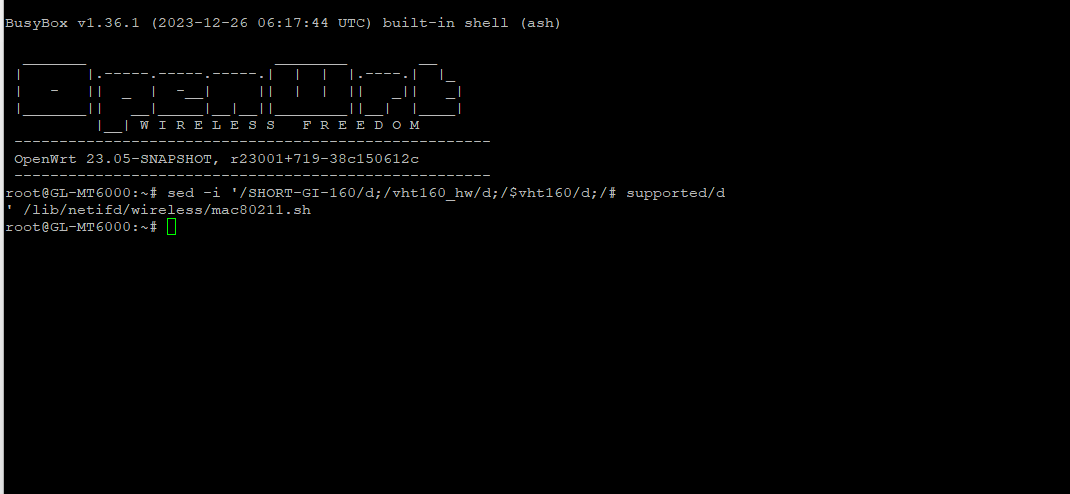
You could backup mac80211.sh, apply this patch and then reboot? I don’t expect it to work, but there’s no harm in trying.
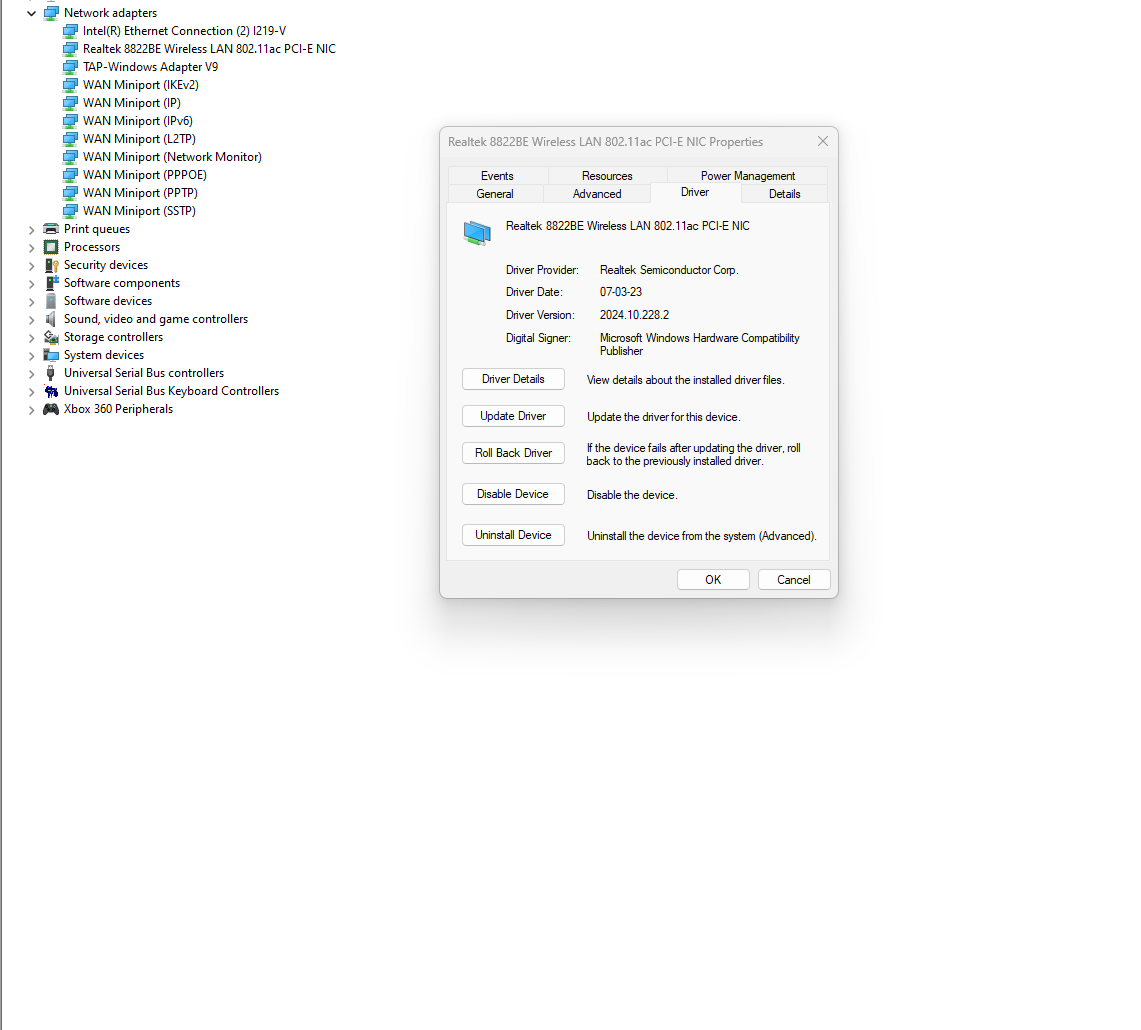
What’s your RTL8822BE driver version? The latest version for Windows 11 appears to be 2024.10.139.1.
If changing the driver doesn’t help then you could use Wireshark to see if there’s any packet loss.
this channel is not visible!
yes now!
I use the latest versions the latest versions of Windows drivers , everything for me is with a software license and updated bios…
I did a speed test with samsung galaxy s23 ultra and the peak on AX constantly showed 798 download and 820 upload!
my guess is that it doesn’t handle non-AX devices 
I used the old wrt1900acs v2 router in this configuration and it worked constantly 540mbps wifi AC 5Ghz and 2.4Ghz 280 Mbps
You waited a minute or two, right? Since DFS can take that long until it’s up and running.
If waiting doesn’t help then I guess your device simply doesn’t support DFS channels. And I’d think that because you’ve got a neighbour that’s using DFS channel 116.
Be sure to reboot after applying the patch.
Yeah, it looks like they’re provided by Windows update as they’re not even on the forum that you linked to yet.
When you perform a speed test what does LuCI show as the RX/TX rates for the device? And you should also install Wireshark on your PC to see if there’s any packet loss.
version 4.5.5 after a while started to present a problem related to the internet connection dropping in general, not just wifi, it only started working normally again after I restarted the router.
Edit: nothing strange in the log, in the other versions that were not causing problems I used hardware acceleration and wed turned off with sqm activated. In this version I left hardware acceleration enabled and wed enabled with sqm uninstalled and upnp installed.
Hello!
Use Tethering to connect internr via modem Huawei E3372 hilink mode .
After restart router do not connecting automatically internet via modem.
need connect manually
------Tethering Device eth2-----
that to do…??