Guest SSID works in AP mode but would not provide client isolation AFAIK as it will still be the main router that does all the NATing. When I had tried previously, Guest SSID in AP mode functions just like a normal SSID (just with a different name).
GL-MT6000 OpenWrt has moved to Kernel 6.1.77, gl-mt6000 runs without problems, why not compile for test directly from SNAPSHOT OpenWrt?
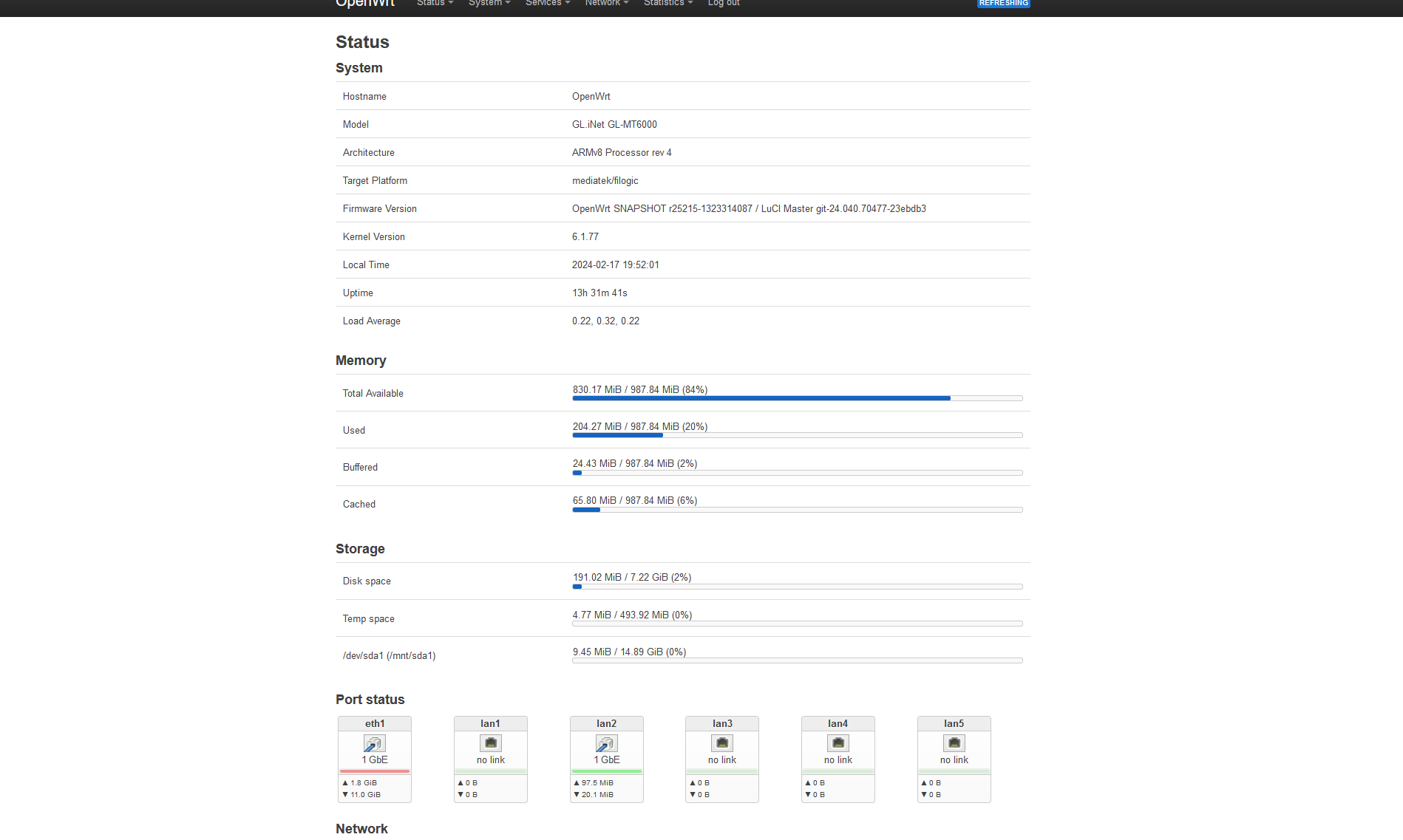
@hnyman from openwrt-interesting compilation,I prefer hnyman because he uses all the packages that I use
@ solidus1983 also a good compilation
3 Likes
My Flint 2 has been up for 2 days, no issues, until now… I suddenly lose DNS connection, I can’t even load a webpage and when I disconnect and reconnect again to my wireless network it works, and sometimes it happens again after a few minutes. This bug is also on the 4.6 alpha version of the Beryl AX. I’m running AdGuard Home, SMB Server, OpenVPN client and a few other settings like some reserved IP addresses for my cameras. v4.5.6 stable. It happens both 5GHz and 2.4
post a log here so that they can at least pinpoint the root of the problem
1 Like
Can you still do a ping to 1.1.1.1 or 8.8.8.8 when this happens?
1 Like
Also without WiFi problems? I can’t imagine that the newest kernel would help for this when the issues are with the driver implementation.
1 Like
@cafebug @xize11 Thanks for your patience. We are back to work now.
It’s caused by IPV6 flow statistics, we add this function recently. We noted it and will try to fix it.
3 Likes
@Steve68 Noted it. We will try to recurrence it. Thanks for your feedback.
1 Like
I updated to 4.5.7 without resetting settings, i had to revert back to 4.5.6 (without resetting settings) because ipv6 stopped working.
After reverting back, there is shown wifi radios and ssids double in luci interface and wifi can be only managed via luci. gl-inet interface gives error when i try to manage wireless from gl-inet interface: Unknown error occurred. Please check the network environment or reboot the device.
system log gives error constantly:
daemon.err gl-repeater[16354]: (gl-repeater.lua:245) ./files/lib/repeater-nl80211.lua:378: attempt to concatenate a nil value (local ‘phy’)
daemon.info gl-repeater[16382]: (gl-repeater.lua:259) lua-eco version: 3.2.0
daemon.info gl-repeater[16382]: (gl-repeater.lua: 16) load repeater config…
daemon.info gl-repeater[16382]: (gl-repeater.lua:228) wait ap ready…
Do i need to factory reset or is there some easier way?
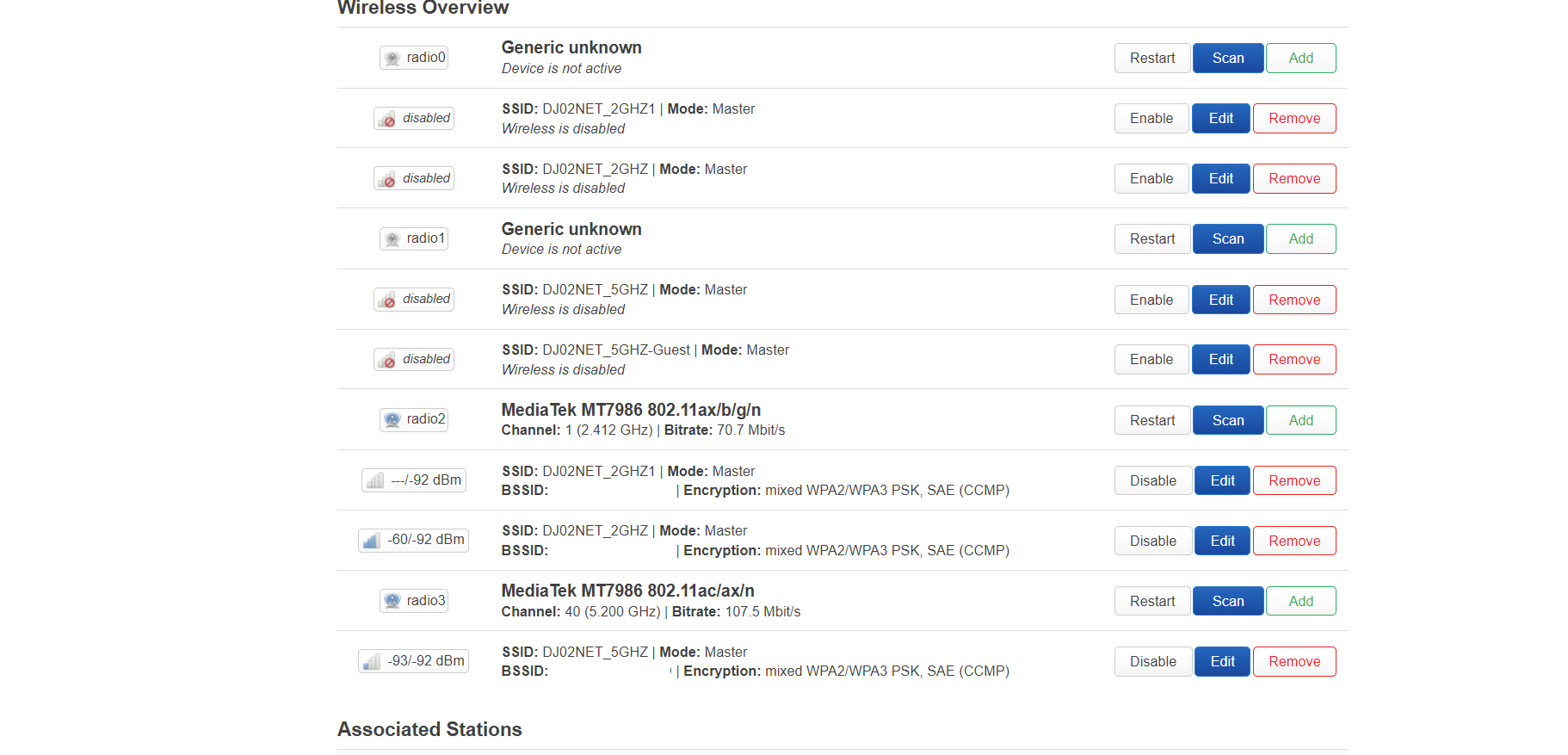
Never revert while keeping settings. It’s like a golden rule. It might work, sometimes, but mostly it will break something. 4.5.7 introduced a new Wi-Fi driver.
Just go with an reset.
2 Likes
So is the end game 23.02 with closed source drivers? Have not even opened the box after seeing all these issues and have 10 days to return. Sad this was a release I was really looking forward to have used gl.inet devices since 2018. How in the F did this get through Beta testing? WI-FI issues on a wifi router and they were missed sure isn’t confidence inspiring . Timeline on a FW that isn’t half arse and works proper?
They had regular (networking dumb) users as beta testers go figure 
I hope they learn something from this fiasco
if you gonna call beta testers dumb, im out of here, and sorry not my fault that you buy a highly bleeding edge device when at time had not official linux kernel support pointing to 2.5gb eth ports etcetera, you should be angry at the marketing for being really early, not the beta testers, also its like you see us as some clairvoyant and we can forecast every toplogy or something, no, thats is just not realistic.
but okay, beta testers fault, noted.
anything else?, because I rather read constructive things than insults to a group of beta testers imho it will not help fixing the issues.
and before you go on this route of being a consumer… I also bought one, but I knew this was bleeding edge and I could also know that if I was not a beta tester.
so what is the point actually?, only pointing fingers to beta testers?
this is why I lately enjoy more the OpenWrt forums much more mature.
understandable of course you are angry and have these expectations of a product, I 100% get you, but I don’t think its fair of you to call us ‘dumb’ thats below my standards, insulting each oher is a no go for me.
4 Likes
Actually I didn’t try it, I was on a rush, so I just disconnected and reconnected again. I will test and post the log next time it happens, it has happened 2-3 times
Noted, wrong choice of works to vent my frustration, I apologize if I offended anybody 
1 Like
its fine  I understand the frustration
I also invested more in devices in different places and insta got the same issue so the frustration you get with that is 100% understandable but I could not always test everything especially not in a small appartment flat, for me it kinda happened beyond 8 meter, 15 meter when it becomes extreme, well if you only sit near it and only focus on DBM even by walking outside well then the issue doesn’t get spotted because the DBM is only a little issue (just a little less signal that is what I only noticed) compared to the real distance where it works which is far shorter.
thats why it did not got on my radar so it frustrates me aswell but I could not forsee it.
I wouldn’t necessarily call the beta testers stupid, but the beta tester program seems rather “so-so” to me overall.
A hardware beta test needs certain things. This includes not simply giving the devices away in the hope of getting feedback. You also need to specify scenarios that need to be tested.
I would argue that the beta test program 1. did not run long enough and 2. was not managed professionally enough. That is a problem.
(These are also just guesses, I was not involved in the beta test. But when I see what kind of tests I do myself on devices that are not “beta” - then I find it hard to believe that this beta test was really effective)
3 Likes
It just happened right now on my computer, I tried to ping 8.8.8.8 and it was successful all the time, but I wasn’t able to load youtube, after 2 minutes it ended up loading, it is like if there was no connection at all.
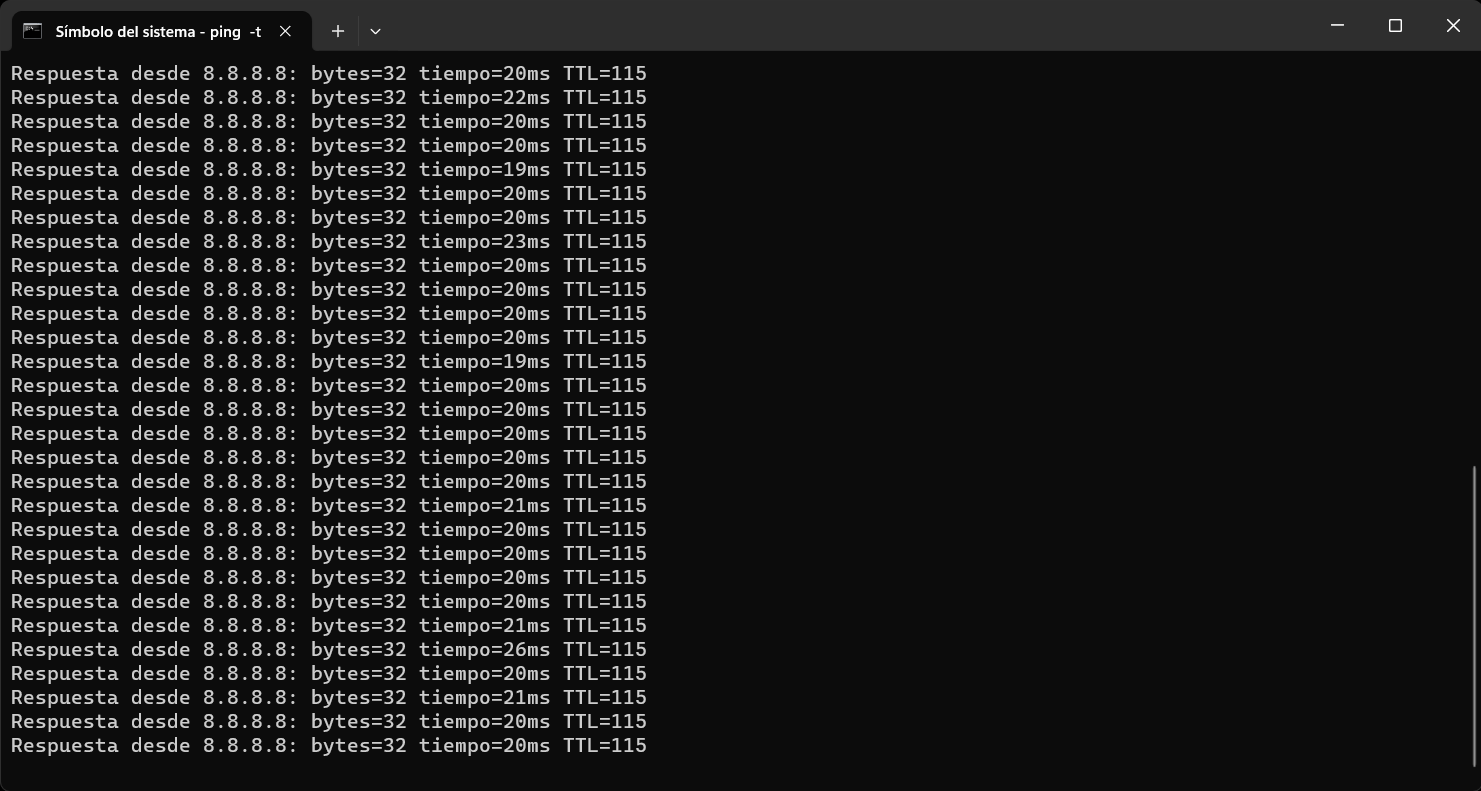
Maybe this will be useful, here’s the log when this happened @alex_zheng
Sun Feb 18 13:31:08 2024 daemon.info avahi-daemon[4314]: New relevant interface ovpnclient.IPv6 for mDNS.
Sun Feb 18 13:31:08 2024 daemon.info avahi-daemon[4314]: Registering new address record for fe80::d8d9:44a4:363:f817 on ovpnclient.*.
Sun Feb 18 13:31:08 2024 daemon.notice netifd: Network device 'ovpnclient' link is up
Sun Feb 18 13:31:08 2024 user.notice ovpnclient-up: env value:route_vpn_gateway=10.8.0.1 daemon_log_redirect=0 script_type=up proto_1=udp daemon=0 SHLVL=1 foreign_option_1=dhcp-option DNS 103.86.96.100 dev_type=tun foreign_option_2=dhcp-option DNS 103.86.99.100 remote_1=185.203.218.106 dev=ovpnclient X509_0_CN=us9373.nordvpn.com remote_port_1=1194 X509_1_CN=NordVPN CA9 X509_2_CN=NordVPN Root CA X509_2_C=PA ifconfig_netmask=255.255.255.0 tls_digest_sha256_0=e3:29:f4:23:2e:b8:5d:a0:37:4f:3d:5d:30:cc:ea:8e:98:e4:a5:99:6b:c1:ee:b7:26:ed:b5:d1:27:e3:30:ca daemon_start_time=1708277461 script_context=init ifconfig_local=10.8.0.16 common_name=us9373.nordvpn.com tls_digest_sha256_1=b5:92:f1:4f:cb:f7:37:43:28:26:83:e8:02:c9:73:3b:d2:95:01:e3:8b:e8:c0:bd:a8:03:db:53:04:7e:84:29 tls_digest_sha256_2=8b:5a:49:5d:b4:98:a6:c2:c8:ca:7a:f6:ae:4a:5c:df:65:e6:89:d0:6c:be:cc:b0:24:53:c9:1c:31:91:e2:ff verb=3 link_mtu=1585 trusted_ip=185.203.218.106 tls_serial_hex_0=12:b2:e5:af:c1:de:d4:8a:f9:8c:06:d7:14:1a:43:0c:13:c0:5a:f8 X509_1_O=NordVPN tun_
Sun Feb 18 13:31:08 2024 daemon.notice netifd: ovpnclient (14704): sh: 1: unknown operand
Sun Feb 18 13:31:08 2024 daemon.info dnsmasq[1]: exiting on receipt of SIGTERM
Sun Feb 18 13:31:08 2024 daemon.notice netifd: ovpnclient (14704): udhcpc: started, v1.36.1
Sun Feb 18 13:31:08 2024 daemon.notice netifd: ovpnclient (14704): udhcpc: broadcasting discover
Sun Feb 18 13:31:11 2024 daemon.notice netifd: ovpnclient (14704): udhcpc: no lease, failing
Sun Feb 18 13:31:11 2024 daemon.notice netifd: Interface 'ovpnclient' is now up
Sun Feb 18 13:31:11 2024 daemon.info dnsmasq[1]: started, version 2.89 cachesize 1000
Sun Feb 18 13:31:11 2024 daemon.info dnsmasq[1]: DNS service limited to local subnets
Sun Feb 18 13:31:11 2024 daemon.info dnsmasq[1]: compile time options: IPv6 GNU-getopt no-DBus UBus no-i18n no-IDN DHCP DHCPv6 no-Lua TFTP conntrack ipset nftset auth cryptohash DNSSEC no-ID loop-detect inotify dumpfile
Sun Feb 18 13:31:11 2024 daemon.info dnsmasq[1]: UBus support enabled: connected to system bus
Sun Feb 18 13:31:11 2024 daemon.warn dnsmasq[1]: warning: ignoring resolv-file flag because no-resolv is set
Sun Feb 18 13:31:11 2024 daemon.info dnsmasq-dhcp[1]: DHCP, IP range 192.168.9.100 -- 192.168.9.249, lease time 12h
Sun Feb 18 13:31:11 2024 daemon.info dnsmasq-dhcp[1]: DHCP, IP range 192.168.38.100 -- 192.168.38.249, lease time 12h
Sun Feb 18 13:31:11 2024 daemon.info dnsmasq[1]: using nameserver 127.0.0.1#3053
Sun Feb 18 13:31:11 2024 daemon.info dnsmasq[1]: using only locally-known addresses for test
Sun Feb 18 13:31:11 2024 daemon.info dnsmasq[1]: using only locally-known addresses for onion
Sun Feb 18 13:31:11 2024 daemon.info dnsmasq[1]: using only locally-known addresses for localhost
Sun Feb 18 13:31:11 2024 daemon.info dnsmasq[1]: using only locally-known addresses for local
Sun Feb 18 13:31:11 2024 daemon.info dnsmasq[1]: using only locally-known addresses for invalid
Sun Feb 18 13:31:11 2024 daemon.info dnsmasq[1]: using only locally-known addresses for bind
Sun Feb 18 13:31:11 2024 daemon.info dnsmasq[1]: using only locally-known addresses for lan
Sun Feb 18 13:31:11 2024 daemon.info dnsmasq[1]: read /etc/hosts - 12 names
Sun Feb 18 13:31:11 2024 daemon.info dnsmasq[1]: read /tmp/hosts/dhcp.cfg01411c - 8 names
Sun Feb 18 13:31:11 2024 daemon.info dnsmasq-dhcp[1]: read /etc/ethers - 0 addresses
Sun Feb 18 13:31:11 2024 user.notice firewall: Reloading firewall due to ifup of ovpnclient (ovpnclient)
Sun Feb 18 13:31:13 2024 daemon.notice ovpnclient[14704]: Initialization Sequence Completed
When you do ping for checking connection, you should do nslookup google.com as well to understand if it’s an DNS issue.
yup I think you are very right on this.
at first I had the impression we as beta testers only needed to stream line the product and if we found bugs report them, like I know from earlier beta tests, I know these had some type of internal testing phase before.
but this time it was different, and I think we become more the testers which was not really well communicated for me.
well for guiding I think it was ‘ok’ for the time being, but after I readed all these problems I asked GL-iNet to make the testing reports more targeting to these cases to have more stronger directions, some of these things keep repeating in products, things like equal ssid on both 2.4ghz and 5ghz band.
if I don’t know it, I don’t configure it… (as beta testers mind) but if its something what repeats it can be used as a test case
well I’m not allowed to say too much about it, but as far as I think, its now better sorted and thats my own opinion not gl-inets. 
1 Like