Flint 2 v4.9.0: DNS lookups that fall back to TCP get dropped when the VPN client is on

Starting on 4.9.0, I’ve been experiencing DNS issues when a VPN client is activated on the router, where DNS lookups that originate from a client which fall back to TCP fail, if the client’s DNS is configured as the router’s IP. It reproduces regardless of the VPN settings:

  • Allow Non-VPN Traffic or Enhanced Kill Switch are globally enabled
  • Kill Switch is enabled or not at the individual tunnel level
  • Allow Remote Access to the LAN Subnet is enabled or not
  • IP Masquerading is enabled or not

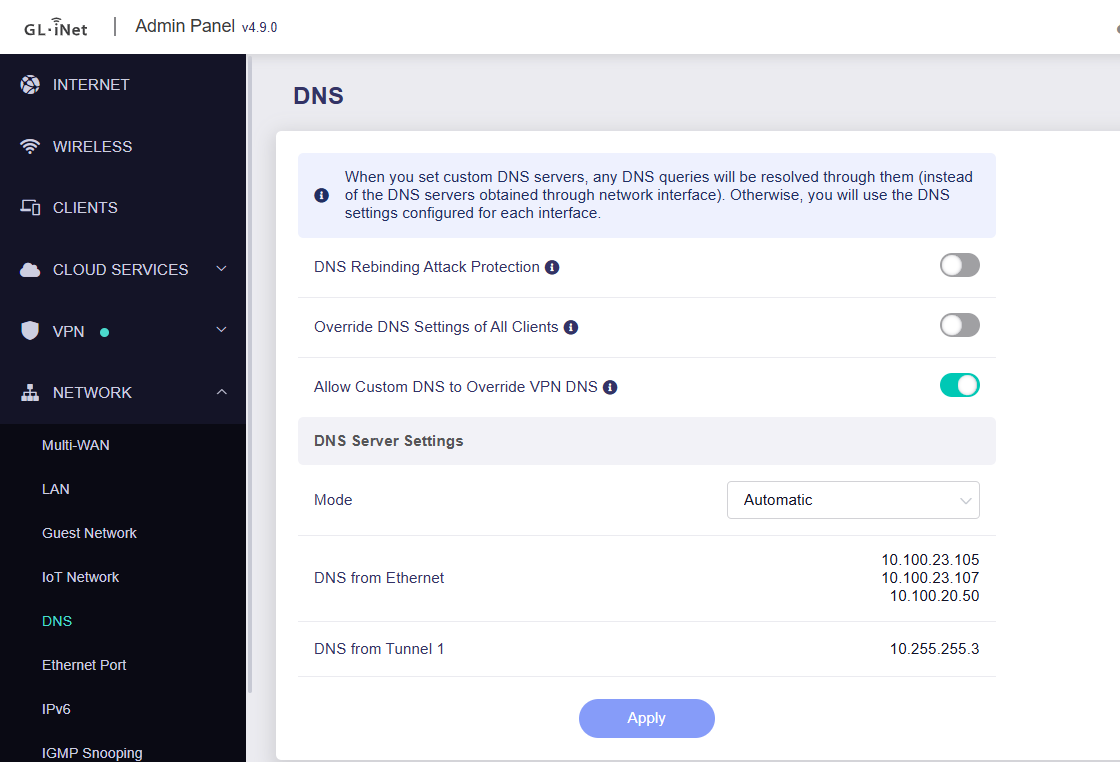
It also doesn’t seem to matter whether DNS mode is automatic or manual, and whether “Allow Custom DNS to Override VPN DNS” is toggled on or not. Assuming the router’s IP is 192.168.8.1, the following command executed on a Linux client consistently fails:

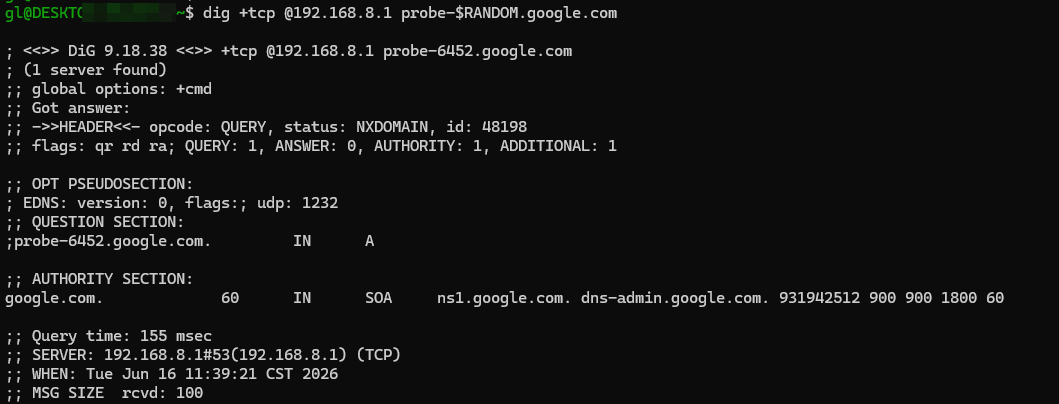
dig +tcp @192.168.8.1 probe-$RANDOM.google.com
;; communications error to 192.168.8.1#53: timed out

Using dig +notcp @192.168.8.1 probe-$RANDOM.google.com will work without issues.

google.com can be replaced with something else. The $RANDOM is there to avoid possible caching mechanisms. Note that the following do succeed:

  • Running the above dig command from the router itself on an SSH session, or
  • Running the above using any other upstream DNS (whether they’re on the LAN or not).

After trying many things, it seems the root cause is a firewall rule that only gets applied on the OUTPUT chain when a VPN client is connected:

4 24 1472 DROP tcp -- \* \* 0.0.0.0/0 0.0.0.0/0 mark match 0x0/0xf000 owner UID match 453 /\* !fw3: tcp_dns_leak_drop \*/

453 is dnsmasq’s user. This rule essentially says “Drop all TCP packets that the dnsmasq process emits, if that connection isn't marked to go through the VPN”. 0x0/0xf000 are essentially unmarked packets. From that, and the comment tcp_dns_leak_drop, it’s clear this rule is meant to protect DNS leaks from happening on TCP. The main issue is that this is applying to all clients - even ones that do go through the router's VPN, regardless of kill-switch options, and even though “Allow Non-VPN Traffic” is selected.

I can confirm that dropping that rule temporarily resolved all issues.

While most DNS traffic is UDP, there are certainly many cases where it can happen through TCP.

  • Responses over a certain size (the EDNS UDP buffer size) get truncated, and fallback to TCP. Example: dig @192.168.8.1 +bufsize=512 dnskey org results in ;; Truncated, retrying in TCP mode., which then hangs. Any client hitting this is affected.
  • UDP fails to be delivered due to whatever reason
  • A client prefers or forces TCP for whatever reason

One natural case where this was happening for me: I have a client that’s connected to its own Proton VPN tunnel (and does not go through the router’s), while setting Proton’s DNS resolver to the router’s IP. journalctl shows Using degraded feature set TCP instead of UDP for DNS server 192.168.8.1.Not exactly sure why that triggers it as I’m not an expert in this area - something about systemd-resolved, tunnel MTU’s, or something else.

Regardless, I did not experience this behavior prior to 4.9.0. I reproduced this on on Arch Linux desktop with systemd-resolved, as well as a few other Linux clients connected to the router.
Hi

That does sound a bit unusual.
By default, the DNS server on our routers should provide service over both UDP and TCP.

We tested this locally on a Flint 2 running v4.9.0 Release, and everything worked as expected.

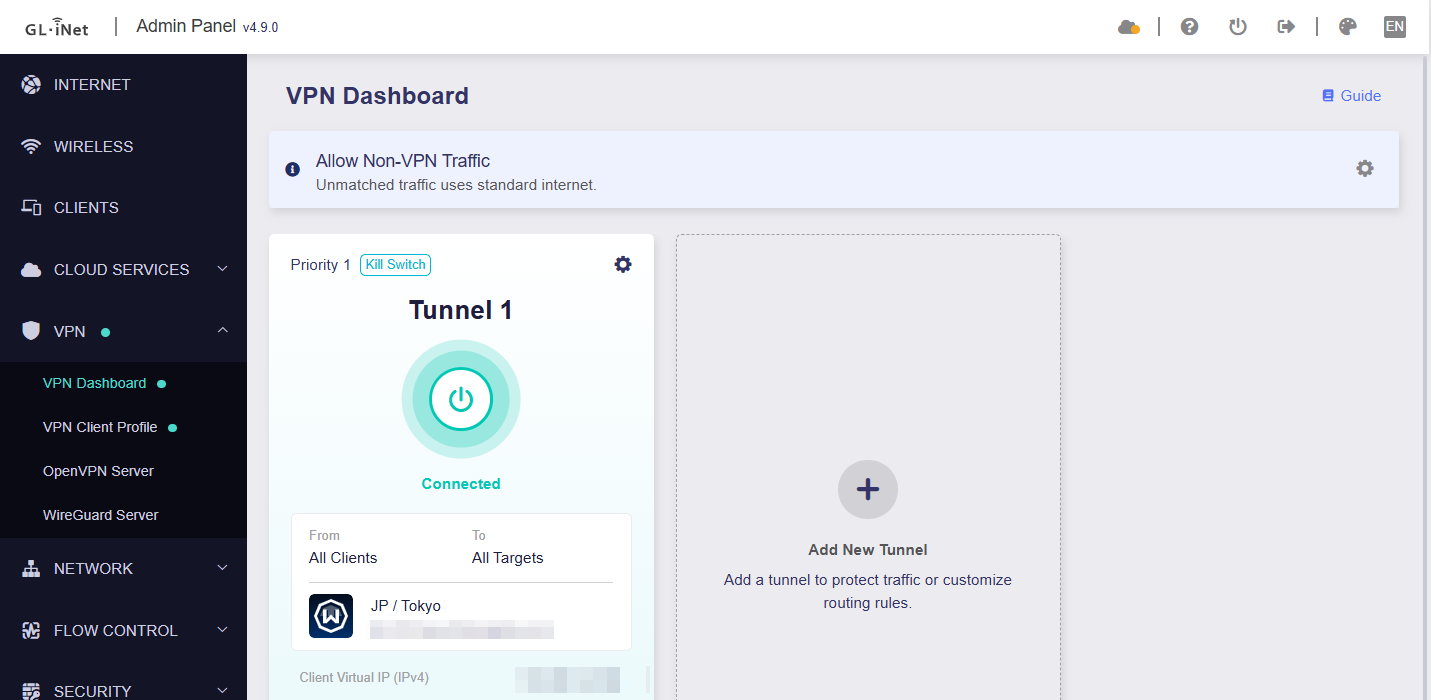
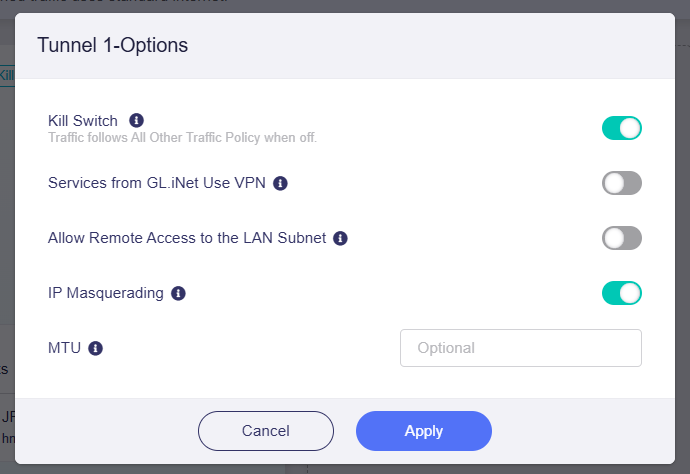
VPN configuration:

DNS configuration:

Test results:

Could you SSH into the router and check whether dnsmasq is listening on TCP port 53 as expected?

netstat -tnpl | grep dnsmasq

(You should also see additional dnsmasq instances listening on ports such as 2153. Those are used for the VPN DNS configuration.)

Thank you for your reply, I appreciate your time.

This seems unusual indeed. I went through the steps again, making sure I had your same configuration (tried posting pictures, but I can only attach one per post as a new user).

Note that in my DNS settings, I am using Manual DNS Mode with local LAN servers. However, I also tried with "Automatic" (it uses the Tunnel's configured DNS in that case), and with "Manual" DNS using WAN servers (like 9.9.9.9). The results have been the same for me. I made sure Tailscale was not running, and I don't have any applications enabled while running the test. There might be some weird edge case I'm bumping into. The TCP DNS requests fail from my Android phone (connected to Wi-Fi), local Arch Linux PC, as well as several Debian servers.

While in the router SSH, I ran

netstat -tnpl | grep dnsmasq

It is indeed listening on port 53 on several interfaces:

tcp        0      0 127.0.0.1:53            0.0.0.0:*               LISTEN      19005/dnsmasq
tcp        0      0 <MY_PUBLIC_IP>:53       0.0.0.0:*               LISTEN      19005/dnsmasq
tcp        0      0 192.168.8.1:53          0.0.0.0:*               LISTEN      19005/dnsmasq
tcp        0      0 10.2.0.2:53             0.0.0.0:*               LISTEN      19005/dnsmasq
tcp        0      0 127.0.0.1:2153          0.0.0.0:*               LISTEN      19006/dnsmasq
tcp        0      0 <MY_PUBLIC_IP>:2153     0.0.0.0:*               LISTEN      19006/dnsmasq
tcp        0      0 192.168.8.1:2153        0.0.0.0:*               LISTEN      19006/dnsmasq
tcp        0      0 10.2.0.2:2153           0.0.0.0:*               LISTEN      19006/dnsmasq
tcp        0      0 ::1:53                  :::*                    LISTEN      19005/dnsmasq
tcp        0      0 ::1:2153                :::*                    LISTEN      19006/dnsmasq

The 10.2.0.2 IP is from the Proton VPN tunnel (I've tried with other VPN configs as well, same result).

Logging into the Luci interface, and going to Network -> Firewall, the following rule is enabled only when the tunnel is connected:

Disabling it from here while the tunnel is still connected fixes the issue for me - I am wondering if the same rule showed up during your tests. I have not added or modified any of the preset rules.
When running

iptables -L OUTPUT -nvx

From SSH, the related rule shows up with a counter showing how many packets are being dropped. The number goes up directly in accordance with running the dig +tcp command - so it must be capturing it, but I have no idea why it isn't affecting your own setup. I am tempted to try with a factory reset after backing up my config (I've gone through a few firmware upgrades, just official ones). I'll be happy to provide any other information that you think could be useful.

Yes, we have the same firewall rule in our local testing environment as well. This is expected behavior and is used to prevent TCP DNS leaks.


Coming back to the issue, have you manually upgraded the dnsmasq package?

If so, that could cause our DNS leak prevention patch to stop working correctly. As a result, TCP DNS queries may no longer be properly matched and redirected to the VPN-specific dnsmasq instance, causing them to be caught and dropped by the TCP DNS leak prevention rule mentioned above.

The firmware ships with the following dnsmasq version:

image690x55


If you are still experiencing the issue, then yes—it may be a good idea to back up your configuration and perform a factory reset.

I seem to have the same dnsmasq package version. I will attempt the backup + factory reset + restore via the mechanism detailed here. Hopefully that will erase any differences / weird configurations I might've had with the stock firmware. I will reply here with the results once I've tested.

1 Like