Hi
Well, overall your requirements are feasible.
However, the configuration will be quite complex, and it requires you to have sufficient knowledge of networking concepts as well as a solid understanding of LuCI/UCI.
Below is a configuration example. Since the steps for Work and IoT are repetitive, only Main / Guest / IoT are used as examples here.
Topology is as follows:
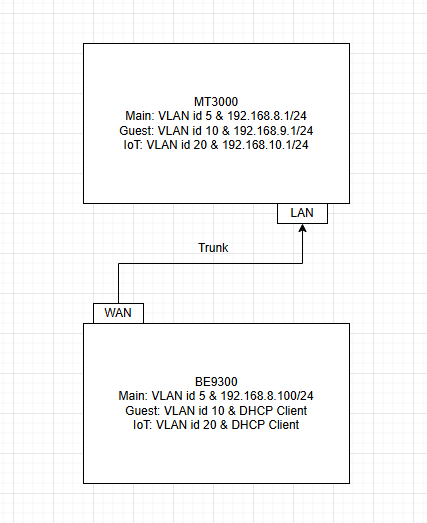
Configuration steps:
-
Start from a factory-default BE9300 v4.8.3 configuration
-
Configure its WAN port as a LAN port
-
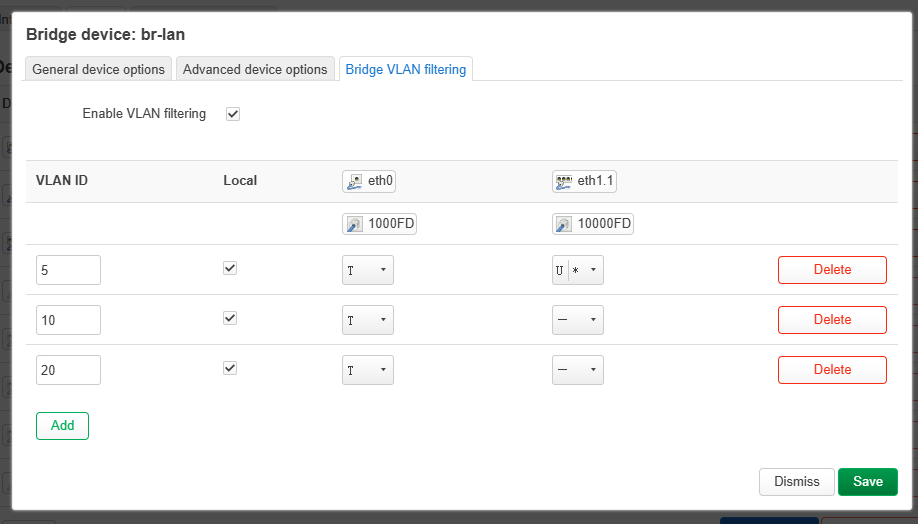
Go to LuCI → Network → Interfaces → Devices, edit the configuration of
br-lan, set ETH0 as a Trunk port, and set ETH1 (all LAN ports) as Access ports for the Main network
-
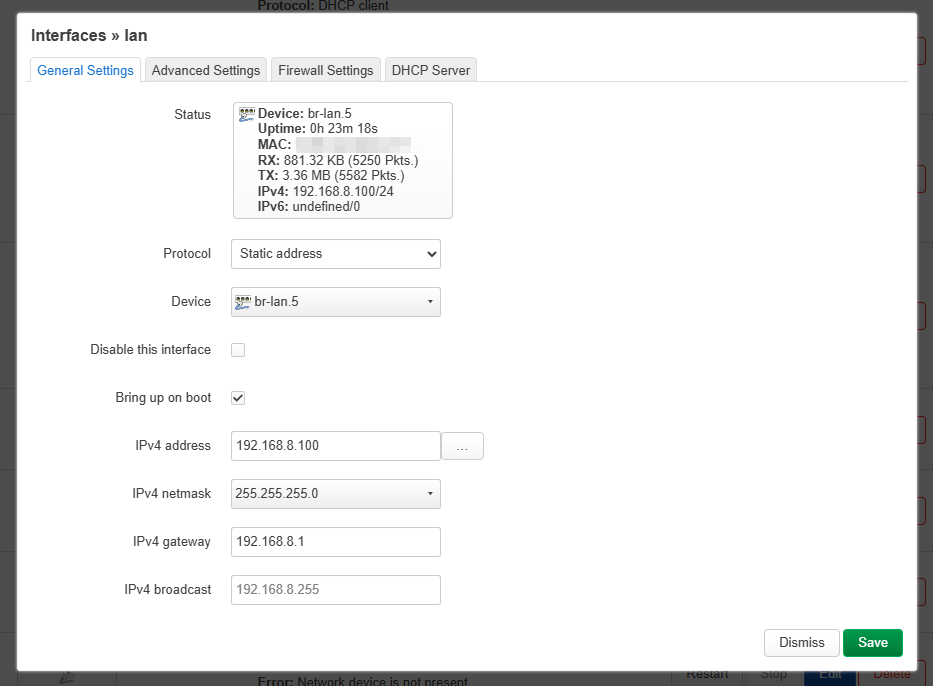
In Interfaces, edit the configuration of the
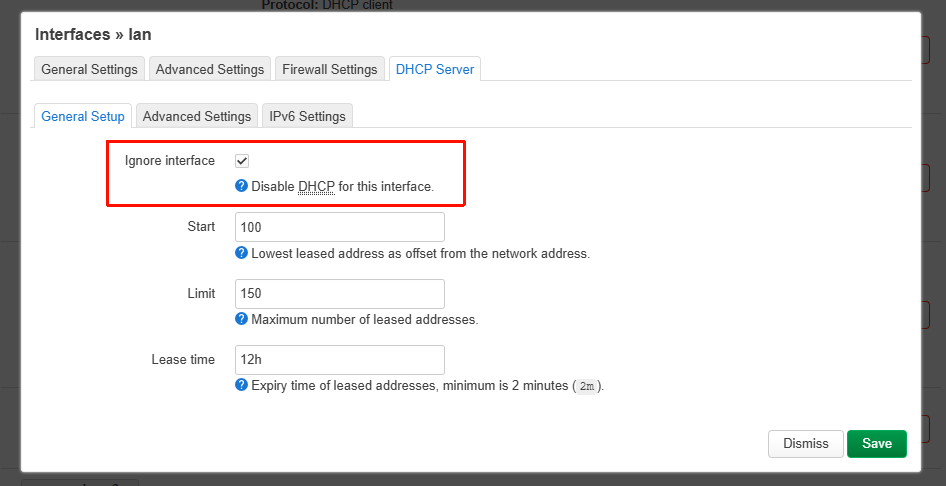
lannetwork: change the device tobr-lan.5, set the IP address to192.168.8.100, the gateway to192.168.8.1, and disable the DHCP server
-
Edit the Guest network configuration, switch the protocol to DHCP Client, set the device to
br-lan.10, and disable the DHCP server
-
Add a new interface
IoT, protocol set to DHCP Client, device set tobr-lan.20
-
For additional Wi-Fi SSIDs, refer to the following steps by SSHing into the router and running the commands to create them.
Flint 3 - How to add MLO to VLANs?

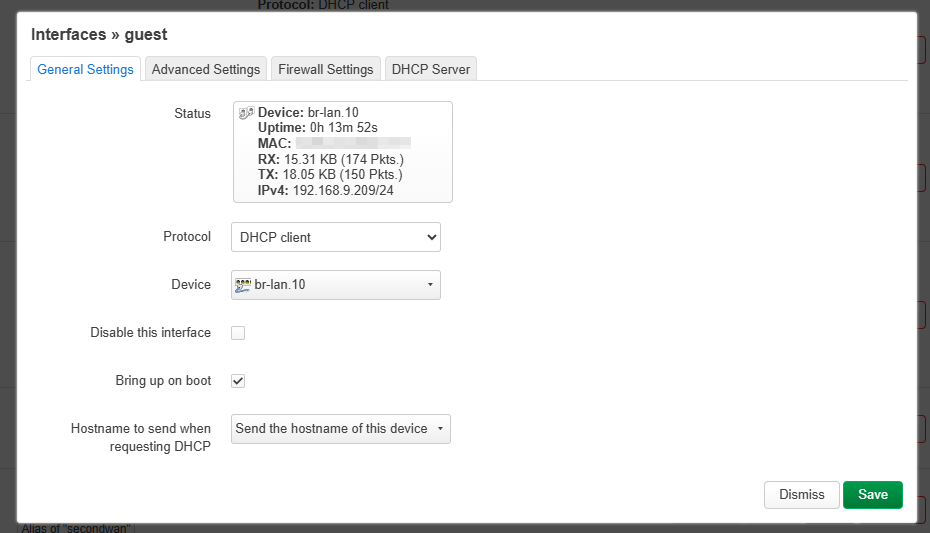
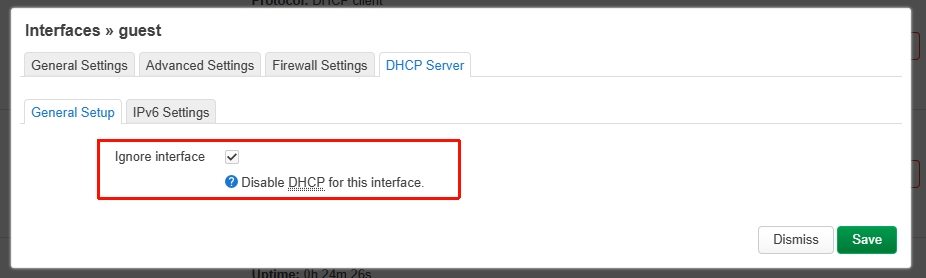
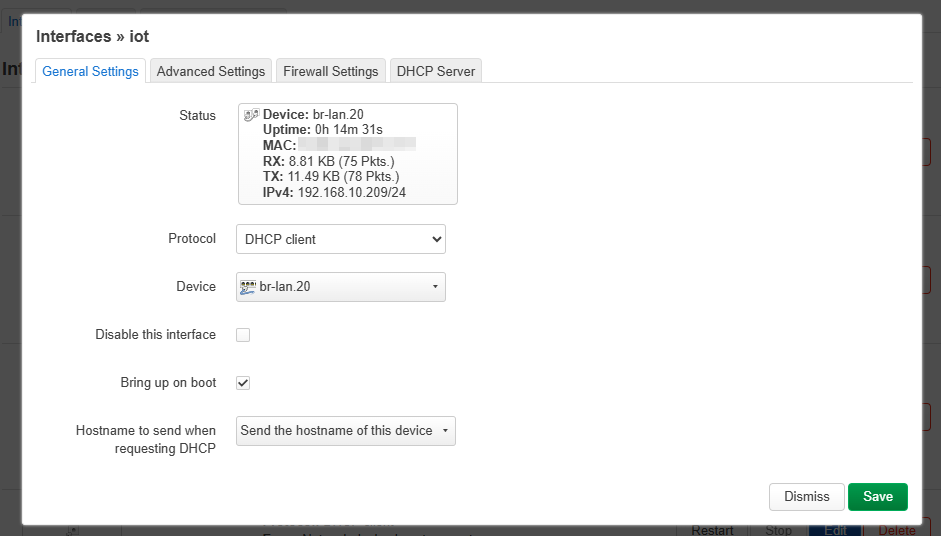
Some tests:
-
Connect to the Main Network via wired connection
-
Connect to the Main Network via Wi-Fi
-
Connect to the Guest Network via Wi-Fi
-
Connect to the IoT Network via Wi-Fi
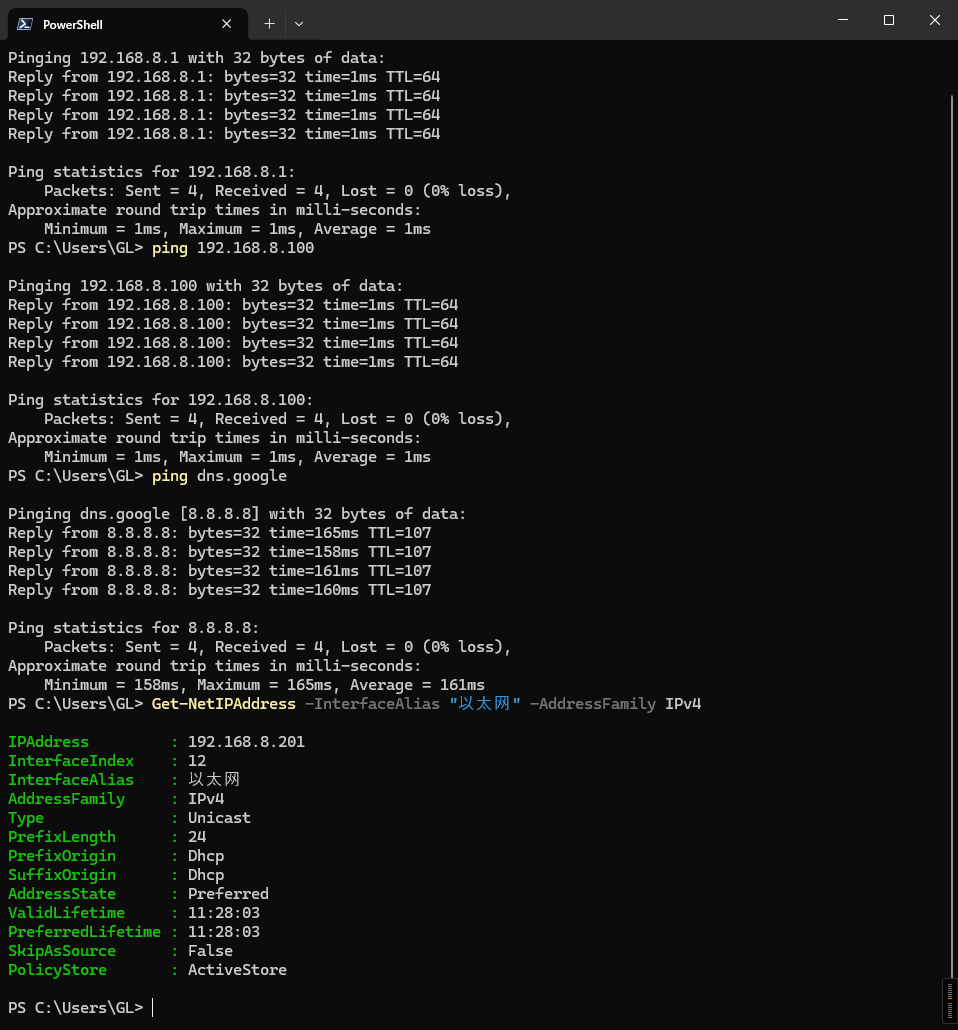
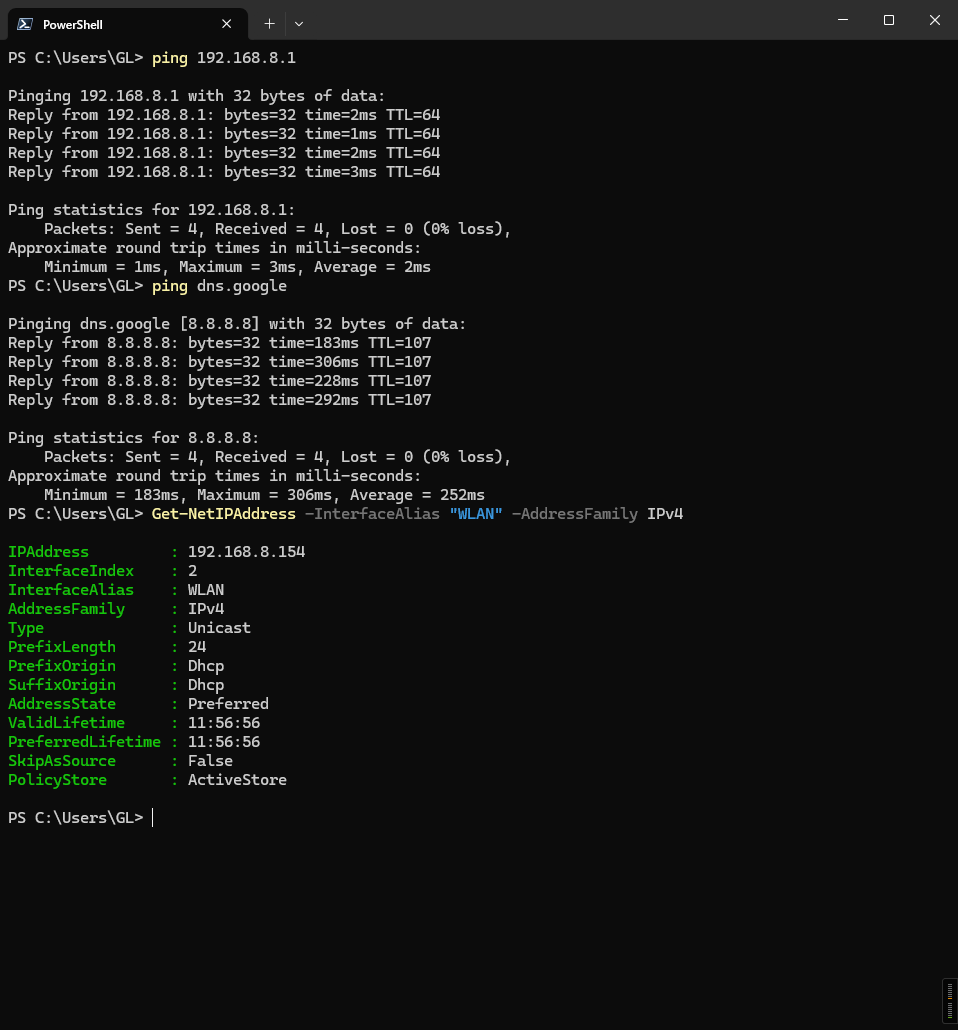
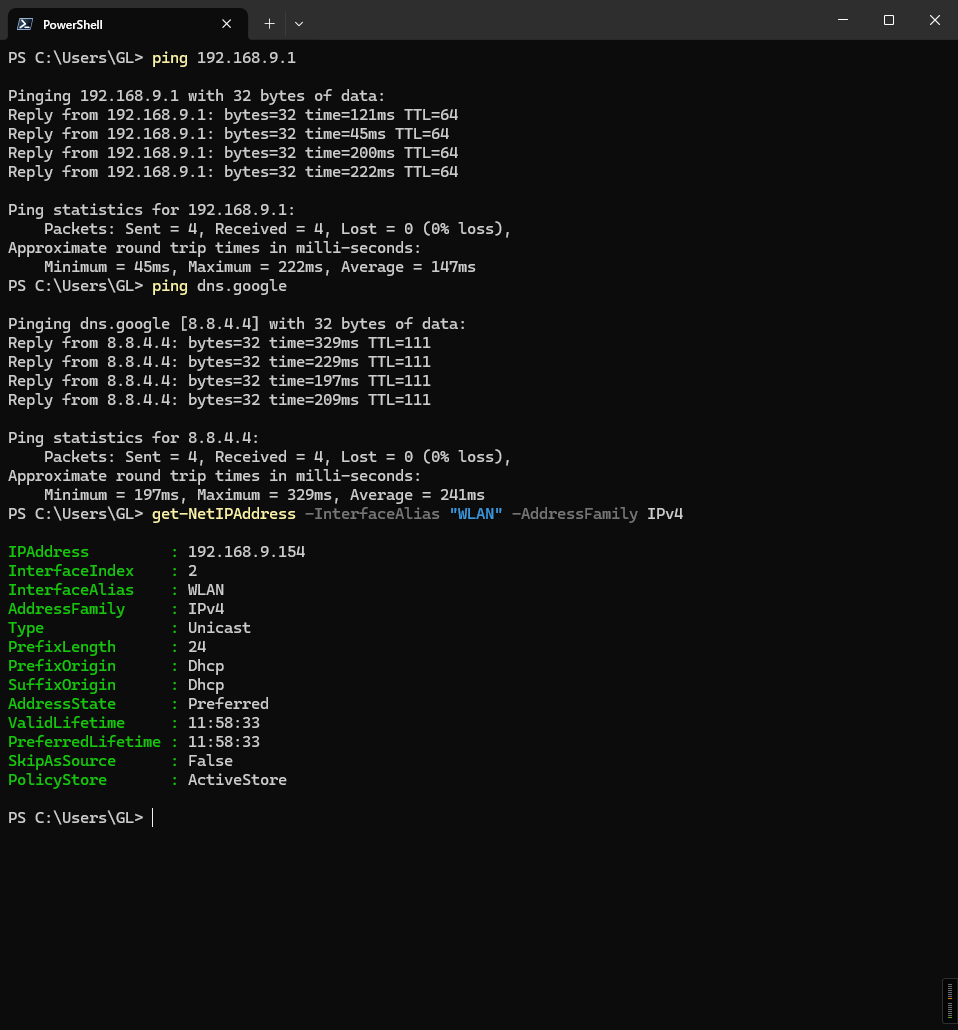
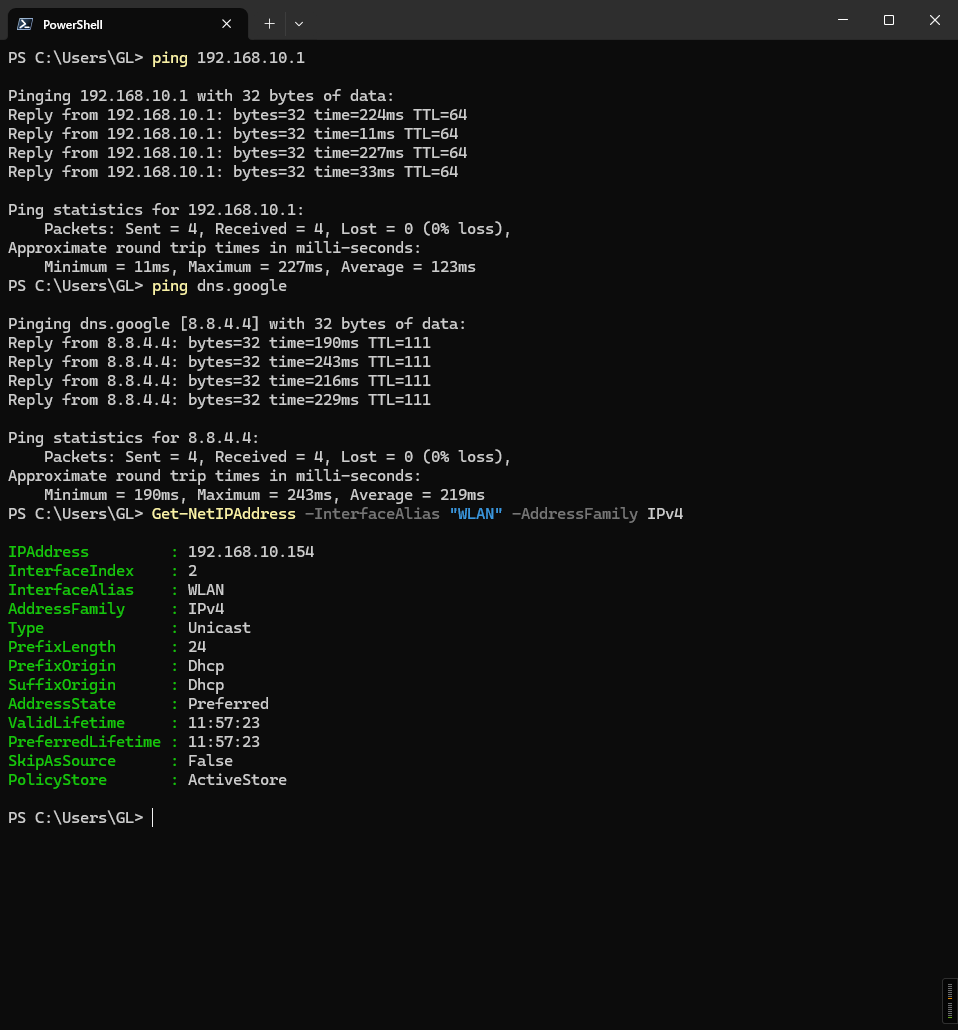
Specific answers to your questions:
-
Because Guest is automatically disabled on every reboot in AP mode, the above example is configured in router mode. However, it can achieve the same effect as AP mode (Main/Guest/IoT are all on the same upstream network, with no subnet isolation).
- VLAN configuration can be done via LuCI or SSH/UCI; the above example uses LuCI.
- Adding a new SSID must be done via SSH/UCI.
-
After configuration, reboots will not cause any loss, and it runs stably.
- Client roaming only supports 802.11k/v/r. By default, 802.11k/v are enabled. If you need 802.11r, please refer to this tutorial for configuration.
How to enable the 802.11r (Fast Roaming) for WiFi in Flint 3 (GL-BE9300) - It will survive firmware upgrades, but if we add manual SSID creation and VLAN configuration features to the GL UI in the future, conflicts may occur.
- Client roaming only supports 802.11k/v/r. By default, 802.11k/v are enabled. If you need 802.11r, please refer to this tutorial for configuration.
-
Random BSSID still applies to all SSIDs, including those added manually.
- The BSSID will change after a reboot.
-
Any known limitations
-
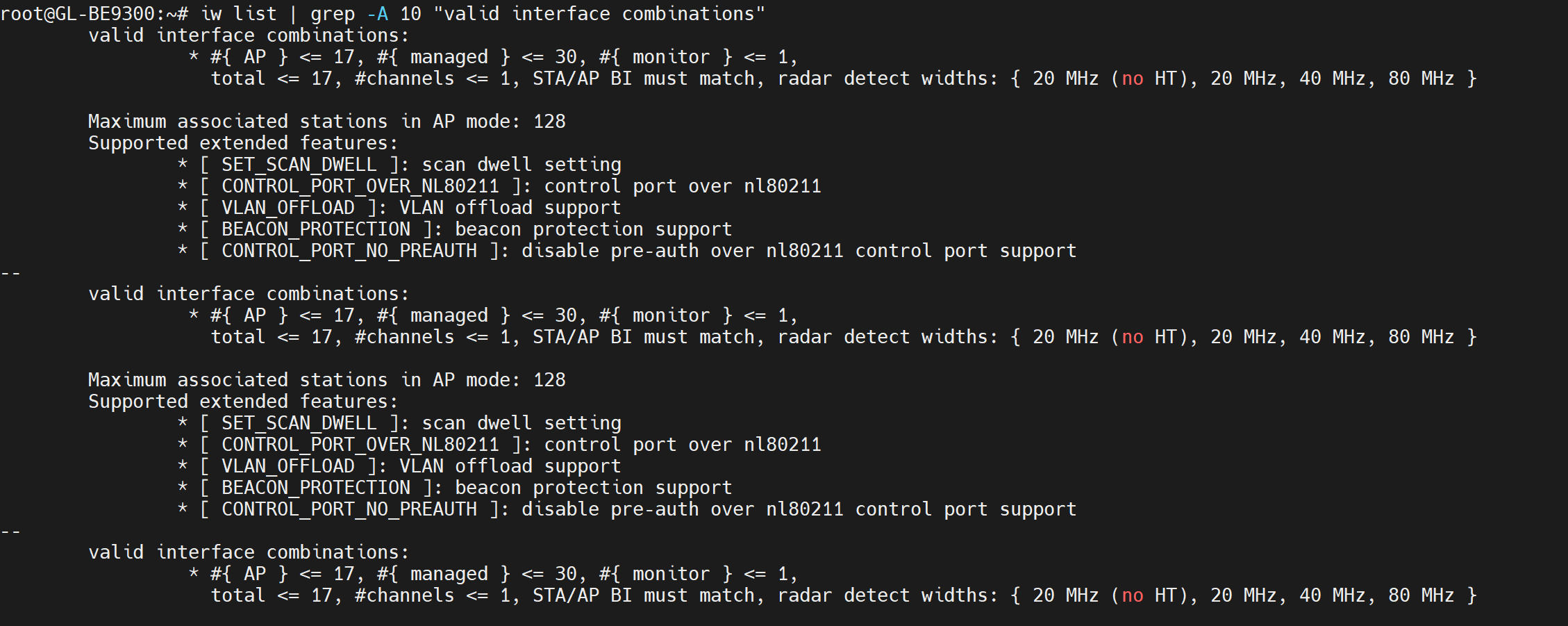
We have not actually tested the maximum number of SSIDs per radio, but according to
iw list, the maximum is 17 interfaces, shared between AP and client modes.
-
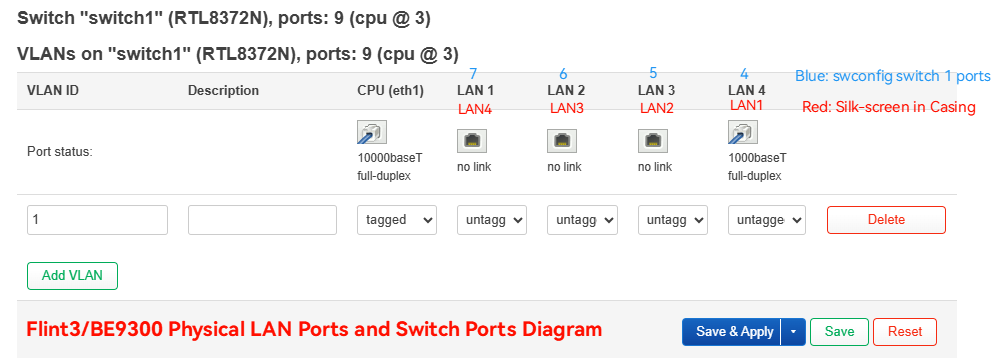
If you need to configure VLANs for the LAN ports, note that the mapping in
swconfigdiffers from the labeling on the device casing; please refer to the image below.
-
The configuration is overly complex, and I'm unsure if I've missed any steps or made mistakes.
If you have any questions, please don't hesitate to let us know.