I’m considering Flint 3 (GL-BE9300) to use as a wired access point behind pfSense (AP/bridge mode, no NAT, no DHCP on BE9300). pfSense will provide VLAN trunk and DHCP/firewall per VLAN.
My goal is:
3-4 SSIDs, each mapped to a separate VLAN (SSID → VLAN), e.g. Main / Work / IoT / Guest
Randomized BSSID enabled, and I need it to still rotate in AP mode (i.e., change on reboot, not only in router mode)
Questions for BE9300 owners:
Have you actually achieved multiple SSIDs mapped to different VLANs on Flint 3 while in AP mode?
Was it done via SSH/uci (since GL GUI doesn’t expose VLAN in AP mode)?
Is this setup stable long-term (reboots, uptime, client roaming), and does it survive firmware upgrades (without being overwritten by GL services/UI)?
Does Randomized BSSID still work in AP mode with multiple SSIDs/VLANs?
Does BSSID change after each reboot for you?
Any known limitations on Flint 3:
max SSIDs per radio / per band, issues with 6 GHz, MLO, or older 2.4 GHz clients
DSA/switch config gotchas (tagged/untagged, bridge-vlan vs switch vlan)
If you have a working config snippet (/etc/config/network + /etc/config/wireless) or key “gotchas”, I’d really appreciate it.
Primary Router with Multi-VLANs (LAN) <---> Unmanaged Switch <---> (WAN) BE9300 with Multi-SSIDs
Primary Router (LAN) <---> Switch with Multi-VLANs <---> (WAN) BE9300 with Multi-SSIDs
Like yours: pfSense (LAN) <---> (WAN) BE9300 with Multi-SSIDs
Conditions:
The Primary Router or Switch is configured with multiple VLANs, tagged (trunk) (in this example is VLAN 100 and VLAN 2000).
The BE9300 is used as an AP.
Notes:
BE9300 itself has no Internet access, please configure the WAN port on GL GUI with a VLAN ID that provides Internet access.
Since the BE9300 is acting only as an AP, if need isolation between VLANs, please configure on the primary router or layer-3 switch using ACLs (iptables/nftables).
Up to 4 radios per frequency. You can refer to the UCI below to modify the Wi‑Fi settings for the primary and the guest.
BSSID randomization should still be effective, same as with GL original WiFi.
It will persist even after reboot. Roaming need to enable 802.11k/v/r, please refer to this thread. And firmware upgrades will not overwrite these settings.
UCI Action breakdown:
Not need to change the BE9300 network mode (leave it in the default, Router mode) — this makes the BE9300 easier for users to manage.
Create VLAN interfaces on the BE9300 for WAN (like, BE9300 is eth0.x) — note the BE9300 and MT6000 WAN is eth0, others is eth1.
Create network bridges and interfaces on the BE9300 and bind VLAN interface eth0.x to specified network bridge — this will directly pass through the AP's traffic.
Create AP radios (SSIDs) on the BE9300 and bind them to the bridge.
Place the newly created interface into the LAN zone.
SSH to router, execute these commands in one step:
# 1. Add VLAN Virtual Interface
uci set network.vlan100_dev=device
uci set network.vlan100_dev.type='8021q'
uci set network.vlan100_dev.ifname='eth0'
uci set network.vlan100_dev.vid='100'
uci set network.vlan100_dev.name='eth0.100'

uci set network.vlan200_dev=device
uci set network.vlan200_dev.type='8021q'
uci set network.vlan200_dev.ifname='eth0'
uci set network.vlan200_dev.vid='200'
uci set network.vlan200_dev.name='eth0.200'

# 2. Add Bridge
uci set network.br_vlan100=device
uci set network.br_vlan100.type='bridge'
uci set network.br_vlan100.name='br-vlan100'
uci add_list network.br_vlan100.ports='eth0.100'

uci set network.br_vlan200=device
uci set network.br_vlan200.type='bridge'
uci set network.br_vlan200.name='br-vlan200'
uci add_list network.br_vlan200.ports='eth0.200'


# 3. Add Network Interface
uci set network.vlan100=interface
uci set network.vlan100.proto='none'
uci set network.vlan100.device='br-vlan100'

uci set network.vlan200=interface
uci set network.vlan200.proto='none'
uci set network.vlan200.device='br-vlan200'

# 4. Add WiFi SSID Radio
uci set wireless.wifi6g1=wifi-iface
uci set wireless.wifi6g1.device='wifi2'
uci set wireless.wifi6g1.network='vlan100'
uci set wireless.wifi6g1.mode='ap'
uci set wireless.wifi6g1.ssid='GL-Router-vlan100-6G'
uci set wireless.wifi6g1.encryption='ccmp'
uci set wireless.wifi6g1.sae_pwe='1'
uci set wireless.wifi6g1.key='goodlife'
uci set wireless.wifi6g1.wds='1'
uci set wireless.wifi6g1.isolate='0'
uci set wireless.wifi6g1.hidden='0'
uci set wireless.wifi6g1.ifname='wlan24'
uci set wireless.wifi6g1.ieee80211k='1'
uci set wireless.wifi6g1.bss_transition='1'
uci set wireless.wifi6g1.sae='1'
uci set wireless.wifi6g1.acs_6g_only_psc='1'
uci set wireless.wifi6g1.disabled='0'

uci set wireless.wifi6g2=wifi-iface
uci set wireless.wifi6g2.device='wifi2'
uci set wireless.wifi6g2.network='vlan200'
uci set wireless.wifi6g2.mode='ap'
uci set wireless.wifi6g2.ssid='GL Router-vlan200-6G'
uci set wireless.wifi6g2.encryption='ccmp'
uci set wireless.wifi6g2.sae_pwe='1'
uci set wireless.wifi6g2.key='goodlife'
uci set wireless.wifi6g2.wds='1'
uci set wireless.wifi6g2.isolate='0'
uci set wireless.wifi6g2.hidden='0'
uci set wireless.wifi6g2.ifname='wlan25'
uci set wireless.wifi6g2.ieee80211k='1'
uci set wireless.wifi6g2.bss_transition='1'
uci set wireless.wifi6g2.sae='1'
uci set wireless.wifi6g2.acs_6g_only_psc='1'
uci set wireless.wifi6g2.disabled='0'

uci set wireless.wifi5g1=wifi-iface
uci set wireless.wifi5g1.device='wifi1'
uci set wireless.wifi5g1.network='vlan100'
uci set wireless.wifi5g1.mode='ap'
uci set wireless.wifi5g1.ssid='GL Router-vlan100-5G'
uci set wireless.wifi5g1.encryption='psk2+ccmp'
uci set wireless.wifi5g1.key='goodlife'
uci set wireless.wifi5g1.wds='1'
uci set wireless.wifi5g1.isolate='0'
uci set wireless.wifi5g1.hidden='0'
uci set wireless.wifi5g1.ifname='wlan14'
uci set wireless.wifi5g1.ieee80211k='1'
uci set wireless.wifi5g1.bss_transition='1'
uci set wireless.wifi5g1.sae='0'
uci set wireless.wifi5g1.disabled='0'

uci set wireless.wifi5g2=wifi-iface
uci set wireless.wifi5g2.device='wifi1'
uci set wireless.wifi5g2.network='vlan200'
uci set wireless.wifi5g2.mode='ap'
uci set wireless.wifi5g2.ssid='GL Router-vlan200-5G'
uci set wireless.wifi5g2.encryption='psk2+ccmp'
uci set wireless.wifi5g2.key='goodlife'
uci set wireless.wifi5g2.wds='1'
uci set wireless.wifi5g2.isolate='0'
uci set wireless.wifi5g2.hidden='0'
uci set wireless.wifi5g2.ifname='wlan15'
uci set wireless.wifi5g2.ieee80211k='1'
uci set wireless.wifi5g2.bss_transition='1'
uci set wireless.wifi5g2.sae='0'
uci set wireless.wifi5g2.disabled='0'

uci set wireless.wifi2g1=wifi-iface
uci set wireless.wifi2g1.device='wifi0'
uci set wireless.wifi2g1.network='vlan100'
uci set wireless.wifi2g1.mode='ap'
uci set wireless.wifi2g1.ssid='GL Router-vlan100-2.4G'
uci set wireless.wifi2g1.encryption='psk2+ccmp'
uci set wireless.wifi2g1.key='goodlife'
uci set wireless.wifi2g1.wds='1'
uci set wireless.wifi2g1.isolate='0'
uci set wireless.wifi2g1.hidden='0'
uci set wireless.wifi2g1.ifname='wlan04'
uci set wireless.wifi2g1.ieee80211k='1'
uci set wireless.wifi2g1.bss_transition='1'
uci set wireless.wifi2g1.sae='0'
uci set wireless.wifi2g1.disabled='0'

uci set wireless.wifi2g2=wifi-iface
uci set wireless.wifi2g2.device='wifi0'
uci set wireless.wifi2g2.network='vlan200'
uci set wireless.wifi2g2.mode='ap'
uci set wireless.wifi2g2.ssid='GL Router-vlan200-2.4G'
uci set wireless.wifi2g2.encryption='psk2+ccmp'
uci set wireless.wifi2g2.key='goodlife'
uci set wireless.wifi2g2.wds='1'
uci set wireless.wifi2g2.isolate='0'
uci set wireless.wifi2g2.hidden='0'
uci set wireless.wifi2g2.ifname='wlan05'
uci set wireless.wifi2g2.ieee80211k='1'
uci set wireless.wifi2g2.bss_transition='1'
uci set wireless.wifi2g2.sae='0'
uci set wireless.wifi2g2.disabled='0'

# 5. Add Firewall Rule
uci add_list firewall.@zone[0].network='vlan100'
uci add_list firewall.@zone[0].network='vlan200'

# 6. Reboot Router
uci commit
reboot
Well, overall your requirements are feasible.
However, the configuration will be quite complex, and it requires you to have sufficient knowledge of networking concepts as well as a solid understanding of LuCI/UCI.
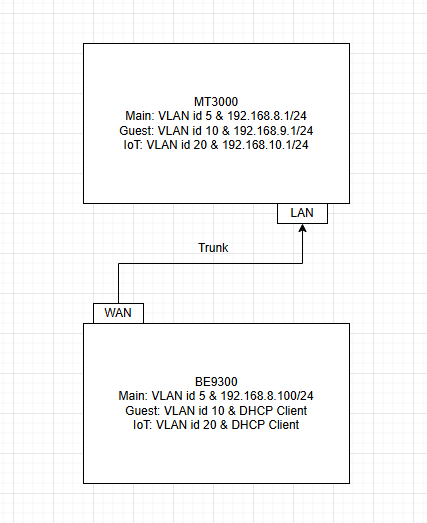
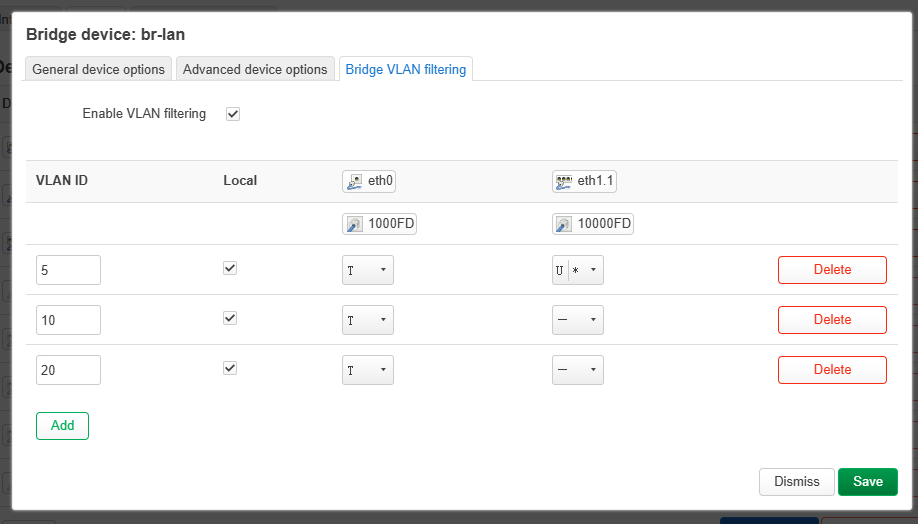
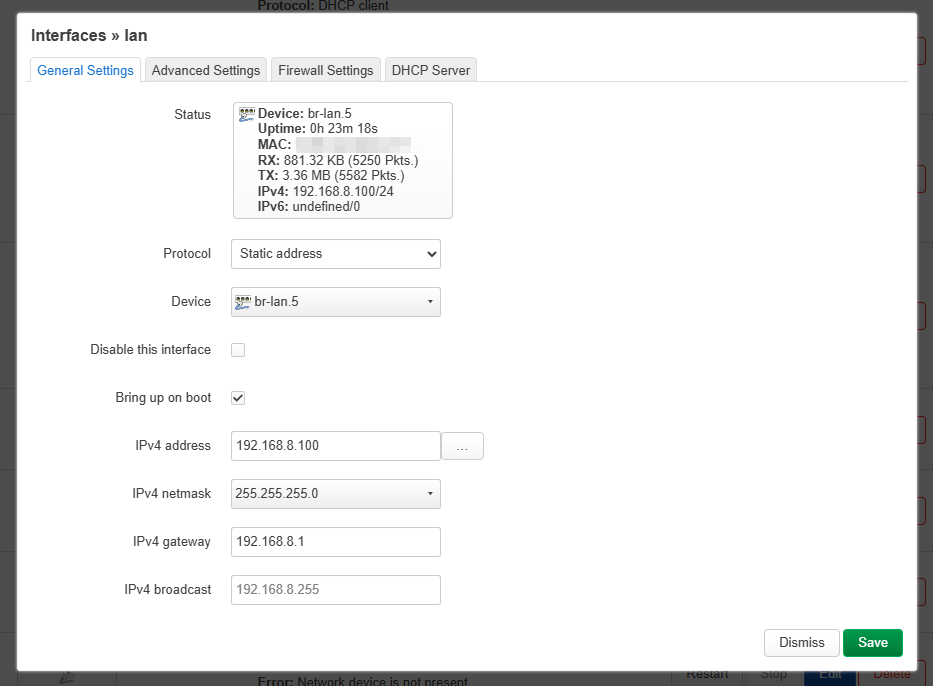
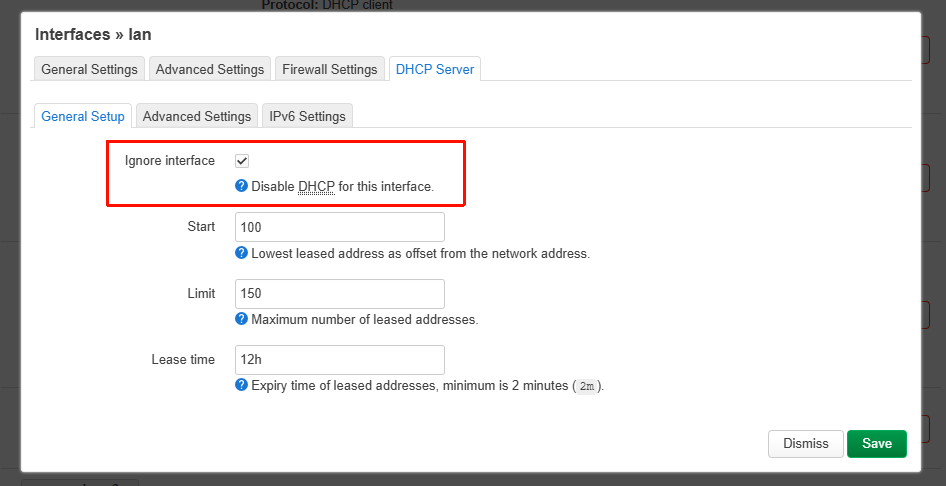
Below is a configuration example. Since the steps for Work and IoT are repetitive, only Main / Guest / IoT are used as examples here.
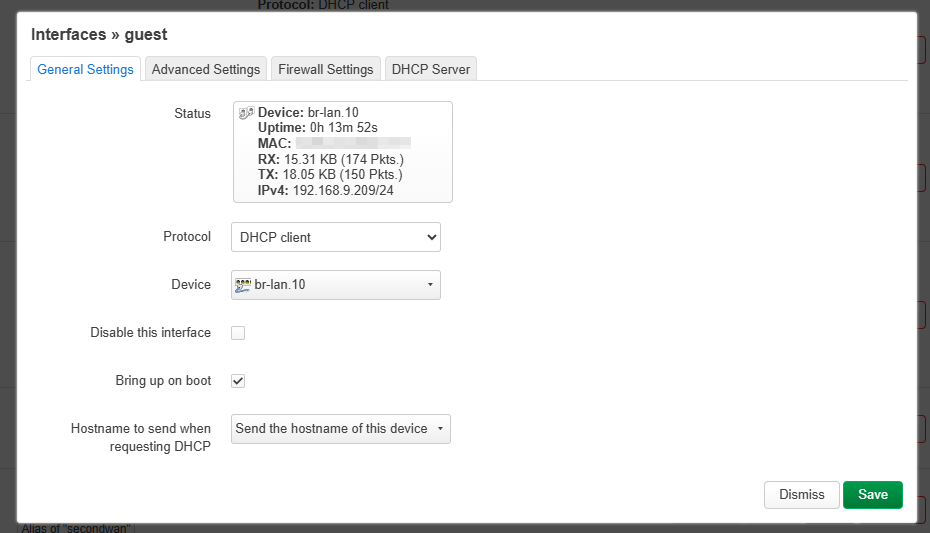
Go to LuCI → Network → Interfaces → Devices, edit the configuration of br-lan, set ETH0 as a Trunk port, and set ETH1 (all LAN ports) as Access ports for the Main network
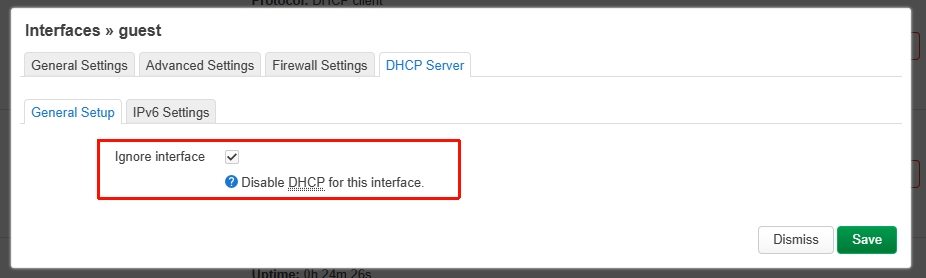
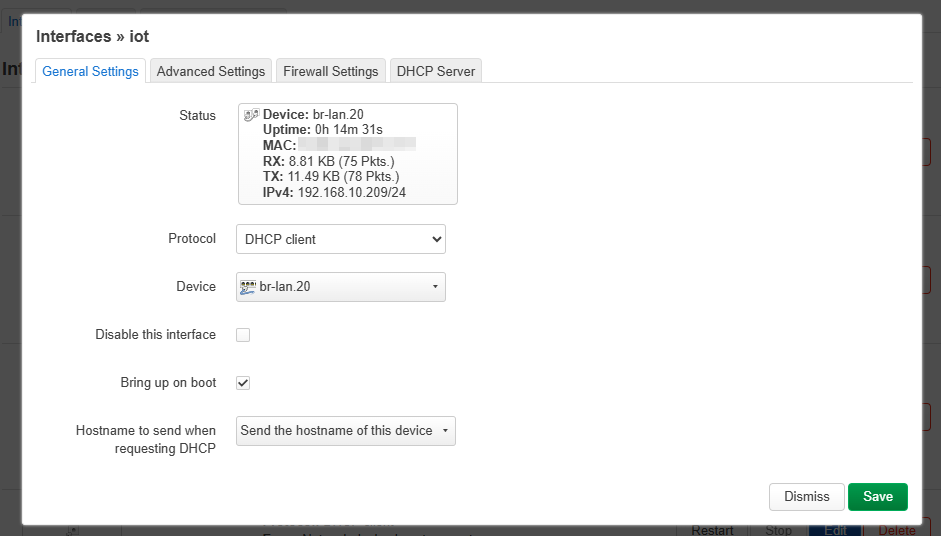
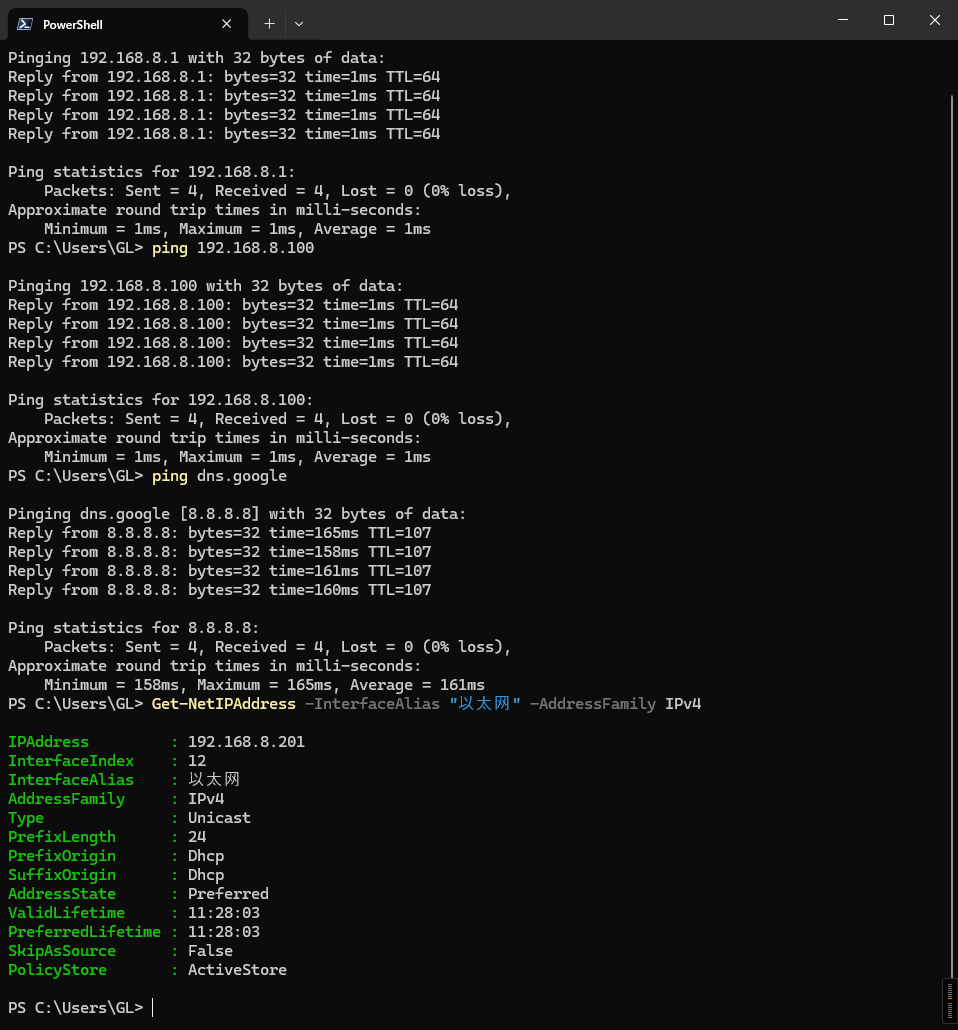
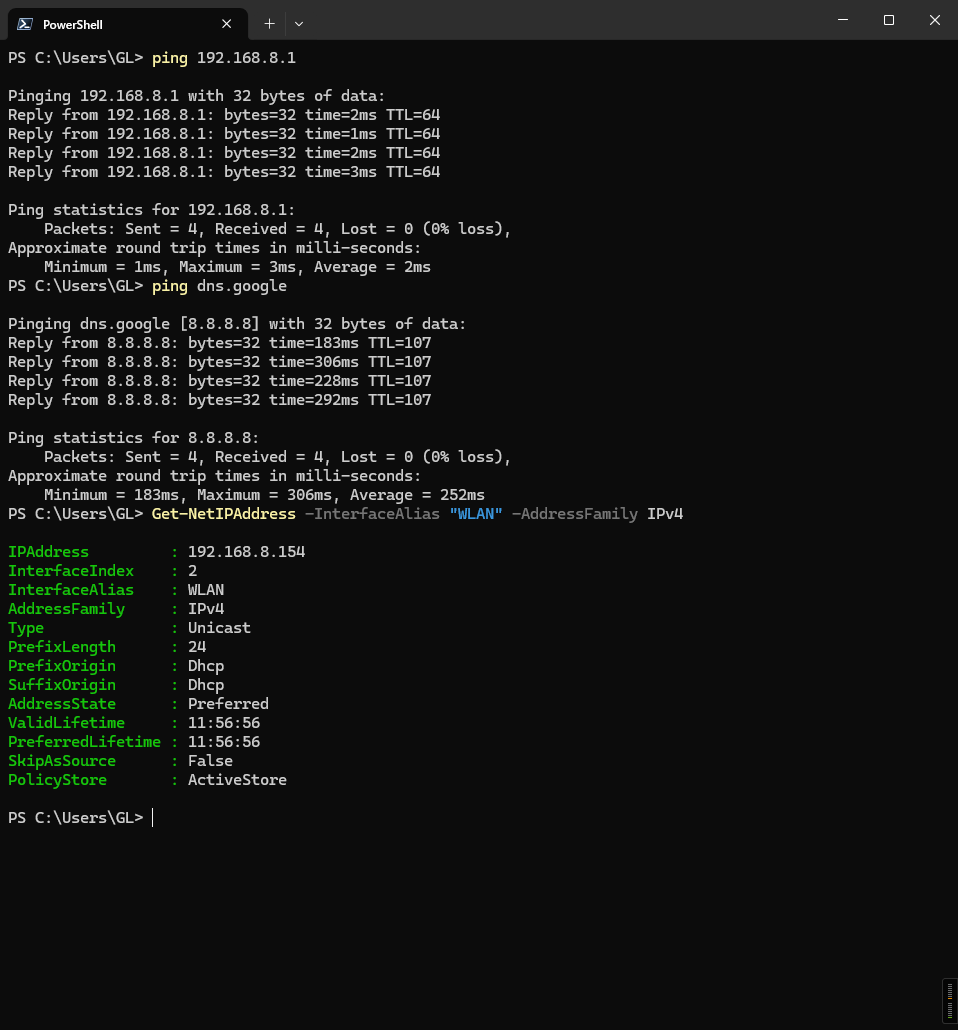
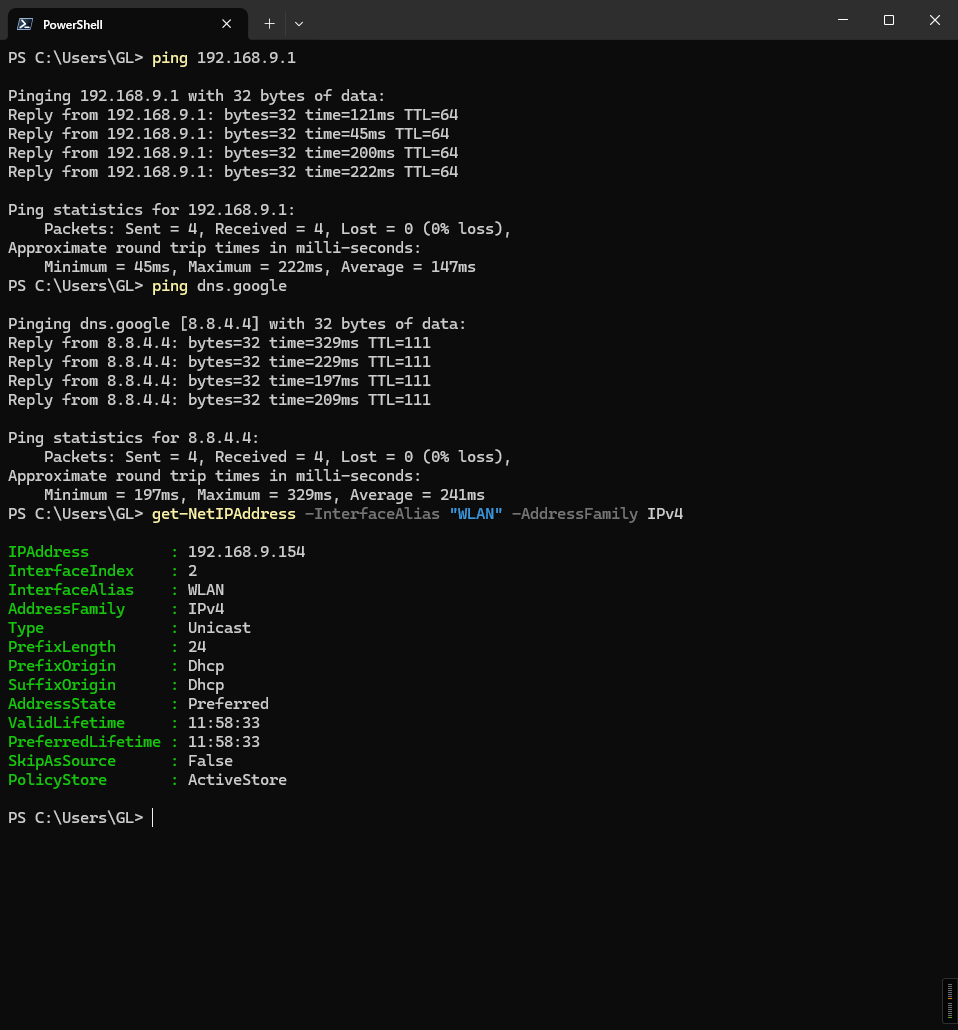
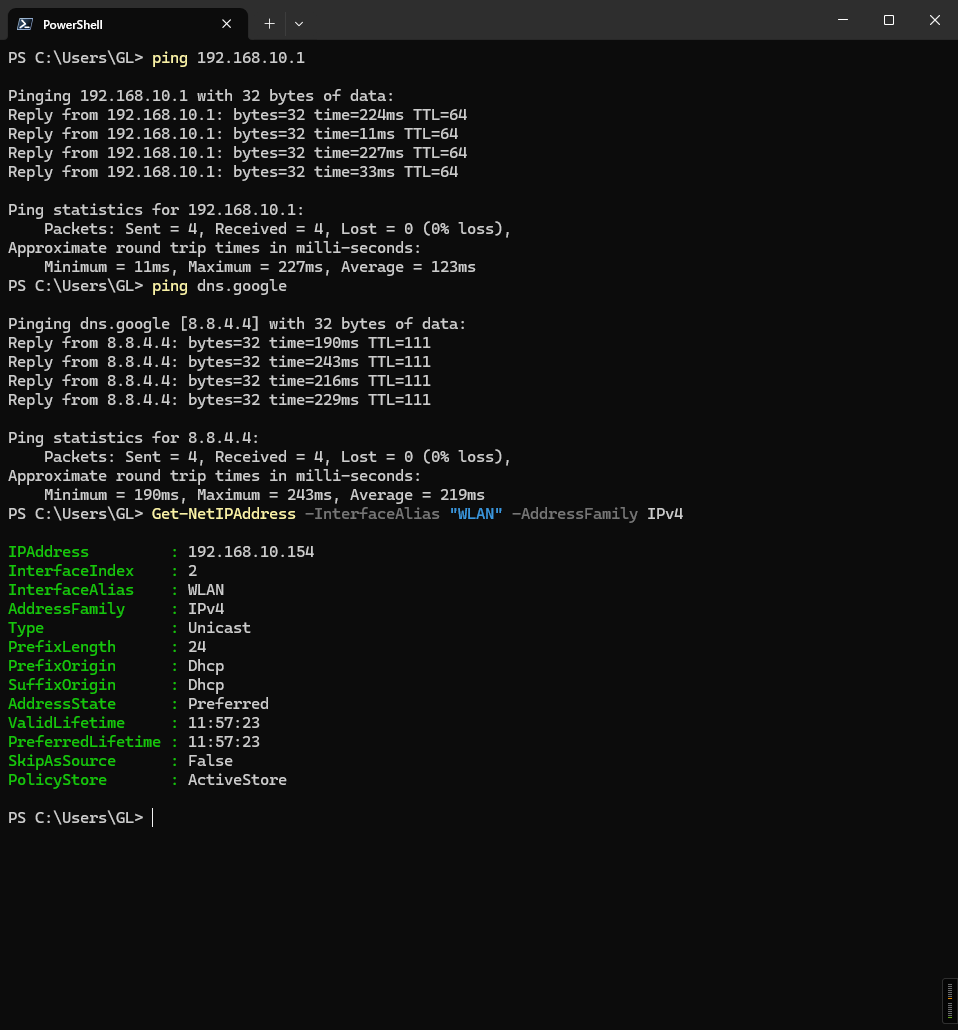
In Interfaces, edit the configuration of the lan network: change the device to br-lan.5, set the IP address to 192.168.8.100, the gateway to 192.168.8.1, and disable the DHCP server
For additional Wi-Fi SSIDs, refer to the following steps by SSHing into the router and running the commands to create them. Flint 3 - How to add MLO to VLANs?
Because Guest is automatically disabled on every reboot in AP mode, the above example is configured in router mode. However, it can achieve the same effect as AP mode (Main/Guest/IoT are all on the same upstream network, with no subnet isolation).
VLAN configuration can be done via LuCI or SSH/UCI; the above example uses LuCI.
Adding a new SSID must be done via SSH/UCI.
After configuration, reboots will not cause any loss, and it runs stably.
It will survive firmware upgrades, but if we add manual SSID creation and VLAN configuration features to the GL UI in the future, conflicts may occur.
Random BSSID still applies to all SSIDs, including those added manually.
The BSSID will change after a reboot.
Any known limitations
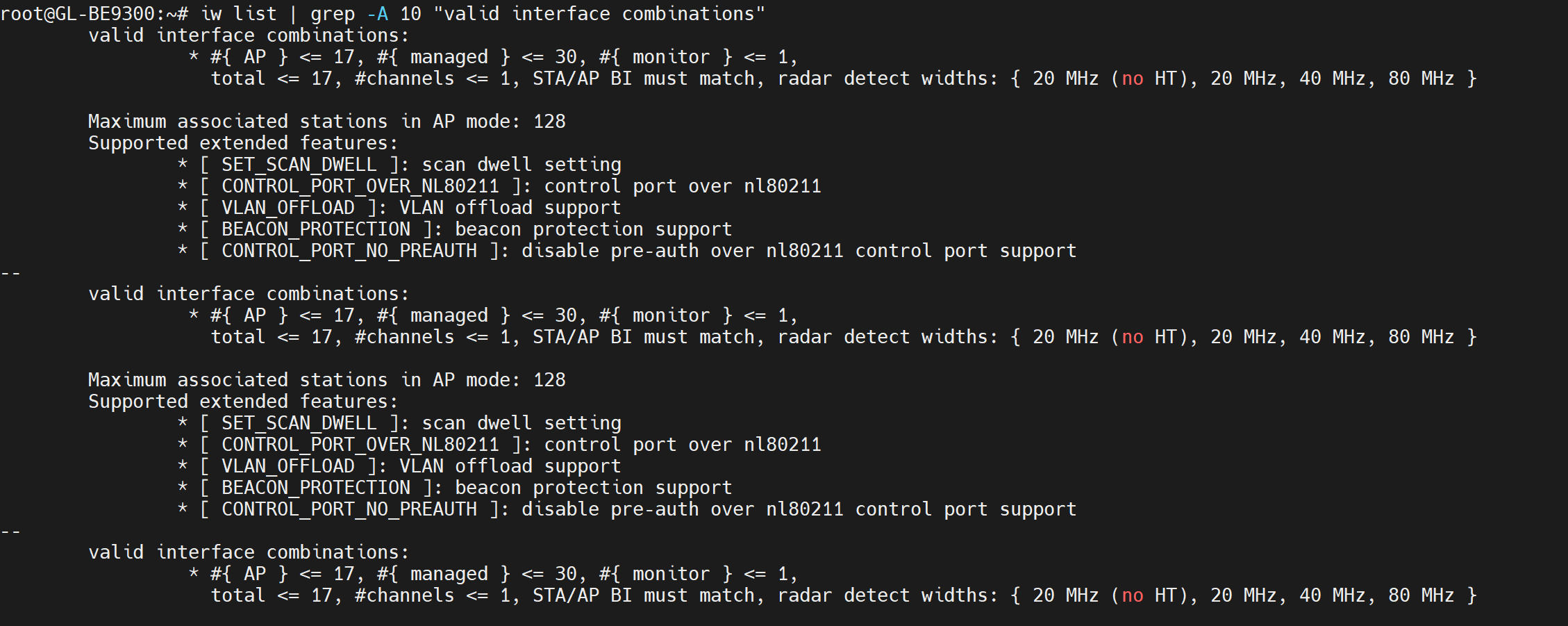
We have not actually tested the maximum number of SSIDs per radio, but according to iw list, the maximum is 17 interfaces, shared between AP and client modes.
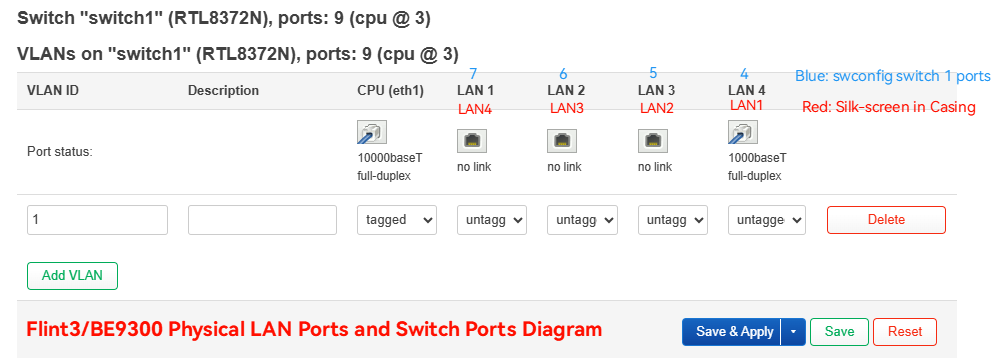
If you need to configure VLANs for the LAN ports, note that the mapping in swconfig differs from the labeling on the device casing; please refer to the image below.
The configuration is overly complex, and I'm unsure if I've missed any steps or made mistakes.
If you have any questions, please don't hesitate to let us know.
How would an example of same VLANs 5, 10, 20 be for the LAN ports on swconfig. All 3 tagged on br_lan for eth0 and eth1.1 and then configured on swconfig? If you can please give and example of it.
Does this also hurt the line rate performance on the same VLAN in any way?
How would the configuration differ if I wanted to have vlan 20 untagged on lan 5 port for example, and everything else stays the same as the example you gave above with MT3000 lan→ trunk → wan BE9300.
If you've already set up VLANs on the MT3000 LAN, you can configure the BE9300 Wi‑Fi by one of the sample configurations above.
For BE9300 LAN5 (Silkscreen labeled LAN4) untagged, please refer to Will’s swconfig interface diagram for how to configure it.