Hi,
This is a known issue: the Qualcomm NSS hardware acceleration breaks the NAT loopback.
There are currently two solutions for this.
Solution 1:
Just disable the hardware acceleration.
The steps are as follows:
- Access the admin panel.
- Browse to Network > Network Acceleration > Disable.
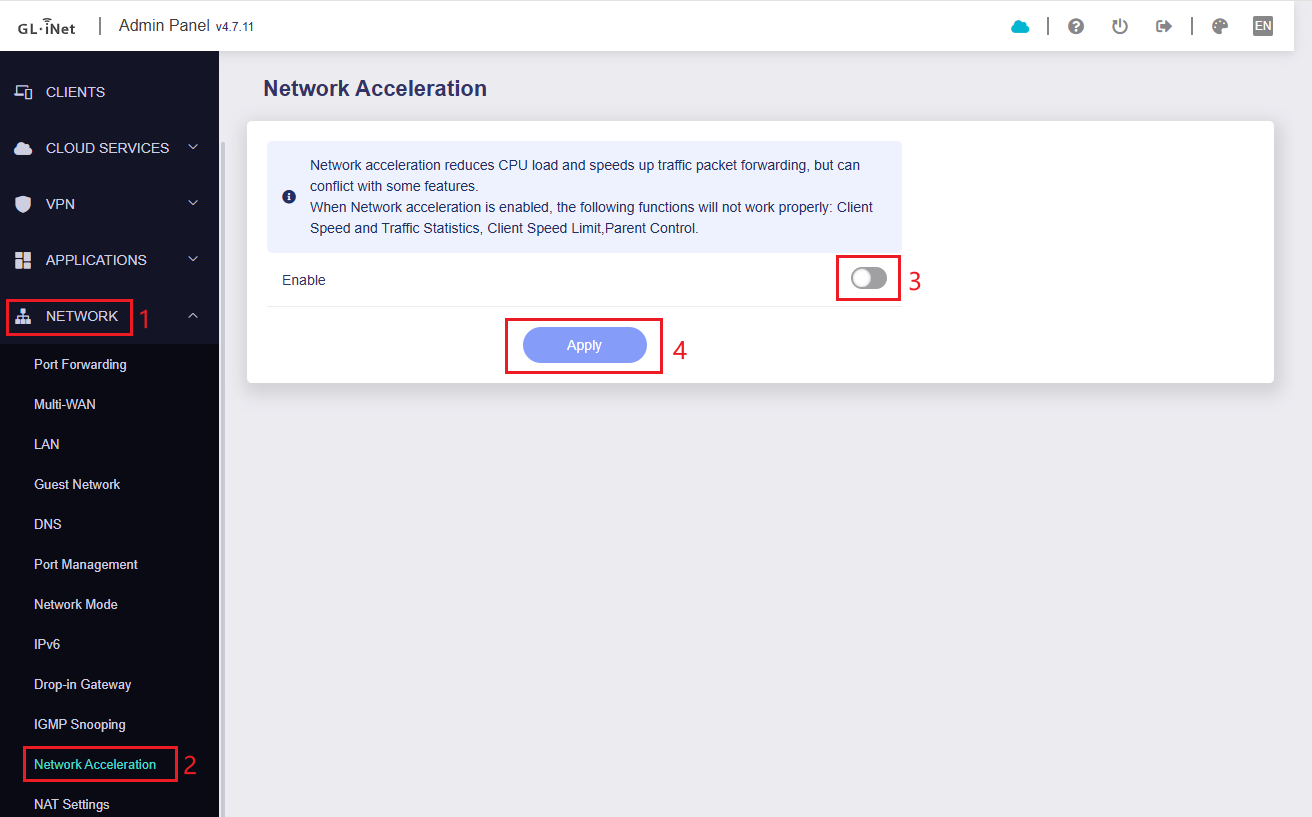
Please note that this solution may reduce the rate between LAN and WAN.
Solution 2:
Add a DNS record for use by intranet devices while keeping hardware acceleration enabled.
The steps are as follows:
- Access the admin panel.
- Browse to Network > DNS > Click Edit Hosts button in the upper right.
- Create a new line, enter your intranet server's private IP address, leave a space, then enter your domain.
- Apply the changes and clear the DNS cache on your other devices to make it work.
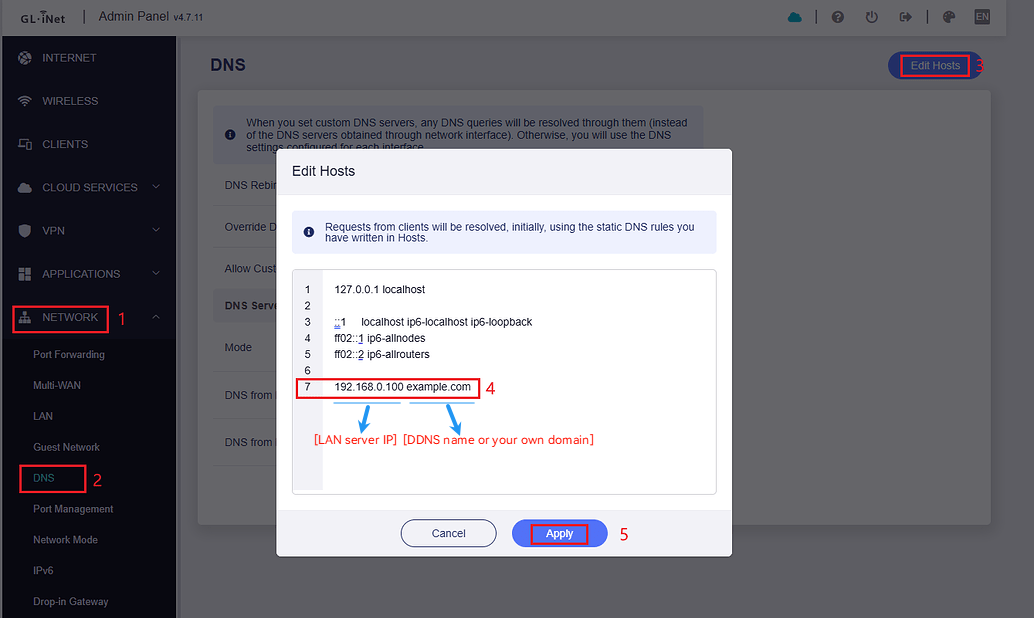
Note that this solution requires
- The external and internal ports for port forwarding to be configured the same, otherwise you will need to use different ports when accessing from a public or intranet network.
- The intranet devices should use the DNS of BE9300, could not use the Encrypted DNS.