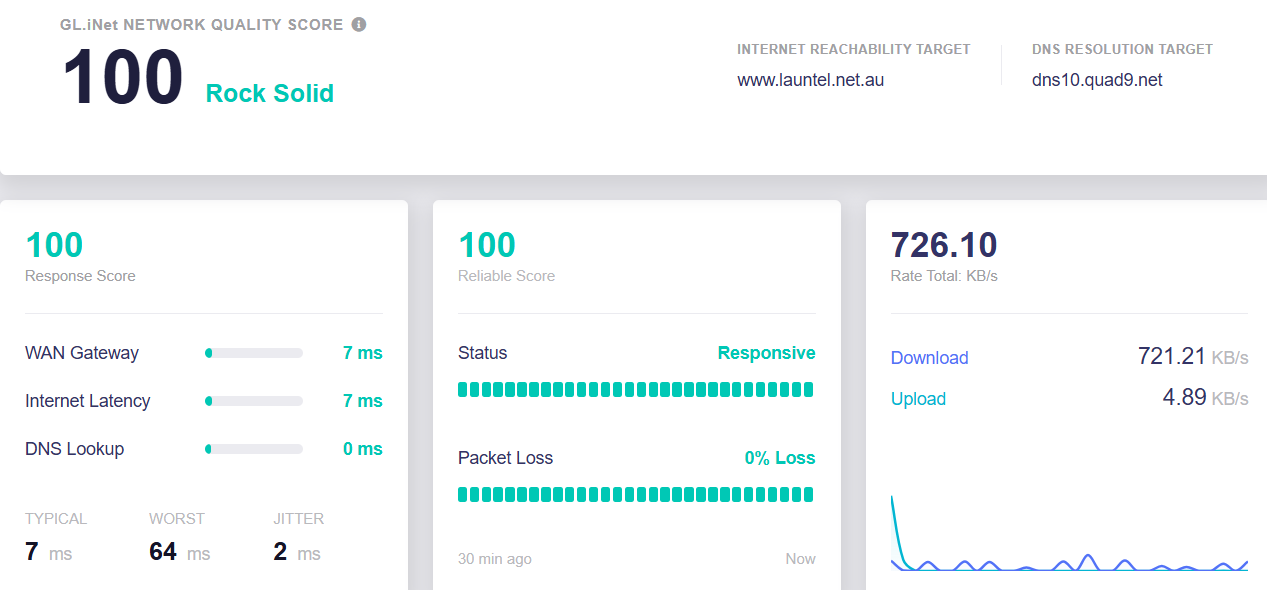
The problem started with Beta 3, but it worked fine with this Beta.
Then it appeared from evening to morning...
Then I tried updating to Beta 4 by resetting the settings but the problem continued.
The problem started with Beta 3, but it worked fine with this Beta.
Then it appeared from evening to morning...
Then I tried updating to Beta 4 by resetting the settings but the problem continued.
No , I updated keeping existing settings but I did have to reinstall ADGH because I selected the ADGH install option not to make the install permanent.
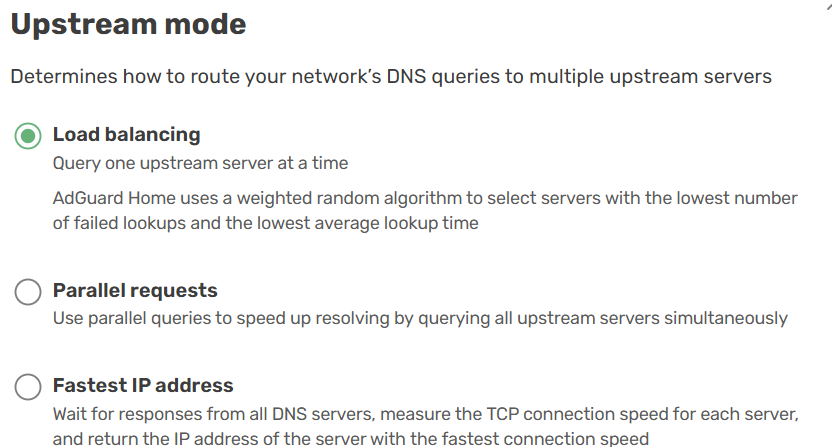
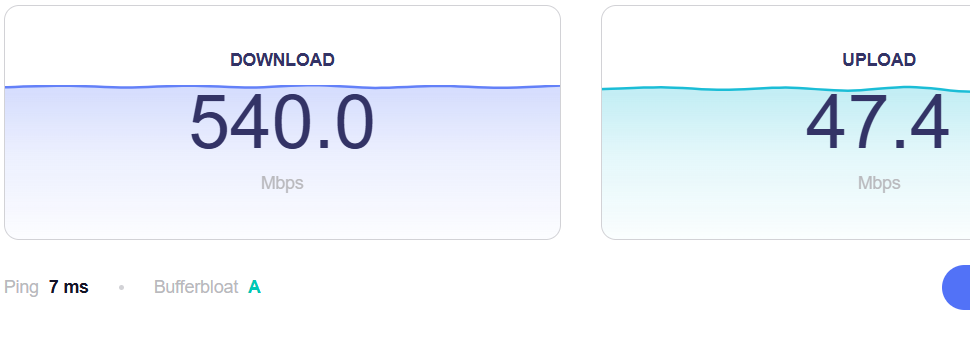
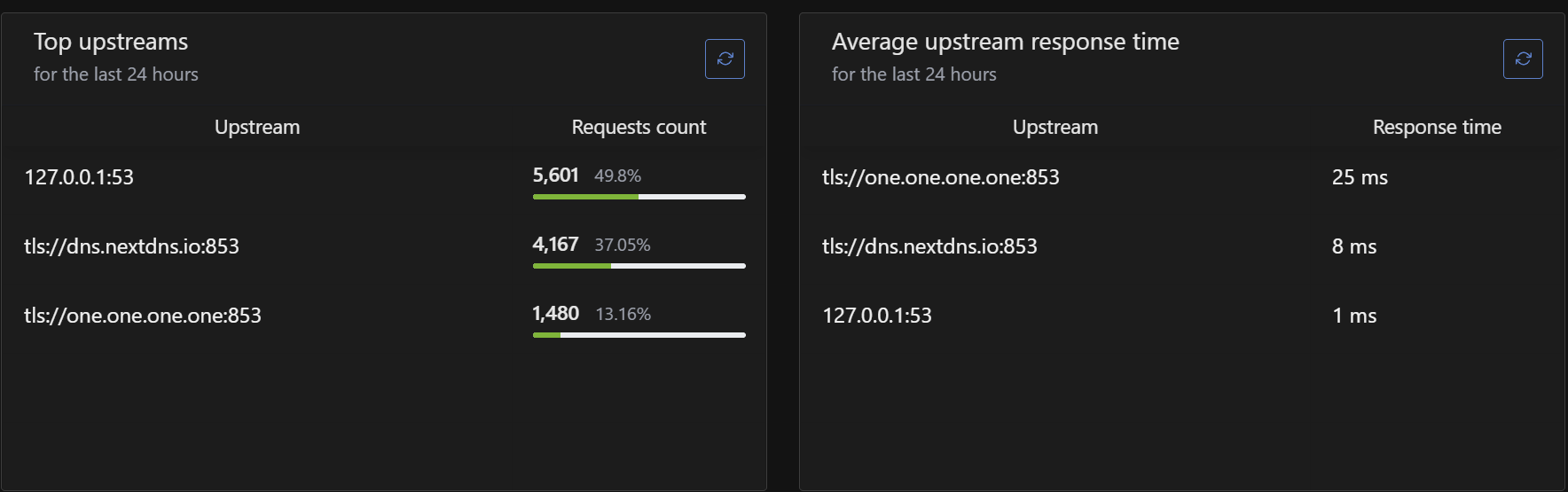
That is not important for me. The web pages seems to be pretty snappy. I have selected the option Load Balancing (more as an experiment) -
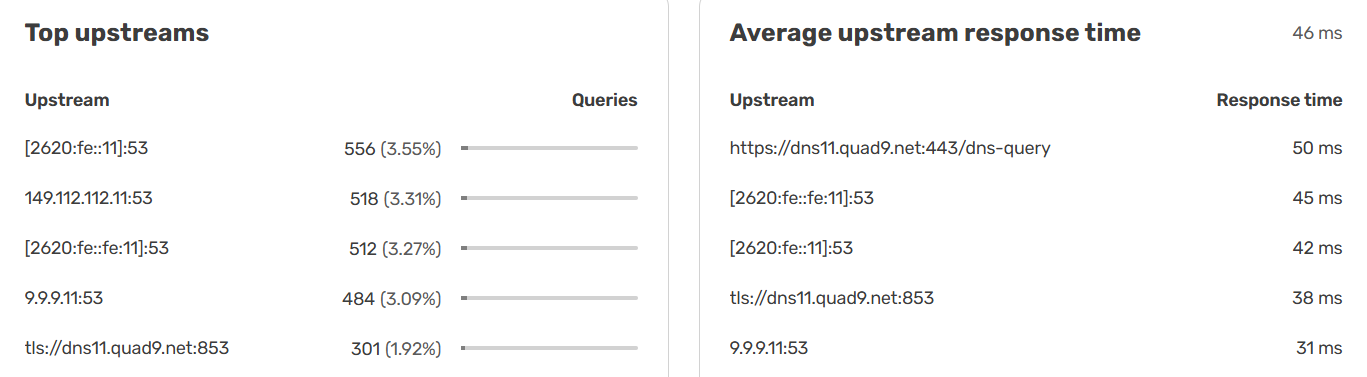
Load balancing seems to be working well…. each handling about 3% of the queries.
Yes. I am not using ADGH thought
Are you using Unbound? Disable Unbound and just use ADGH. I found on the Beta 3 that Unbound had an install issue but still would work initially but then stop later and I was unable to resolve any DNS. The easiest resolution for me was to not use Unbound.
Did you do any Plug-ins updates?
I found in the past that buggers-up a lot of thing so I tend to leave that alone - YMMV.
I don't do plug in updates because I've had problems with the Flint 2 in the past too
What is Unbound? And where can I find it as a setting?
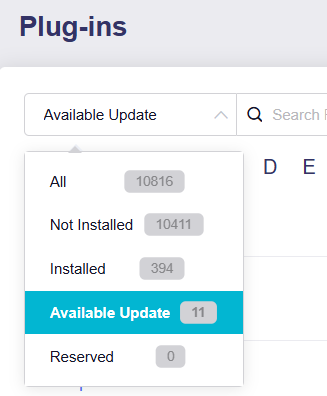
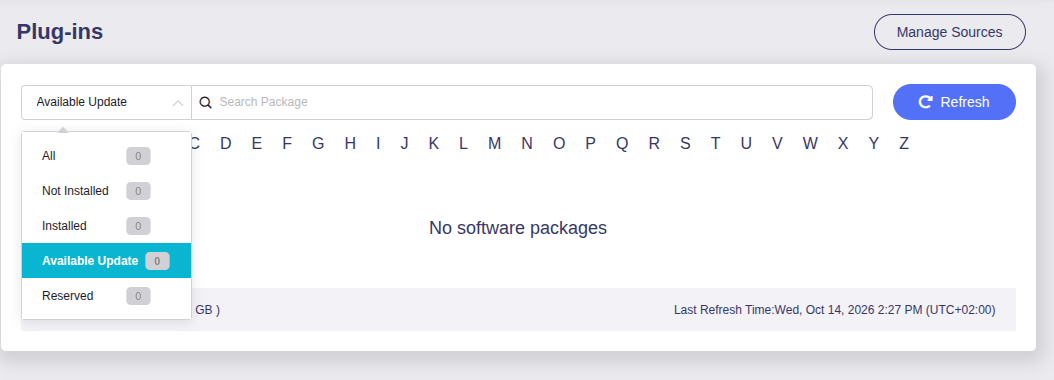
By the way, going to look at the plugins I noticed that it doesn't load them, as if there was no connection and instead the connection works correctly:
Disabling AdGuard instead works...
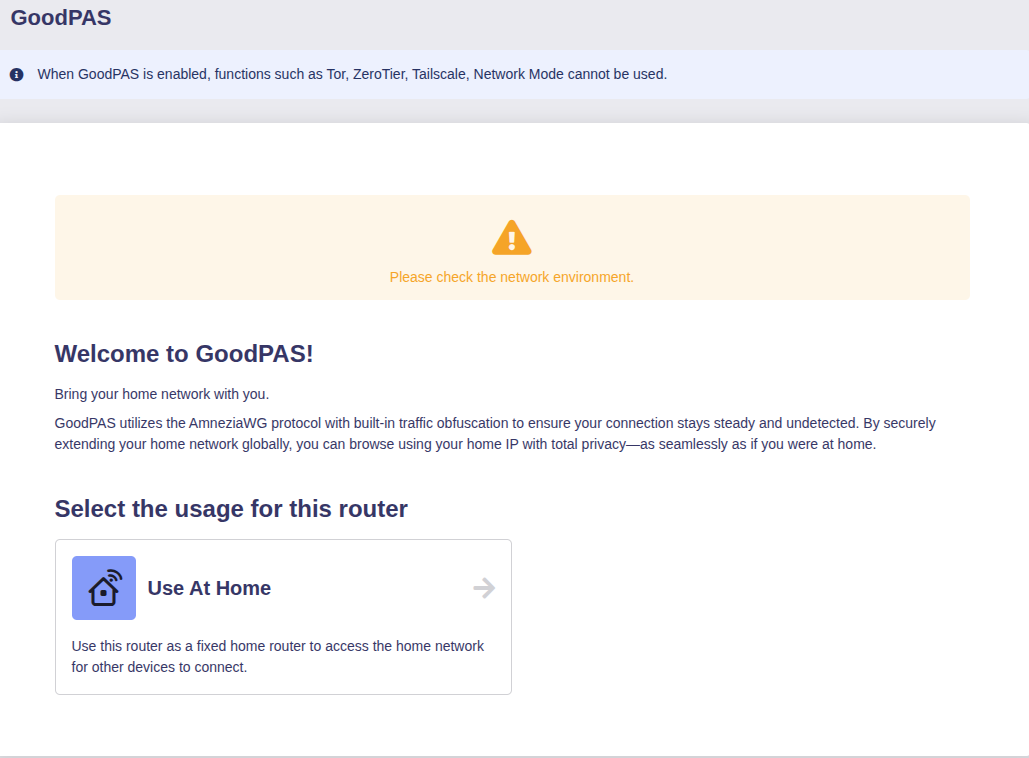
GoodPas also does not work properly with AdGuard enabled:
See here -
It does take a while for it to refresh or load up.
See below on how to install unbound -
Unbound I didn't install it having AdGuard Home available which has always worked fine, so I don't need to disable it
As for the plugins, it actually takes a while to load them, but with AdGuard Home enabled after a while it says there are none and everything remains at zero as you can see from the screenshot
If I disable AdGuard Home, however, it loads them correctly.
yeah you’re not supposed to do plugin updates for stuff that is installed by default, i also tried that once on my flint 2 and had some trouble. Someone else maybe made a thread about it.
AdGuard error while testing upstreams - #7 by charles2 try to unlink Adguard from the VPN
I don't have active VPN tunnels, but thanks for the tip anyway
Ad3. That would be nice to have option to choose the node static IP. I use mesh for 2 months now on 2 flint 3s and node IP is the same. Now moved to flint 4 as the main router and node has the same ip too so I think it is static.
I started with Flint 4 beta 3 and now beta 4 but my WG server config doesn't work on clients. Any way to fix it without downgrading and updating again to beta? I need mesh and WG.
Recreate the tunnels / get a new QR code or file.
But this is the new config / qr and I cannot connect
Hello all, I am new to GL.iNet being an Asus fan boy for many years I was very, very sceptical about the Flint 4, but with asus pushing everyone to a fast end of line products, Router upgrades only last 3 years at best with them, I purchased a Flint 4, the learning curve was very quick and the interface very easy to use, basically I am very impressed and entered the world of WiFi 7 and SFP+, the Flint 4 is also faster than my asus network gear (Selling if anyone in the UK are intersted  ).
).
Question... is it worth upgrading to the current Beta or should I wait, I have never had problems using beta firmware in the last 30+ years of computing, maybe the odd hiccup in the early days, some hair raising ones with the first dual Bios Gigabyte MoBo's lol.
But anyway, sorry for the theseus, I look forward in watching this router develope.
Thank you
I would suggest that you've been very lucky with your beta software experience and that's likely due to using big name brands in the past. GL-iNet isn't that and you just have to view this board to see the variety of issues with both 'stable' and beta software. That's not to say you shouldn't expect issues using beta software, as you very much should. They should typically be minor though...
Whether you use the beta software will very much depend on your use case. I'm using beta 3 currently and a long running issue with both my previous Flint 2 and my Flint 4 on stable firmware has gone. That being inexplicable increasing use of RAM, to a point where the device became unstable.
I don't use WiFi but, do use AGH, VPN and Tailscale and have seen no issues yet. My use case is pretty basic.
I won't move to beta 4 unless more reports come through of it working as expected.
I'd suggest you peruse the forum to understand what the current issues are with the beta software and see whether they'll affect you or not. You can then make an informed decision.
For me it is worth it.... The betas have added MESH for a start. YMMV. Live on the edge with the rest of us! Just go for it!
But as also expressed further in the thread, my use case is simple. I use WiFi, MESH, Wireguard, aggressive AdGuard (beta) filtering and Content filtering and the coolest thing is I have a docker container running SearXNG but I would like to be able to get the Jason Cox Powerwall monitor running in a container and using Grafana but that is beyond my skill level (I can get it working on a Pi 5 though). I do like the touch screens. The GL.iNet staff are very helpful and usually very quick to respond and help (as with other posters too). The LUCI interface is very good too if you know what you are doing (which I don't) - I only have a rudimentary and basic understanding of how to use LUCI.
One thing with the F4B4 is unbound shows errors after installing the luci-app-unbound plugin, Unbound seems to be installed but at a time later DNS will stop being resolved but ADGH keeps working so the simple workaround is not too use UnBound.
If it does not work for you simply roll back the firmware. I have been fine in the past with the Merlin firmware both release and Beta for ASUS, and betas for the Fritz box.
And you created new tunnels on the device to be used with WireGuard?
I went from 4.9.1 to 4.9.2 to 4.11 beta 3 to 4.11 beta 4.
All updates done with retaining the settings.
Wireless over Wireguard tunnel is much better (was already on beta 3) but still loose about 10 to 20% speed compared to my ethernet connection and I checked how many cores are active then and it is 3 (value e)
Also the Wireguard server works as it should over here.
Think the firmware needs still a lot of polishing.
What does your log say?