Beta 3 is unusable due to bugs. When will the next beta version of the firmware be released, or, even better, when will the final release be available?
I have 4.11.0 beta 1 as firmware as I can't install beta 3. Until yesterday everything was working pretty well, this morning the connection is working fine but the Network Quality page shows this:
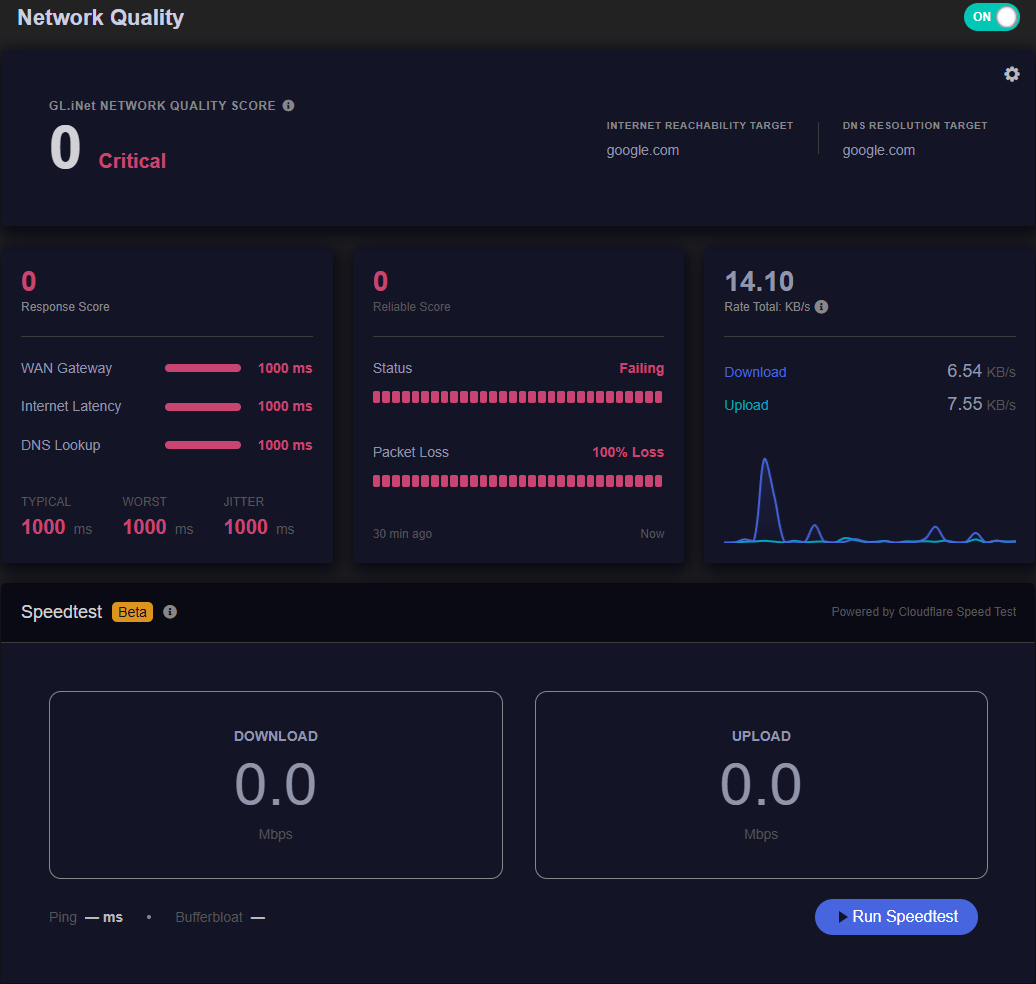
I also did the speedtest which stays at 0, I tried restarting the router but the problem remains…
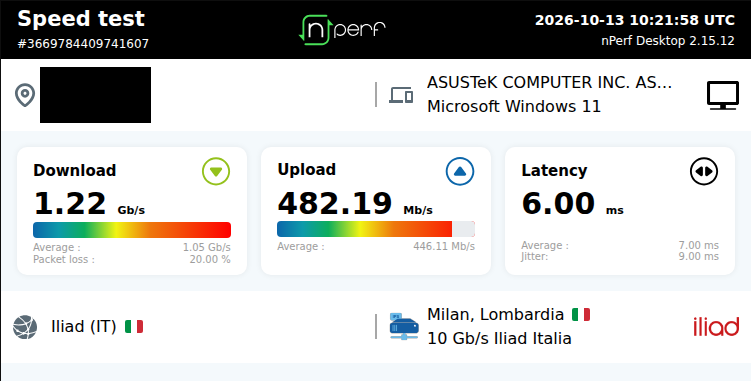
I noticed that the router is also offline from GoodCloud, the connection works fine as you can see from this screenshot:
Did you install iputils-ping same as me?
Have a look at this post: 4.11.0 network quality wan gateway - #16 by Void
I didn't install any packages, I used the default UI screen and it always worked fine (except Gateway WAN). Since this morning, however, nothing has worked except the Rate
Well…. it is beta after all….. what do you expect from a beta.
I find the beta 3 very usable on the FLINT 4. The only issue I have found is Unbound install (there is an error when installing from Applications/Plug-ins so I guess I should not be surprised there are some problems) and trying to use it with the AdGuard Beta - DNS stops resolving but I work around that by not using unbound - simples.
I did another test...I saved the settings via LUCI and did an upload test and since they worked I updated to BETA 3 by resetting the settings. The update was successful but the Network Quality page still doesn't work properly and the router continues to be considered offline by GoodCloud despite being online and with a working connection
Did you rebind it again from the Cloud interface of the router?
I've now released it, but clicking on "Bind GL.iNet Account via URL" results in an error message: "Connection failed. Please try again later."
I turned off AdGuard DNS, turned on manual DNS, and after a few seconds everything seems to be working again, both the Network Quality page and the ability to bind the Flint 4 to GoodCloud. I don't understand what could have happened last night to prevent it from working...The only thing that comes to mind is updating the filters where they have inserted links necessary for these functions.
I tried disabling all DNS filters but in any case with AdGuard Home enabled Network Quality does not work
GL.iNet GL-BE14000·GL 4.11.0 beta4 build 1109 (2026-10-12 20:26:36)·OpenWrt 25.12-SNAPSHOT r32295+914-c25265953b·Linux 6.12.94 has been released.
It would be good to understand what’s different in this latest release. Looks like that detail’s missing from the release’s page.
I think I’ll wait to update, as beta 3 is working well for me currently.
I installed the F4 beta 4 this morning - so far so good. The install did change the IP of the NODE but not a big deal once I realised - I guess I could try IP address reservation(?) but I do not see the NODE in the Clients section in the GUI - I do not know if I could use LUCI to reserve the IP of the NODE.
I am also using AdGuard beta. On the F4 beta 3, I was using Unbound but had issues - when install Unbound from the Applications/Plug-ins menu. It did come up with an error message when installing although it seemed to be installed and worked for a short while but then DNS stopped being resolved. By not using Unbound and just AdGuard works well. I guess I need to re-evaluate whether it is worth using Unbound and just rely upon Quad9 upstream recursive DNS….. I guess Unbound will be fixed in the fullness of time.
I have also installed Docker and a SearXNG container on the F4 NODE (also on beta 4) which is also working well.
So all in all, I happy with the way things are working on the F 4, Beta 4. 
This is positive. Was that a clean update? Or did you carry config across?
I used Unbound with AGH for a while but, I just wanted the fastest resolution time. Since tweaking AGH, including using it’s own caching, my average time to resolve is sub 1ms. And looking at the vast majority of queries, sub 0.5ms. So for me, Unbound is just more complication to achieve no gain.
Since you're using both version 4.11.0 beta 4 and the updated AdGuard (from what I understand), is the Network Quality page working properly for you?
I tried disabling all filters, reverse private DNS server but that page still doesn't work. The only way to get it working again is to completely disable ADGuard Home
I’m not using Beta 4 yet, I’m still on Beta 3 until more user reports come in.
I don’t using the Network Quality monitoring either, as I have other tools for that. I’ll switch it on and take a look however.
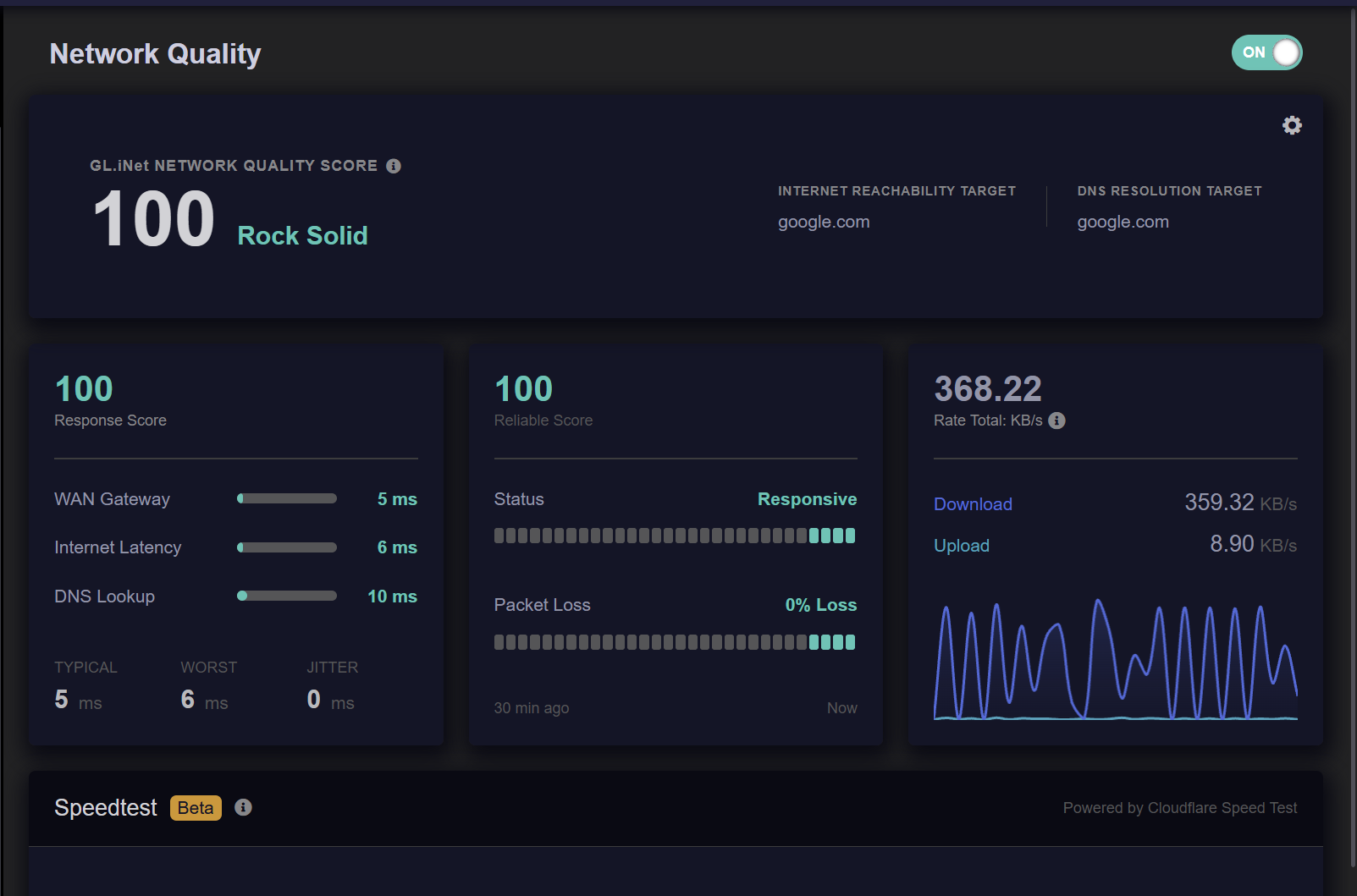
Yes, and I can't figure out why it stopped working with AdGuard enabled.
In the truest sense of the word, I went to bed in the evening and everything worked and in the morning I got up and the Network Quality page no longer worked...
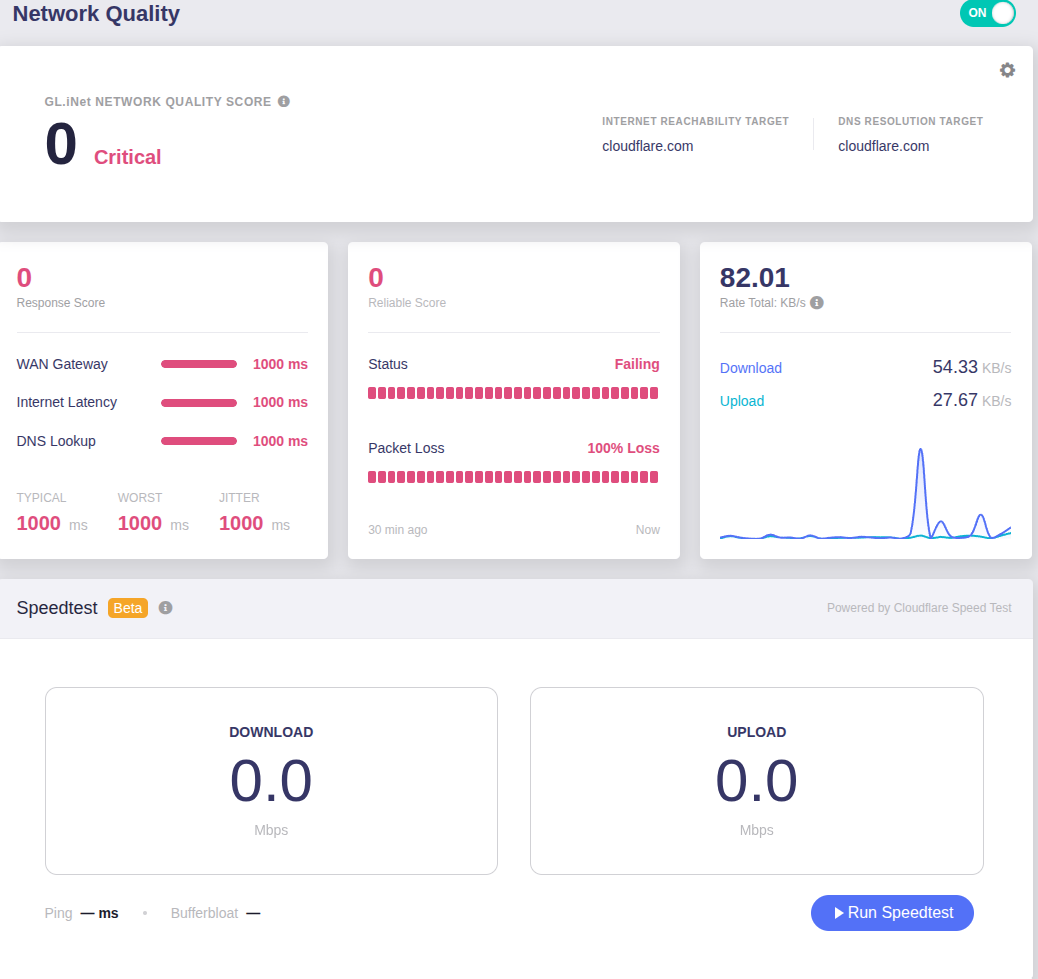
As you can see, the only parameter that works correctly is the Rate Total.
If I disable AdGuard instead it works fine again (except the WAN Gateway parameter):
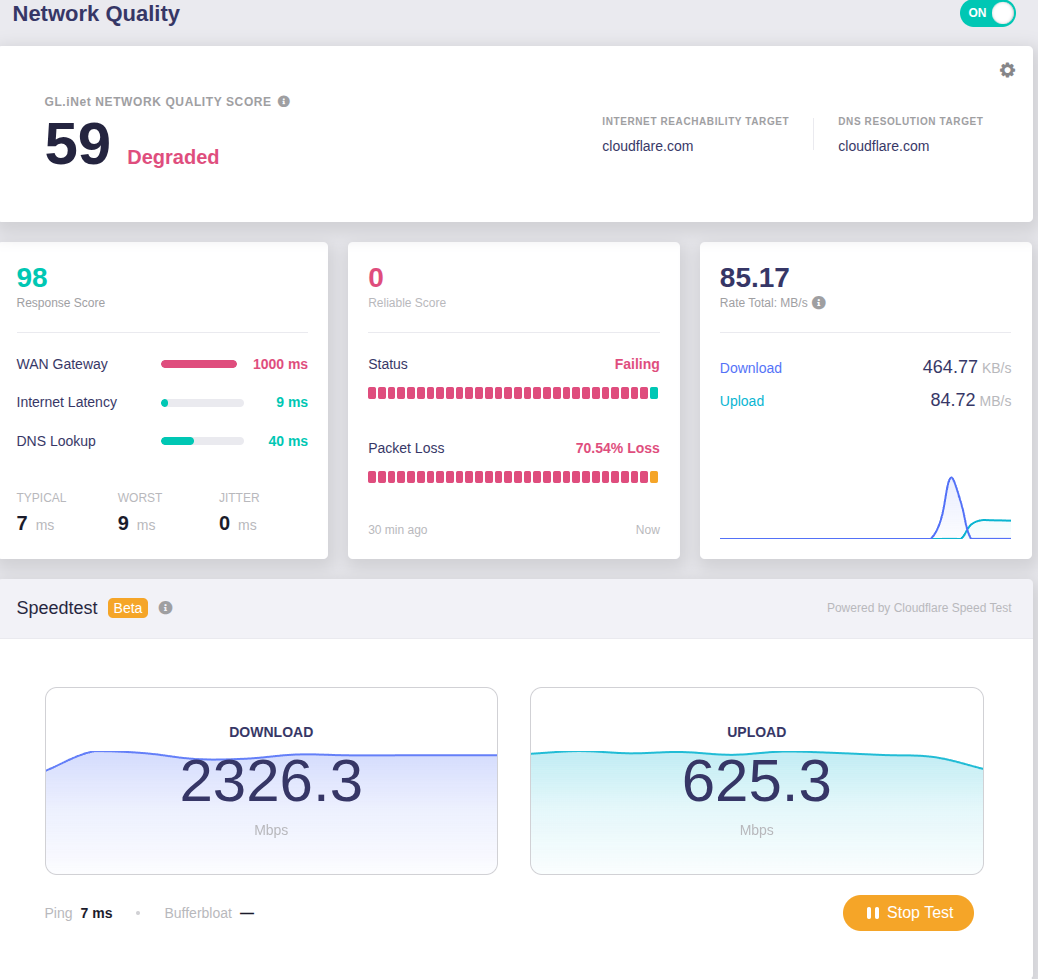
Very odd!
Obvious question, have you restarted the router since?
If you have, and it’s not too much of a faff, you could try a reset.
It restarts, several times...
I also installed the firmware update not keeping the settings and then manually loaded the previously saved settings (the ones from beta 3) from LUCI
Now, I also tried disabling AdGuard protection from the AdGuard Home dashboard but it still doesn't work.
If I completely disable AdGuard from the router GUI, Network Quality starts working again
If it’s a big issue for you, revert to beta 3.
I’m going to stay on beta 3 for now as it’s working perfectly for me.