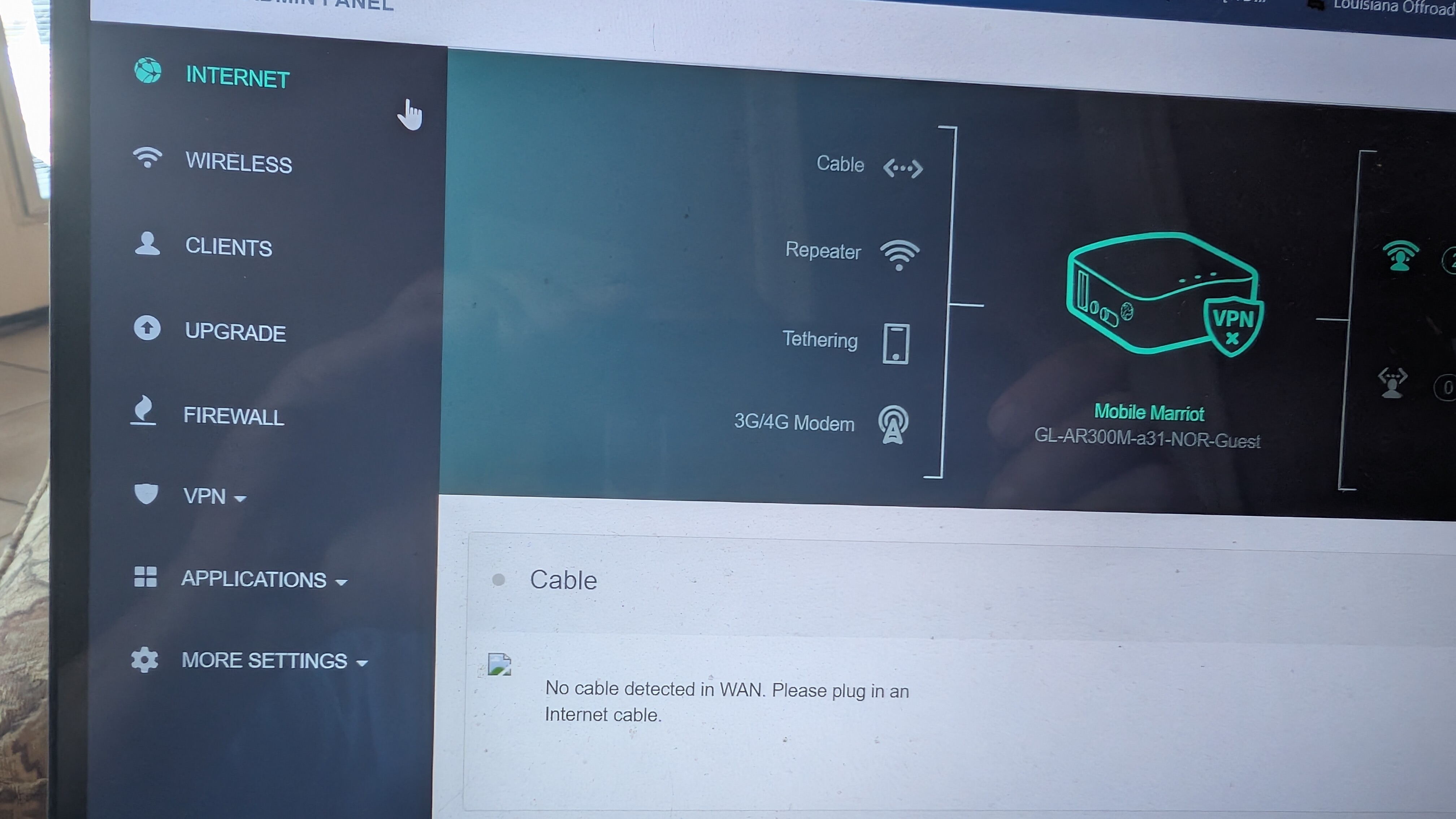
I use a GL-AR300M travel router in my 5th wheel RV. I have had it for several years. All of my devices in the RV (firesticks, phones, laptops, etc) connect to the router. Then I connect the router to various internet sources, and everything is on line.
I have had this router for several years. When I am at home, the router connects to my home wifi for internet. This has always happened without fail. When we return from a trip, the router has always and 100% automatically connected to my home wifi. And stays connected until we leave again
But the past several weeks the router keeps disconnecting and does not automatically reconnect. I have to manually reconnect the router in the phone app or Windows laptop to my wifi. When I manually reconnect, everything works. But it will disconnect within a day or so.
No other device on my home wifi is doing this. Only the GL router.
What can I check to fix this so the router stays connected?
The reason for the question is if you had this unit for years, it probably started with 3.x firmware. A while back, GL iNet upgraded to firmware 4.x, which changed a lot of things on this router. I have tried the 4.x firmware on the AR300M, and I do not like it, so I run 3.x or generic OpenWrt on my AR300M routers.
Since you just upgraded, you are probably running the latest released 4.x firmware, so it would be best to get some help from the GL iNet team: Maybe @bruce or @will.qiu can jump in and help.
They probably will still need to know which firmware version you are running. Best of luck!
My current firmware after updating just a few days ago is 3.216
My repeater options have turned off when I find my router is no longer connected. Turning repeater option on and picking my home wifi is how I have been manually reconnecting. But that lasts less than a day
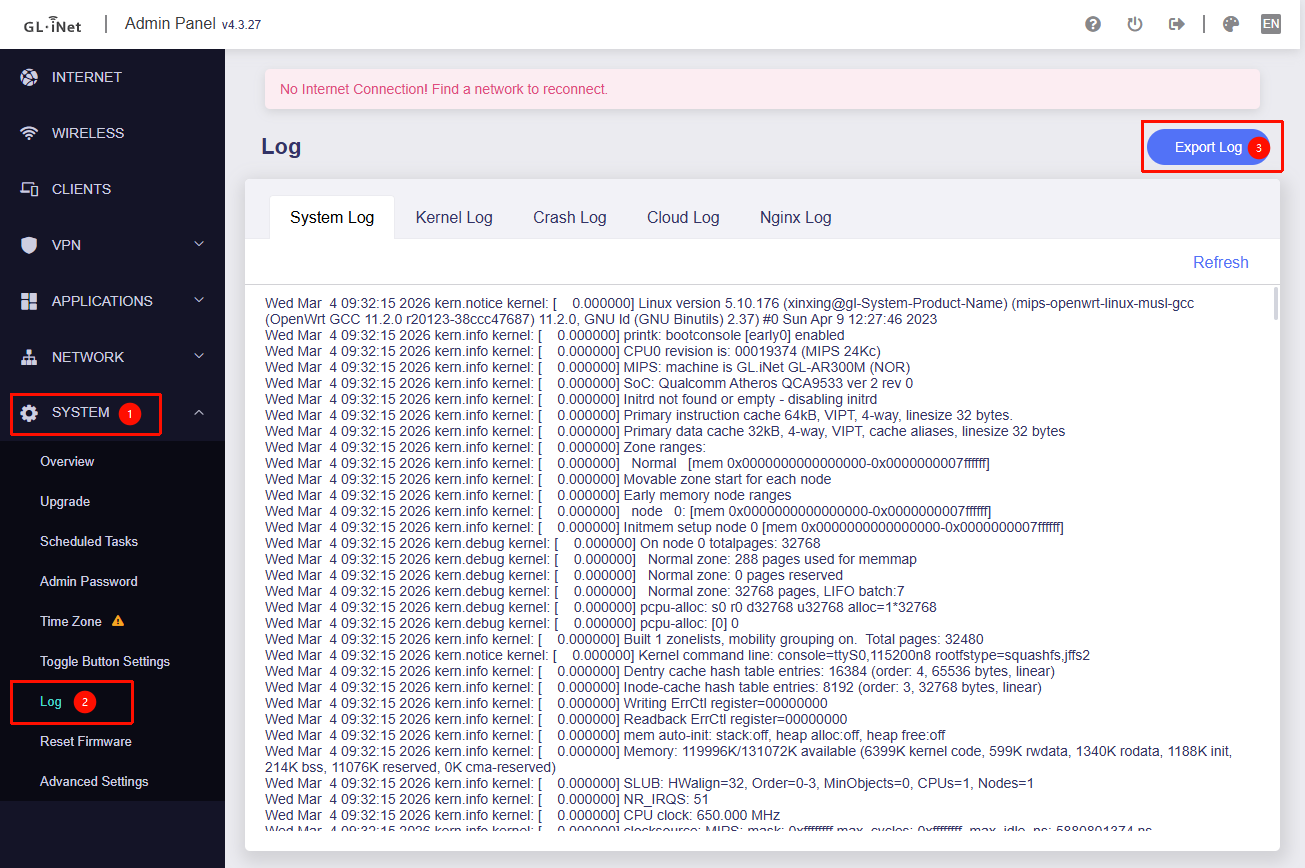
I can not find the path to download device logs. Your picture is to dark. But looking through the menu in that general area, I can not find anything that looks right. If you could send a better picture, I will PM the logs
Would it be possible for you to upgrade the AR300M to the latest v4.3.25 and see if the issue persists?
If the problem continues, as mentioned earlier, please go to Admin Panel → System → Log, and click the "Export log" button to export the logs for further analysis.
My GL-AR300M router has gone from connecting to my home network for months, to days, to hours, and now it is at minutes. Probably even less than one minute before it disconnects.
I do not have the path to send data logs. There is no “System” choice.
See screenshot attached.
I have clicked through every available menu. There is no “System” or “Log” in any of the other menus either
Is it possible to upgrade to V4.3.25. I have no idea. Your name has GL Staff beside it. I am hoping you can tell me
I did not choose the firmware that I am on. Through prompting of eric above, I checked firmware. The system told me new firmware was available. I DLed and installed the firmware it gave me. Now the system does not tell me I need new firmware. How do I update now?
We may not have explained it clearly earlier — the screenshots and the path to export log we previously provided only apply to the v4 firmware, not for your current v3 firmware.
Yes, as mentioned before, please upgrade the firmware on your AR300M to the latest v4.3.25 version.
We have already shared the firmware download link and the upgrade guide—we’re including them again here.
Download link:
Upgrade guide:
Please follow the steps in the upgrade guide, and make sure not to keep the configuration during the upgrade.
Afterward, please reinitialize and configure the AR300M, then observe whether the issue still occurs.
If the issue persists, please export the logs and send them to us via private message so we can analyze them further.
I want to thank @eric and @will.qiu for attempting to help. But it was getting really frustrating with trying to follow the menus that didn’t exist on my device, and the extended times for replies from far parts of the world. So I bought another router.
I looked at my purchase history. This router was 4+ years old and I spent less than $30 dollars for it. It was not worth my time, nor anyone else’s, to fight it any longer.
I was VERY impressed with the performance of my cheap router. Especially over the length of time, when for most of that time it was sitting in unconditioned space, very hot, humid, or cold depending on the weather. Because it was in an RV, used 1 weekend a month and a few weeks a year. Then when it was being used, we had multiple devices connected to the router, with the router connected to multiple different internet sources depend upon where we were.
So based on performance, and the follow up from the forum, of course I bought another GL-iNet.
I upgraded to the M3000 Beryl, which is not the best GL-iNet makes, but light years better than the router that served me well for 4+ years
Congratulations on the new purchase and I hope it works for you for another 4+ years. I have found the GL iNet hardware to be very durable and I have multiple of their routers in production.
 I did not pay enough attention of either number to remember. But the firmware did not solve the issue.