GL-AX1800 - with OpenWrt 25.12

I have a GL-AX1800 with the stock firmware that came with it, from about 2 years ago (I don’t have the version # handy)

Now that there is an official OpenWrt 25.12 image for it, I am contemplating flashing it.

Before I go that route, I would appreciate to hear from others who have flashed it - any gotchas etc.

Hi

Perhaps you could create a backup file first and then try vanilla OpenWRT.
That way, if you encounter any issues afterward, you can always switch back later :grinning_face:

1 Like

Hi,

Thanks for the suggestion. I already have a backup of the config files.

However, that is not the intent of my post.

To clarify - I want to hear from anyone who has installed OpenWrt 25.12 and how was that experience. Did the upgrade go smoothly and if not then what kind of issues they encountered.

I tried the 25.12.5 sysupgrade image. I think I bricked my device.

Please suggest a recovery method. Thanks.

You can flash back to the stock firmware through Uboot. Please refer to the following guide:

1 Like

Thank you. I’ll give it a try.

With the method outlined in the doc, I am able to get the U-Boot web interface @ http://192.168.1.1

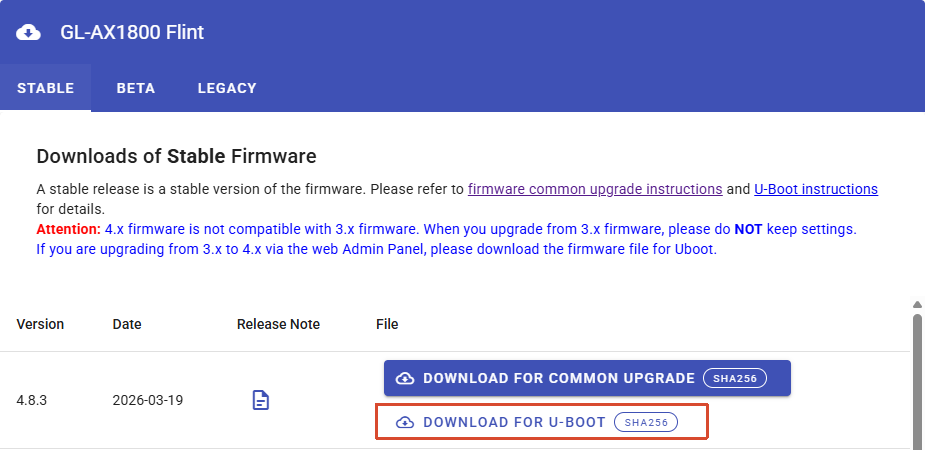
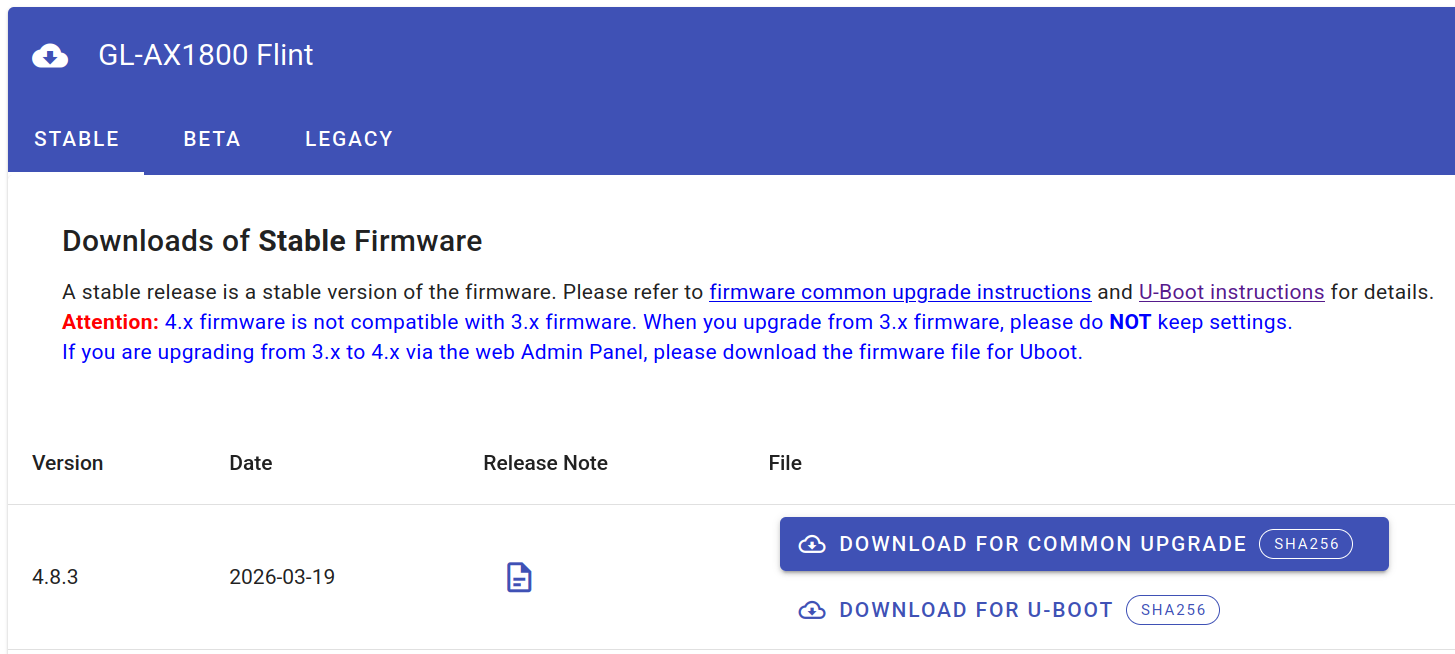
For the AX1800, there are two links one is ‘common upgrade’ file (tar ball) and the other is U-Boot blob (.bin).

Which file should I download and apply?

Thanks :folded_hands:

Please use the U-Boot (.bin) file when loading/flashing the firmware through the U-Boot web.

1 Like

Thank you :folded_hands:

I am wondering if the 25.12 image can be flashed from the U-Boot web interface instead of the GL.iNet firmware.

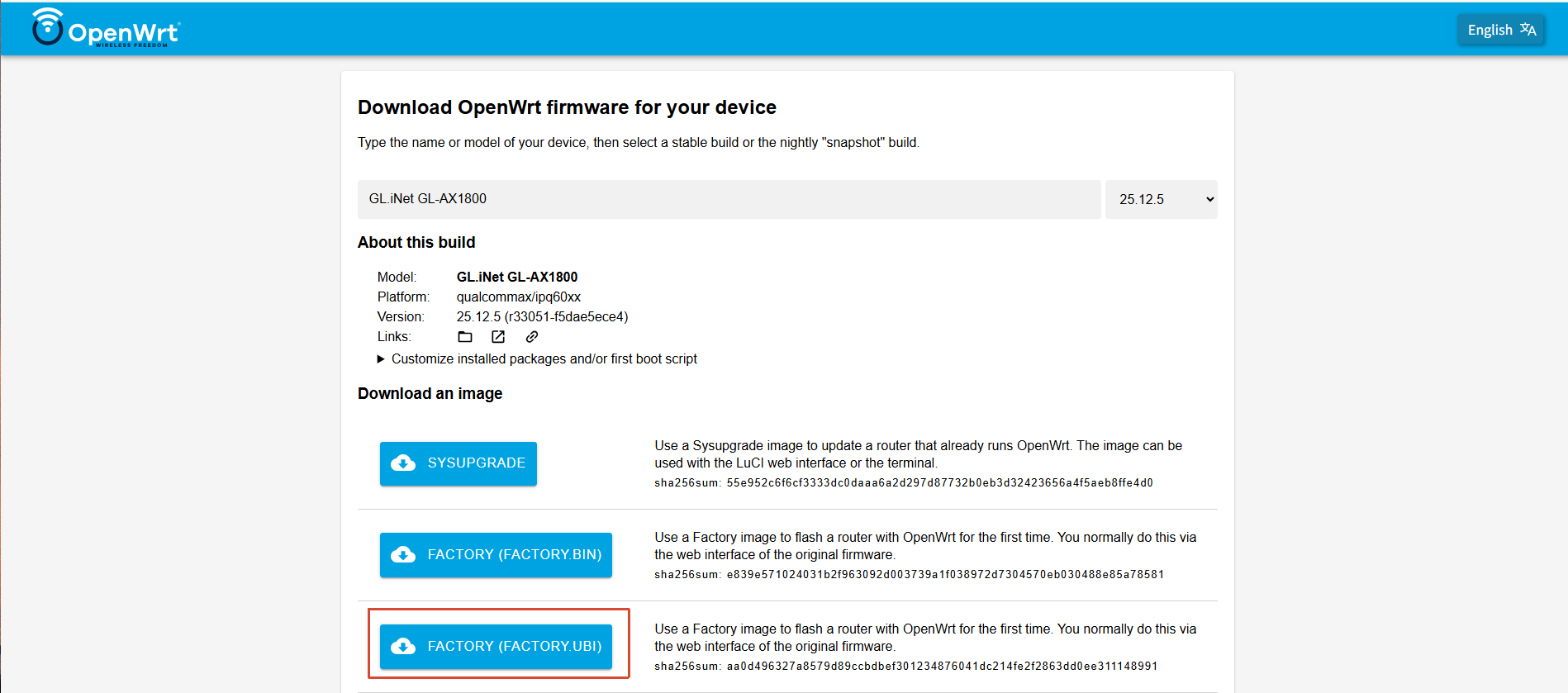
There are two .bin files

openwrt-25.12.5-qualcommax-ipq60xx-glinet_gl-ax1800-squashfs-factory.bin
openwrt-25.12.5-qualcommax-ipq60xx-glinet_gl-ax1800-squashfs-sysupgrade.bin

We would recommend using Admin Panel → System → Upgrade + sysupgrade.bin to load the Vanilla OpenWrt firmware, as this method usually works properly and carries less risk.

Flashing third-party firmware through U-Boot may cause partitions to be incorrectly erased or even make U-Boot itself unavailable. In such cases, recovery may require disassembling the device and using the UART port, a flash chip programmer/clamp, or 9008 mode for debricking.

However, if you still prefer to use U-Boot to flash the Vanilla OpenWrt firmware, you will need to use the factory.ubi image.

1 Like

Thanks for the heads up. I think it’s best to flash the GL.iNet firmware via u-boot and then use sysupgrade.bin method.

1 Like