Hi,
As mentioned by 9b9e..., once the 'Admin Panel - Network - DNS - Override DNS Settings of All Clients' option is disabled, Beryl AX will not affect the custom DNS setting of the TV.
If the TV's custom DNS still does not work, we think that your VPN service provider may be overriding the unencrypted DNS request on their end.
In this case, your idea (learn from your other posts) - using the Adgurad Home to filter ads, and use encrypted DNS as upstream will be good one.
The following is the recommended configuration:
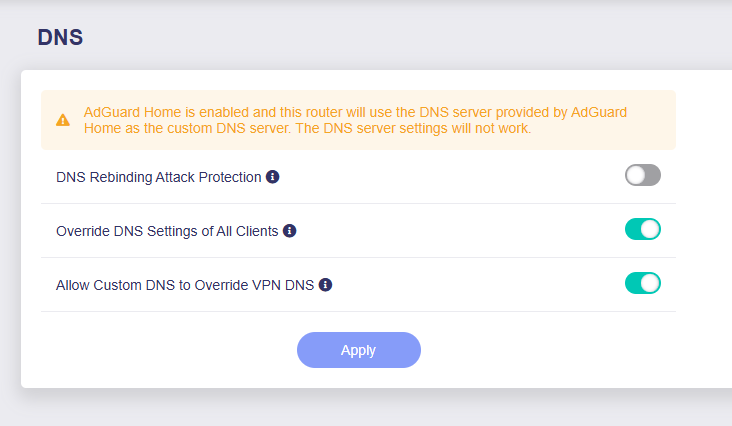
- Admin Panel - Network - DNS, enable Override DNS Settings of All Clients and Allow Custom DNS to Override VPN DNS to ensure that all the unencrypted DNS requests from clients will be handled by the Beryl AX.
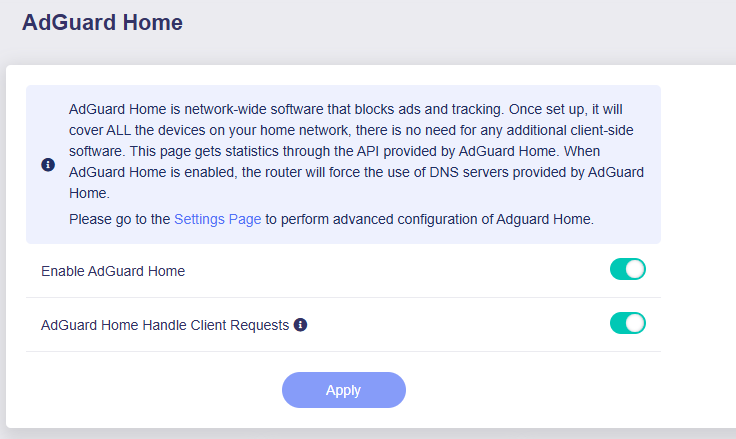
- Applicaton - AdGuard Home, enable the Enable AdGuard Home and AdGuard Home Handle Client Requests to ensure that Beryl AX will forward the unencrypted DNS request to AdGuard Home.
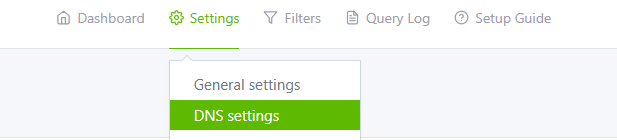
- Click the Settings Page to go to the AdGuard Home settings page, and brower to Setting - DNS settings.
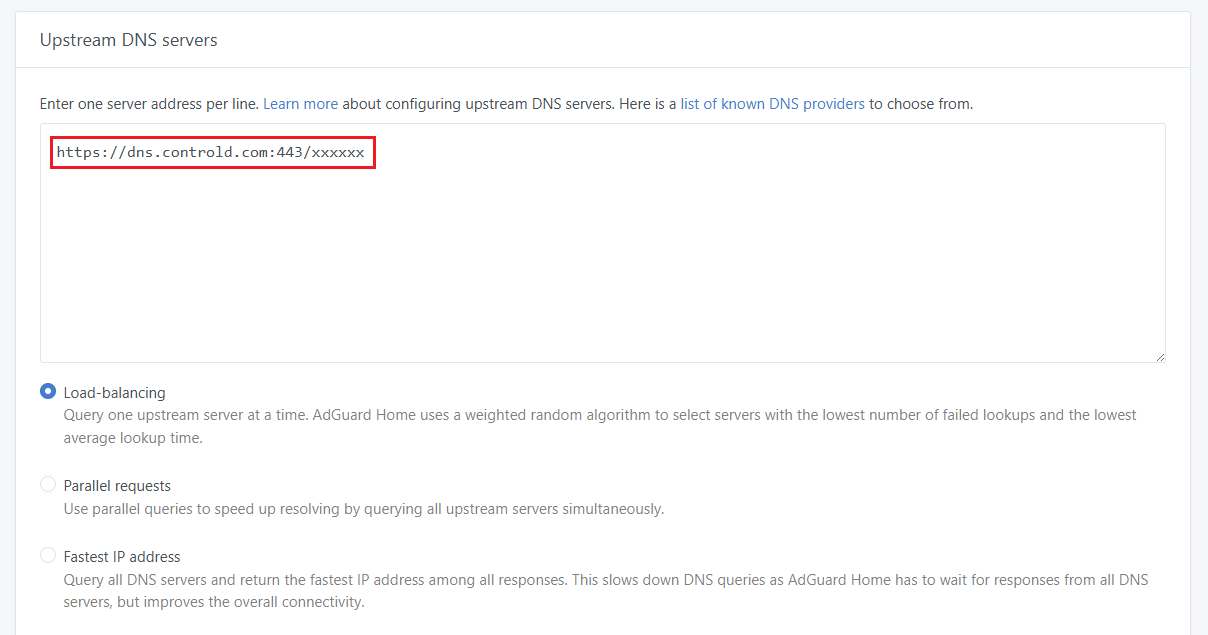
- Fill in only your ControlD DoH address on the upstream DNS servers to ensure that all DNS requests will be forwarded to your encrypted DNS to bypass geo-restrictions. Remember to click the Apply button at the bottom to save your settings.
Note: Do not enter any other DNS address, otherwise bypassing geo-restrictions may not work since the DNS request will be forward to other DNS server not ControlD.

- Check: Go to the AdGuard Home settings page - Query log, move the mouse/arrow to the ? button on Response. The DNS server should be your ControlD DoH address.

For VPN settings, you can leave your existing settings as they are.
After the recommended configuration, the VPN should not affect DNS.