Background
I have a Tuya Smart Camera that only supports 2.4Ghz which was working fine with my old ASUS RT-AX86U router. It stopped being able to connect to this new router, despite my troubleshooting attemps. I decided to start this topic after reading this related thread: GL-BE9300 (Flint 3) - Tuya 2.4GHz IoT devices won’t connect, need pure 11b/g/n mode
Info
Firmware: v4.9.0 stable
Issue
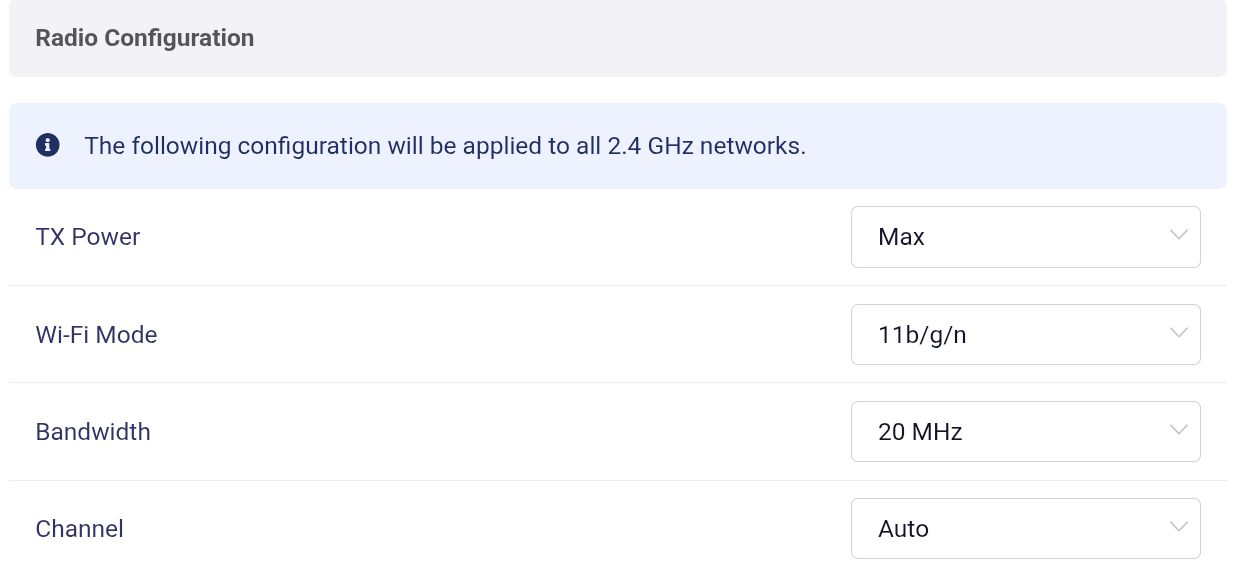
- I tried configuring the 2.4Ghz radio to b/g/n mode and it didn't work as expected
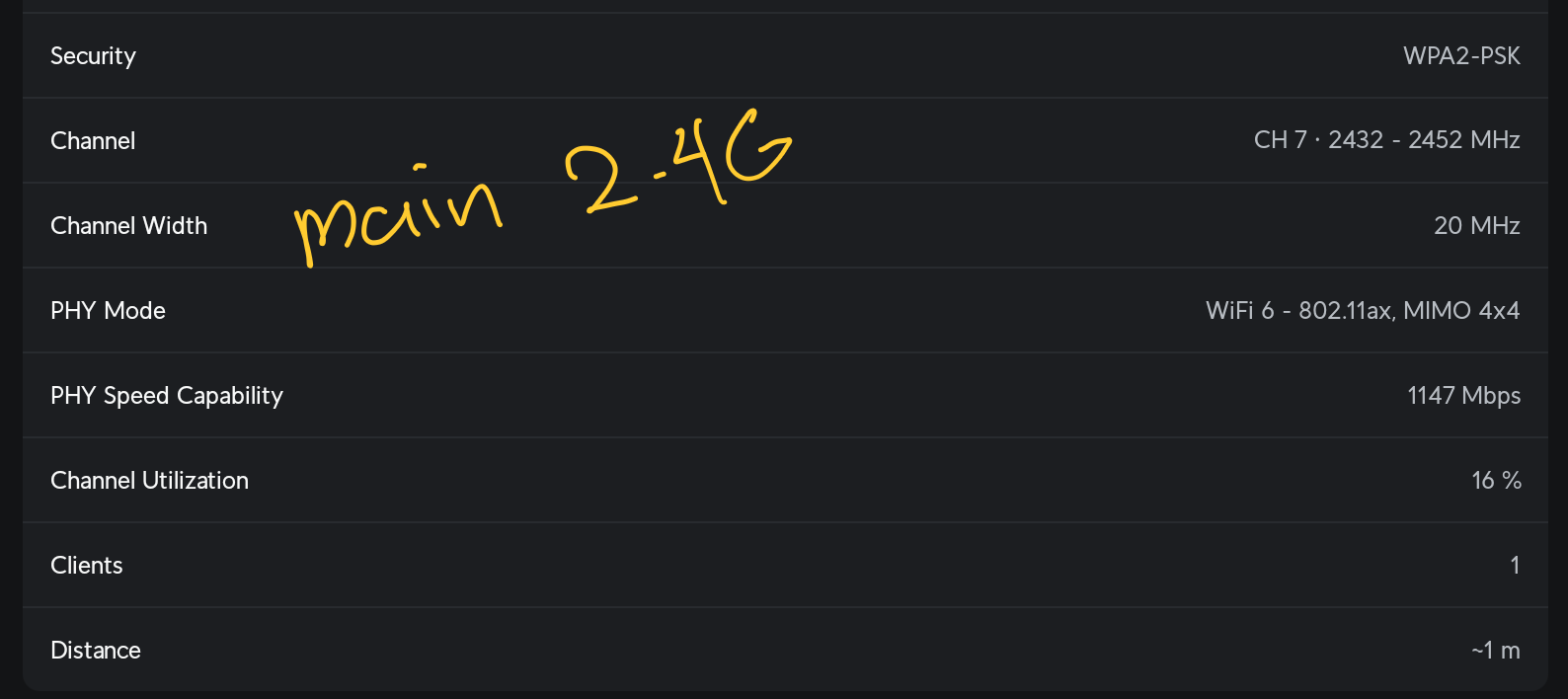
- The main 2.4Ghz network got set to b/g/n mode (checked through wifiman)
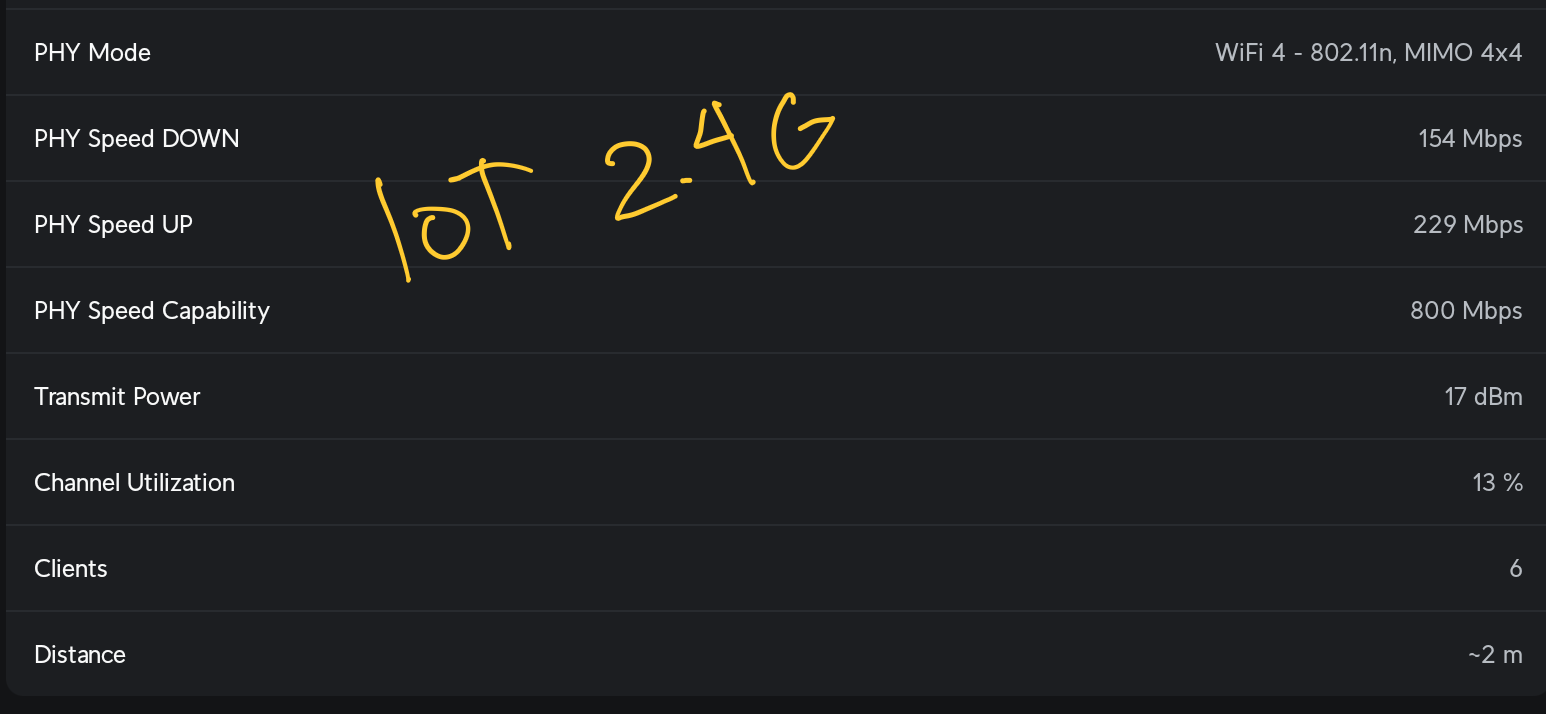
- The IoT 2.4Ghz network is still set to ax mode (checked through wifiman)
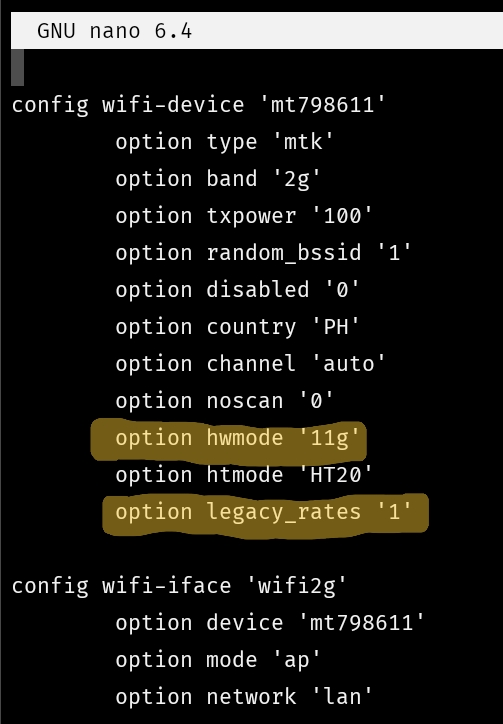
/etc/config/wirelessclearly shows mywifi-deviceis set to legacy mode
Any help would be appreciated!