I have a x2 Slate Plus router(wireguard)(server in US and client on another continent) setup on personal laptop for work. When doing normal browsing my internet connection is fine.
However after connecting to work global protect vpn i lose connectivity to the internet. Can anyone please assist with a solution to this problem?
I lowered Ethernet 1(GLRouter) to 600 form 1280 and Ethernet 2(GlobalProtect) from 1280 to 900 and it started working smoothly.
Switched off everything,reconnected and the connectivity issues came back.
Then checked mtu again only to realize GlobalProtect has restored back to the original 1400mtu so lowered it back to 900 and connecton issues continued.
Now lowered everything to 550 and connection restored.
Not sure what’s happening but your suggestions are doing somtething thank you. Where do i go from here
It’s quite odd. The no internet problems are persisting. I have tried changing MTU again and again with no luck at establishing a solid internet connection. It sometimes connects and i can browse then if i turn off the PC/Disconnect Global protect it stops working.
Okay thank you I’ve figured and made it persistent, played around with a few MTU numbers for GL ethernet only but still getting the problems with internet connectivity once connected to Global Protect.
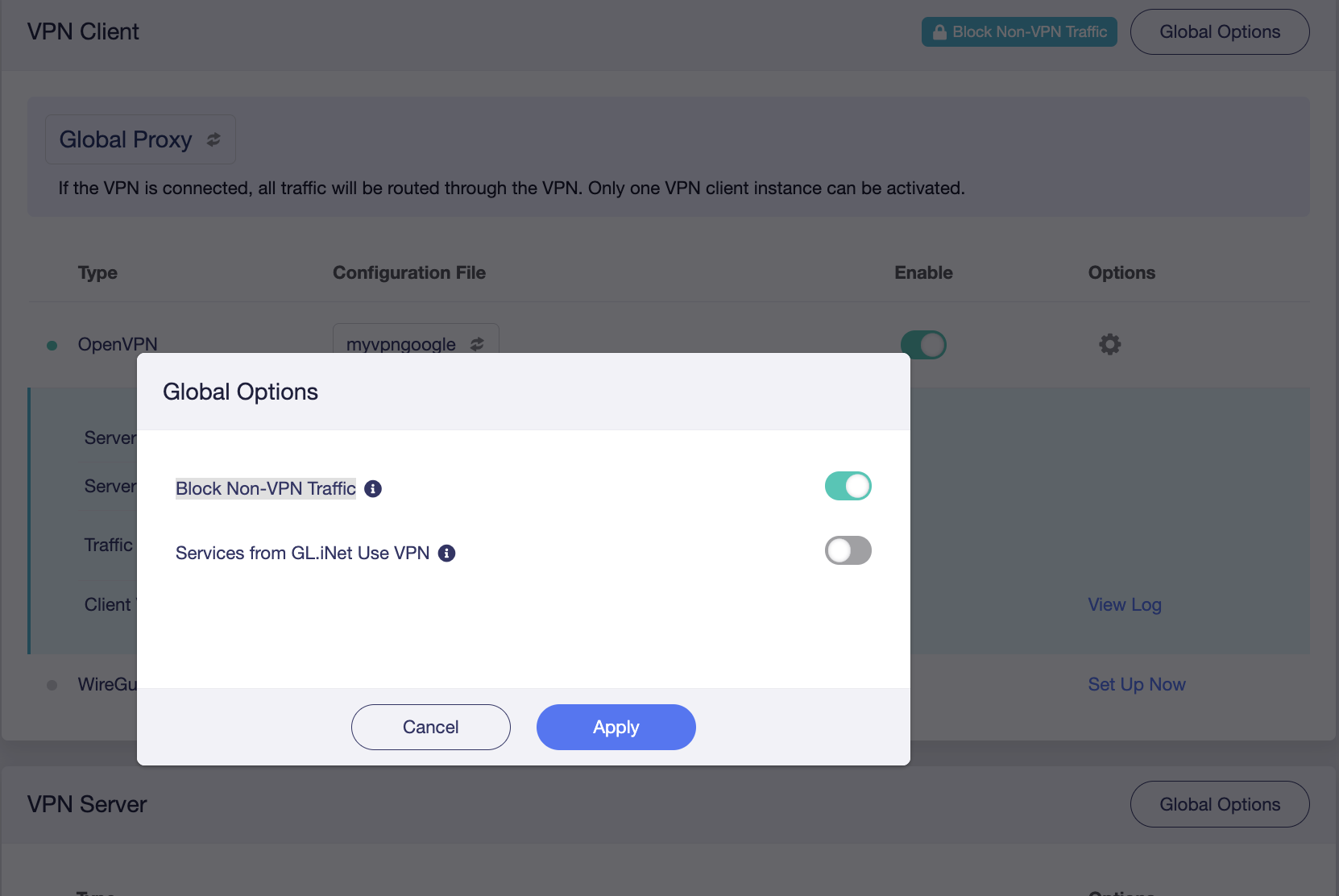
I tested it for a day, turned on the device VPN, and enabled the "Block Non-VPN traffic" option.
There was no network disconnection for the time being, and the VPN was always in normal use.
If you turn off the VPN function, you also need to turn off the "Block Non-VPN traffic" option, otherwise the router will block normal Internet traffic (non-VPN traffic)
HI
i have my own server configured in the router with opnvpn which i access through the wifi of the slate 7 router i connect to my work pc which has global protecto and zscaler installed. I can't browse and I can't connect to the tools at work either.
 thank you. Where do i go from here