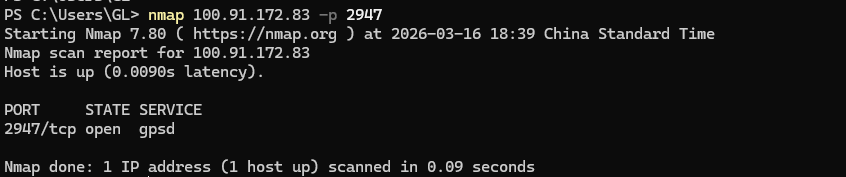
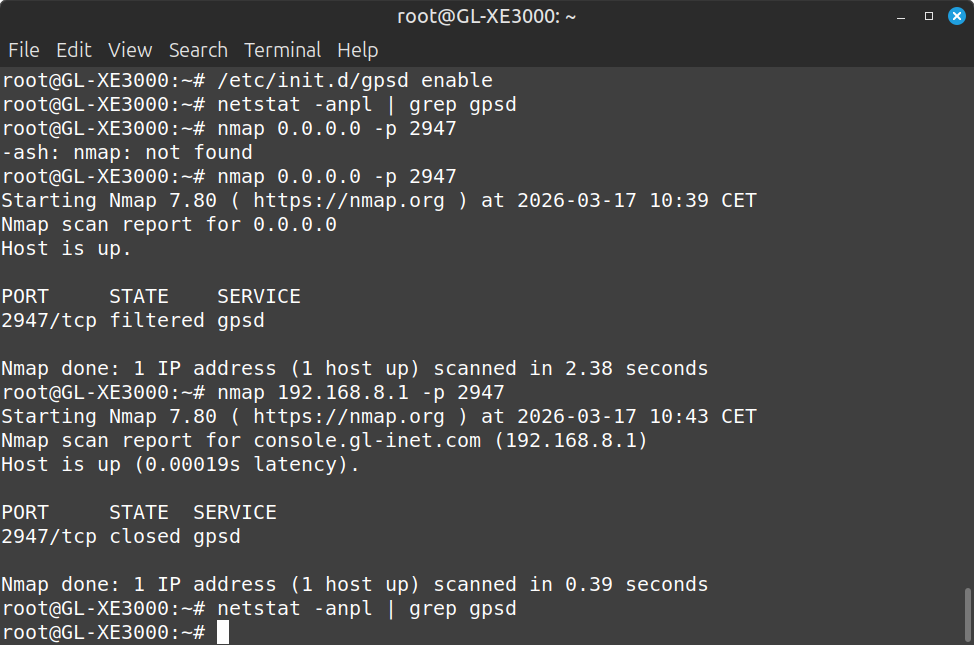
I’m trying to use my new ax3000 router as a gps backup for if my rv gets stolen and the bad guys disable my default gps tracker. Hence the battery version.
I followed this guide:
I have a nmea gps output through ssh using cgps. Found the port with netstat -anp | grep gpsd.
But when i try to import the nmea string using the avNav app its not seeing the nmea string.
Apparently because the port is occupied by the system or only available to the system.
If i try to appoint a new port (i think) by gpsd -N udp://*:12345, i still get address in use.
How can i make the nmea string available over external tcp? Next step would be accessing the router trough tailscale
I had the same idea, but, took a different approach. I use a VPN connection back to my home network. I’ve got a shell script running on the GL-X3000 that checks to see if the speed is greater than around 1 MPH. If so, it sends a rsyslog message with the date, time, coordinates, and speed to my server at home every 60 seconds. If it isn’t moving it sends it every 15 minutes.
If you happen to be using Victron gear for your RV house power and you have a Cerbo, you can also add a GPS USB dongle to the Cerbo and then the GPS location will be reported via VRM. (I got a USB GPS stick on Aliexpress for $0.99 ). The ethernet port on the X3000 is nice for a direct connection to the Cerbo.
Thanks for your reply. I have a different usecase. In case the default gps fails , i would like to still be able to track my rv on my android phone, so i can follow/retrieve it when its stolen.
Since you know how to write a script, is it possible to access the gpsd output remotely through tcp address/port?
I don’t know of a way to get the information directly from UDP/TCP connection. I bet it can be done, I just don’t have the skills to do it that way.
One option might be to have a script put the information into the filesystem somewhere in the web servers folder at regular intervals. You could then retrieve it via a simple http/https request. But, I would avoid this due to all of the writing and excess wear it would cause to your flash.
Could you clarify what outcome you're trying to achieve?
Are you trying to remotely access the GPSD port through Tailscale?
If so, please try configuring GPSD to listen on all addresses instead of only the loopback address.
# Install GPSD (skip if it is already installed)
opkg update && opkg install gpsd

# Set up GPSD
uci set gpsd.core.enabled='1'
uci set gpsd.core.listen_globally='1'
uci set gpsd.core.device='/dev/mhi_LOOPBACK'
uci commit gpsd

# Start GPSD
/etc/init.d/gpsd start
/etc/init.d/gpsd enable
# make sure the address is 0.0.0.0 not 127.0.0.1
root@GL-X3000:~# netstat -anpl | grep gpsd
tcp        0      0 0.0.0.0:2947            0.0.0.0:*               LISTEN      2799/gpsd
tcp        0      0 :::2947                 :::*                    LISTEN      2799/gpsd
After that, you should be able to access GPSD directly via TCP + the Tailscale IP + the port that GPSD is listening on.