I’ve just flashed 4.8.1 Flint 3 all works fine with Global Mode using a VPN client, but the Policy Mode I can’t get my head around, first off entering Policy Mode nothing appears to change unless you refresh the page, even attempting to go back to Global Mode you have to refresh the browser and you still find it’s stuck on Policy Mode, even though the VPN is still working as before, is there a step by step for Policy Mode as it seems a mess to me, I spent 2 hours last night trying to sort it out in the end I reset the firmware and left it on Global Mode.
Please refer to this guide:
The policy model is an advanced function.
You have to be familiar with the policy functions, and match config the tunnel rules based on your needs.
Thanks I give a good read, not sure why the browser needs to be refreshed every time through, I tried a new tunnel, I named it test, and when I selected Global Mode it warned that all tunes would be deleted but it didn’t delete it, I’ll try different browsers see if that’s the problem I’m using the latest Firefox.
The used VPN tunnel profile will not be deleted, but the tunnel rules will be deleted, because the global mode means is global. 
Is there a notice text misunderstanding?
I’m using Firefox on an iPad seems much better not had any lockups I’ll have to investigate this, any way seems strange you can’t delete existing tunnel’s, one quick one when you chose Exclude specified Domain / IP List do you still have to deactivate the kill switch as before.
Thanks
Apologies I found why I had lockups / freezing using Windows 7x64 Firefox is no longer updated so the older version is not compatible with firmware 4.8.1
If no other tunnel is failover, enable Kill Switch is necessary, and enabled by default for each VPN tunnel.
On the old VPN you couldn’t use the kill switch for clients going to a to a given domain is this still the case on one tunnel.
I have tried in Policy Mode to have any client not to use the VPN tunnel on a specific domain (for test purposes I used iplocation.com) but to use the WAN but as yet not managed it, this works fine on prior firmware’s, am I missing a step somewhere.
Please provide more information for check the issue, such as VPN Dashboard screenshot, how to verify client whether to go or not to go to VPN tunnel
Hello thanks for the help I want to have clients / client to use the VPN tunnel except for a particular website this I want to go directly to WAN not using the VPN, I have successfully got got 5 clients using one VPN tunnel and the rest using the main VPN tunnel (pictured) but stuck on using the to command, on the older setup it works fine. I must say the new interface looks really good well done.
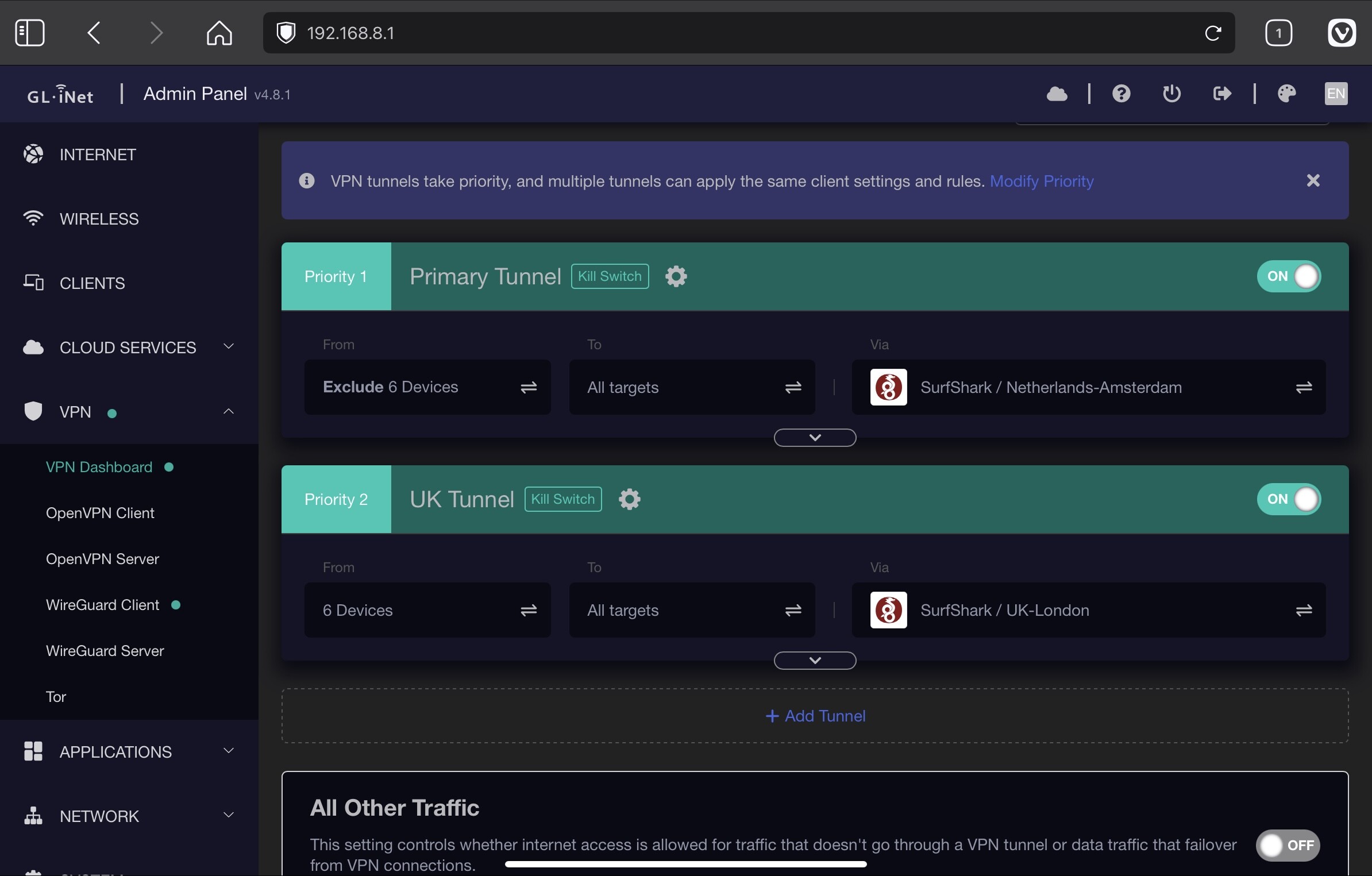
I am not sure what you mean by “stuck on using the to command, on the older setup it works fine.” but if your setup is not working, then can you try moving your UK tunnel up in priority to priority 1 and keep your main tunnel (now priority 2) to default settings of “all clients go to all targets”?
Sorry forgetting that confirmation that is working, but I want a separate confirmation that when a defined website is visited the devices don’t use any tunnels (go to WAN) but all other websites are Via the VPN, sorry for any confusion.
This works with older firmware’s
The screen shots of what I’m trying to achieve with the new firmware.
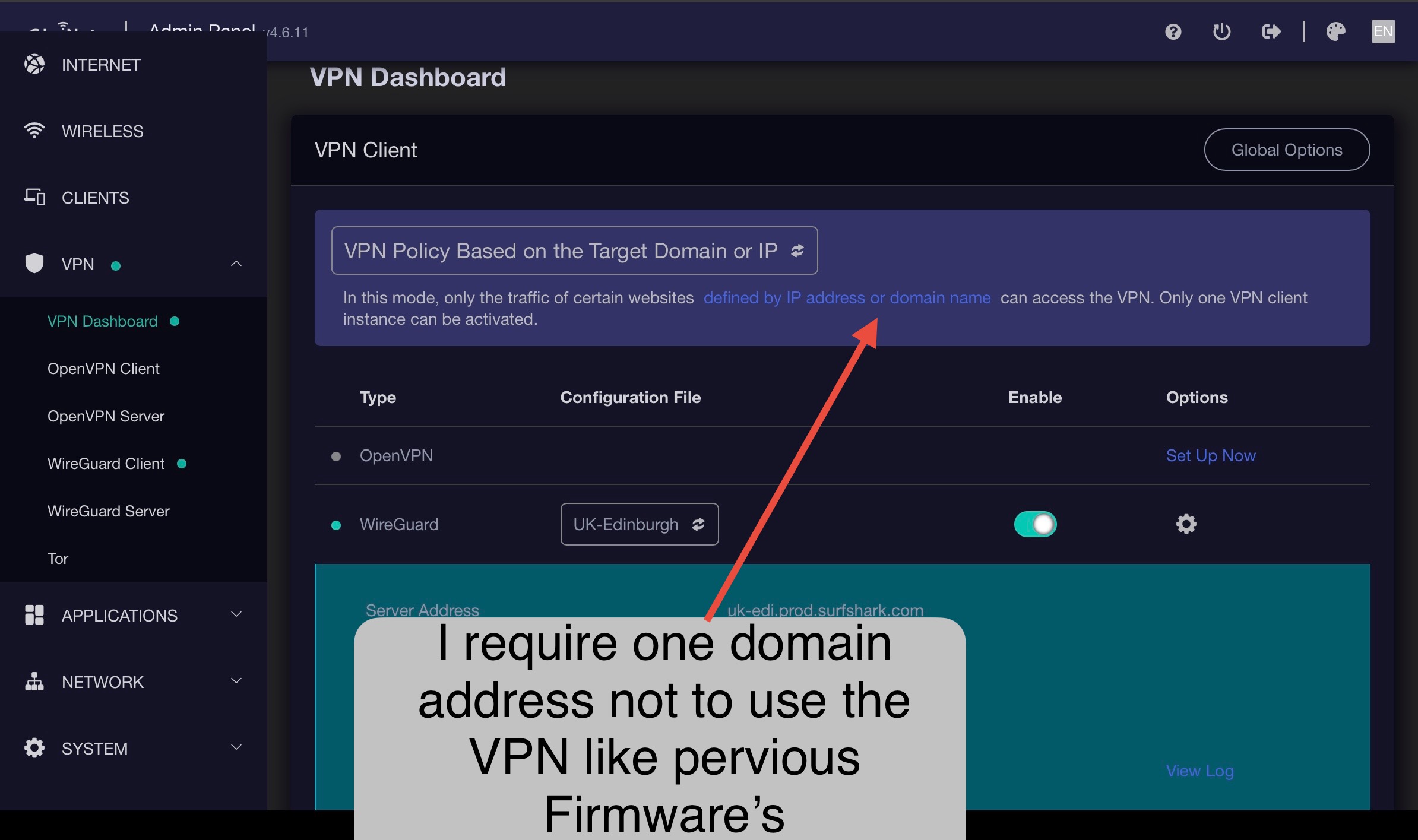
The next screen shot.
B

Also is this a bug nothing to do with above but if you run two tunnels and deactivate one why does it effect the other tunnel, you get a drop out as if that tunnel is modified.
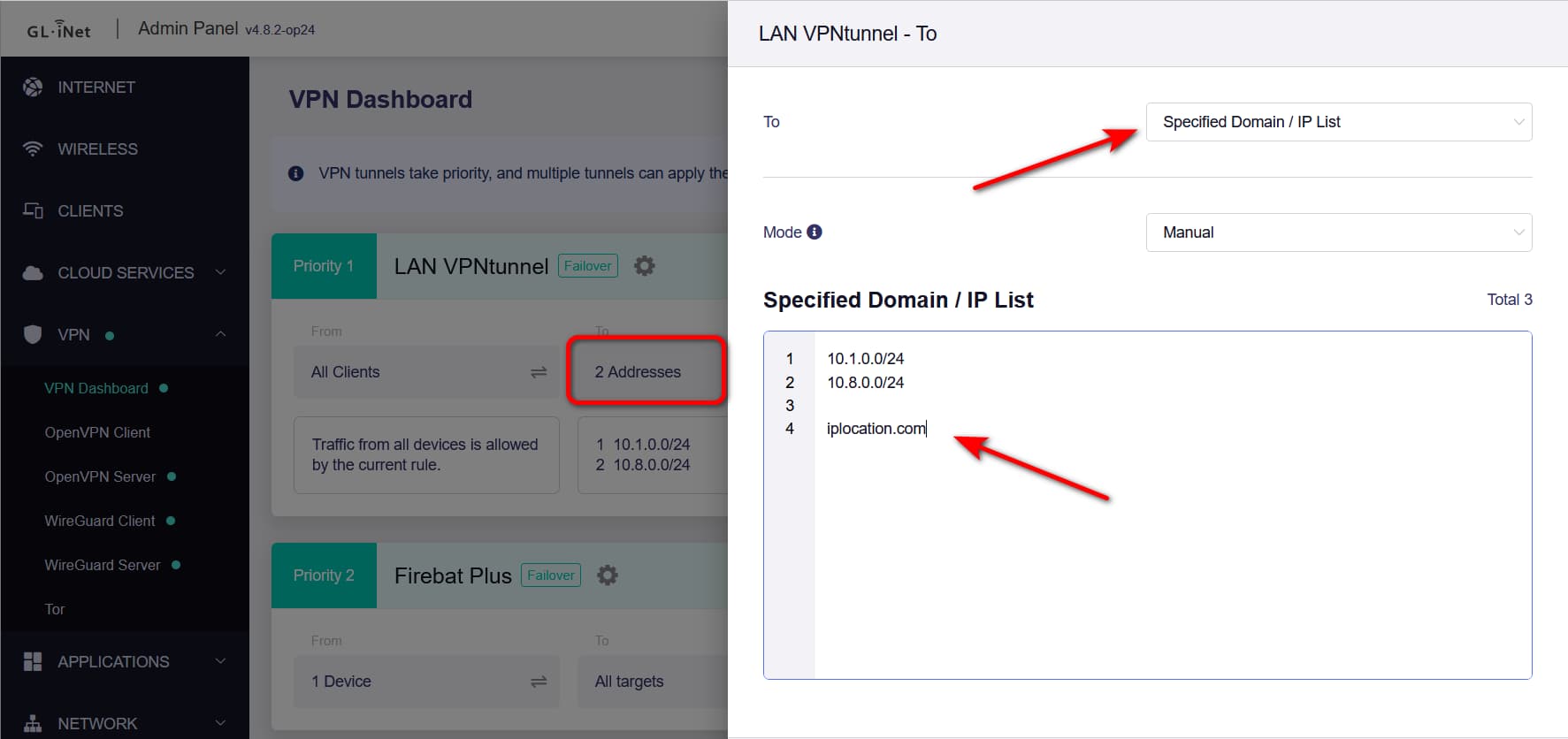
Hi is All Other Traffic off or on, thanks
This don`t work!
I ran a test. I created two tunnels. For the first tunnel, I specified which domains the tunnel should be valid for (specified domain/IP list), and for the second tunnel, I added the same domains to the list of blocked domains (excluded specified domain/IP list).
However, access to the domains always occurs via the VPN from the second tunnel, where these domains are actually blocked.
Last night I tried all sorts of things either nothing goes through the tunnel or nothing works, I do have a Flint 2 so I will flash the new firmware to see if that works, thanks for you’re help I hope they sort it out soon, i also don’t like it that if you do something to one tunnel and it disrupts the traffic on the other tunnel.
1 Like
I also have the Flint 2, and this feature doesn't work for me either.
I was very excited to finally be able to run two VPN connections side by side to enable access to certain sites from outside the EU.
But these domain lists just don't work.